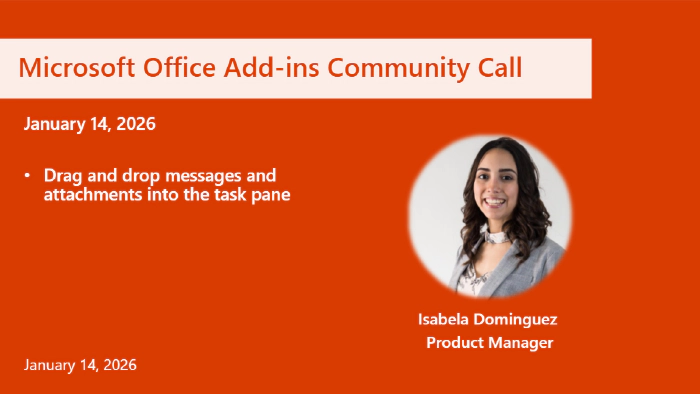
Office Add-ins developer platform community call – January 14, 2026
 David Chesnut
- 3 minutes to read
- 14 Jan, 2026
Office Add-ins developer platform community call - January 14, 2026
This month’s agenda and presenters
- Drag and drop messages and attachments into the task pane Isabela Dominguez, Product Manager at Microsoft. attachments into the task pane** Isabela Dominguez, Product Manager at Microsoft.
View video segments
- Introduction 00:00
- Drag and drop messages and attachments into the task pane 01:27
- Q&A 06:36
- Documentation updates 08:19
- Resources 9:35
Resources related to this blog’s content
Excel
Synchronous custom functions (preview) Preview how to enable synchronous custom functions to run in tandem with certain Excel processes.
Use custom functions with LAMBDA functions Learn how to use custom functions as LAMBDA function parameters.
Coauthoring in Excel add-ins Familiarize yourself with updated guidance for handling coauthoring challenges with Excel add-ins.
Script Lab sample: Invocation address sample Run the sample in Script Lab to learn how to reference the custom function’s cell location to adjust behavior.
PowerPoint
- PowerPoint JavaScript API 1.10
Try out PowerPoint JavaScript API 1.10 to better manage accessibility, slide background, and hyperlinks in a presentation.
https://learn.microsoft.com/javascript/api/requirement-sets/powerpoint/powerpoint-api-1-10-requirement-set?view=powerpoint-js-1.10
Outlook
Identify inline images in the HTML body of a mail item Learn how to easily locate an inline image in the HTML body of a mail item using the contentId property.
https://learn.microsoft.com/office/dev/add-ins/outlook/add-and-remove-attachments-to-an-item-in-a-compose-formOnMessageFromChanged and OnSensitivityLabelChanged events now supported in the unified manifest for Microsoft 365 Try out the OnMessageFromChanged and OnSensitivityLabelChanged events in an add-in that uses a unified manifest in Outlook on the web and the new Outlook on Windows.
Drag and drop: New properties to determine mouse pointer Use the taskPaneX and taskPaneY properties to determine the mouse pointer relative to the task pane when dragging and dropping items in Outlook on the web and the new Outlook on Windows.
Q&A (Question & Answers)
Are there any updates regarding the Outlook outage remediation roadmap?
Jonah Karpman (Product Manager) addressed outages on the previous December community call. Please see Microsoft outage update.
Additionally we’ll do a follow up with more information on the next community call.
Can we use the drag and drop feature to drag and drop from new Outlook to an external app?
Currently, we just support drag and drop into the task pane.
Are there any drag and drop features planned for apps other than Outlook?
Just Outlook at this time.
Call to action
- Join the next community call on February 11th at 7:00 AM Pacific Time.
General Resources
- Documentation
- Quick Starts:
- Script Lab
- Samples
- Microsoft 365 Developer Program
- Office Scripts
- Technical questions about Office add-ins
- Stack Overflow questions. Use keywords office-js, outlook-web-addins, or office-scripts.
- Github office-js issues
- Microsoft Tech Community – Submit feature requests
- Microsoft 365 Developer Program
Stay connected
- See the full blog post for this call in the Microsoft 365 platform community blog
- X (formerly Twitter)
- Microsoft 365 Unified Sample gallery
- Microsoft 365 Platform Community on YouTube
- Microsoft 365 Platform Community
- Link to all Microsoft Developer Community calls
- Submit questions for next community call
- Next community call – December 11th at 07:00am PT