

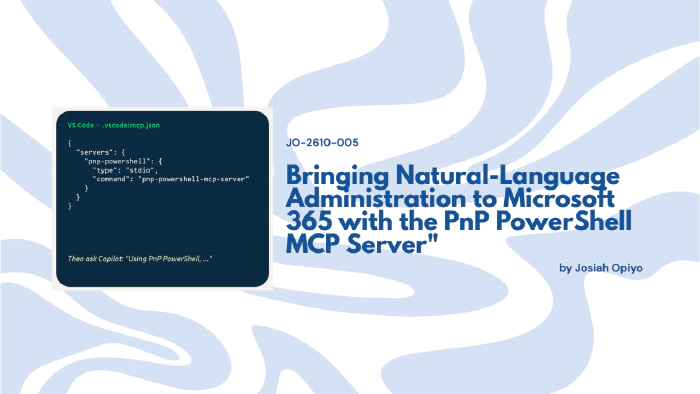
Bringing Natural-Language Administration to Microsoft 365 with the PnP PowerShell MCP Server
 Josiah Opiyo
- 4 minutes to read
- 01 Nov, 2026
Introduction
At the Copilot, Microsoft 365 and Power Platform community call on 22 October 2026, the presentation Introduction to PnP PowerShell MCP Server caught my attention because it explored a practical question: what happens when an AI assistant can work with the PowerShell tools administrators already use?
The idea is interesting not because PowerShell is new, but because Microsoft 365 administration often requires familiarity with a large collection of commands, parameters and dependencies. Connecting those capabilities to natural-language interaction could offer another way to approach everyday administrative tasks.
The Challenge of Knowing Which Command To Run
PnP PowerShell already provides extensive capabilities for working across the Microsoft ecosystem. The presentation highlighted more than 850 cmdlets covering SharePoint, Teams, Entra ID, Planner, Power Platform and other services.
It also highlighted community contributions, including more than 300 ready-made scripts. Administrators can reuse scripts, run them across thousands of sites, schedule execution and maintain logs.
However, having these capabilities available does not automatically make them easy to use. An administrator still needs to know which cmdlet fits a task, which parameters it requires and the order in which commands should run.
That knowledge barrier is where the MCP Server becomes particularly interesting.
Connecting AI Assistants To Existing PowerShell Capabilities
The Model Context Protocol (MCP) is an open standard that connects AI assistants with tools they can use to perform actions.
The presentation described three parts: an MCP client, an MCP server and the tools exposed through that server.
The client is where a user asks a question. Examples shown included GitHub Copilot, Claude, Cursor and Visual Studio. The server makes tools available to the client and executes them, while those tools provide the underlying actions, such as finding a cmdlet, reading its documentation or running a command.
The important distinction is that the approach builds on existing capabilities rather than replacing them. PnP PowerShell performs the underlying work; the MCP Server provides a way for an AI assistant to discover and invoke relevant tools.
From Remembering Syntax To Describing The Task
Consider the difference between knowing which PowerShell command to use and being able to describe the administrative task you want to complete.
The presentation explored everyday administration through natural language, alongside live demonstrations based on community scenarios. The MCP Server can search community scripts for relevant examples, helping connect a request with existing resources.
One demonstration showed this approach in practice through a pre-flight check. Rather than immediately running commands, the MCP Server verified that PowerShell was available, confirmed that the PnP PowerShell module was installed, checked the current connection state and reported the findings back in a structured format.
The workflow then established a connection, verified the result and performed a live round trip using Get-PnPWeb before presenting a connection summary. What stood out was that the interaction focused on describing the outcome required, while the MCP Server handled discovery, validation and execution through the available tools.
This does not mean administrators no longer need technical understanding. Instead, it suggests a different interaction model: describe the intended task, then use the assistant to help identify and invoke the appropriate capabilities.
Natural Language Does Not Remove The Guardrails
Another aspect that caught my attention was the emphasis on administrative control.
The presentation demonstrated several safeguards, including a read-only mode, confirmation prompts for destructive commands and configurable command timeouts. During the demonstrations, tool execution required approval rather than proceeding automatically.
The MCP Server also showed awareness of authentication practices. Connection details could be sourced from configuration files, while sensitive values such as tenant identifiers, application identifiers and certificate thumbprints were intentionally withheld from responses.
That emphasis matters because introducing natural-language administration does not remove the need for governance. If anything, it makes visibility and control more important. The session positioned the MCP Server as a bridge between AI assistants and existing administrative tools, not as a replacement for operational safeguards.
What This Could Mean For Enterprise IT
For organisations already using PnP PowerShell, this approach is worth exploring because it builds on an established, community-driven toolkit.
What interested me most was that the presentation was not really about replacing PowerShell knowledge. PnP PowerShell still performs the work, and administrators still need to understand the impact of the actions being taken. The MCP Server simply changes how those capabilities are discovered and accessed.
Rather than remembering hundreds of cmdlets, administrators can start with the task they are trying to achieve and work backwards to the tooling required.
Community Discussion
- Would natural-language interaction change how your team approaches routine Microsoft 365 administration?
- Which PowerShell tasks would you consider suitable for an AI-assisted workflow?
- What controls would you require before allowing an AI assistant to execute administrative commands?
- Could natural-language discovery help more administrators take advantage of PnP PowerShell capabilities?