
 Rabia Williams

The ESA - The Environment Sustainability Agent is an intelligent assistant designed to help organizations monitor and optimize their environmental impact. It analyzes data on energy consumption,environment compliance, and carbon emissions, providing actionable insights to reduce inefficiencies and enhance sustainability practices. By guiding companies toward more eco-friendly operations, this AI helps achieve long-term sustainability goals while reducing operational costs.
Summary
This sample illustrates the following concepts:
- Building a declarative agent for Microsoft 365 Copilot with instructions
- Adding a SharePoint capability to the agent
Prerequisites
- Microsoft 365 tenant with Microsoft 365 Copilot
- Visual Studio Code with the Teams Toolkit extension
- Node.js v18
Contributors
Version history
| Version | Date | Comments |
|---|---|---|
| 1.0 | October 22, 2025 | Initial release |
| 1.1 | Nov 14, 2025 | Added real reports and updated conversation starters |
Disclaimer
THIS CODE IS PROVIDED AS IS WITHOUT WARRANTY OF ANY KIND, EITHER EXPRESS OR IMPLIED, INCLUDING ANY IMPLIED WARRANTIES OF FITNESS FOR A PARTICULAR PURPOSE, MERCHANTABILITY, OR NON-INFRINGEMENT.
Minimal Path to Awesome
- Clone this repository and in your Visual Studio Code, open folder samples/da-environmentSustainability
- Alternatively you can also download this solution as a .ZIP file then unzip it and go to samples/da-environmentSustainability folder from your Visual Studio Code window
- Open the Teams Toolkit extension and sign in to your Microsoft 365 tenant with Microsoft 365 Copilot
- Copy the files like
Microsoft 2024 Environmental Sustainability Reportand other PDF files in docs folder and upload into a SharePoint site in the same Microsoft 365 tenant which you used to sign to Teams Toolkit - Update the environment variable
SP_SITE_URLin the .env.dev file with value of the SharePoint site where the docs were uploaded - Under the Teams Toolkit tab in Visual Studio Code, click "Provision" to install the application
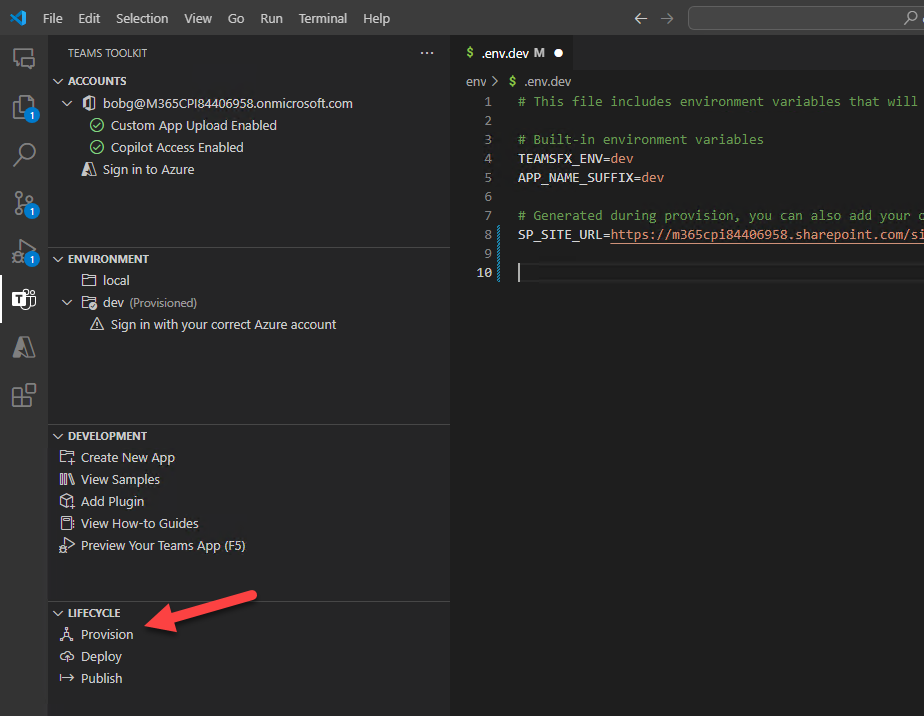
- Go to Copilot app and on the agent panel choose da-environmentSustainability
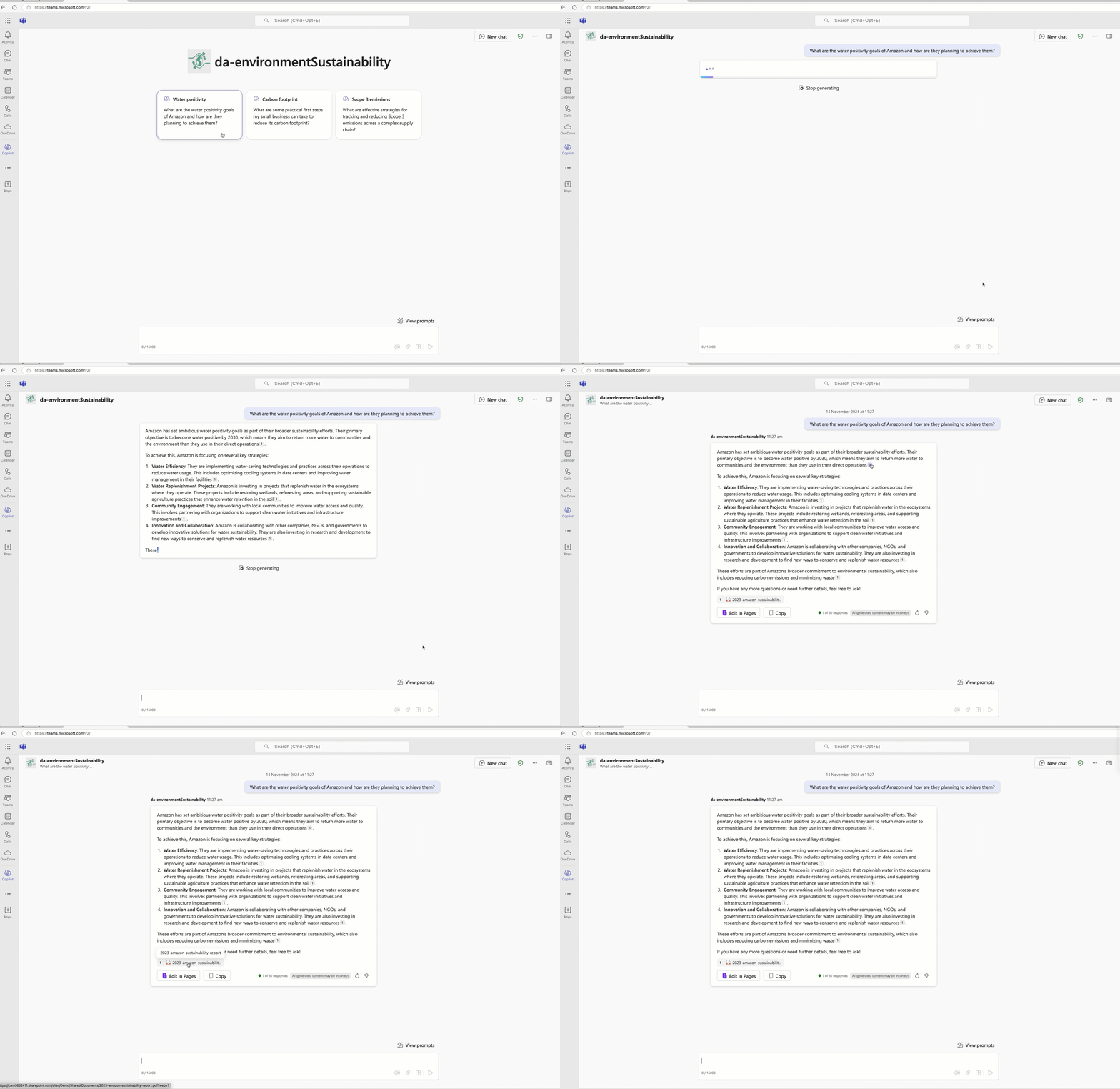
- Use the conversation starters to see the magic!
Features
- Declarative agent with SharePoint capability