Azure ACS Principal overview
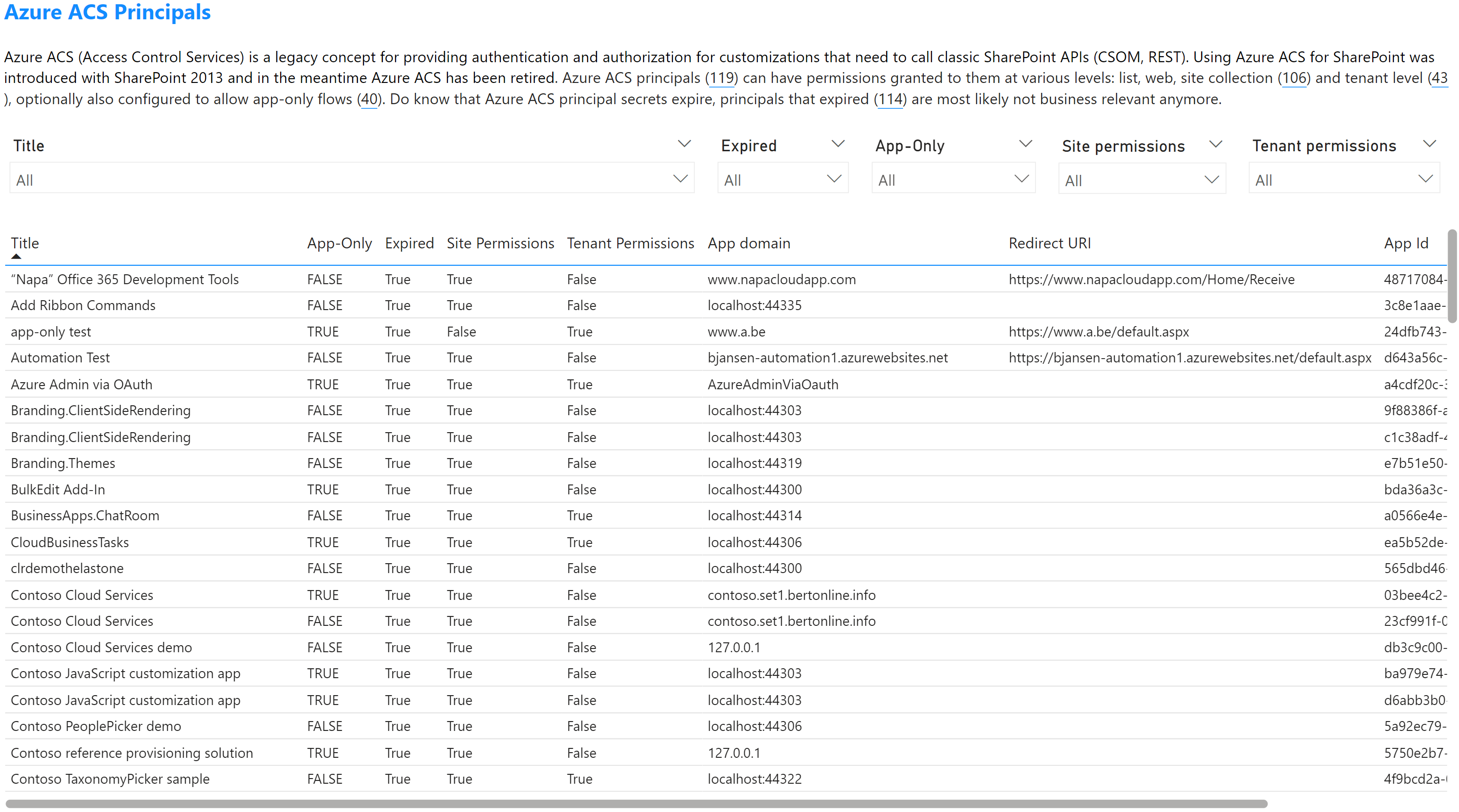
Using this report page you'll be able to list all the discovered Azure ACS principals. Azure ACS principals are a legacy auth concept used to grant applications (e.g. Provider Hosted SharePoint Add-Ins) access to SharePoint. Use the table on this report page to get an overview, apply the filters to scope your overview when needed. In the shown table these columns are presented:
| Column name | Description |
|---|---|
| Title | Title of the Azure ACS principal |
| App-Only | Can this Azure ACS principal be used to grant an application access without a user (so called app-only or application permissions) |
| Expired | Is the secret generated for this principal still valid, when expired the Azure ACS principal cannot access SharePoint anymore |
| Site Permissions | Was this Azure ACS principal configured with permissions for one or more specific site collections, webs or lists? |
| Tenant Permissions | Was this Azure ACS principal configured with permissions that apply to the whole tenant? |
| App domain | The configured application domain |
| Redirect URI | The configured redirect URI |
| App Id | The id of the Azure ACS principal |
Note
The Expired, AppDomain and RedirectUri fields do require some more context for correct interpretation. Expired or HasExpired in the CSV files: this value is set depending on the discovered validity of the keycredentials set on the service/app principal. There however are cases when there's no validity found (so expiration date equal to '01/01/0001 00:00:00') which can happen because of:
- The principal was created using developing Add-Ins with Visual Studio and after deployment the app was not granted permissions or the deployment failed. Usually these also have a localhost
AppDomainand an emptyRedirectUri. These show up asExpired= true. - The principal was a "regular" Entra app that was granted permissions via appinv.aspx. In this case the
AppDomainandRedirectUrifields are empty just as is the validity. These show up asExpired= false as the keycredentials are set on the app principal. The assessment tool is not reading the app principal in this case. - Using Microsoft Graph PowerShell or Microsoft Graph APIs the keycredentails on the service principal were cleared. These show up as
Expired= true.
Sample page