
Generate Markdown Report of LCIDs
Simple report listing out the language IDs in Markdown
 Adam Wójcik
 Paul Bullock
Summary
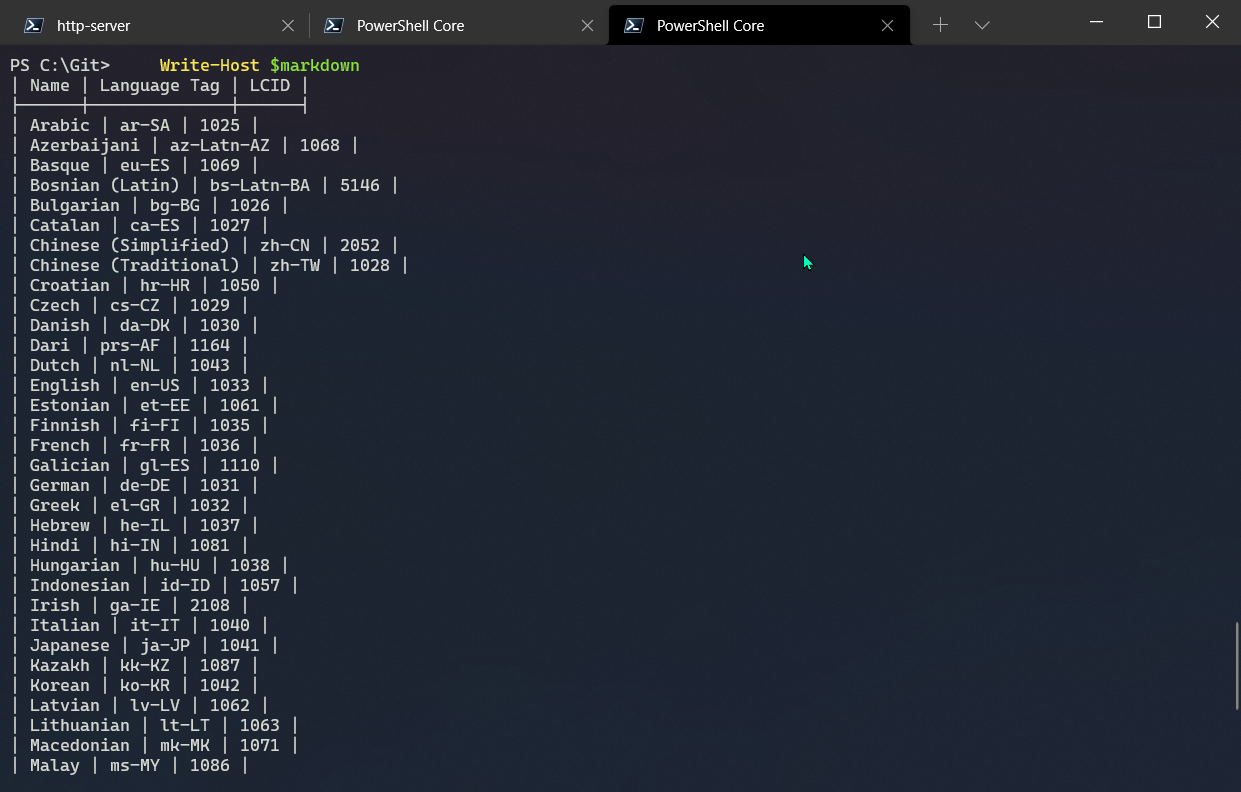
This is a simple report listing out the language IDs (LCIDs) of a SharePoint site and generated a markdown formatted table of the output. After this, the report is output to the shell and copied to the clipboard.
Connect-PnPOnline -Url "https://contoso.sharepoint.com"

$languages = (Get-PnPWeb -Includes RegionalSettings.InstalledLanguages).RegionalSettings.InstalledLanguages | `
        Sort-Object -Property "DisplayName"

# Markdown format
$markdown = ""
$markdown += "| Name | Language Tag | LCID |`n"
$markdown += "|------|--------------|------|`n"

$languages | foreach-object{ $markdown += "| $($_.DisplayName) | $($_.LanguageTag) | $($_.LCID) |`n"}

Write-Host $markdown

# Copy to clipboard
$markdown | clip

Write-Host "Script Complete! :)" -ForegroundColor Green
$m365Status = m365 status
if ($m365Status -match "Logged Out") {
    m365 login
}

$languages = m365 spo web installedlanguage list --webUrl 'https://contoso.sharepoint.com'
$languages = $languages | ConvertFrom-Json

# Markdown format
$markdown = ""
$markdown += "| Name | Language Tag | LCID |`n"
$markdown += "|------|--------------|------|`n"

$languages | foreach-object{ $markdown += "| $($_.DisplayName) | $($_.LanguageTag) | $($_.LCID) |`n"}

Write-Host $markdown

# Copy to clipboard
$markdown | clip

Write-Host "Script Complete! :)" -ForegroundColor Green
Contributors
| Author(s) |
|---|
| Paul Bullock |
| Adam Wójcik |
Disclaimer
THESE SAMPLES ARE PROVIDED AS IS WITHOUT WARRANTY OF ANY KIND, EITHER EXPRESS OR IMPLIED, INCLUDING ANY IMPLIED WARRANTIES OF FITNESS FOR A PARTICULAR PURPOSE, MERCHANTABILITY, OR NON-INFRINGEMENT.
Tool documentation & references
- Want to learn more about PnP PowerShell and the cmdlets
Check out the PnP PowerShell site to get started and for the reference to the cmdlets.
- Want to learn more about CLI for Microsoft 365 and the commands
Check out the CLI for Microsoft 365 site to get started and for the reference to the commands.
