
Bulk delete recycle bin items from a site in batch
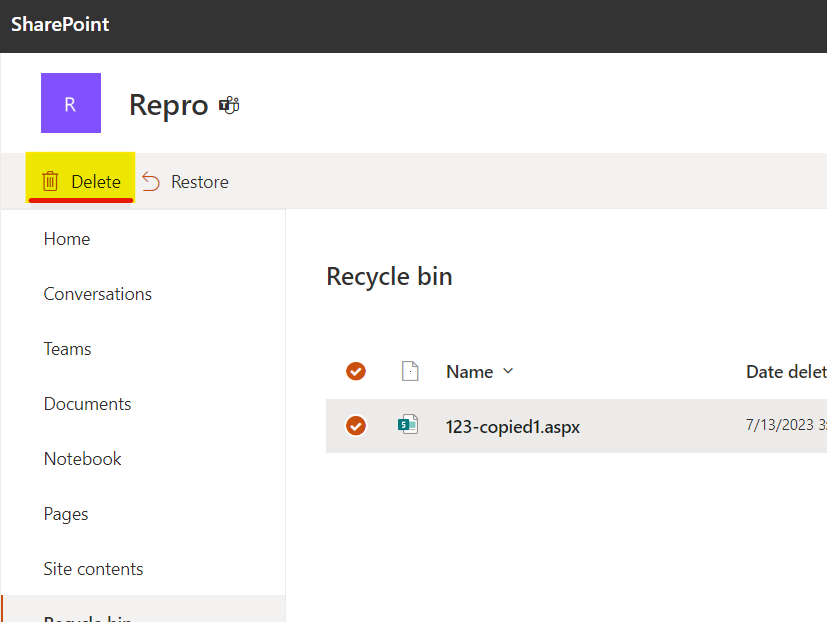
This script will delete items from recyclebin in bulk while avoiding List View Threshold issues.
 Eilaf Barmare
Summary
This script performs a two-step process to manage the recycle bin items in a SharePoint Online site. Here's a summary of the script's functionality:
Step 1:
- The script connects to a SharePoint Online site using PnP PowerShell.
- It defines a date range and retrieves recycle bin items meeting specific conditions based on a defined CSV file.
- The retrieved items are exported to a CSV file named "recyclebin.csv".
Step 2:
- The script connects again to the same SharePoint Online site using PnP PowerShell.
- It reads the "recyclebin.csv" file, which should have been manually modified to contain only the items intended for deletion.
- The script processes the items in batches (default batch size: 10) and deletes them from the recycle bin using SharePoint's REST API.
- The results of the deletion process are written to "recyclebinresults.csv".
Both steps include informative messages to keep users updated on the progress and status of the operations.
#########################################################
# Step 1: Execute this part only and wait for it to complete.
# This step will get the items from the recycle bin based on the defined condition in CSV
#########################################################

## PnP PowerShell

$today = (Get-Date)

# Specify date from
$date1 = $today.Date.AddDays(-8)

# Specify date to
$date2 = $today.Date.AddDays(-5)

Connect-PnPOnline -Url https://tenant.sharepoint.com/sites/repro -Interactive

$recycleBinItems = Get-PnPRecycleBinItem -RowLimit 999999 | ? {
    ($_.DeletedByEmail -eq 'first.last@tenant.onmicrosoft.com') -and
    (($_.DeletedDate -gt $date1) -and ($_.DeletedDate -lt $Date2))
}

$recycleBinItems | Export-Csv C:\recyclebin.csv -NoTypeInformation

# Open CSV and remove rows you do not wish to delete. Save the CSV file.

#########################################################
# Step 2: Now execute the below part and wait for it to complete.
# This step will fetch the items from the CSV report stored locally and delete the items by IDs in a batch of 10 items (default)
#########################################################

# Input file
$Path = "C:\recyclebin.csv"

# Output file
$OutputFile = "C:\recyclebinresults.csv"

$NoInBatch = 10

$ErrorActionPreference = 'Stop'
$InformationPreference = 'Continue'

Connect-PnPOnline -Url "https://tenant.sharepoint.com/sites/repro" -Interactive

function Start-Processing {
    [CmdletBinding()]
    param(
        [Parameter(Mandatory = $true)]
        [string]
        $csvFilePath,

        [Parameter(Mandatory = $true)]
        [int]
        $processBatchCount
    )

    $csvItems = Get-Content -Path $csvFilePath | ConvertFrom-Csv
    $recycleBinSplit = Split-Array -InputObject $csvItems -Size $processBatchCount

    $batchCount = $recycleBinSplit.Count
    $i = 0

    if ($recycleBinSplit.Count -eq $csvItems.Count) {
        Write-Information -MessageData "Purging deleted items batch 1 of 1 containing $($recycleBinSplit.Count) items..."
        Clear-RecycleBinItems -Ids $recycleBinSplit
    } else {
        $recycleBinSplit | ForEach-Object {
            $items = $PSItem
            $i++
            Write-Information -MessageData "Purging deleted items batch $i of $batchCount containing $($items.Count)..."
            Clear-RecycleBinItems -Ids $items
        }
    }
}

function Split-Array {
    [CmdletBinding()]
    param (
        [Parameter(Mandatory)]
        [object[]] $InputObject,

        [int] $Size = 10
    )

    $outArray = @()
    $parts = [math]::Ceiling($InputObject.Count / $Size)

    for ($i = 0; $i -le $parts - 1; $i++) {
        $start = $i * $Size
        $end = (($i + 1) * $Size) - 1
        $outArray += , @($InputObject[$start..$end])
    }

    Write-Output $outArray
}

function Clear-RecycleBinItems {
    param(
        [Parameter(Mandatory)]
        [Object[]]
        $Ids
    )

    $apiCall = "/_api/site/RecycleBin/DeleteByIds"
    $idsString = ($Ids).Id -join "','"
    $body = "{'ids':['$idsString']}"

    try {
        Invoke-PnPSPRestMethod -Method Post -Url $apiCall -Content $body | Out-Null
        Write-Information "Batch Success"
        $Ids | ForEach-Object {
            $id = $PSItem
            $id | Add-Member -MemberType NoteProperty -Name "Status" -Value "Success"
            Write-Output $id
        }
    } catch {
        $Exception = $_
        Write-Warning "Unable to process as a batch, processing individually...."
        $Ids | ForEach-Object {
            $id = $PSItem
            try {
                $body = "{'ids':['$($id.Id)']}"
                Invoke-PnPSPRestMethod -Method Post -Url $apiCall -Content $body | Out-Null
                Write-Information "Success: $($id.Id)"
                $id | Add-Member -MemberType NoteProperty -Name "Status" -Value "Success"
                Write-Output $id
            } catch {
                $Exception = $_
                $odataError = $Exception.Exception.Message | ConvertFrom-Json
                $message = $odataError.'odata.error'.message.value

                if ($message.Contains("Value does not fall within the expected range.") -eq $true) {
                    $message = "No longer in recycle bin / Previously deleted"
                }

                $id | Add-Member -MemberType NoteProperty -Name "Status" -Value $message
                Write-Information "Failed: $($id.Id) - $message"
                Write-Output $id
            }
        }
    }
}

Write-Information -MessageData "Processing file $Path and purging recycle bin items in batches of $NoInBatch..."

Start-Processing -csvFilePath $Path -processBatchCount $NoInBatch | Export-Csv $OutputFile -NoTypeInformation
Source Credit
Sample first appeared on Restore large amount of items from SharePoint Recycle bin in bulk
Contributors
| Author(s) |
|---|
| Eilaf Barmare |
Disclaimer
THESE SAMPLES ARE PROVIDED AS IS WITHOUT WARRANTY OF ANY KIND, EITHER EXPRESS OR IMPLIED, INCLUDING ANY IMPLIED WARRANTIES OF FITNESS FOR A PARTICULAR PURPOSE, MERCHANTABILITY, OR NON-INFRINGEMENT.
Tool documentation & references
- Want to learn more about PnP PowerShell and the cmdlets
Check out the PnP PowerShell site to get started and for the reference to the cmdlets.
