
Enable modern creation forms for Document sets
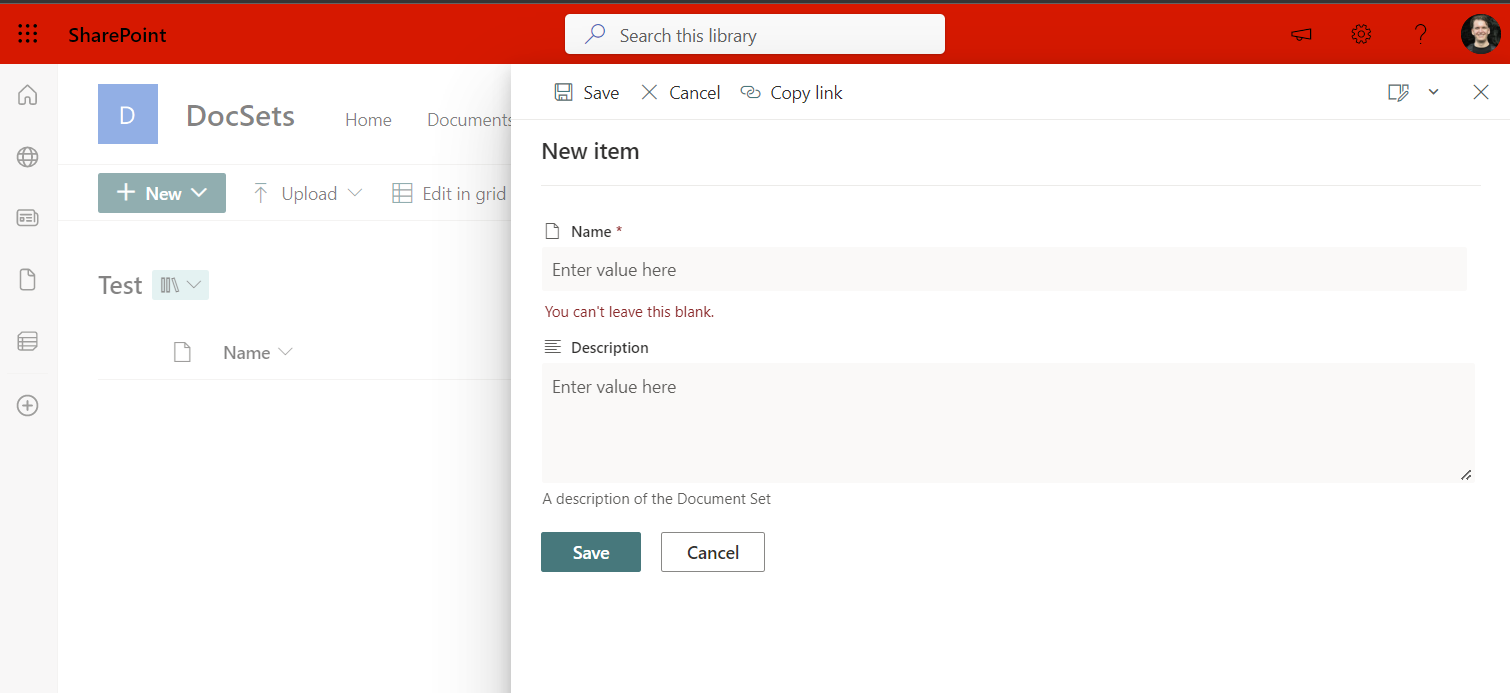
This sample script shows how to enable modern creation forms for Document sets in SharePoint online site.
 Marc D Anderson
 Dan Toft
Summary
I've found that setting the NewFormClientSideComponentId to NULL on a documents set content type will cause it to render a modern creation form over the default, this script will help you do that. (Also see alternate version below, which works on the Content Type Hub.)
# SharePoint online site url
$siteUrl = Read-Host -Prompt "Enter your site url (e.g https://<tenant>.sharepoint.com/sites/contoso)";

# Connect to SharePoint Online site
Connect-PnPOnline -Url $siteUrl -Interactive

# Get the doclibs on the site
$lists = Get-PnPList | Where-Object {$_.BaseTemplate -eq 101}

# List the document libraries
foreach($list in $lists){
    Write-Host "[$($lists.IndexOf($list)+1)] $($list.Title)"
}

$index = Read-Host -Prompt "Which list to you wish to modernize your content type"

# Get the "Folder" content types on the document library
$cts = Get-PnPContentType -List $($lists[$index-1]) | Where-Object {$_.Id.StringValue.StartsWith("0x0120")}

foreach($ct in $cts){
    Write-Host "[$($cts.IndexOf($ct)+1)] $($ct.name)"
}

$CTindex = Read-Host -Prompt "Which content type to you wish to modernize"

# Null out the NewFormClientSideComponentId as that seems to bring it to modern UI
$cts[$CTindex-1].NewFormClientSideComponentId = $null;
$cts[$CTindex-1].Update($false);

Invoke-PnPQuery

Write-Host -ForegroundColor Green "All done"
This alternate version, based on Dan's script above, works on the Content Type Hub, allowing you to modernize Document Sets stored at the enterprise level. See Modernizing the Document Set NewDocSet Form for more details
$tenant = "YourTenantName"
$clientId = "YourAppRegistrationGUID"

$cthConnection = Connect-PnPOnline -ClientId $clientId -Url "https://$($tenant).sharepoint.com/sites/ContentTypeHub" -Interactive

# Get the "Document Set" content types
$cts = Get-PnPContentType | Where-Object { $_.Id.StringValue.StartsWith("0x0120D520") }

foreach ($ct in $cts) {
    $currVal = "❌"
    if($ct.NewFormClientSideComponentId.Length -eq '') {
        $currVal = "✅"
    }
    Write-Host "[$($cts.IndexOf($ct)+1)] $($ct.name) $($currVal)"
}

$CTindex = Read-Host -Prompt "Which content type to you wish to modernize"

# Null out the NewFormClientSideComponentId as that seems to bring it to modern UI
$cts[$CTindex - 1].NewFormClientSideComponentId = $null;
$cts[$CTindex - 1].Update($false);

Invoke-PnPQuery

$ctPub = Read-Host -Prompt "Content Type $($cts[$CTindex-1].Name) updated. Would you like to publish the change? (Y/N)"
if ($ctPub -ne 'Y' -and $ctPub -ne 'y') {
    Write-Host -ForegroundColor Red "Exiting without publishing changes."
    exit
}
else {
    # Publish the changed content type
    Write-Host -ForegroundColor Yellow "Publishing content type $($cts[$CTindex-1].Name) with ID $($cts[$CTindex-1].Id)"
    Publish-PnPContentType -ContentType $cts[$CTindex - 1].Id
}

Write-Host -ForegroundColor Green "All done"
Contributors
| Author(s) |
|---|
| Dan Toft |
| Marc D Anderson |
Disclaimer
THESE SAMPLES ARE PROVIDED AS IS WITHOUT WARRANTY OF ANY KIND, EITHER EXPRESS OR IMPLIED, INCLUDING ANY IMPLIED WARRANTIES OF FITNESS FOR A PARTICULAR PURPOSE, MERCHANTABILITY, OR NON-INFRINGEMENT.
Tool documentation & references
- Want to learn more about PnP PowerShell and the cmdlets
Check out the PnP PowerShell site to get started and for the reference to the cmdlets.
