
Enable AI skills in SharePoint Online
This script enables AI skills in SharePoint Online by activating the Agent Assets site collection feature
 Paul Bullock
Summary
This script checks and optionally enables the SharePoint Online site feature required for Knowledge Agent assets (AgentAssets) on a target site collection to use skills.
Use this script when you want to prepare a site for AI/Knowledge Agent capabilities and confirm whether the required site feature is already active.
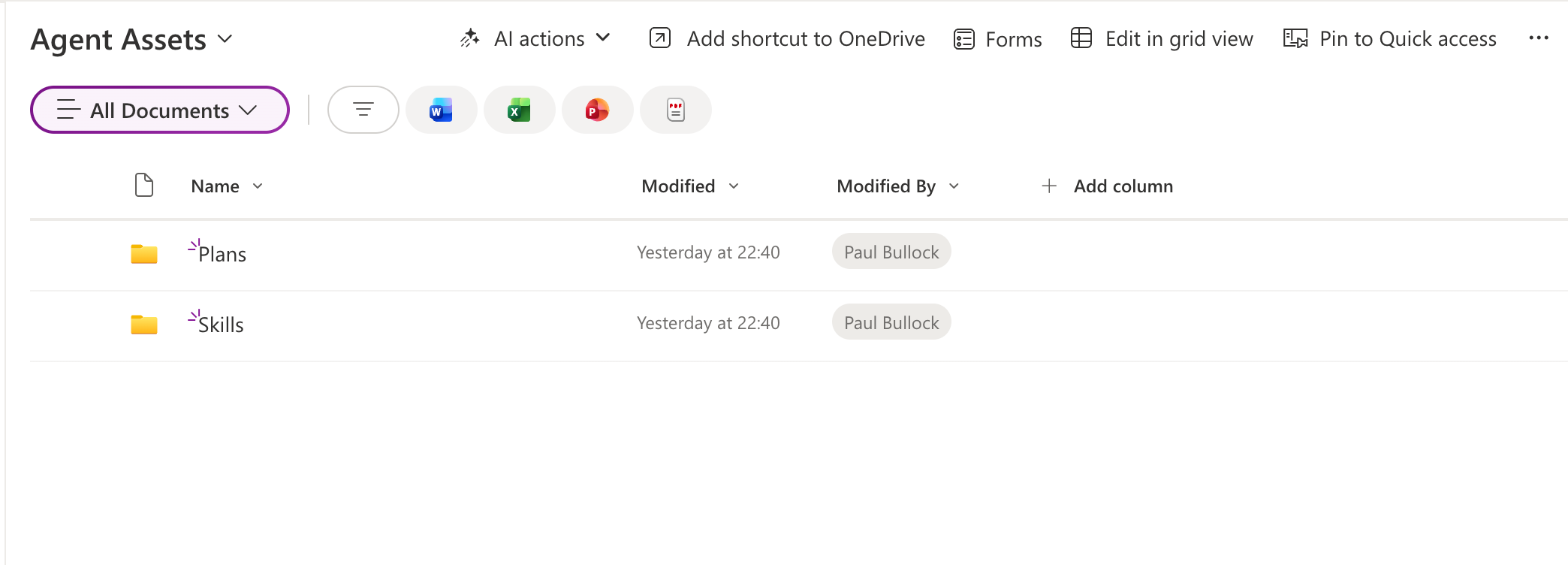
The script:
- Connects to SharePoint Online using interactive authentication.
- Retrieves the current state of the
Agent Assetssite feature. - Optionally enables the feature when the
-Activateswitch is used.
Prerequisites
- PnP PowerShell
- Permissions to manage site collection features on the target site
<#
----------------------------------------------------------------------------

Created:      Paul Bullock
Date:         04/05/2026

.Notes

    Features of Knowledge Agent include:

	Agent Assets
    Provides storage for agent plans, skills, and other contextual information that makes Knowledge Agent more knowledgeable on the site.

 ----------------------------------------------------------------------------
#>
[CmdletBinding()]
param (
	$SiteUrl = "https://<tenant>.sharepoint.com/sites/SiteA",
	$ClientId = "<application-client-id-for-pnp-powershell>",
	[switch]$Activate
)

begin {
	Write-Host "This script will enable site agents for the specified SharePoint site." -ForegroundColor Green
}
process {
	Connect-PnPOnline -Url $SiteUrl -ClientId $ClientId -Interactive

	$featureName = "AgentAssets"
	$featureId = "9e14d30c-1e0d-4c8c-8dcb-a8d29f7d4c15"

	Get-PnPFeature -Identity $featureId -Scope Site | Format-List

	if ($Activate) {
		Write-Host "Activating feature $featureName..." -ForegroundColor Green
		Enable-PnPFeature -Identity $featureId -Scope Site -Force
	}
}
end {
	Write-Host "Done! :)" -ForegroundColor Green
}
Contributors
| Author(s) |
|---|
| Paul Bullock |
Disclaimer
THESE SAMPLES ARE PROVIDED AS IS WITHOUT WARRANTY OF ANY KIND, EITHER EXPRESS OR IMPLIED, INCLUDING ANY IMPLIED WARRANTIES OF FITNESS FOR A PARTICULAR PURPOSE, MERCHANTABILITY, OR NON-INFRINGEMENT.
Tool documentation & references
- Want to learn more about PnP PowerShell and the cmdlets
Check out the PnP PowerShell site to get started and for the reference to the cmdlets.
