
Export User Profiles to csv
This sample shows how to export all or a sub set of accounts from UPA to CSV
 Valeras Narbutas
 Kasper Larsen
Summary
Sometimes you will have to export all or a sub set of the account in the User Profiles in order to do some validation or cleaning. This is where this script sample comes in handy. The sample is an update of an existing script by Salaudeen Rajack , see https://www.sharepointdiary.com/2017/08/sharepoint-online-export-user-profile-properties-to-csv-using-powershell.html#ixzz7vvoXWaLr
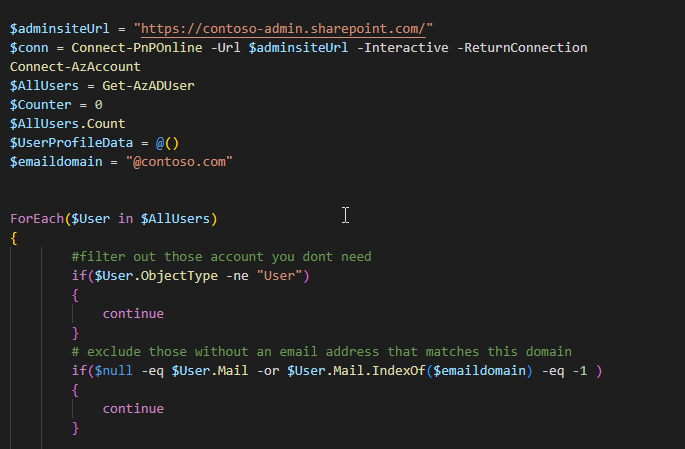
$adminsiteUrl = "https://contoso-admin.sharepoint.com/"
$conn = Connect-PnPOnline -Url $adminsiteUrl -Interactive -ReturnConnection
Connect-AzAccount
$AllUsers = Get-AzADUser
$Counter = 0
$AllUsers.Count
$UserProfileData = @()
$emaildomain = "@contoso.com"


ForEach($User in $AllUsers)
{
        #filter out those account you dont need
        if($User.ObjectType -ne "User")
        {
            continue
        }
        # exclude those without an email address that matches this domain
        if($null -eq $User.Mail -or $User.Mail.IndexOf($emaildomain) -eq -1 )
        {
            continue
        }


        Write-host "`nGetting User Profile Property for: $($User.UserPrincipalName)" -f Yellow
        #Get the User Property value from SharePoint
        try
        {
            $UserProfile = Get-PnPUserProfileProperty -Account ($User.UserPrincipalName) -Connection $conn
            $UserProfile.UserProfileProperties["Department"]

            # Yet another option to exclude account from the export. Here we exclude account without a value in the Department field
            if($null -eq $UserProfile.UserProfileProperties["Department"] -or $UserProfile.UserProfileProperties["Department"] -eq "")
            {
                continue
            }
            #Get User Profile Data
            $UserData = New-Object PSObject
            ForEach($Key in $UserProfile.UserProfileProperties.Keys)
            {
                $UserData | Add-Member NoteProperty $Key($UserProfile.UserProfileProperties[$Key])
            }
            $UserProfileData += $UserData
            $Counter++
            Write-Progress -Activity "Getting User Profile Data..." -Status "Getting User Profile $Counter of $($AllUsers.Count)" -PercentComplete (($Counter / $AllUsers.Count)  * 100)

        }
        catch
        {
            Write-Host $_.Exception.Message

        }


}
#Export the data to CSV
$CSVPath = "C:\temp\UPAAccounts.csv"
$UserProfileData | Export-Csv $CSVPath -Encoding utf8BOM -Delimiter "|"

write-host -f Green "User Profiles Data Exported Successfully to:" $CSVPath
m365 login --authType deviceCode

# Get all users and their properties, add properties as needed with --properties and separate with comma
m365 aad user list --properties "displayName,mail"

# Get all users and their properties and export to csv
m365 aad user list --output csv --properties "displayName,mail,givenName,jobTitle,mail,mobilePhone,officeLocation,preferredLanguage,surname,userPrincipalName,id" > users.csv

# Get current user with all properties
m365 aad user get --id "@meId"

# get any user with all properties
m365 aad user get --id "UserID"
Contributors
| Author(s) |
|---|
| Kasper Larsen |
| Valeras Narbutas |
Disclaimer
THESE SAMPLES ARE PROVIDED AS IS WITHOUT WARRANTY OF ANY KIND, EITHER EXPRESS OR IMPLIED, INCLUDING ANY IMPLIED WARRANTIES OF FITNESS FOR A PARTICULAR PURPOSE, MERCHANTABILITY, OR NON-INFRINGEMENT.
Tool documentation & references
- Want to learn more about PnP PowerShell and the cmdlets
Check out the PnP PowerShell site to get started and for the reference to the cmdlets.
