
Find Web Part in Pages e.g., Twitter Web Part
Find a specific Web part in pages or templates, for example, defualting to and finding Twitter Web parts
 Paul Bullock
Summary
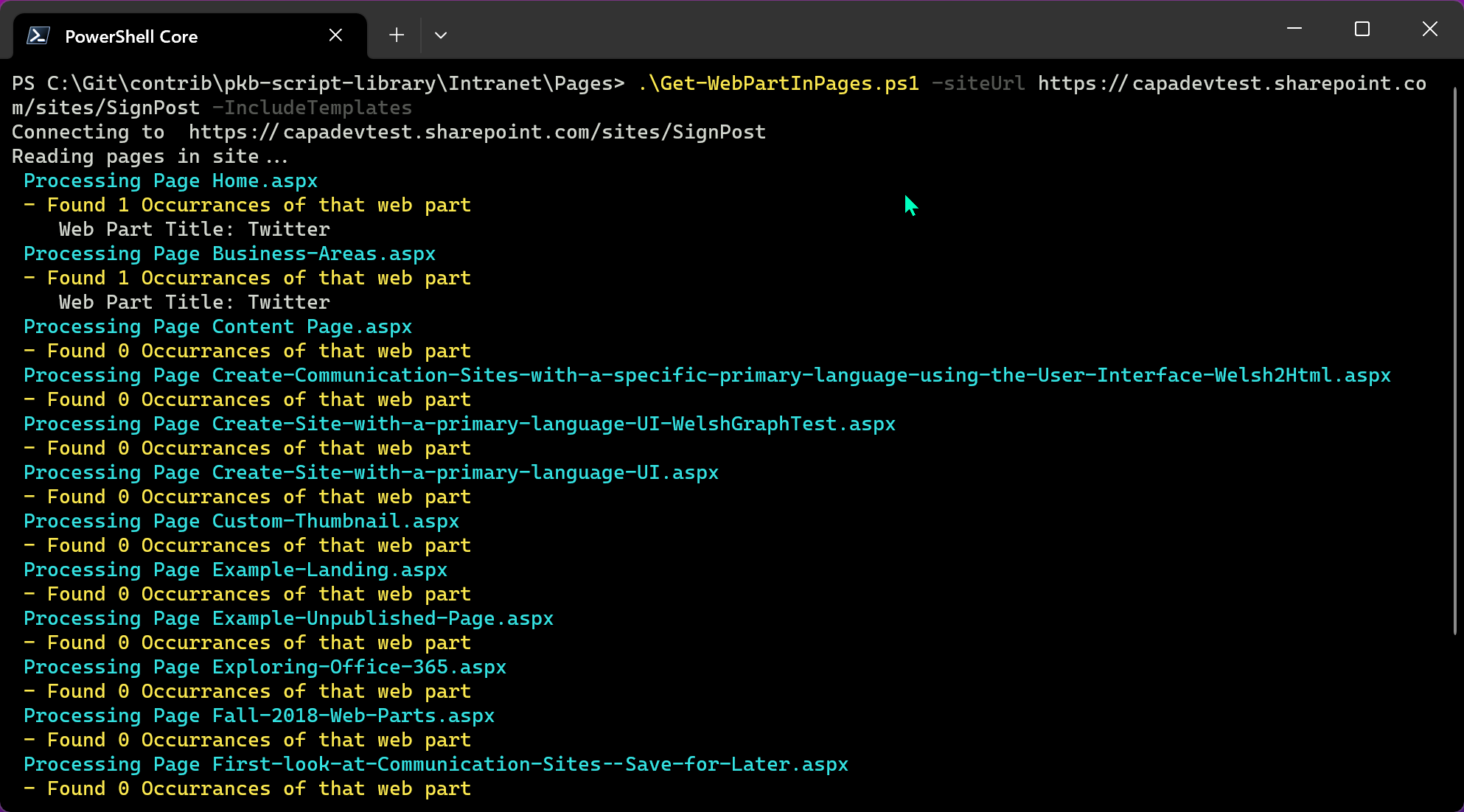
This script will find all instances of the specified Web Part on a page or (if chosen) in templates too. The scripe example produces a report of all of the occurances of the Twitter Web Part in a site. You can specify any web part ID to find, but there is a deprecation happening soon and this maybe useful to find any occurances of the web part.
If you would like to delete the web parts, there is an existing script to do that here: Delete Web Parts from Pages
<#

Created:      Paul Bullock
Date:         04/09/2023
License:      MIT License (MIT)

.Synopsis
    Lists out use of the twitter web part in a site, as an example, although you can specify any web part ID
#>

[CmdletBinding()]
param (
    [Parameter(Mandatory = $true, HelpMessage = "Source URL e.g. https://contoso.sharepoint.com/sites/SiteA")]
    [string]$siteUrl,
    [string]$ReportName = "Twitter-WebPart-Report.csv",
    [string]$WebPartId = "f6fdf4f8-4a24-437b-a127-32e66a5dd9b4", # Twitter Web Part ID
    [switch]$IncludeTemplates
)
begin{

    Write-Host "Connecting to " $siteUrl

    # For MFA Tenants - Interactive opens a browser window
    $sourceConnection = Connect-PnPOnline -Url $siteUrl  -ReturnConnection -Interactive

    # Caml to find just the pages, not folders or templates
    $filter = '<View>' +
                '<Query>' +
                    '<Where>' +
                        '<And>' +
                            '<Eq>'+
                                '<FieldRef Name="FSObjType" />'+
                                '<Value Type="Integer">0</Value>'+
                            '</Eq>'+
                            '<Neq>'+
                                '<FieldRef Name="_SPSitePageFlags" />'+
                                '<Value Type="Text">{Template}}</Value>'+
                            '</Neq>'+
                        '</And>' +
                    '</Where>' +
                '</Query>' +
            '</View>'

    # Caml to find pages and templates
    if($IncludeTemplates){
        $filter = '<View>' +
                    '<Query>' +
                        '<Where>' +
                                '<Eq>'+
                                    '<FieldRef Name="FSObjType" />'+
                                    '<Value Type="Integer">0</Value>'+
                                '</Eq>'+
                        '</Where>' +
                    '</Query>' +
                '</View>'
    }

    $reportPath = "$($ReportName)"
    $WebPartList = @()

}
process{

    Write-Host "Reading pages in site..."

    $web = Get-PnPWeb -Includes Title,Url
    $webTitle = $web.Title
    $webUrl = $web.Url

    $pages = Get-PnPListItem -List "SitePages" -Connection $sourceConnection -Query $filter

    Foreach($page in $pages){

        $file = $page.FieldValues["FileLeafRef"]

        Write-Host " Processing Page $($file)" -ForegroundColor Cyan

        $components = Get-PnPPageComponent -Page $file

        # To find the Web Part ID (type, not instance):
        # Get-PnPPageComponent -Page "MyPage.aspx" -ListAvailable

        # You can filter based on type of web part
        $webPartInstances = $components | Where-Object { $_.WebPartId -eq $WebPartId}
        Write-Host " - Found $($webPartInstances.Count) Occurrances of that web part" -ForegroundColor Yellow

        $webPartInstances | Foreach-Object{

            $wpTitle = $_.title
            Write-Host "    Web Part Title: $($wpTitle)"
            $webPartProps = $_.PropertiesJson

            $webPartLogItem = [PSCustomObject]@{

                    "WebTitle" = $webTitle
                    "WebUrl" = $webUrl
                    "PageFileName" = $page.title
                    "WebPartTitle" = $_.title
                    "WebPartProperties" = $webPartProps
                }

            $WebPartList += $webPartLogItem
        }
    }

    $WebPartList | Export-Csv -Path $reportPath -NoTypeInformation

    Write-Host "Report saved to $reportPath" -ForegroundColor Green
    Write-Host "Script Complete :-)" -ForegroundColor Green
}
Contributors
| Author(s) |
|---|
| Paul Bullock |
Disclaimer
THESE SAMPLES ARE PROVIDED AS IS WITHOUT WARRANTY OF ANY KIND, EITHER EXPRESS OR IMPLIED, INCLUDING ANY IMPLIED WARRANTIES OF FITNESS FOR A PARTICULAR PURPOSE, MERCHANTABILITY, OR NON-INFRINGEMENT.
Tool documentation & references
- Want to learn more about PnP PowerShell and the cmdlets
Check out the PnP PowerShell site to get started and for the reference to the cmdlets.
