
Get SharePoint Storage Usage Against Allocated Quota
Understand and sharing links activities within your M365 environment is crucial for maintaining security and compliance.
 Reshmee Auckloo
Summary
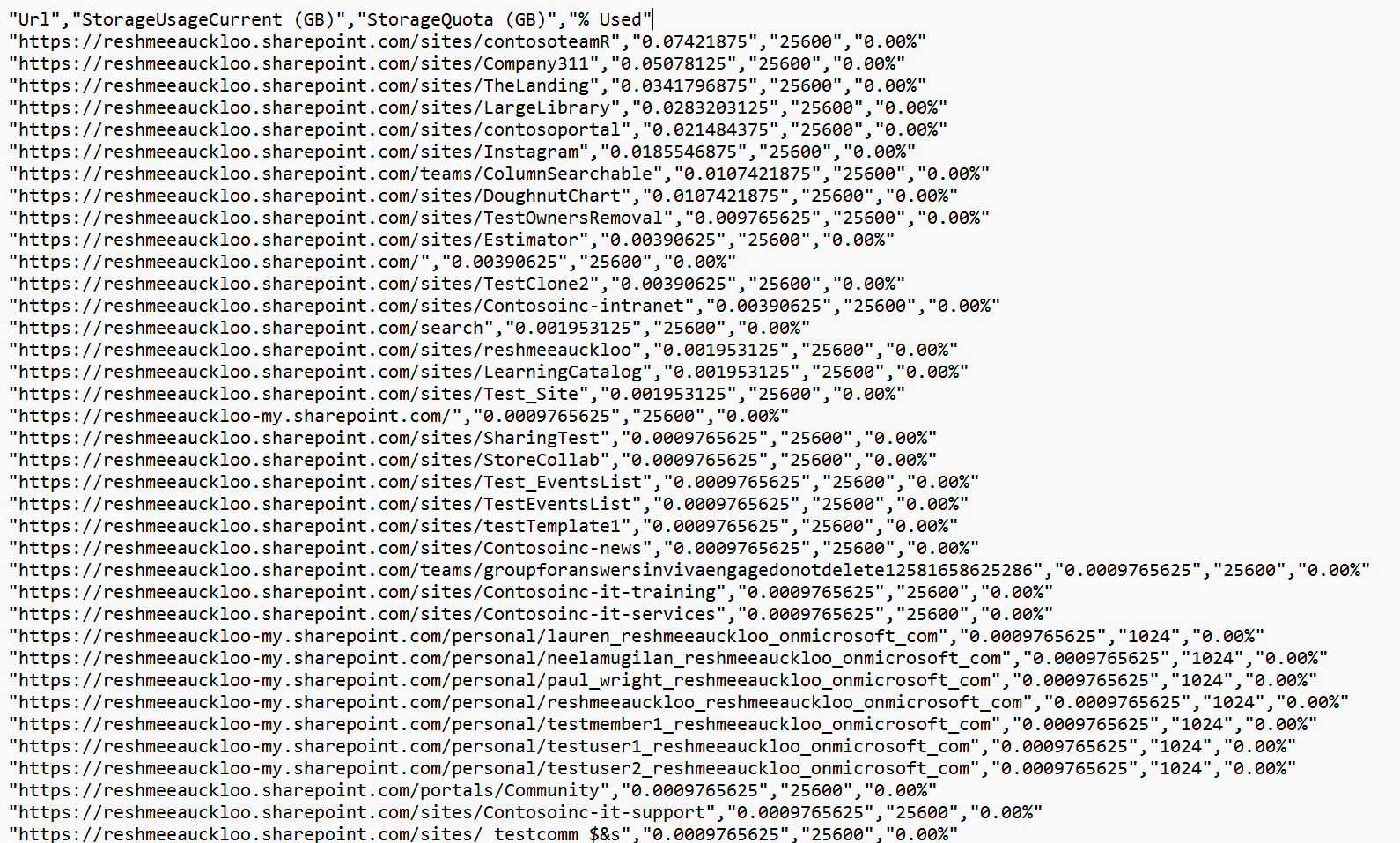
There is limited space allocated to the tenant. To ensure business continuity and smooth ongoing operation, it is imperative to keep an eye on its usage and take relevant actions suited to the circumstances. By default a SharePoint site is allocated 25 TB by default and OneDrive for Business site is allocated 1 TB by default. These settings can be amended manually to a different quota to control SharePoint site. The script will help to proactively monitor percent used against quota for each SharePoint site.
Prerequisites
- The user account that runs the script must have SharePoint Online tenant administrator access.
connect-pnpOnline -url https://contoso-admin.sharepoint.com/ -Interactive
$reportPath = "c:\temp\storage.csv"
Get-PnPTenantSite -IncludeOneDriveSites |  Sort-Object StorageUsageCurrent -Descending  | Select-Object Url, @{Name='StorageUsageCurrent (GB)'; Expression={$_.StorageUsageCurrent / 1024}}, @{Name='StorageQuota (GB)'; Expression={$_.StorageQuota / 1024}}, @{Name='% Used'; Expression={'{0:P2}' -f ($_.StorageUsageCurrent / $_.StorageQuota)}} | Select-Object -First 10| export-csv  $reportPath -notypeinformation

# Omit `Select-Object -First 10` if all sites need to be monitored.

# omit the parameter -IncludeOneDriveSites to exclude OneDrive sites Source Credit
Sample first appeared on SharePoint Storage Monitoring Against Allocated Quota using PowerShell
Contributors
| Author(s) |
|---|
| Reshmee Auckloo |
Disclaimer
THESE SAMPLES ARE PROVIDED AS IS WITHOUT WARRANTY OF ANY KIND, EITHER EXPRESS OR IMPLIED, INCLUDING ANY IMPLIED WARRANTIES OF FITNESS FOR A PARTICULAR PURPOSE, MERCHANTABILITY, OR NON-INFRINGEMENT.
Tool documentation & references
- Want to learn more about PnP PowerShell and the cmdlets
Check out the PnP PowerShell site to get started and for the reference to the cmdlets.
- Want to learn more about CLI for Microsoft 365 and the commands
Check out the CLI for Microsoft 365 site to get started and for the reference to the commands.
