
Updating Multiline Text Field Properties in SharePoint
Updating Multiline Text Field Properties in SharePoint
 Reshmee Auckloo
Summary
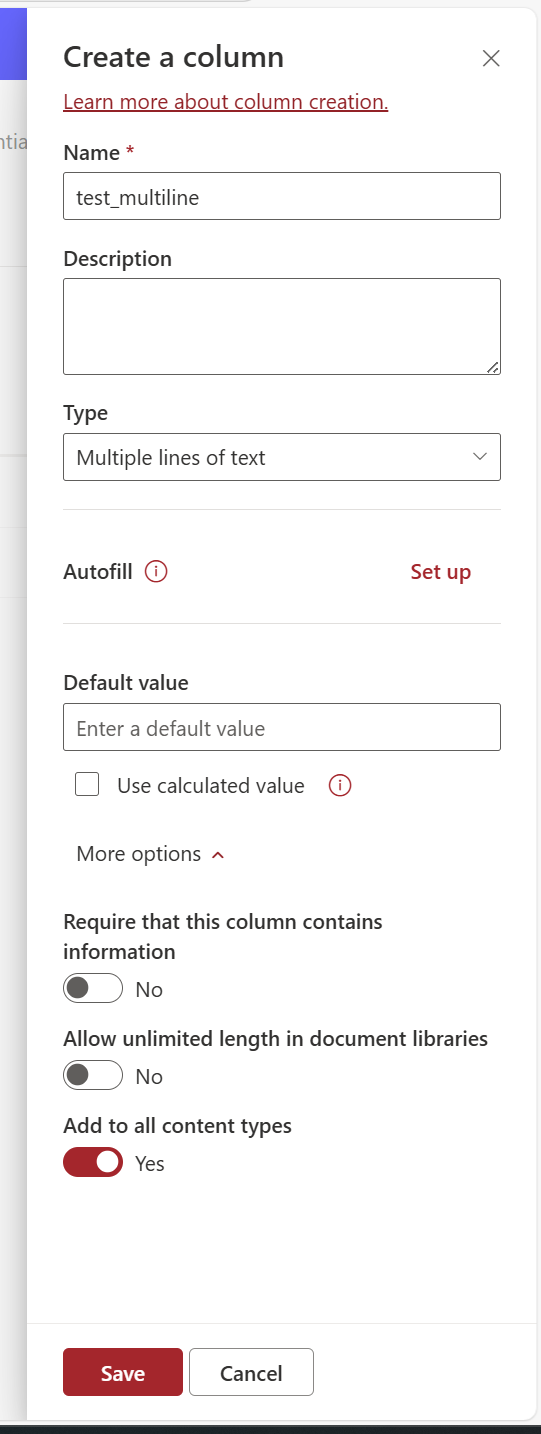
Managing multiline text fields in SharePoint can be tricky, especially when certain field properties are not visible or editable at the library/list level, even though they are available at the site level.
For example, at the site level, you can configure properties such as:
- Append Changes to Text
- Number of Lines
- Field Type: Plain Text, Rich Text, or Enhanced Rich Text
However, these settings may not appear at the library/list level
Prerequisites
- The user account that runs the script must have access to the SharePoint Online site.
param (
    [Parameter(Mandatory = $true)]
    [string]$Url,

    [Parameter(Mandatory = $true)]
    [string]$ListName,

    [Parameter(Mandatory = $true)]
    [string]$FieldName,

    [Parameter(Mandatory = $true)]
    [ValidateSet("EnhancedRichText", "PlainText", "RichText")]
    [string]$TextType = "EnhancedRichText",

    [Parameter(Mandatory = $true)]
    [ValidateSet("Yes", "No")]
    [string]$AppendOnly = "Yes"
)

# Connect to SharePoint site
Connect-PnPOnline -Url $Url

# Map the TextType to corresponding RichTextMode and RichText values
switch ($TextType) {
    "EnhancedRichText" {
        $RichTextMode = "FullHtml"
        $RichText = $true
    }
    "PlainText" {
        $RichTextMode = "Compatible"
        $RichText = $false
    }
    "RichText" {
        $RichTextMode = "Compatible"
        $RichText = $true
    }
}

# Convert AppendOnly parameter to boolean
$AppendOnlyValue = if ($AppendOnly -eq "Yes") { $true } else { $false }

# Update field properties
Set-PnPField -List $ListName -Identity $FieldName -Values @{
    AppendOnly = $AppendOnlyValue
    RichTextMode = $RichTextMode
    RichText = $RichText
    NumLines = "6"
    UnlimitedLengthInDocumentLibrary = $false
} -ErrorAction Stop

# Handle properties that cannot be updated directly
$Field = Get-PnPField -List $ListName -Identity $FieldName -ErrorAction Stop
$FieldSchemaXml = [xml]$Field.SchemaXml

if ($TextType -eq "EnhancedRichText" -or $TextType -eq "RichText") {
    $FieldSchemaXml.Field.SetAttribute("RichTextMode", $RichTextMode)
    $FieldSchemaXml.Field.SetAttribute("NumLines", "8")
}

Set-PnPField -List $ListName -Identity $FieldName -Values @{
    SchemaXml = $FieldSchemaXml.OuterXml
} -ErrorAction StopSource Credit
Sample first appeared on Updating Multiline Text Field Properties in SharePoint Using PowerShell
Contributors
| Author(s) |
|---|
| Reshmee Auckloo |
Disclaimer
THESE SAMPLES ARE PROVIDED AS IS WITHOUT WARRANTY OF ANY KIND, EITHER EXPRESS OR IMPLIED, INCLUDING ANY IMPLIED WARRANTIES OF FITNESS FOR A PARTICULAR PURPOSE, MERCHANTABILITY, OR NON-INFRINGEMENT.
Tool documentation & references
- Want to learn more about PnP PowerShell and the cmdlets
Check out the PnP PowerShell site to get started and for the reference to the cmdlets.
