
Set Home site for SharePoint online tenant
This sample script sets a communication site as a home site for SharePoint online tenant
 Ganesh Sanap
 Smita Nachan
Summary
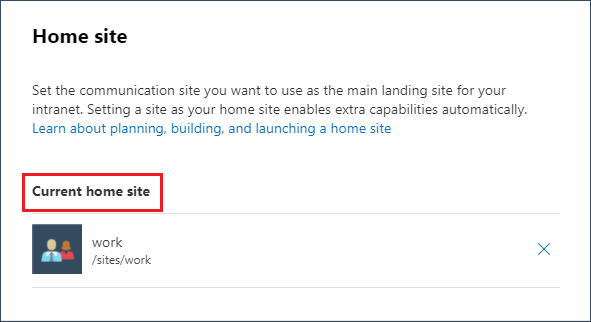
This sample script shows how to set a communication site as a home site for SharePoint online tenant.
Scenario inspired from this blog post: Set up a home site in SharePoint Online
# SharePoint tenant admin site collection url
$adminSiteUrl = "https://<tenant>-admin.sharepoint.com"

# Communication site collection url
$commSiteUrl = "https://<tenant>.sharepoint.com/communicationsite"

# Connect to SharePoint Online site
Connect-SPOService -Url $adminSiteUrl

# Set communication site as the home site
Set-SPOHomeSite -HomeSiteUrl $commSiteUrl
# SharePoint tenant admin site collection url
$adminSiteUrl = "https://<tenant>-admin.sharepoint.com"

# Communication site collection url
$commSiteUrl = "https://<tenant>.sharepoint.com/communicationsite"

# Connect to SharePoint Online site
Connect-PnPOnline -Url $adminSiteUrl -Interactive

# Set communication site as the home site
Set-PnPHomeSite -HomeSiteUrl $commSiteUrl
# Usage example:
# .\Set-HomeSiteForSharePointTenant.ps1 -WebUrl "https://contoso.sharepoint.com/sites/Intranet"

[CmdletBinding()]
param (
    [Parameter(Mandatory = $true, HelpMessage = "Please enter Site URL, e.g. https://contoso.sharepoint.com/sites/Intranet")]
    [string]$WebUrl
    )
begin {
    #Log in to Microsoft 365
    Write-Host "Connecting to Tenant" -f Yellow

    $m365Status = m365 status
    if ($m365Status -match "Logged Out") {
        m365 login
    }

    Write-Host "Connection Successful!" -f Green
}
process {
    # Set the specified site as the Home Site
    m365 spo homesite set --siteUrl $WebUrl
}
end {
    Write-Host "Finished"
}Contributors
| Author(s) |
|---|
| Ganesh Sanap |
| Smita Nachan |
Disclaimer
THESE SAMPLES ARE PROVIDED AS IS WITHOUT WARRANTY OF ANY KIND, EITHER EXPRESS OR IMPLIED, INCLUDING ANY IMPLIED WARRANTIES OF FITNESS FOR A PARTICULAR PURPOSE, MERCHANTABILITY, OR NON-INFRINGEMENT.
Tool documentation & references
- Introduction to the SharePoint Online Management Shell
Check out the SPO Management Shell documentation site to get started and for the reference to the cmdlets.
- Want to learn more about PnP PowerShell and the cmdlets
Check out the PnP PowerShell site to get started and for the reference to the cmdlets.
- Want to learn more about CLI for Microsoft 365 and the commands
Check out the CLI for Microsoft 365 site to get started and for the reference to the commands.
