
Get All Teams App Descriptions
Get an list of all the app descriptions to determine if your app may clash with others during Copilot development
 Paul Bullock
 Elliot Margot
Summary
This sample script will list all the Teams App descriptions for those defined by the organization or all Teams Apps including those in the store. The script will output the results to a CSV file. This can be used to determine if the app description for an app is clashing or competing with your development app when creating Copilot plugins by listing out the other Teams Apps that support Copilot that could be referenced.
At this time, there is no direct way to filter apps with Copilot support, so this script will list all Teams Apps.
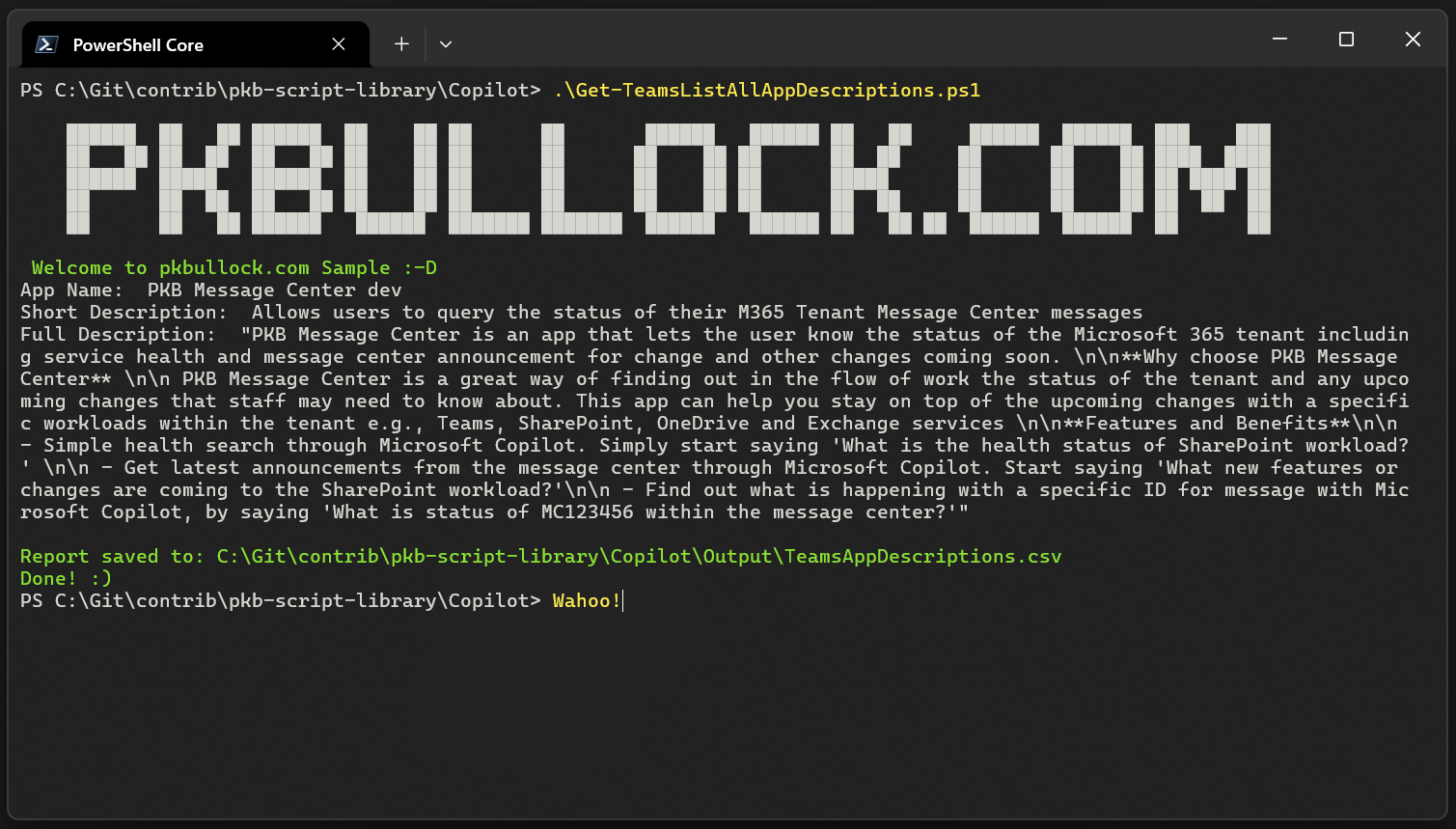
<#
----------------------------------------------------------------------------

Created:      Paul Bullock
Date:         24/06/2024
Disclaimer:

THE SOFTWARE IS PROVIDED "AS IS", WITHOUT WARRANTY OF ANY KIND, EXPRESS OR
IMPLIED, INCLUDING BUT NOT LIMITED TO THE WARRANTIES OF MERCHANTABILITY,
FITNESS FOR A PARTICULAR PURPOSE AND NONINFRINGEMENT. IN NO EVENT SHALL THE
AUTHORS OR COPYRIGHT HOLDERS BE LIABLE FOR ANY CLAIM, DAMAGES OR OTHER
LIABILITY, WHETHER IN AN ACTION OF CONTRACT, TORT OR OTHERWISE, ARISING FROM,
OUT OF OR IN CONNECTION WITH THE SOFTWARE OR THE USE OR OTHER DEALINGS IN THE
SOFTWARE.

.Synopsis

.Example

.Notes

Useful reference:
      List any useful references

 ----------------------------------------------------------------------------
#>

[CmdletBinding()]
param (
    $tenantUrl = "https://contoso-admin.sharepoint.com",
    [switch]$AllTeamsApps
)
begin {

    $outputLocation = "$(Get-Location)\Output"

    if (-not (Test-Path -Path $outputLocation)) {
        New-Item -Path $outputLocation -ItemType Directory
    }

    $report = "$outputLocation\TeamsAppDescriptions.csv"

    # ------------------------------------------------------------------------------
    # Introduction
    # ------------------------------------------------------------------------------

    Write-Host @"

    ██████  ██   ██ ██████  ██    ██ ██      ██       ██████   ██████ ██   ██     ██████  ██████  ███    ███
    ██   ██ ██  ██  ██   ██ ██    ██ ██      ██      ██    ██ ██      ██  ██     ██      ██    ██ ████  ████
    ██████  █████   ██████  ██    ██ ██      ██      ██    ██ ██      █████      ██      ██    ██ ██ ████ ██
    ██      ██  ██  ██   ██ ██    ██ ██      ██      ██    ██ ██      ██  ██     ██      ██    ██ ██  ██  ██
    ██      ██   ██ ██████   ██████  ███████ ███████  ██████   ██████ ██   ██ ██  ██████  ██████  ██      ██

"@

    Write-Host " Welcome to pkbullock.com Sample :-D" -ForegroundColor Green

    # ------------------------------------------------------------------------------

    # Note requres SharePoint and Teams administrative roles to be able to run this script
    Connect-PnPOnline $tenantUrl -Interactive

}
process {

    # Graph Explorer - https://developer.microsoft.com/en-us/graph/graph-explorer
    # GET https://graph.microsoft.com/v1.0/appCatalogs/teamsApps?$filter=distributionMethod eq 'organization'
    # GET https://graph.microsoft.com/v1.0/appCatalogs/teamsApps?$filter=id eq 'b462d350-ef60-4543-ac80-795caf58ebfd'&$expand=appDefinitions
    # GET https://graph.microsoft.com/beta/appCatalogs/teamsApps?$filter=id eq 'b462d350-ef60-4543-ac80-795caf58ebfd'&$expand=appDefinitions

    if($AllTeamsApps){
        # Get all the Teams Apps including those in the store
        $graphCall = "https://graph.microsoft.com/v1.0/appCatalogs/teamsApps?`$expand=appDefinitions"
    }else{
        # Get all the Teams Apps of those defined by the organization
        $graphCall = "https://graph.microsoft.com/v1.0/appCatalogs/teamsApps?`$filter=distributionMethod eq 'organization' &`$expand=appDefinitions"
    }

    try {
        $result = Invoke-PnPGraphMethod -Url $graphCall -Method Get

        if ($result) {

            $appResults = $result.value
            $reportCollection = @()

            $appResults | ForEach-Object {

                $appDefinitions = $_.appDefinitions

                $appDefinitions | ForEach-Object {

                    $appDefObj = $_
                    Write-Host "App Name: " $appDefObj.DisplayName
                    Write-Host "Short Description: " $appDefObj.ShortDescription
                    $jsonDescription = $appDefObj.Description | ConvertTo-Json | Out-String
                    Write-Host "Full Description: " $jsonDescription

                    $reportCollection += [PSCustomObject]@{
                        TeamsAppId       = $appDefObj.TeamsAppId
                        AppName          = $appDefObj.DisplayName
                        ShortDescription = $appDefObj.ShortDescription
                        FullDescription  = $jsonDescription
                        PublishingState  = $appDefObj.PublishingState
                        CreatedDateTime  = $appDefObj.Version
                    }
                }
            }

            $reportCollection | Export-Csv -Path $report -NoTypeInformation -Force
            Write-Host "Report saved to: $report " -ForegroundColor Green
        }
    }
    catch {
        Write-Host "Error: $($_.Exception.Message)" -ForegroundColor Red
    }
}
end {

    Write-Host "Done! :)" -ForegroundColor Green
}
param (
    [switch]$AllTeamsApps
)

$outputLocation = Join-Path (Get-Location) "Output"
if (-not (Test-Path -Path $outputLocation)) {
    New-Item -Path $outputLocation -ItemType Directory | Out-Null
}
$report = Join-Path $outputLocation "TeamsAppDescriptions.csv"

m365 login --ensure

# Expanding appDefinitions returns the descriptions, which "m365 teams app list" does not
if ($AllTeamsApps) {
    # All the Teams apps, including those in the store
    $graphCall = "https://graph.microsoft.com/v1.0/appCatalogs/teamsApps?`$expand=appDefinitions"
}
else {
    # Only the Teams apps defined by the organization
    $graphCall = "https://graph.microsoft.com/v1.0/appCatalogs/teamsApps?`$filter=distributionMethod eq 'organization'&`$expand=appDefinitions"
}

$apps = @()
while ($graphCall) {
    $result = m365 request --url $graphCall --output json | ConvertFrom-Json
    $apps += $result.value
    $graphCall = $result.'@odata.nextLink'
}

$reportCollection = @()

foreach ($app in $apps) {
    foreach ($appDefinition in $app.appDefinitions) {
        Write-Host "App Name: $($appDefinition.displayName)"
        Write-Host "Short Description: $($appDefinition.shortDescription)"
        Write-Host "Full Description: $($appDefinition.description)"

        $reportCollection += [PSCustomObject]@{
            TeamsAppId       = $appDefinition.teamsAppId
            AppName          = $appDefinition.displayName
            ShortDescription = $appDefinition.shortDescription
            FullDescription  = $appDefinition.description
            PublishingState  = $appDefinition.publishingState
            Version          = $appDefinition.version
        }
    }
}

$reportCollection | Export-Csv -Path $report -NoTypeInformation -Force
Write-Host "Report saved to: $report" -ForegroundColor Green
Contributors
| Author(s) |
|---|
| Paul Bullock |
| Elliot Margot |
Disclaimer
THESE SAMPLES ARE PROVIDED AS IS WITHOUT WARRANTY OF ANY KIND, EITHER EXPRESS OR IMPLIED, INCLUDING ANY IMPLIED WARRANTIES OF FITNESS FOR A PARTICULAR PURPOSE, MERCHANTABILITY, OR NON-INFRINGEMENT.
Tool documentation & references
- Want to learn more about PnP PowerShell and the cmdlets
Check out the PnP PowerShell site to get started and for the reference to the cmdlets.
- Want to learn more about CLI for Microsoft 365 and the commands
Check out the CLI for Microsoft 365 site to get started and for the reference to the commands.
