
Testing user preferred language of SharePoint site
Changes the MUI setting for a user within the User Information List
 Ganesh Sanap
 Adam Wójcik
 Paul Bullock
Summary
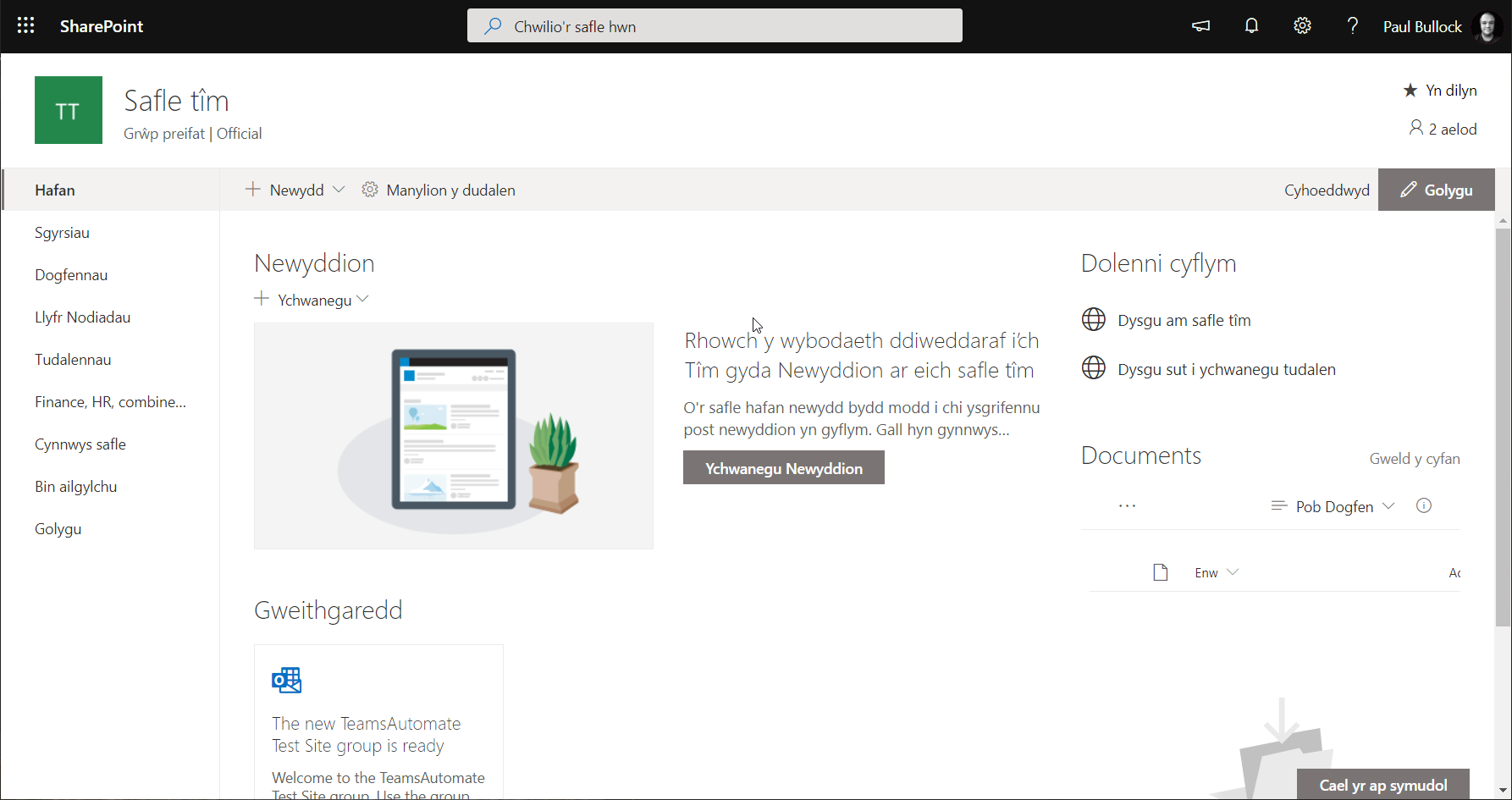
Are you testing SharePoint multi-lingual features? And want a quick way to switch languages on a site for a particular user or yourself; this can be useful when testing the modern multi-lingual features in SharePoint if you want to check the quality of the pages translated.
This script changes the MUI setting for a user within the User Information List to update the user with the appropriate language tag.
# SharePoint online site URL
$siteUrl = "https://contoso.sharepoint.com/sites/electronics"

# Connect to SharePoint online site
Connect-PnPOnline -Url $siteUrl -Interactive

# Get user details from User Information List to check what is my current language
$item = Get-PnPListItem -List "User Information List" -Id 7 # 7 is Me

# -OR- #

$userEmail = "paul.bullock@mytenant.co.uk"
$CamlQuery = @"
<View>
    <Query>
        <Where>
            <Eq>
                <FieldRef Name='EMail' />
                <Value Type='Text'>$userEmail</Value>
            </Eq>
        </Where>
    </Query>
</View>
"@

$item = Get-PnPListItem -List "User Information List" -Query $CamlQuery

# Language Reference: https://capacreative.co.uk/resources/reference-sharepoint-online-languages-ids/
$newLang = "cy-GB" #"en-GB"

# Making the language change
Set-PnPListItem -List "User Information List" -Id 7 -Values @{"MUILanguages" = $newLang}

# Disconnect SharePoint online connection
Disconnect-PnPOnline
# SharePoint online site URL
$siteURL = "https://tenanttocheck.sharepoint.com/sites/hr-life"

$userInformationList = "User Information List"

# Get Credentials to connect
$m365Status = m365 status
if ($m365Status -match "Logged Out") {
    m365 login
}

# Get user details from User Information List to check what is my current language
m365 spo listitem get --listTitle $userInformationList --id 7 --webUrl $siteURL --properties "MUILanguages" # 7 is Me

# -OR- #

$userEmail = "Adam@tenanttocheck.onmicrosoft.com"
$camlQuery = @"
<View>
    <Query>
        <Where>
            <Eq>
                <FieldRef Name='EMail' />
                <Value Type='Text'>$userEmail</Value>
            </Eq>
        </Where>
    </Query>
</View>
"@

m365 spo listitem list --listTitle $userInformationList --webUrl $siteURL --camlQuery $camlQuery

# Making the language change
$newLang = "cy-GB" #"en-GB"
m365 spo listitem set --listTitle $userInformationList --id 7 --webUrl $siteURL --MUILanguages $newLang

# Disconnect SharePoint online connection
m365 logout
Source Credit
Article first appeared on Testing user preferred language of SharePoint site | CaPa Creative Ltd
Contributors
| Author(s) |
|---|
| Paul Bullock |
| Adam Wójcik |
| Ganesh Sanap |
Disclaimer
THESE SAMPLES ARE PROVIDED AS IS WITHOUT WARRANTY OF ANY KIND, EITHER EXPRESS OR IMPLIED, INCLUDING ANY IMPLIED WARRANTIES OF FITNESS FOR A PARTICULAR PURPOSE, MERCHANTABILITY, OR NON-INFRINGEMENT.
Tool documentation & references
- Want to learn more about PnP PowerShell and the cmdlets
Check out the PnP PowerShell site to get started and for the reference to the cmdlets.
- Want to learn more about CLI for Microsoft 365 and the commands
Check out the CLI for Microsoft 365 site to get started and for the reference to the commands.
