Upload SharePoint AI Skills to Agent Assets
Summary
This sample uploads a local SKILL.md file into the SharePoint AgentAssets/Skills/<folder> location for a site where Agent Assets are enabled. It checks the site feature, validates that the Agent Assets library exists, resolves the target folder, and uploads the skill file.
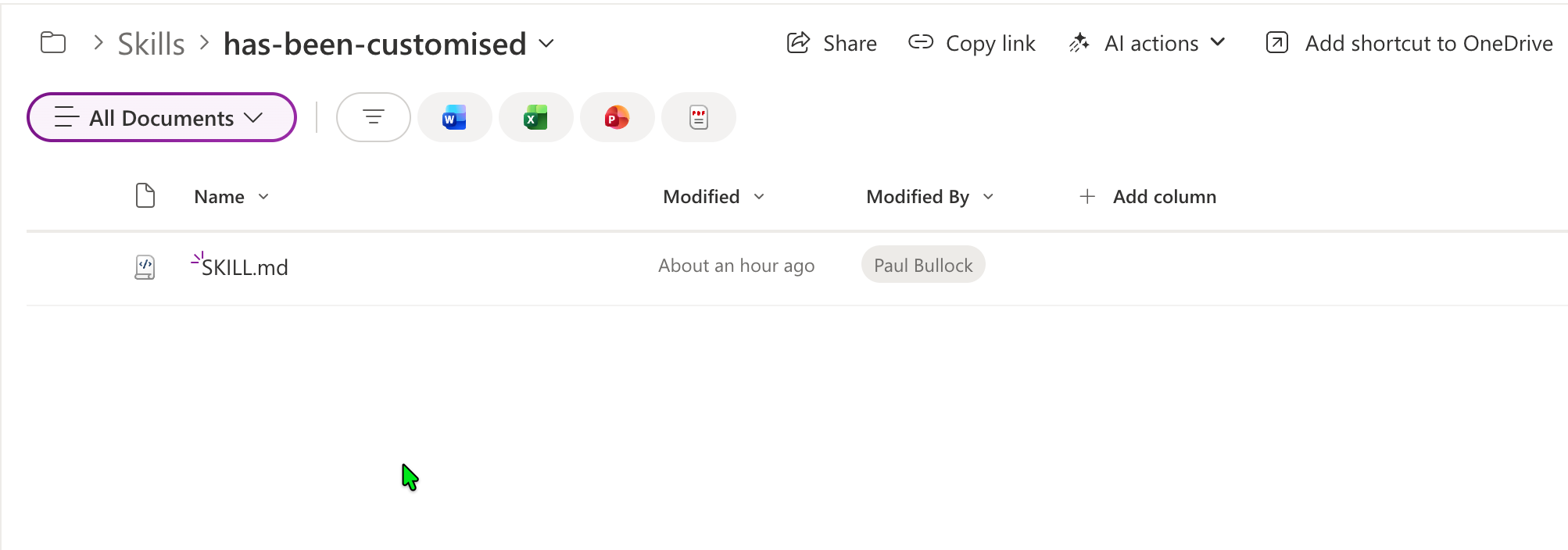
Implementation
- Open PowerShell 7+ and install/connect PnP PowerShell.
- Save your skills markdown file locally (default expected name is
SKILL.md). - Update parameters for your target site and folder.
- Run the script from the same folder as your skill file.
Note: The skill itself is largely untested, just an illustration of where to upload the skill to SharePoint.
<#
----------------------------------------------------------------------------

Created:      Paul Bullock
Date:         04/05/2026

.Example

	./Set-SiteAISkills.ps1 -SiteUrl "https://<tenant>.sharepoint.com/sites/Site1" -ClientId "<application-client-id-for-pnp-powershell>" -SkillFolderName "has-been-customised" -SkillFileName "SKILL.md"

.Notes

	https://pnp.github.io/powershell/cmdlets/Get-PnPFeature.html
	https://pnp.github.io/powershell/cmdlets/Resolve-PnPFolder.html
	https://pnp.github.io/powershell/cmdlets/Add-PnPFile.html

 ----------------------------------------------------------------------------
#>

[CmdletBinding()]
param (
	$SiteUrl = "https://<tenant>.sharepoint.com/sites/Site1", #SharePointAISkills
	$ClientId = "<application-client-id-for-pnp-powershell>",
	$SkillFolderName = "has-been-customised",
	$SkillFileName = "SKILL.md"
)
begin {

	# ------------------------------------------------------------------------------
	# Introduction
	# ------------------------------------------------------------------------------

	Write-Host " This script will set SharePoint skills into the Agents Assets library" -ForegroundColor Green

	# ------------------------------------------------------------------------------

	$featureName = "AgentAssets"
	$featureId = "9e14d30c-1e0d-4c8c-8dcb-a8d29f7d4c15"
	$baseSkillsFolderName = "Skills"
	$agentAssetsLibraryName = "AgentAssets"

}
process {

	Connect-PnPOnline -Url $SiteUrl -ClientId $ClientId -Interactive

	# Check if feature is activate and get the document library called "Agent Assets"
	$agentAssetsFeature = Get-PnPFeature -Identity $featureId -Scope Site

	if ($null -ne $agentAssetsFeature) {
		Write-Host "Feature $featureName is activated." -ForegroundColor Green

		# Check if the "Agent Assets" library exists
		$library = Get-PnPList -Identity $agentAssetsLibraryName -ErrorAction SilentlyContinue

		if ($library) {
			Write-Host "Document library '$agentAssetsLibraryName' exists as expected" -ForegroundColor Cyan

			# Ensure Folder called Skills Exist
			Write-Host "Ensuring folder '$baseSkillsFolderName' exists in library '$agentAssetsLibraryName'..." -ForegroundColor Cyan
			$targetFolderPath = "$agentAssetsLibraryName/$baseSkillsFolderName/$SkillFolderName"
			$targetFolder = Resolve-PnPFolder -SiteRelativePath $targetFolderPath

			if ($null -ne $targetFolder) {

				# Uploading the SKILL file to the library in the subfolder
				Write-Host "Uploading skill file '$SkillFileName' to '$targetFolderPath'..." -ForegroundColor Cyan
				Add-PnPFile -Path "$SkillFileName" -Folder $targetFolderPath
				Write-Host "Skill file '$SkillFileName' uploaded successfully to '$targetFolderPath'." -ForegroundColor Green

			}else{
				Write-Host "Folder '$targetFolderPath' does not exist. Skipping folder creation and file upload." -ForegroundColor Yellow
			}


		}
	}
	else {
		Write-Host "Feature $featureName is not activated. Please activate the Site Collection feature to create the 'Agent Assets' library." -ForegroundColor Red
	}
}
end {
	Write-Host "Done! :)" -ForegroundColor Green
}
Check out the PnP PowerShell to learn more at: https://aka.ms/pnp/powershell
The way you login into PnP PowerShell has changed please read PnP Management Shell EntraID app is deleted : what should I do ?
Contributors
| Author(s) |
|---|
| Paul Bullock |
Disclaimer
THESE SAMPLES ARE PROVIDED AS IS WITHOUT WARRANTY OF ANY KIND, EITHER EXPRESS OR IMPLIED, INCLUDING ANY IMPLIED WARRANTIES OF FITNESS FOR A PARTICULAR PURPOSE, MERCHANTABILITY, OR NON-INFRINGEMENT.