SPFX-APPLICATION-EXTENSION
Smart Context - AI-Powered Page Insights
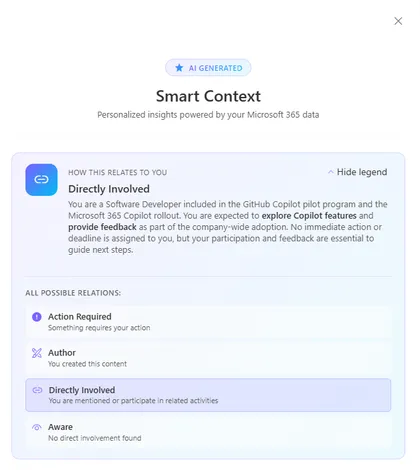
Get instant, personalized insights on any SharePoint page. This Application Customizer leverages the Microsoft Graph Copilot API to analyze page content alongside your emails, chats, meetings, and files — surfacing key people, pending actions, decisions, and context that matter to you.
Open this sample in the gallery (popup panel): Open in gallery
Source: https://github.com/pnp/sp-dev-fx-extensions/tree/main/samples/react-application-smart-context
Authenticated Power Automate Flow Trigger - SPFx CommandSet Extension
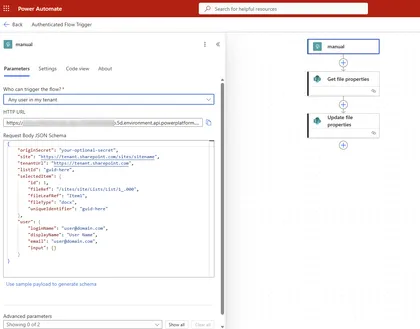
This sample demonstrates how to trigger an authenticated Power Automate flow from a SharePoint document library using an SPFx ListView CommandSet extension. The extension uses the AadHttpClient to make authenticated HTTP requests to Power Automate flows configured with the “When an HTTP request is received” trigger and “Any user in my tenant” authentication.
Open this sample in the gallery (popup panel): Open in gallery
Tenant Telemetry Application Customizer
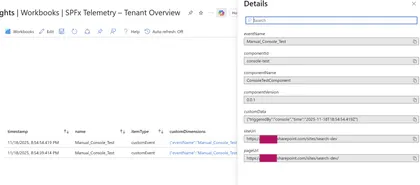
A tenant-wide SPFx Application Customizer that collects telemetry from all SPFx web parts and extensions using Application Insights or Azure Functions.
Open this sample in the gallery (popup panel): Open in gallery
Command Document Translation
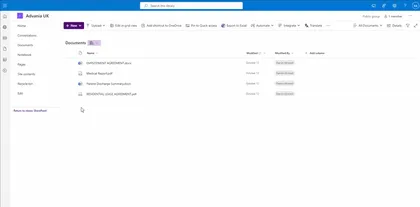
A SharePoint Framework (SPFx) List View Command Set extension that enables users to translate documents from one language to another using Azure Document Translation Service. Users can select one or more documents from a SharePoint document library and translate them into multiple target languages simultaneously.
Open this sample in the gallery (popup panel): Open in gallery
Source: https://github.com/pnp/sp-dev-fx-extensions/tree/main/samples/react-command-document-translation
My Sites Hub
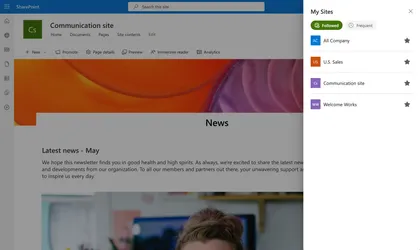
My Sites Hub is a SharePoint Framework (SPFx) Application Customizer Extension that provides users with a centralized “My Sites” dashboard accessible directly from any SharePoint site.
Open this sample in the gallery (popup panel): Open in gallery
Source: https://github.com/pnp/sp-dev-fx-extensions/tree/main/samples/react-my-sites-hub
Announcements SharePoint Framework Application Customizer
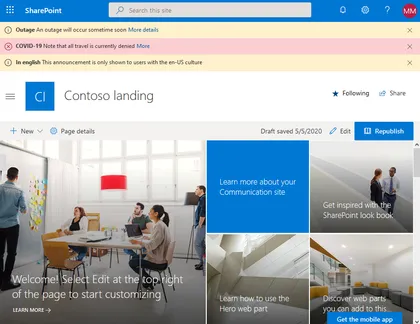
SharePoint Framework application customizer displaying an information banner using office-fabric-ui MessageBar.
Open this sample in the gallery (popup panel): Open in gallery
Source: https://github.com/pnp/sp-dev-fx-extensions/tree/main/samples/react-application-announcements
Quick Register to Appointment (SharePoint Event page)
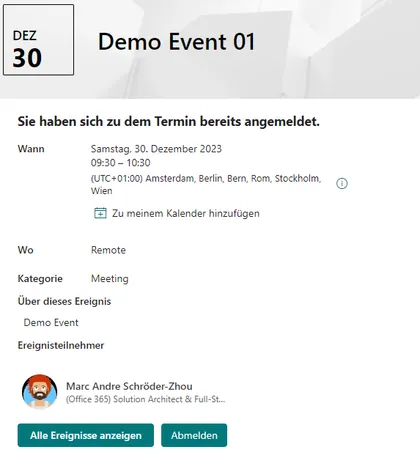
SharePoint Online provides a list of appointments (events) on a site. The “Events” web part can be used to display them on a page. Users can access the appointment details via the web part and view all the details. The detailed view provides a link that allows them to add the appointment to their personal calendar. An appointment entry also allows them to maintain an attendee list. The “Events” list provides the “Attendees” column, where multiple people can be added. However, there is no automatic function for this; the list must be edited manually. The special app extension adds a registration and deregistration function to the detailed view. Users can register for a specific appointment and later deregister with a simple click. Attendees are automatically managed in the attendee column of the list.
Move Document to Blob Storage Command
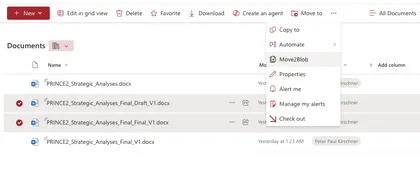
The sample demonstrates how to create a command that moves a document to Azure Blob Storage.
Open this sample in the gallery (popup panel): Open in gallery
Source: https://github.com/pnp/sp-dev-fx-extensions/tree/main/samples/react-command-movedoc2blob
Notification Application Customizer with Webhooks
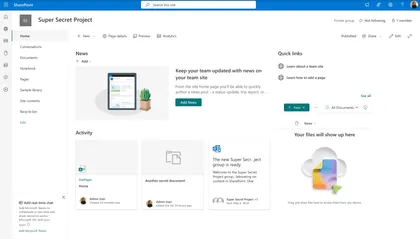
This project demonstrates a SharePoint Framework (SPFx) Application Customizer that uses webhooks to display notifications when a SharePoint list changes.
Open this sample in the gallery (popup panel): Open in gallery
Drive Item Properties List view command set extension
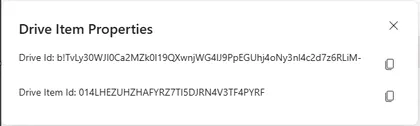
List view command set extensions with below functionalities
Open this sample in the gallery (popup panel): Open in gallery
Source: https://github.com/pnp/sp-dev-fx-extensions/tree/main/samples/react-driveitem-properties
Sticky Feedback Widget Application Customizer
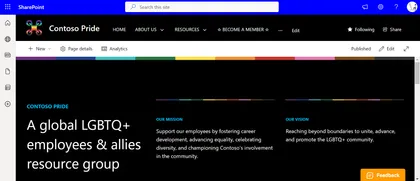
An SPFx Application Customizer Extension placed in the bottom placeholder which allows users to input their feedbacks without scrolling down to the end of the page.
Open this sample in the gallery (popup panel): Open in gallery
Copy Path and Copy Name List view command set extensions
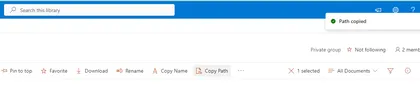
List view command set extensions with below functionalities
Open this sample in the gallery (popup panel): Open in gallery
Source: https://github.com/pnp/sp-dev-fx-extensions/tree/main/samples/react-utility-extensions
Chatbot Integration for SharePoint Online
This solution integrates a chatbot within SharePoint Online using a Tenant App Catalog and Azure AD App Registration. It provides a seamless way to enhance user engagement on SharePoint sites by embedding a customizable chatbot interface. You have a per site agent by creating it in a SharePoint list or a global one by adding json to TWE
Open this sample in the gallery (popup panel): Open in gallery
Source: https://github.com/pnp/sp-dev-fx-extensions/tree/main/samples/react-application-chatbubble-copilot
Machine Translations
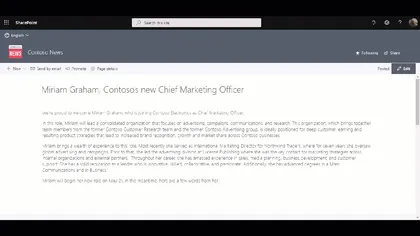
This application customizer lets you translate the text on a SharePoint page using the Translator Text API of Microsoft Azure.
Open this sample in the gallery (popup panel): Open in gallery
Source: https://github.com/pnp/sp-dev-fx-extensions/tree/main/samples/react-application-machine-translations
Mega Menu Application Customizer Extension
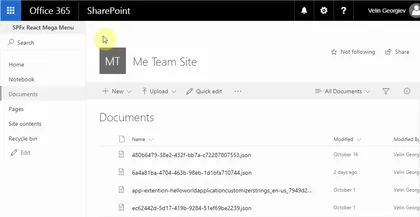
This sample shows site mega menu. Application customizer is used along with SharePoint List to store the menu items.
Open this sample in the gallery (popup panel): Open in gallery
Source: https://github.com/pnp/sp-dev-fx-extensions/tree/main/samples/react-mega-menu
Field Votes
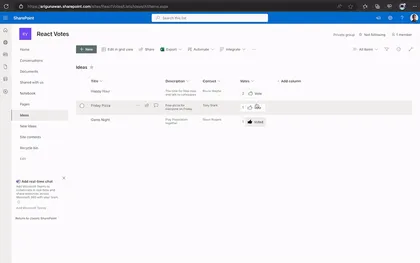
An extension that displays Vote counter and button to vote or unvote.
Open this sample in the gallery (popup panel): Open in gallery
Source: https://github.com/pnp/sp-dev-fx-extensions/tree/main/samples/react-field-votes
Search driven navigation
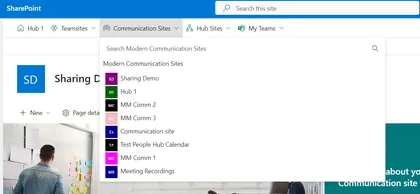
SPFx application search driven navigation and permission side panel.
Open this sample in the gallery (popup panel): Open in gallery
Source: https://github.com/pnp/sp-dev-fx-extensions/tree/main/samples/react-application-qna-chat
Google Analytics Application Customizer
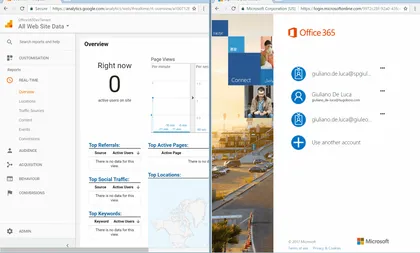
In this sample is possible to see how to implement Google Analytics through SPFx Extensions Application Customizers
Open this sample in the gallery (popup panel): Open in gallery
Source: https://github.com/pnp/sp-dev-fx-extensions/tree/main/samples/js-application-analytics
Microsoft Clarity for modern SharePoint
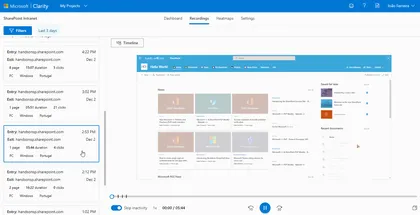
Microsoft Clarity will gives you the recording of the sessions and heat maps of the user interaction with the site, this will help to find and fix the areas of your pages that are not working as you expect
Open this sample in the gallery (popup panel): Open in gallery
Source: https://github.com/pnp/sp-dev-fx-extensions/tree/main/samples/js-application-microsoft-clarity
Toastr Application Customizer
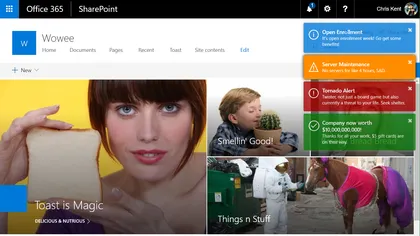
Sample SharePoint Framework application customizer extension that shows toast notifications configured from a SharePoint list. Demonstrates jQuery module loading, barrel configuration, promise chaining, and localStorage caching.
Open this sample in the gallery (popup panel): Open in gallery
Source: https://github.com/pnp/sp-dev-fx-extensions/tree/main/samples/jquery-application-toastr
Tenant Global NavBar Application Customizer
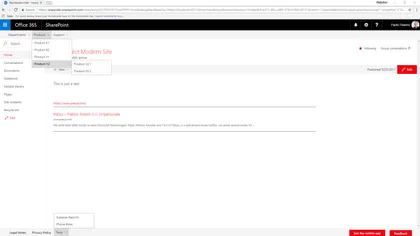
Sample SharePoint Framework application customizer showing how to create a tenant global NavBar and Footer NavBar for modern sites, reading menu items from the Term Store.
Open this sample in the gallery (popup panel): Open in gallery
Source: https://github.com/pnp/sp-dev-fx-extensions/tree/main/samples/react-application-tenant-global-navbar
CSS Injection
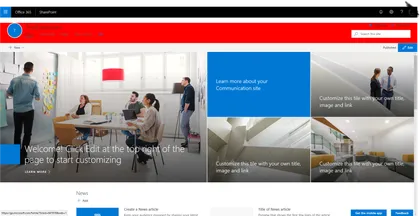
This sample shows how to inject a custom Cascading Style Sheet (CSS) on modern pages.
Open this sample in the gallery (popup panel): Open in gallery
Source: https://github.com/pnp/sp-dev-fx-extensions/tree/main/samples/react-application-injectcss
Breadcrumb application customizer
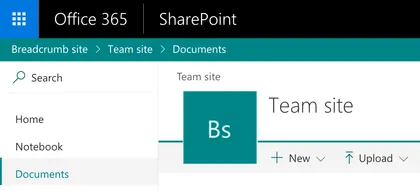
This sample shows how to create a breadcrumb element and append it to your site via the SharePoint Framework Application Customizer extension.
Open this sample in the gallery (popup panel): Open in gallery
Source: https://github.com/pnp/sp-dev-fx-extensions/tree/main/samples/react-application-breadcrumb
Application Customizer Quick Create
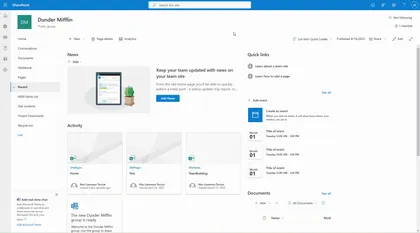
Injects a button to the command bar which shows all the lists in the site and have the ability to quickly create an item by showing the NewForm.aspx inside a panel.
Open this sample in the gallery (popup panel): Open in gallery
Source: https://github.com/pnp/sp-dev-fx-extensions/tree/main/samples/react-application-quick-create
SharePoint Collaboration Footer v8.0.0
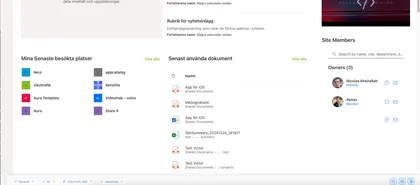
Enterprise-grade SharePoint footer with hybrid architecture, advanced link management, and modern user experience
Open this sample in the gallery (popup panel): Open in gallery
Source: https://github.com/pnp/sp-dev-fx-extensions/tree/main/samples/react-application-collab-footer
Copy Page SPFx Application Customizer
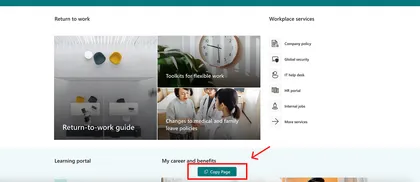
This SPFx Application Customizer empowers content authors to copy modern site pages across sites with full control over:
Open this sample in the gallery (popup panel): Open in gallery
Source: https://github.com/pnp/sp-dev-fx-extensions/tree/main/samples/react-application-copy-page
AI Document Assistant
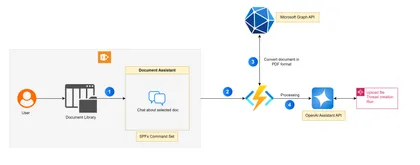
The AI Document Assistant is a SharePoint Framework (SPFx) Command Set extension designed to enhance document interactions in SharePoint Online. This intelligent assistant leverages the OpenAI Assistant API to allow users to ask questions about selected documents directly within a chat interface.
Open this sample in the gallery (popup panel): Open in gallery
Source: https://github.com/pnp/sp-dev-fx-extensions/tree/main/samples/react-command-ai-document-assistant
Embed Microsoft Teams chats in SharePoint pages
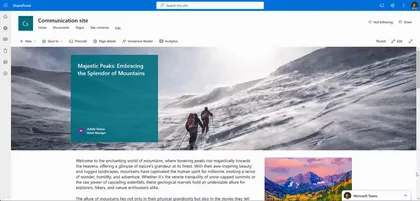
Embed Microsoft Teams chats within SharePoint pages to streamline collaboration and information access for users.
Open this sample in the gallery (popup panel): Open in gallery
Modern Version History
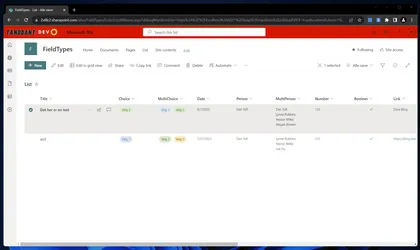
An extension modernizing the version history experience in SharePoint Online.
Open this sample in the gallery (popup panel): Open in gallery
Source: https://github.com/pnp/sp-dev-fx-extensions/tree/main/samples/react-modern-version-history
Application Customizer Extension that is hidden from tenant guest users
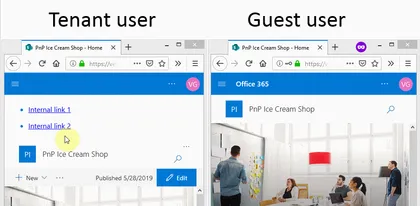
This sample shows how Application Customizer can be hidden from tenant external users. This is often the ask from the business when a SharePoint Framework App customizer or a web part has internal links that would be broken if a guest user attempts to access any or them.
Open this sample in the gallery (popup panel): Open in gallery
Source: https://github.com/pnp/sp-dev-fx-extensions/tree/main/samples/react-hidefrom-externalusers
Unique permissions on list items
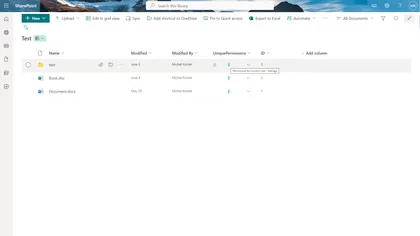
This sample demonstrates how to use field customizer to handle unique permissions on list items.
Open this sample in the gallery (popup panel): Open in gallery
Source: https://github.com/pnp/sp-dev-fx-extensions/tree/main/samples/react-field-unique-permissions
Transport for London (TfL) Status
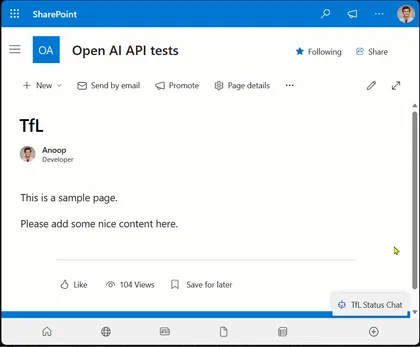
This sample is chatbot that provides information about Transport for London (TfL) status.
Open this sample in the gallery (popup panel): Open in gallery
Source: https://github.com/pnp/sp-dev-fx-extensions/tree/main/samples/react-application-tfl-status
Personal Assistant - OpenAI Function Calling with Microsoft Graph
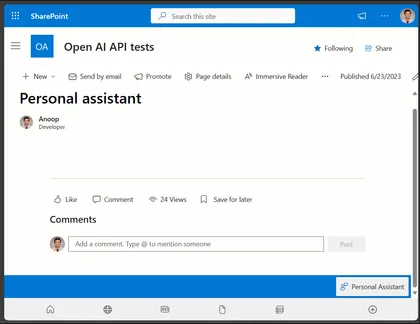
This sample is chatbot that provides information to the current logged in user.
Open this sample in the gallery (popup panel): Open in gallery
Source: https://github.com/pnp/sp-dev-fx-extensions/tree/main/samples/react-application-personal-assistant
Weather Application Customizer Extension

SPFx Weather Application Customizer Extension in the top placeholder
Open this sample in the gallery (popup panel): Open in gallery
Source: https://github.com/pnp/sp-dev-fx-extensions/tree/main/samples/react-application-weather-widget
My Flows List
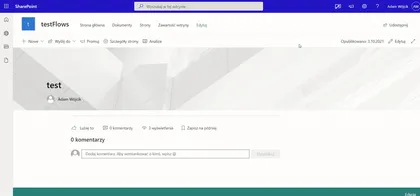
Application extension that allows the user to check list of flows and their current status and details.
Open this sample in the gallery (popup panel): Open in gallery
Source: https://github.com/pnp/sp-dev-fx-extensions/tree/main/samples/react-application-my-flows-list
Copy/Move Item(s)
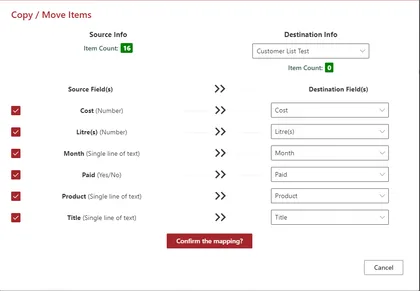
Displays a command button named Copy/Move Item(s) in all the custom lists
Open this sample in the gallery (popup panel): Open in gallery
Source: https://github.com/pnp/sp-dev-fx-extensions/tree/main/samples/react-command-copy-move-items
My Lists Notifications
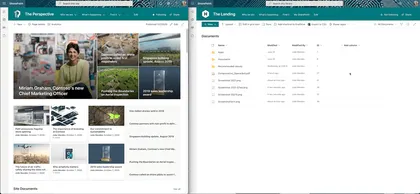
This application extension alows user receive notifications from selected lists or libraries
Open this sample in the gallery (popup panel): Open in gallery
Copy PnP search results webpart settings
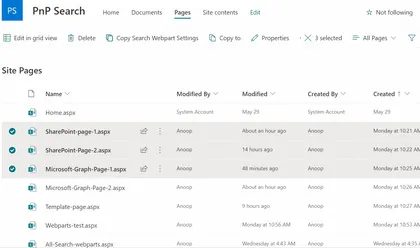
This list view command set, helps in copying the settings of the PnP search results web part present on a page to the settings of the PnP search results web part present on the selected pages.
Open this sample in the gallery (popup panel): Open in gallery
Power Virtual Agents Bot Host
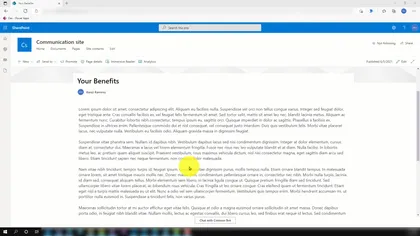
Adds footer to launch a Power Virtual Agents chatbot window from any page.
Open this sample in the gallery (popup panel): Open in gallery
Source: https://github.com/pnp/sp-dev-fx-extensions/tree/main/samples/react-application-pva-bot
Microsoft 365 Service Health Extension
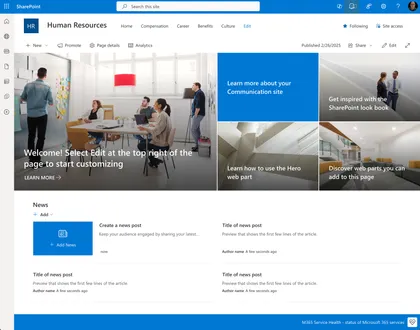
This extension provides real-time monitoring of Microsoft 365 service health directly within your SharePoint environment. It enables users to quickly check the availability status of core M365 services, helping organizations stay informed about outages or incidents.
Open this sample in the gallery (popup panel): Open in gallery
Source: https://github.com/pnp/sp-dev-fx-extensions/tree/main/samples/react-application-m365-service-health
My Favourites Application Customizer
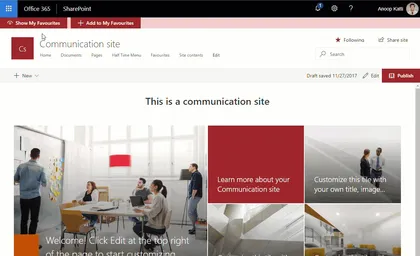
Sample SharePoint Framework application customizer extension that shows favourite links using office ui fabric panel. Fabric UI React components used include - panel, dialog, list and spinner.
Open this sample in the gallery (popup panel): Open in gallery
Source: https://github.com/pnp/sp-dev-fx-extensions/tree/main/samples/react-application-myfavourites
Bot Framework SSO
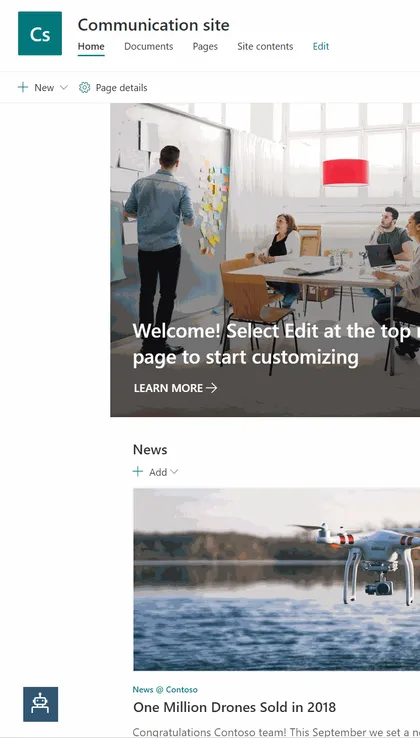
This sample will show you how to embed a Bot Framework bot into a SharePoint web site with SSO.
Open this sample in the gallery (popup panel): Open in gallery
Source: https://github.com/pnp/sp-dev-fx-extensions/tree/main/samples/react-bot-framework-sso
Bot Framework Secure
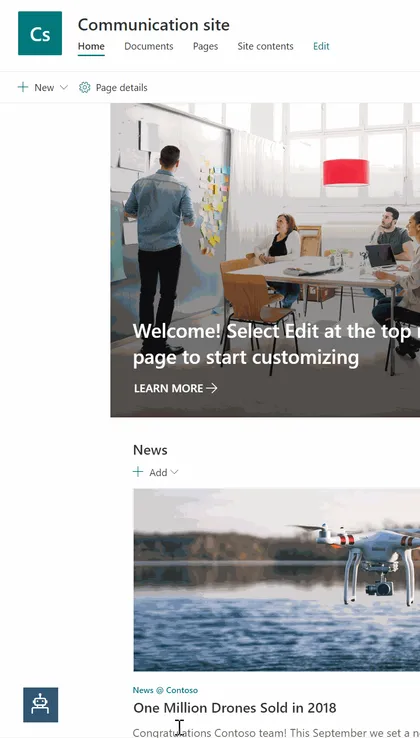
This sample will show you how to embed a Bot Framework bot into a SharePoint web site with security consideration.
Open this sample in the gallery (popup panel): Open in gallery
Source: https://github.com/pnp/sp-dev-fx-extensions/tree/main/samples/react-bot-framework-secure
JS Application AppInsights Advanced
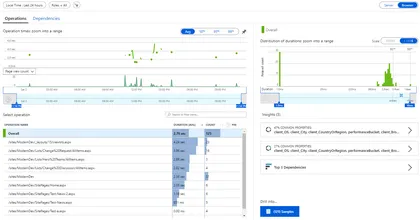
This application customizer will track the pageviews using Azure App Insights. The customizer will track the react routing which is used in SPA, in SharePoint Online it tracks the navigation between the news post which is not the actual post back.
Open this sample in the gallery (popup panel): Open in gallery
Source: https://github.com/pnp/sp-dev-fx-extensions/tree/main/samples/js-application-appinsights-advanced
Application Alert Message

This application customizer will display the alert message based on the items from the list.
Open this sample in the gallery (popup panel): Open in gallery
Source: https://github.com/pnp/sp-dev-fx-extensions/tree/main/samples/js-application-alert-message
My Followed Sites Application Customizer
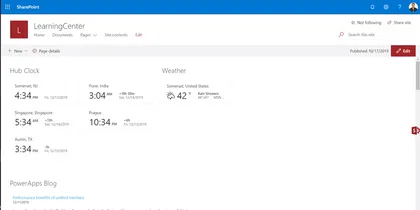
Sample SharePoint Framework application customizer extension that shows current user followed sites across tenant using office ui fabric panel.
Open this sample in the gallery (popup panel): Open in gallery
Source: https://github.com/pnp/sp-dev-fx-extensions/tree/main/samples/react-application-myfollowedsites
Festivals Extension
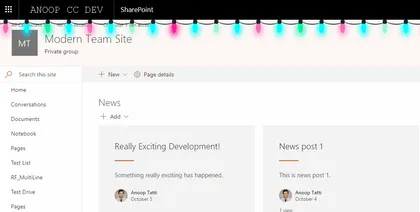
Sample SharePoint Framework application customizer adds a festival animation to the pages. At the moment this extension has capability of display 2 festivals (Christmas and Diwali) however, more can be added very easily.
Open this sample in the gallery (popup panel): Open in gallery
Source: https://github.com/pnp/sp-dev-fx-extensions/tree/main/samples/react-application-festivals
Hide Commands
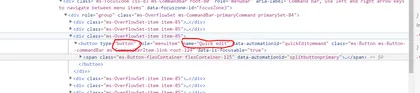
This command-set can be used to hide other ‘out-of-the-box’ commands on list views.
Open this sample in the gallery (popup panel): Open in gallery
Source: https://github.com/pnp/sp-dev-fx-extensions/tree/main/samples/js-command-hide-commands
Application Customiser sample using Text Analytics API
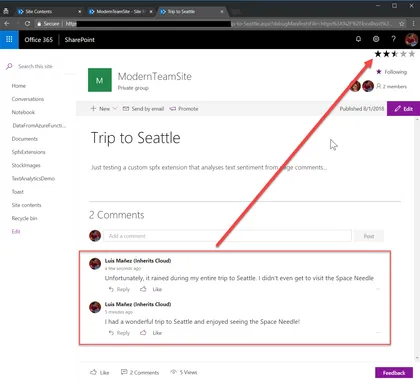
This sample shows how to use the Text Analytics API (Cognitive Services) to render a rating icon based on the different comments in page.
Open this sample in the gallery (popup panel): Open in gallery
Redirect Application Customizers

Redirect from URL based on mapping from a list on the site. Can be used to automatically redirect from pages to other locations.
Open this sample in the gallery (popup panel): Open in gallery
Source: https://github.com/pnp/sp-dev-fx-extensions/tree/main/samples/js-application-redirect
Alerts Application Customizers
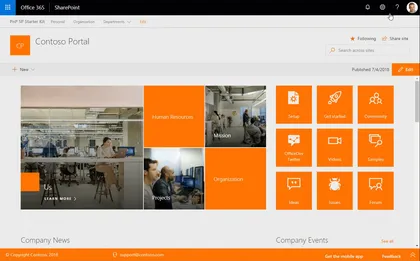
This application customizer provides you the ability to show notifications on the pages in the top / header area.
Open this sample in the gallery (popup panel): Open in gallery
Source: https://github.com/pnp/sp-dev-fx-extensions/tree/main/samples/react-application-alerts
Application Customiser sample using Bing Search API
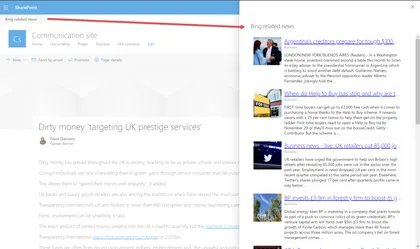
This sample shows how to use the Bing Search API (Cognitive Services) to get news article related with the current page. That relation is set using the value of a specific Managed metadata field in the page.
Open this sample in the gallery (popup panel): Open in gallery
Bot Framework Chat App Customizer
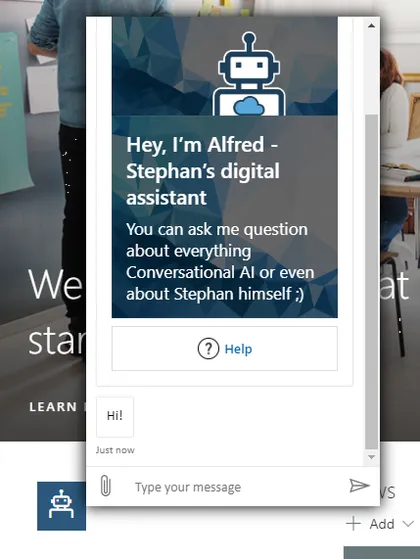
SPFx application extension that uses the Bot Framework React Webchat Component to render a Bot Framework chat window
Open this sample in the gallery (popup panel): Open in gallery
Source: https://github.com/pnp/sp-dev-fx-extensions/tree/main/samples/react-application-botframework-chat
Guest Message
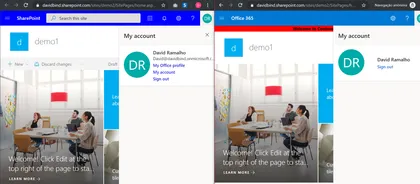
SharePoint Application customizer that allow you to display a message to your External users.
Open this sample in the gallery (popup panel): Open in gallery
Source: https://github.com/pnp/sp-dev-fx-extensions/tree/main/samples/js-guest-message
Site Header Toggler
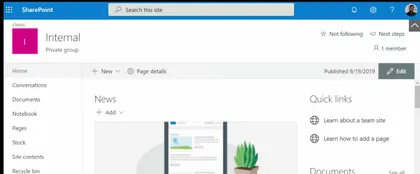
This application customizer adds a toggle button on all the Modern Pages which will toggle (show/hide) the Site Header, pulling the content to the top and giving more reading space for the users.
Open this sample in the gallery (popup panel): Open in gallery
Source: https://github.com/pnp/sp-dev-fx-extensions/tree/main/samples/js-application-header-toggler
Injecting Javascript with Sharepoint Framework Extensions - Azure Application Insights
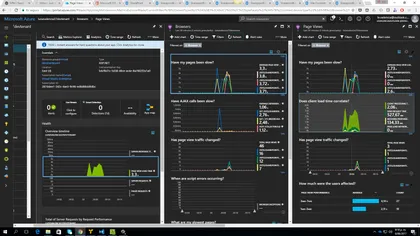
Sample SharePoint Framework extension project injecting Javascript code to enable Azure App Insights monitoring and statistics.
Open this sample in the gallery (popup panel): Open in gallery
Source: https://github.com/pnp/sp-dev-fx-extensions/tree/main/samples/js-application-appinsights
Intranet Search Box
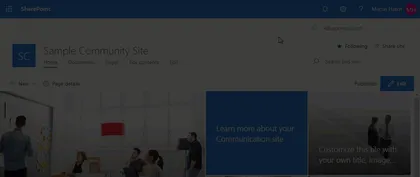
This demonstrates how to use an SPFx Application Customiser to inject an additional search box into the header of each page, which uses the “Search Settings” (at either the Site Collection or Sub-Site level) to determine the redirect page.
Open this sample in the gallery (popup panel): Open in gallery
Source: https://github.com/pnp/sp-dev-fx-extensions/tree/main/samples/js-application-intranet-searchbox
Logo Festoon
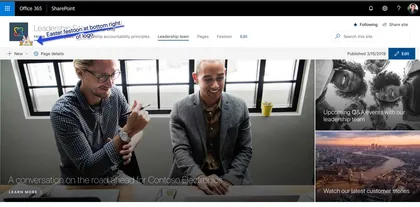
This simple SPFx extension can be used to decorate you SPO site logo with a festoon image of your choice. Keep users engaged by adding a personal touch to your site.
Open this sample in the gallery (popup panel): Open in gallery
Source: https://github.com/pnp/sp-dev-fx-extensions/tree/main/samples/react-application-logo-festoon
Optimize CSS/SCSS Style Bundling and Dynamic Loading of Styles
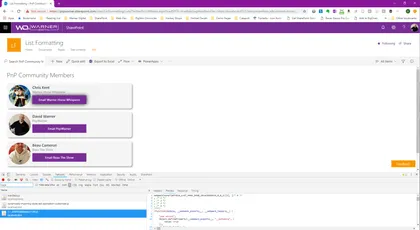
This example illustrates how style files can be dynamically bundled into multiple .js bundle files and then be individually imported at runtime.
Open this sample in the gallery (popup panel): Open in gallery
Portal Footer Application Customizers
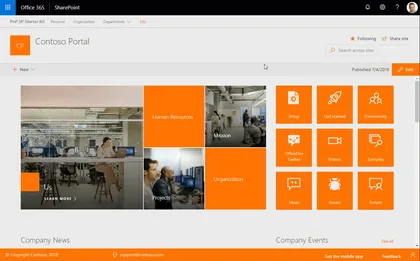
This application customizer provides you the ability to include a footer designed for communication sites.
Open this sample in the gallery (popup panel): Open in gallery
Source: https://github.com/pnp/sp-dev-fx-extensions/tree/main/samples/react-application-portal-footer
Displaying notification if a team is set as archived
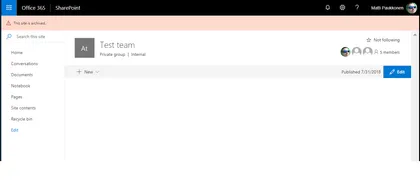
This sample demonstrates how to check is current team linked to team site set as archived from Microsoft Graph API. If team is archived, notification is diplayed to end-user on header placeholder.
Open this sample in the gallery (popup panel): Open in gallery
AAD Token Provider Bot Extension
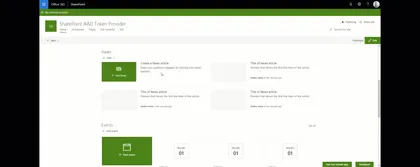
This sample demonstrates how to integrate a bot within a SharePoint Online portal supporting authentication to access Azure AD protected APIs like Microsoft graph resources. Behind the scenes, this sample uses the AADTokenProvider utility class provided with SPFx > 1.6.0 to seamlessly get an access token for the current user and send it to the bot. This way, the user is not prompted anymore for login to interact with the bot, improving overall experience.
Tenant Global NavBar
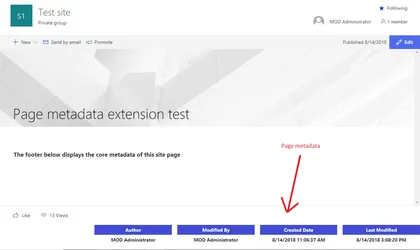
Sample SharePoint Framework application customizer to display the core metadata of a Site Page such as Author,Editor, Created date and Modified date in the footer of the page.
Open this sample in the gallery (popup panel): Open in gallery
Source: https://github.com/pnp/sp-dev-fx-extensions/tree/main/samples/react-application-sitepagecoremetadata
MSAL Bot Extension
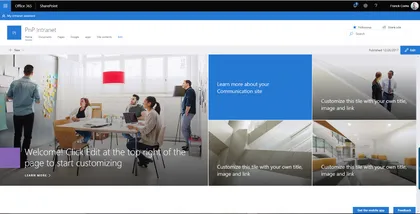
This sample demonstrates how to integrate a bot within a SharePoint Online portal supporting authentication to access Azure AD protected APIs like Microsoft graph resources. Behind the scenes, this sample implements the OAuth2 implicit grant flow using the MSAL JavaScript library.
Open this sample in the gallery (popup panel): Open in gallery
Source: https://github.com/pnp/sp-dev-fx-extensions/tree/main/samples/react-msal-bot
Connecting SPFx Extensions with Web Parts using Dynamic Data
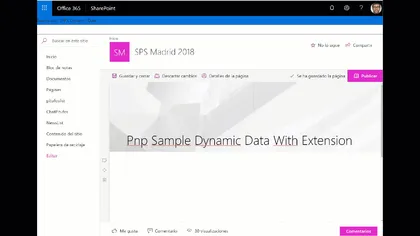
This example shows how to connect Spfx extensions with Spfx Webparts using Dynamic Data Feature
Open this sample in the gallery (popup panel): Open in gallery
Source: https://github.com/pnp/sp-dev-fx-extensions/tree/main/samples/react-application-search-dynamicdata
Sites in Hub site switcher
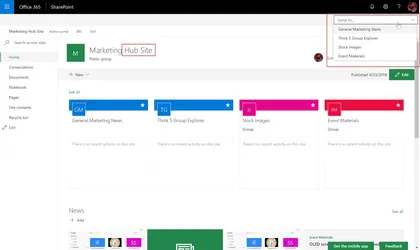
This sample shows how to get the sites that are part of a Hub Site, and renders a drop down to jump directly into a site. The customiser only renders if the site is a Hub site.
Open this sample in the gallery (popup panel): Open in gallery
Menu Footer Classic Modern
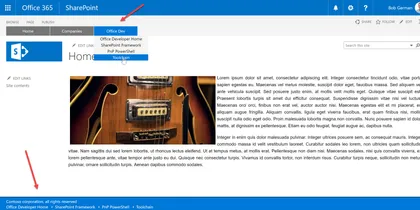
This is a sample showing how to create custom headers and footers that work on classic pages using JavaScript injection, and on modern pages using a SharePoint Framework Application Customizer extension.
Open this sample in the gallery (popup panel): Open in gallery
Source: https://github.com/pnp/sp-dev-fx-extensions/tree/main/samples/react-menu-footer-classic-modern
Modern Team Sites (Office Groups) Navigation
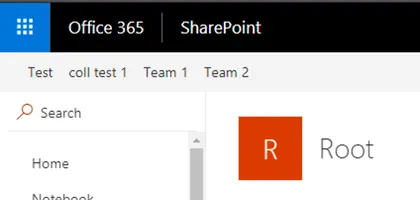
The sample illustrates how to use AadHttpClient to request Groups information from Microsoft Graph
Open this sample in the gallery (popup panel): Open in gallery
Source: https://github.com/pnp/sp-dev-fx-extensions/tree/main/samples/react-application-office-groups-nav
Groups external links
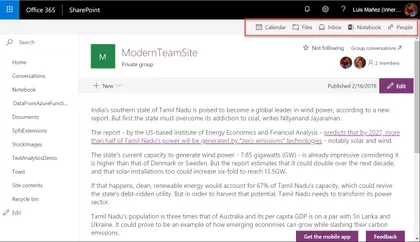
This sample shows how to render a header navbar with some external links related to the Group the site is in, i.e Group calendar, Notebook, Inbox, People…
Open this sample in the gallery (popup panel): Open in gallery
Source: https://github.com/pnp/sp-dev-fx-extensions/tree/main/samples/react-application-grouplinks
Overdue Tasks Application Customizer
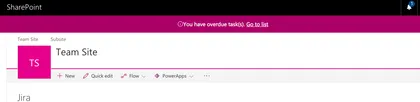
The sample illustrates how to display a warning message that current user has overdue tasks.
Open this sample in the gallery (popup panel): Open in gallery
Source: https://github.com/pnp/sp-dev-fx-extensions/tree/main/samples/react-application-duetasks
Webhooks Notification Application Customizer
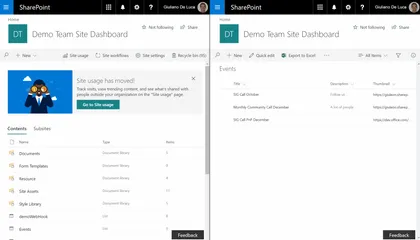
Sample SharePoint Framework application customizer showing how to leverage the SharePoint webhooks capabilities, in order to show toast notifications. The libraries used by this solution are Socket.io, sp pnp js, moment.
Open this sample in the gallery (popup panel): Open in gallery
Run Once SharePoint Framework application customizer
Sample SharePoint Framework application customizer showing how you can run code once, and then remove the customizer at the end. The code as-is expects to be installed as a site scoped custom action.
Open this sample in the gallery (popup panel): Open in gallery
Source: https://github.com/pnp/sp-dev-fx-extensions/tree/main/samples/js-application-run-once
Regions Footer Application Customizer
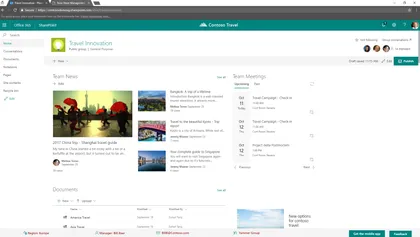
Sample SharePoint Framework application customizer showing how to create a custom footer for modern pages, in order to show data about an area manager for a specific region.
Open this sample in the gallery (popup panel): Open in gallery
Source: https://github.com/pnp/sp-dev-fx-extensions/tree/main/samples/react-application-regions-footer
List-Driven Placeholders
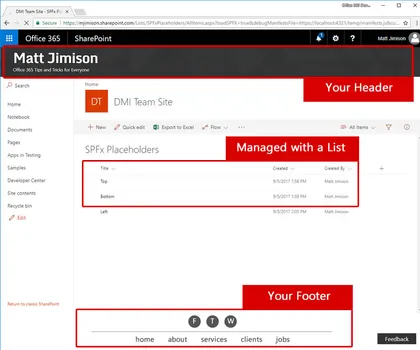
This solution deploys a list that allows end users to manage content that will appear in placeholders, via a SharePoint Framework application customizer extension.
Open this sample in the gallery (popup panel): Open in gallery
Source: https://github.com/pnp/sp-dev-fx-extensions/tree/main/samples/js-application-listdrivenplaceholders
Announcements SharePoint Framework application customizer
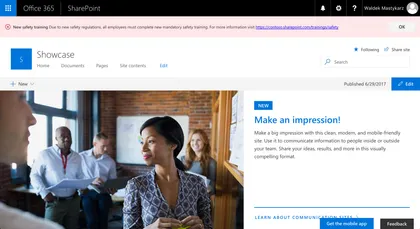
Sample SharePoint Framework application customizer showing urgent organizational announcements.
Open this sample in the gallery (popup panel): Open in gallery
Source: https://github.com/pnp/sp-dev-fx-extensions/tree/main/samples/react-app-announcements
GraphClient from Modern Teamsite
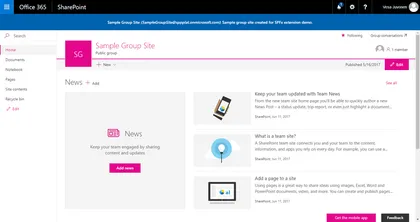
Simple example to call the Graph via the new GraphHttpClient (No ADAL) for getting the group title, mail, and description.
Open this sample in the gallery (popup panel): Open in gallery
Source: https://github.com/pnp/sp-dev-fx-extensions/tree/main/samples/js-application-graph-client
QnA Chatbot
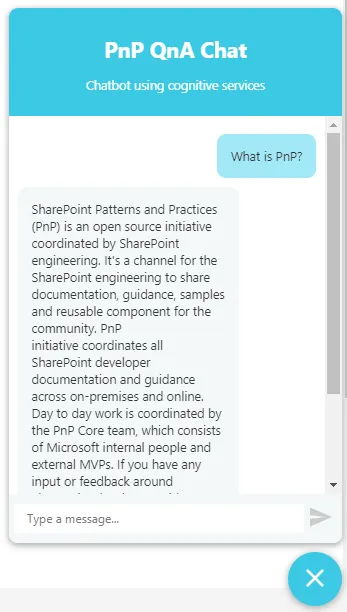
SPFx application extension that uses Azure QnA cognitive services to efficiently answer FAQs.
Open this sample in the gallery (popup panel): Open in gallery
Source: https://github.com/pnp/sp-dev-fx-extensions/tree/main/samples/react-application-qna-chat