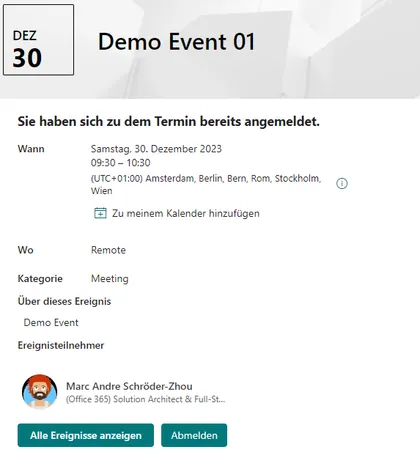
SharePoint Online provides a list of appointments (events) on a site. The “Events” web part can be used to display them on a page. Users can access the appointment details via the web part and view all the details. The detailed view provides a link that allows them to add the appointment to their personal calendar. An appointment entry also allows them to maintain an attendee list. The “Events” list provides the “Attendees” column, where multiple people can be added. However, there is no automatic function for this; the list must be edited manually. The special app extension adds a registration and deregistration function to the detailed view. Users can register for a specific appointment and later deregister with a simple click. Attendees are automatically managed in the attendee column of the list.
Open this sample in the gallery (popup panel): Open in gallery