
Copilot UX component
Apps directory
Apps directory - Workplace Application Catalogue

- Updated
- July 16, 2026
- Built with
- React
- SPFx version
- 1.24.0-beta.2
- Products
- SharePoint, Microsoft Copilot
Overview
What this sample demonstrates
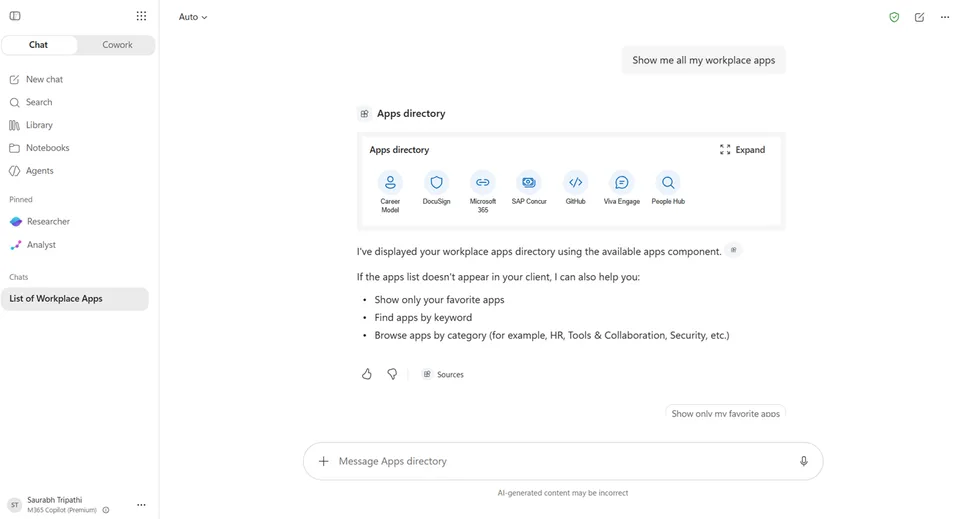
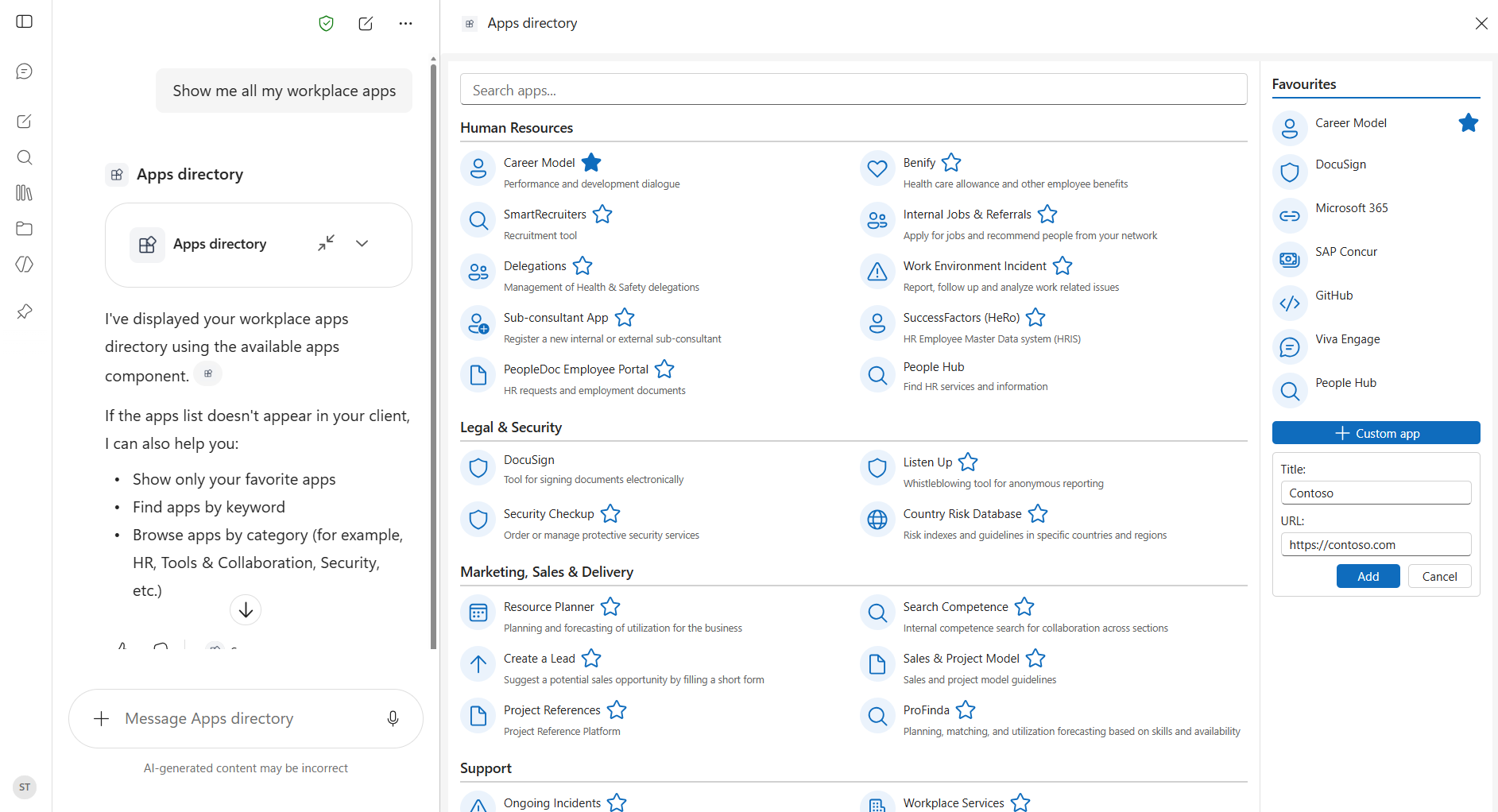
Apps directory brings your organisation's full application catalogue into Microsoft Copilot. Browse apps by category, search by name or keyword, mark your most-used apps as favourites for quick access, and launch any app directly from the Copilot chat. You can also add custom app shortcuts and filter the directory to show only your personal favourites.
Gallery
See the component in action


Documentation
Setup and implementation




Summary
Apps directory is an SPFx 1.24 Copilot component (not a classic web part). It brings your organisation's full application catalogue into Microsoft Copilot. Browse apps by category, search by name or keyword, mark your most-used apps as favourites for quick access, and launch any app directly from the Copilot chat. You can also add custom app shortcuts and filter the directory to show only your personal favourites.
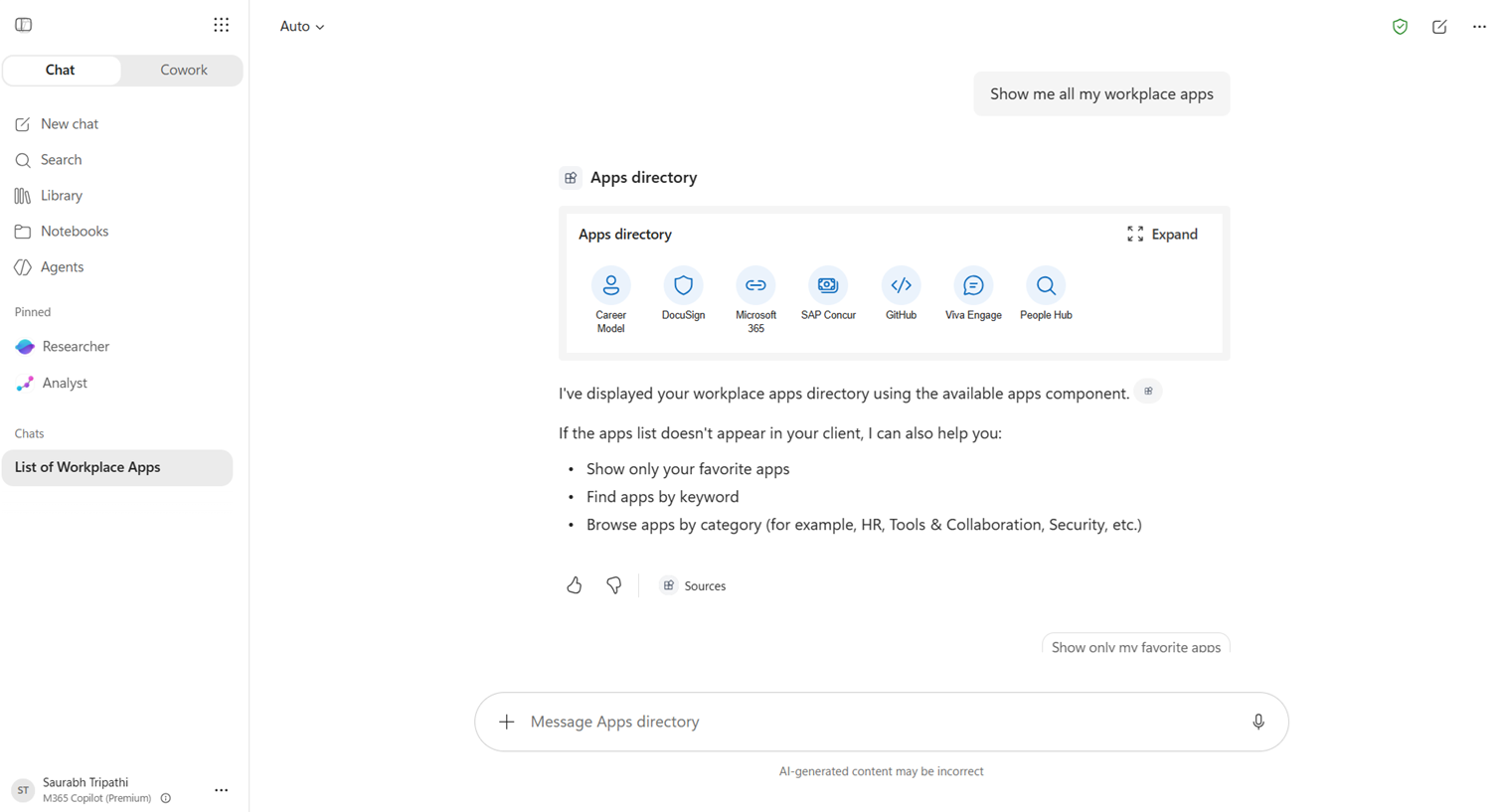
The same React component renders in two modes inside the Copilot canvas:
- a compact inline tile grid showing your pinned favourites, and
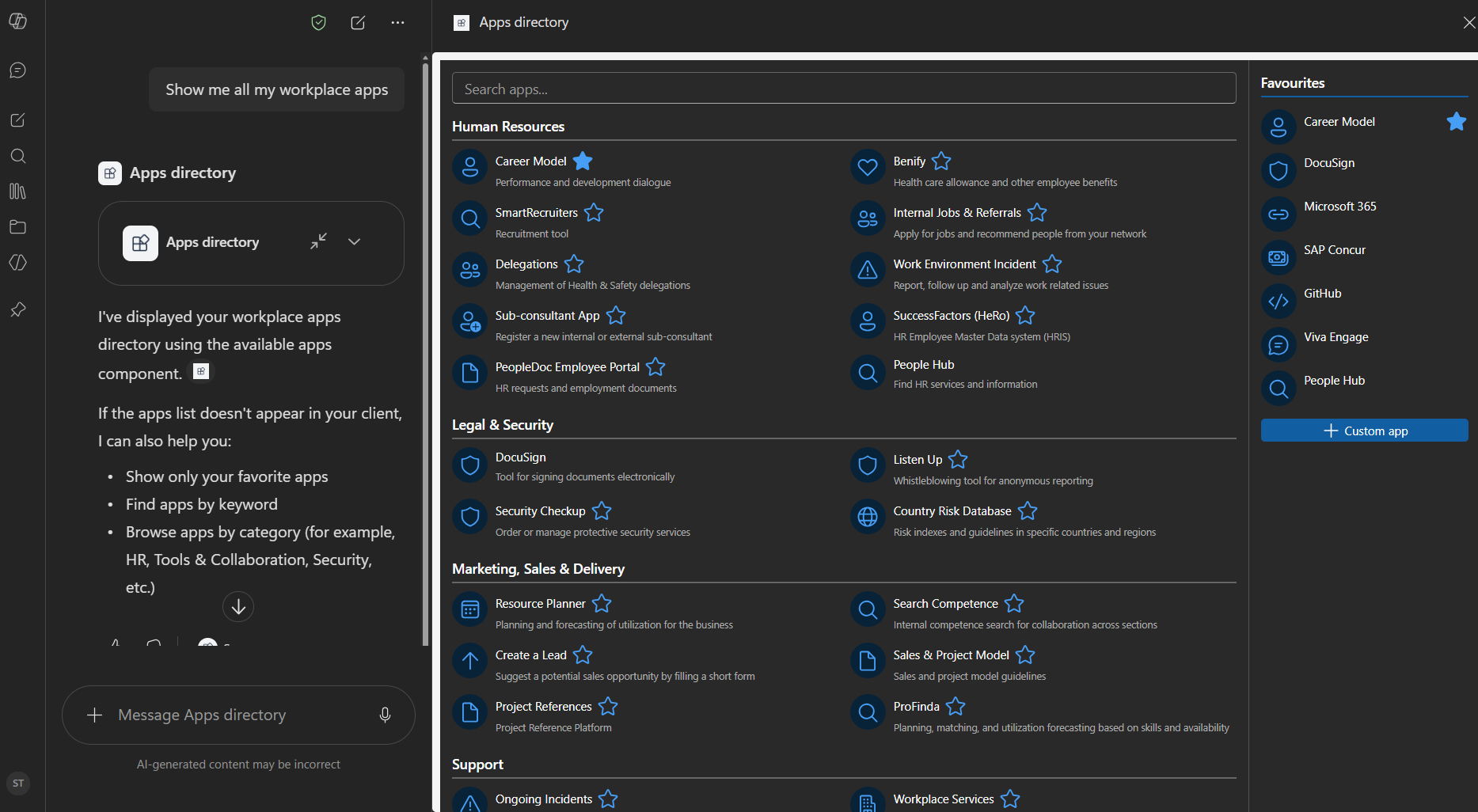
- an immersive full-screen view with a categories panel and a favourites panel side by side.
Favourites and custom apps are persisted to the user's OneDrive (via Microsoft Graph) so the personalisation roams across devices and sessions.
The sample ships with mocked data so anyone can deploy and demo in minutes. The mock app list is served through a swappable getMockApps() function, ready to be replaced by a live SharePoint list or Microsoft Graph data source without touching the UI.
Inline
Full screen
Dark mode
Applies to
- SharePoint Framework 1.24+ (Copilot Component)
- Microsoft Copilot
- Microsoft 365 tenant with the SharePoint App Catalog
Get your own free development tenant by subscribing to Microsoft 365 developer program
Solution
| Solution | Author(s) |
|---|---|
| apps-directory | Saurabh Tripathi |
Version history
| Version | Date | Comments |
|---|---|---|
| 1.0 | July 16, 2026 | Initial release |
Prerequisites
- Node.js >=22.14.0 <23.0.0
- A Microsoft 365 tenant with SPFx 1.24 (dev preview) enabled
- SharePoint App Catalog site
- Heft (
npm install -g @rushstack/heft) - A tenant admin to approve the Microsoft Graph
Files.ReadWritepermission after deployment (required for OneDrive persistence of favourites)
Minimal Path to Awesome
- Clone this repository
- Ensure that you are at the solution folder (
samples/apps-directory) - in the command-line run:
npm install -g @rushstack/heftnpm installheft start
Production build, test, and package:
heft test --clean --production && heft package-solution --production
Other build commands can be listed using heft --help.
Features
- An SPFx Copilot Component (
copilotType: "Ux") that renders inside the Microsoft Copilot canvas - Handles inline and full-screen display modes in a single React component
- Persists user data (favourites, custom apps) to OneDrive via Microsoft Graph
- Passes agent tool inputs (
category,searchQuery,showFavoritesOnly) to filter the UI from a natural-language prompt - Ships with mocked data for easy testing and demos; ready to swap for a live SharePoint list without touching the UI
References
- Getting started with SharePoint Framework
- Building for Microsoft teams
- Use Microsoft Graph in your solution
- Publish SharePoint Framework applications to the Marketplace
- Microsoft 365 Patterns and Practices - Guidance, tooling, samples and open-source controls for your Microsoft 365 development
- Heft Documentation
Help
We do not support samples, but this community is always willing to help, and we want to improve these samples. We use GitHub to track issues, which makes it easy for community members to volunteer their time and help resolve issues.
You can try looking at issues related to this sample to see if anybody else is having the same issues.
If you encounter any issues using this sample, create a new issue.
Disclaimer
THIS CODE IS PROVIDED AS IS WITHOUT WARRANTY OF ANY KIND, EITHER EXPRESS OR IMPLIED, INCLUDING ANY IMPLIED WARRANTIES OF FITNESS FOR A PARTICULAR PURPOSE, MERCHANTABILITY, OR NON-INFRINGEMENT.