
Copilot UX component
MyApprovals Agent - Act on Microsoft 365 approvals from Copilot chat
View and act on your Microsoft 365 approvals directly from Copilot chat.

- Updated
- July 12, 2026
- Built with
- React
- SPFx version
- 1.24.0-beta.2
- Products
- SharePoint, Microsoft Copilot
Overview
What this sample demonstrates
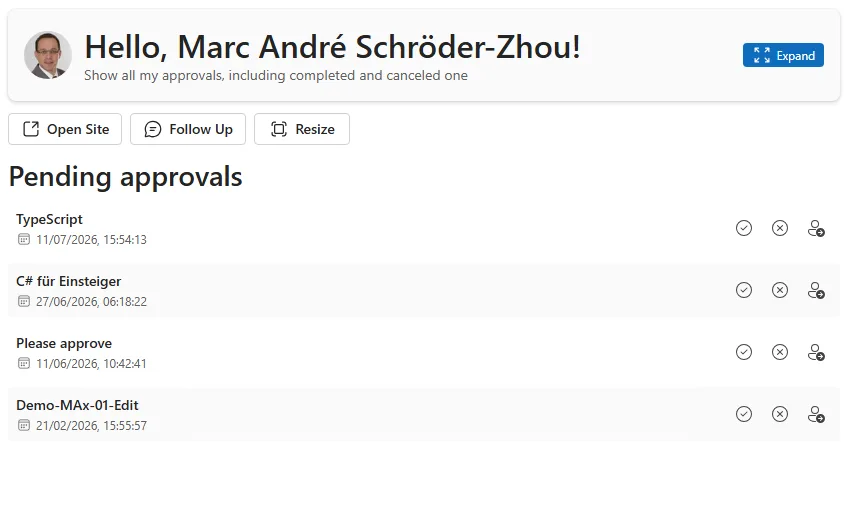
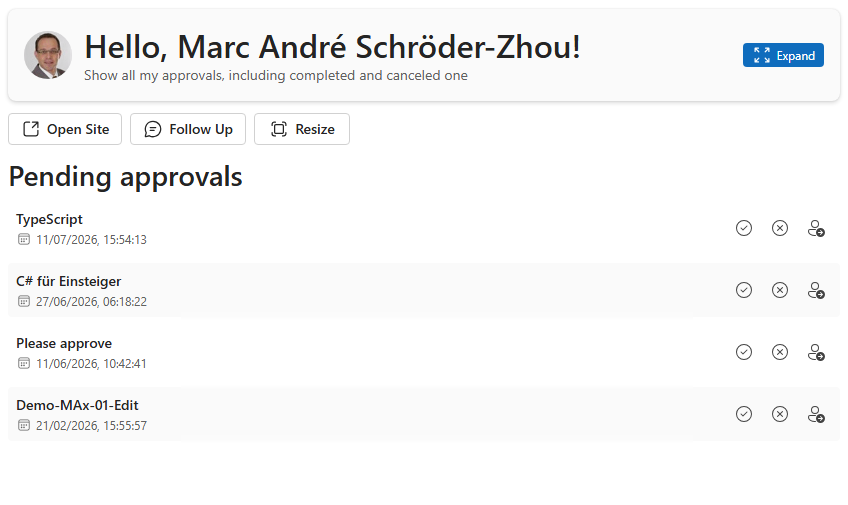
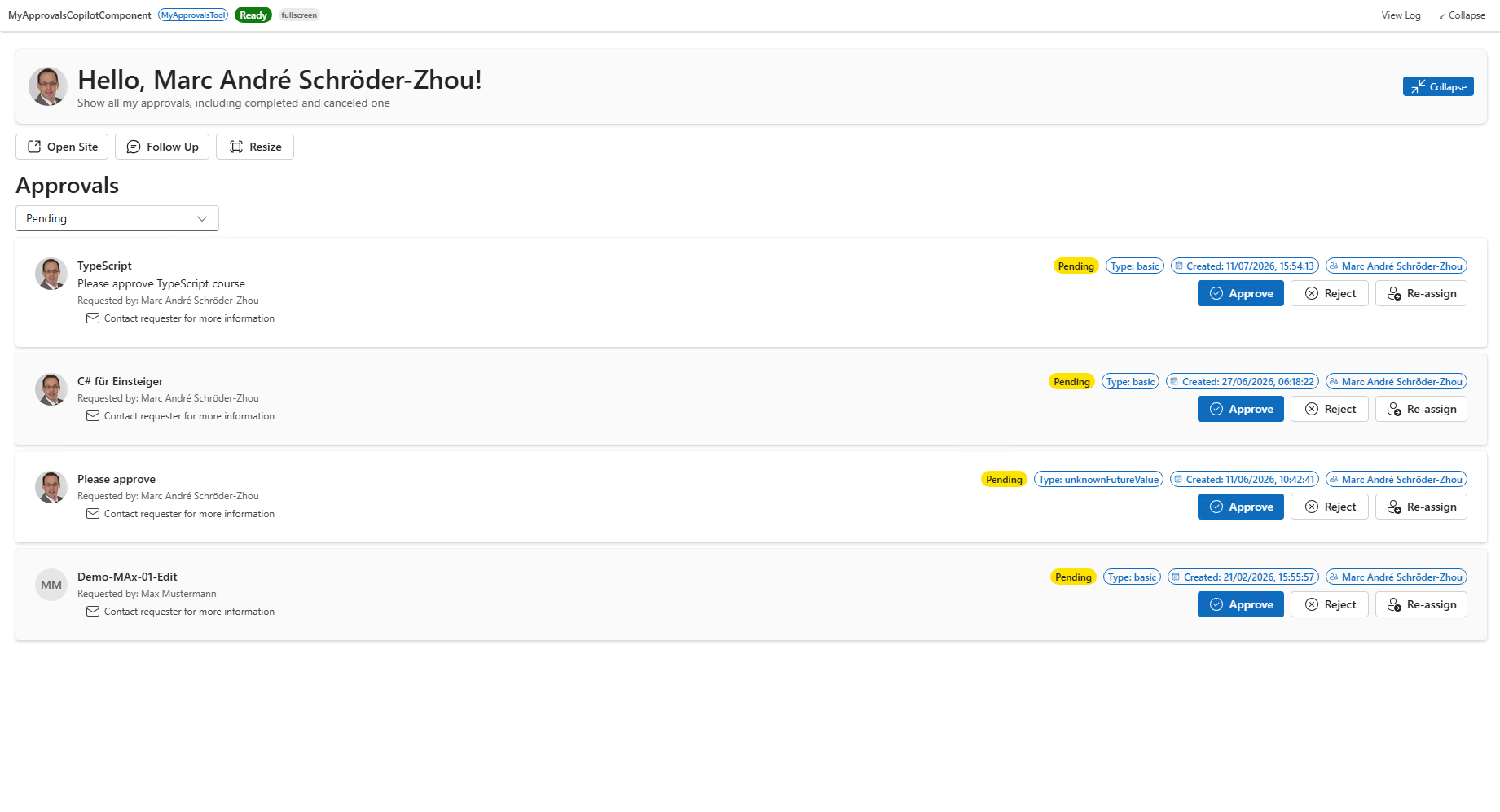
MyApprovals brings your pending Microsoft 365 approval requests into Microsoft Copilot. Ask the MyApprovals agent about your approvals and it displays them inline or in a fullscreen overview, showing the requester, status, and details for each item. Approve, reject, or re-assign a request, and contact the requester by email, all without leaving the conversation.
Built with a SharePoint Copilot App (SPFx 1.24.0-beta.2, @microsoft/sp-copilot-component), the same MyApprovalsCopilotComponent renders both the compact inline card and the expanded fullscreen view, reading brokered Microsoft Graph and SharePoint REST calls with zero token-acquisition code.
Gallery
See the component in action


Documentation
Setup and implementation
Summary
MyApprovals is an SPFx Copilot Component that brings the signed-in user's Microsoft 365 approval requests — the same ones surfaced by the Teams/Outlook Approvals app — directly into the Microsoft Copilot canvas. A declarative agent ("MyApprovals Agent") calls it as a tool, and it renders a live, interactive list of approvals inline in the conversation or as a fullscreen overview, reading and writing real data through the Microsoft Graph Approvals API.
From the rendered UI, the signed-in user can:
- See who requested each approval (with their photo and name), its status, type, creation date, and description
- Filter approvals by status (pending, completed, canceled, created) in fullscreen mode
- Approve, reject, or re-assign a pending approval
- Email the requester directly for more information
Compatibility




Applies to
- SharePoint Framework 1.24+ (Copilot Component)
- Microsoft Copilot extensibility
- Microsoft 365 tenant with the SharePoint App Catalog and the Approvals app in use
Get your own free development tenant by subscribing to the Microsoft 365 developer program
Contributors
Version history
| Version | Date | Comments |
|---|---|---|
| 1.0.0.4 | 2026-07-11 | Approve/reject permission fix, redesigned fullscreen card with requester photos, loading skeleton |
| 1.0.0.1 | 2026-06-27 | Initial release |
Prerequisites
This solution reads and responds to live approval data, so beyond the usual SPFx tenant setup it needs the Microsoft Graph permissions declared in config/package-solution.json approved by a tenant admin:
| Permission | Why it's needed |
|---|---|
ApprovalSolution.ReadWrite |
List the signed-in user's approval requests and submit Approve/Reject responses. |
GroupMember.Read.All |
Resolve approvals assigned to a group the signed-in user belongs to. |
Mail.Send |
Send an email, from the signed-in user's own mailbox, to an approval's requester. |
After deploying the .sppkg to the App Catalog, a tenant admin must approve these once in the SharePoint Admin Center → Advanced → API access. Any time a requested scope changes, it needs to be re-approved there before it takes effect.
Minimal path to awesome
- Clone this repository
- From your command line, change your current directory to this solution's root
- In the command line run:
npm installnpm run start
- Since SPFx Copilot Components can't be tested in the local workbench,
npm startserves against the hosted tenant workbench configured inconfig/serve.json - Package and deploy the solution to your App Catalog, approve the API permissions above, then invoke the MyApprovals Agent in Microsoft Copilot
Production build, test, and package:
npm run build
Other build commands can be listed using heft --help.
Features
MyApprovals demonstrates how to surface a real Microsoft 365 workflow inside the Copilot canvas using an SPFx Copilot Component, reading and writing live data rather than mock content.
This sample illustrates the following concepts:
- Copilot Component UX — a
CopilotComponent(copilotType: "Ux") exposed as a tool (MyApprovalsTool) that a declarative agent can call, rendering its own React UI inside the Copilot host. - Display-mode-aware rendering — a single React component (
MyApprovals.tsx) renders a compact inline list or a fullscreen overview based on the host-advertised display mode, and can request a mode switch through the Copilot bridge. - Brokered SSO to Microsoft Graph — approvals, approval requests, requester profiles and photos, group memberships, and outgoing mail all go through the SPFx-brokered
MSGraphClientV3client, with no manual token handling. - Live Microsoft Graph Approvals API — reads and responds to real approval items via
/solutions/approval/approvalItems. - Theme awareness — light/dark theme driven by the Copilot host context, using Fluent UI v9 theme tokens throughout.
- Graceful degradation — requester photo, profile, and group-membership lookups each fail independently without breaking the rest of the list.
Help
If you encounter any issues using this solution, please open an issue in this repository.
Disclaimer
THIS CODE IS PROVIDED AS IS WITHOUT WARRANTY OF ANY KIND, EITHER EXPRESS OR IMPLIED, INCLUDING ANY IMPLIED WARRANTIES OF FITNESS FOR A PARTICULAR PURPOSE, MERCHANTABILITY, OR NON-INFRINGEMENT.