
Copilot UX component
Copilot Readiness Action Centre
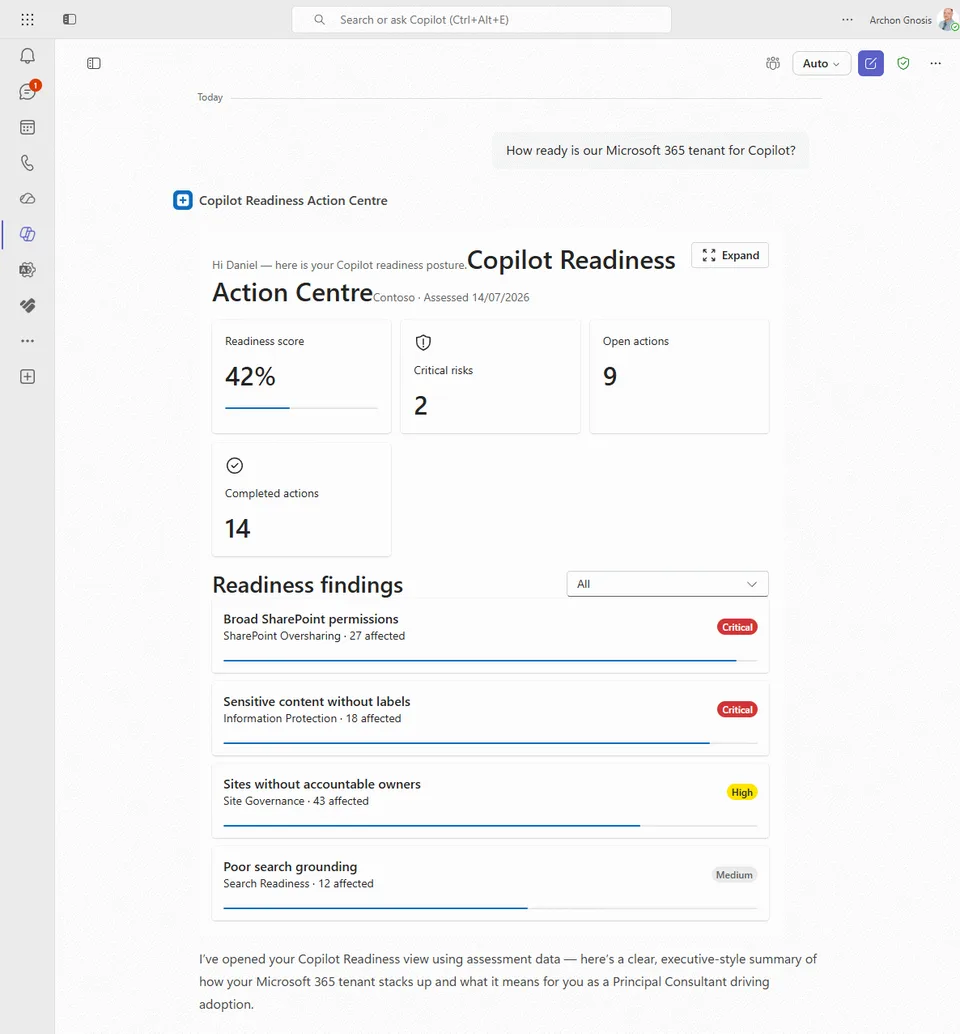
Review Microsoft Copilot readiness risks and create governed SharePoint remediation actions from the Copilot canvas.

- Updated
- July 14, 2026
- Built with
- React
- SPFx version
- 1.24.0-beta.2
- Products
- SharePoint, Microsoft Copilot
Overview
What this sample demonstrates
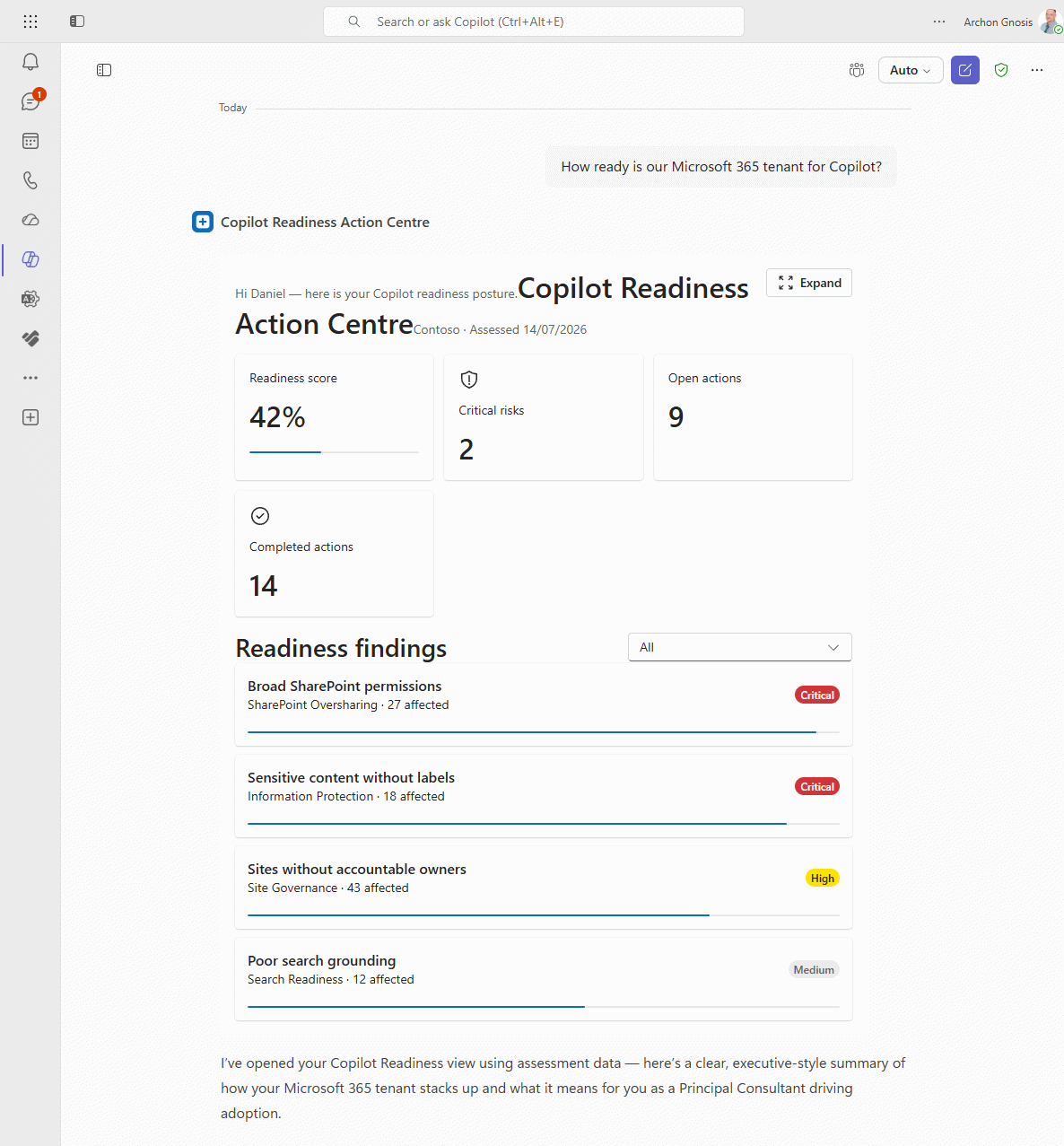
Copilot Readiness Action Centre is a SharePoint Copilot App built as an SPFx 1.24 Copilot Component. It surfaces readiness scores and risk findings in the Microsoft Copilot canvas, with inline and full-screen display modes, Fluent UI v9 host-driven theming, and governed remediation actions written to SharePoint lists.
The sample ships offline mock data for immediate demos and a swappable IReadinessDataService so a live SharePoint implementation is a drop-in path. Architecture follows the PnP agentic creation rules: thin entry component, root App selector, ThemeProvider, separate inline and full-screen views, and Zod tool inputs exported via zodToJsonSchema for Teams and agent packaging.
Gallery
See the component in action


Documentation
Setup and implementation
Summary
An SPFx 1.24 Copilot component that turns Microsoft Copilot readiness findings into governed remediation actions inside the Microsoft Copilot canvas. Users review readiness scores and risks, drill into evidence and affected SharePoint resources, assign owners and due dates, and create remediation tasks stored in SharePoint lists.
Ships with offline mock data for immediate demos, plus optional live SharePoint list integration via a swappable data service.
Compatibility





SPFx 1.24 Copilot components are in public preview. APIs and packaging behaviour can change before general availability.
Applies to
- SharePoint Framework 1.24+ (Copilot Component)
- Microsoft Copilot extensibility
- Microsoft 365 tenant with SharePoint App Catalog
Get your own free development tenant by subscribing to the Microsoft 365 developer program
Contributors
Version history
| Version | Date | Comments |
|---|---|---|
| 1.0 | July 14, 2026 | Initial release for community / PnP submission |
Prerequisites
- Node.js >=22.14.0 and <23.0.0
- Microsoft 365 tenant where the SPFx Copilot components public preview is available
- SharePoint App Catalog administrator access
- Heft (
npm install -g @rushstack/heft) or usenpx heft - For live SharePoint data: PnP.PowerShell to provision lists
Minimal path to awesome
Option A - mock data only (fastest demo)
Ready-made package included. The repository ships a built solution package so you can deploy without building. Package path: sharepoint/solution/copilot-readiness-action-centre.sppkg.
- Upload
sharepoint/solution/copilot-readiness-action-centre.sppkgto the tenant App Catalog. - Select Enable this app and add it to all sites (required for Copilot integration).
- Select Enable app.
- In the App Catalog, select the app and choose Add to Teams (publishes the declarative agent to the tenant agent catalog during preview).
- In Microsoft Copilot, add Copilot Readiness Action Centre from the agent list.
- Try: "Are we ready to deploy Microsoft Copilot?" or invoke the tool with
{ "useMockData": true }.
Option B - build from source
- Clone this repository (or download this solution as a .ZIP file then unzip it)
- From your command line, change directory to the sample folder (
copilot-readiness-action-centre, undersampleswhen cloned from the PnP repo) - In the command line run:
npm installnpm run validate(optional packaging guards)heft start --cleanfor local workbench, ornpm run buildto produce the production.sppkg
Local workbench:
https://YOURTENANT.sharepoint.com/_layouts/15/copilotworkbench.aspx
Example tool payloads:
{ "useMockData": true, "severity": "All" }
{
  "siteUrl": "https://YOURTENANT.sharepoint.com/sites/CopilotReadiness",
  "severity": "Critical"
}
Option C - live SharePoint lists
Install-Module PnP.PowerShell -Scope CurrentUser
./scripts/provision.ps1 -SiteUrl https://YOURTENANT.sharepoint.com/sites/CopilotReadiness
The script creates:
- Copilot Readiness Assessments
- Copilot Readiness Findings
- Copilot Readiness Resources
- Copilot Remediation Actions
Use -SkipSampleData to create only the schema. Field definitions are in docs/data-model.md.
Then deploy the .sppkg as in Option A and call the tool with your site URL (omit useMockData or set it to false).
Features
This sample illustrates:
- Copilot Component UX (
copilotType: "Ux") surfaced as a declarative agent tool - Inline and full-screen display modes with host-driven theming (Fluent UI v9 tokens)
- Architecture aligned with PnP agentic creation rules: thin entry component, root App selector, ThemeProvider, separate inline/fullscreen views
- Swappable data service (
IReadinessDataService): mock for offline demos, SharePoint REST for live lists - Governed remediation: select affected resources, assign owner and due date, write remediation actions to SharePoint
- Teams / agent packaging via the SPFx Copilot agent pipeline (
copilot/+ Add to Teams)
Suggested prompts
- Are we ready to deploy Microsoft Copilot?
- Show me our critical Copilot readiness risks.
- Create a remediation plan for SharePoint oversharing.
Solution structure
copilot-readiness-action-centre/
  README.md
  assets/
    sample.json                   # PnP gallery metadata (required)
    preview.png                   # Gallery preview (required)
    preview-full.png              # Full Copilot conversation preview
  config/                         # Heft / SPFx + copilot-agent.json
  copilot/                        # Declarative agent + Teams package sources
  docs/data-model.md              # SharePoint list field reference
  scripts/
    provision.ps1                 # List provisioning + sample data
    validate-project.mjs          # Structure / packaging guards
  sharepoint/solution/
    copilot-readiness-action-centre.sppkg   # Committed ready-to-deploy package
  src/copilotComponents/readinessActionCentre/
    ReadinessActionCentreCopilotComponent.tsx
    ReadinessActionCentreCopilotComponentProperties.ts
    components/                   # App, ThemeProvider, Inline, Fullscreen, shared UI
    services/                     # IReadinessDataService, Mock, SharePoint, CurrentUser
    mockData/
    models/
Data integration
The live path uses SharePoint REST with the current user's permissions. No external API or app registration is required. Replace mock/scanner sample data by writing into the four provisioned lists.
Help
We do not support samples, but this community is always willing to help, and we want to improve these samples. We use GitHub to track issues, which makes it easy for community members to volunteer their time and help resolve issues.
You can try looking at issues related to this sample to see if anybody else is having the same issues.
If you encounter any issues using this sample, create a new issue.
For packaging tips (Zod → JSON Schema, white Teams outline icons, and agent validation), see the agentic creation rules from the PnP my-day sample.
Disclaimer
THIS CODE IS PROVIDED AS IS WITHOUT WARRANTY OF ANY KIND, EITHER EXPRESS OR IMPLIED, INCLUDING ANY IMPLIED WARRANTIES OF FITNESS FOR A PARTICULAR PURPOSE, MERCHANTABILITY, OR NON-INFRINGEMENT.