
Copilot UX component
Kudos & Recognition Wall - Recognise colleagues from Microsoft Copilot chat
Give kudos and browse your organization's recognition wall directly from Microsoft Copilot chat.

- Updated
- August 12, 2026
- Built with
- React
- SPFx version
- 1.24.0-beta.2
- Products
- SharePoint, Microsoft Copilot
Overview
What this sample demonstrates
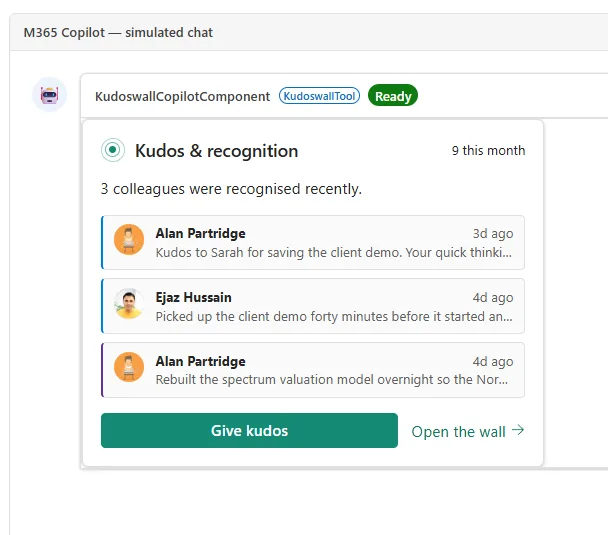
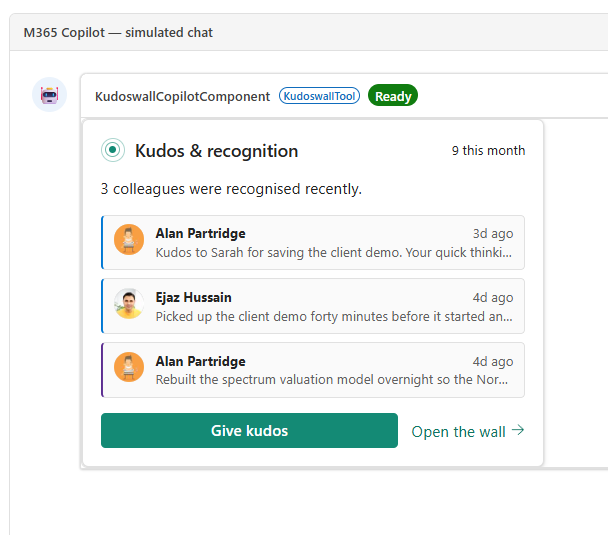
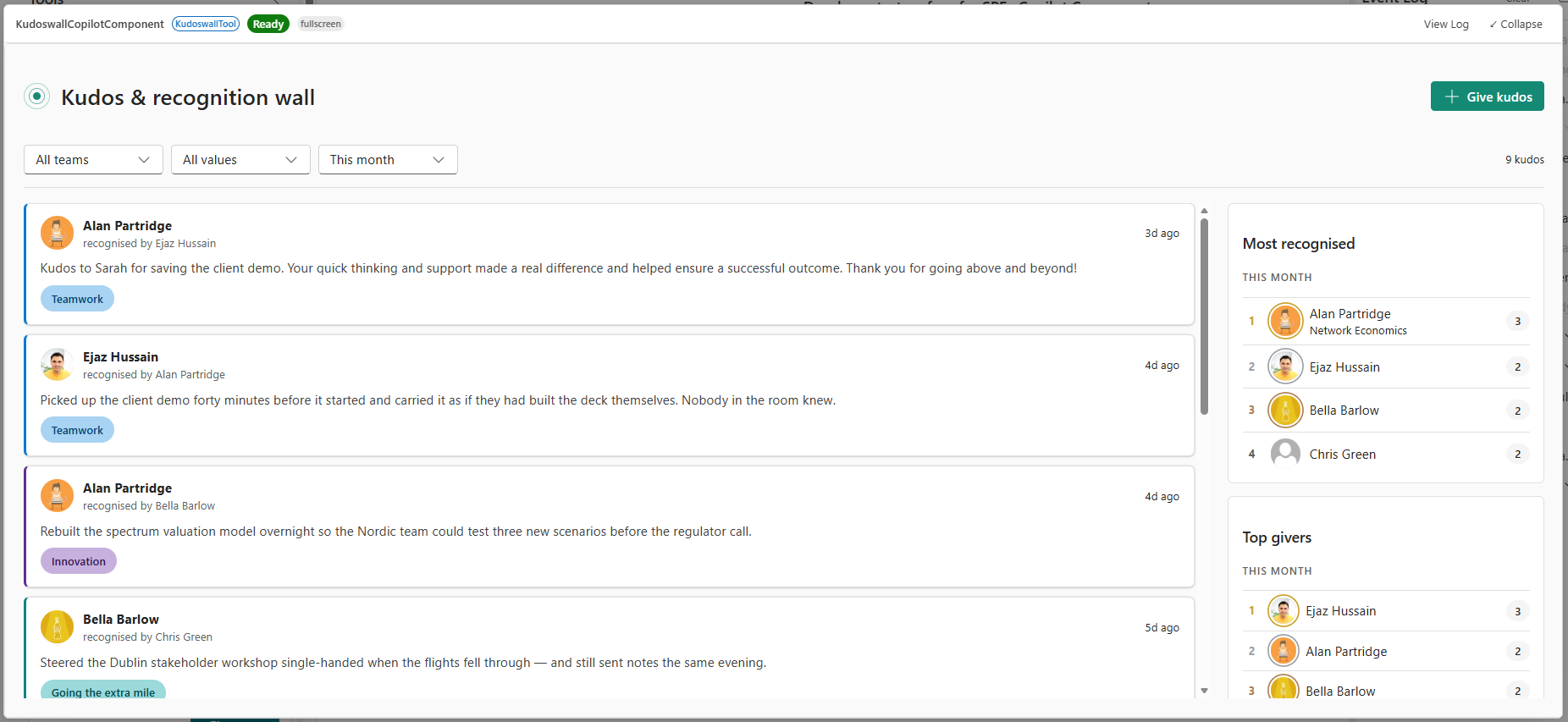
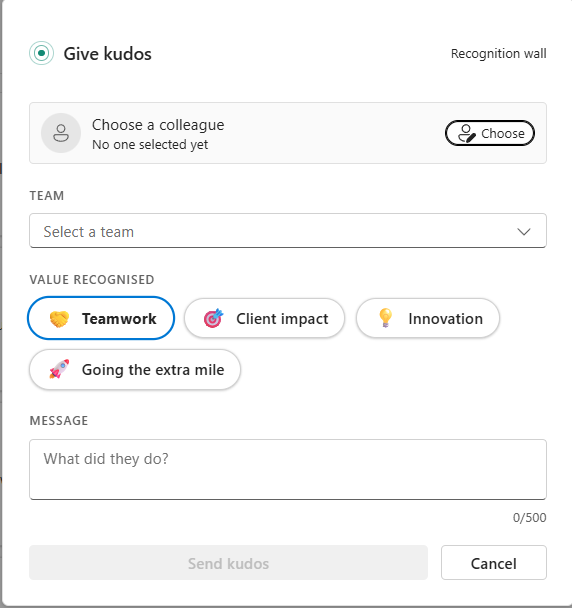
Kudos & Recognition Wall brings peer recognition into Microsoft Copilot. Ask the Kudos and Recognition Wall agent to show the wall and it renders an inline card of recent recognitions, or an expanded fullscreen wall with team, value, and time filters plus Most recognised and Top givers leaderboards. Name a colleague and a reason and it opens a pre-filled compose card so you can give kudos without leaving the conversation.
Built as a SharePoint Copilot App (SPFx 1.24.0-beta.2, @microsoft/sp-copilot-component), the same component renders both the compact inline card and the expanded wall. It reads and writes a SharePoint Kudos list via RenderListDataAsStream and brokers Microsoft Graph for colleague search and department enrichment, with a built-in mock backend for zero-setup demos and Fluent UI v9 runtime theming that follows the Copilot host.
Gallery
See the component in action


Documentation
Setup and implementation
Summary
Kudos & Recognition Wall is an SPFx Copilot Component that brings peer recognition into the Microsoft Copilot canvas. A declarative agent ("Kudos and Recognition Wall") calls it as a tool, so colleagues can give kudos and browse who has been recognised without leaving the conversation.
The same component renders in two host display modes:
- an inline card inside the chat — a compact digest of recent recognitions with Give kudos and Open the wall actions
- an expanded (fullscreen) wall — the full recognition feed with team/value/time filters, plus Most recognised and Top givers leaderboards
From the rendered UI, the signed-in user can:
- Read recent kudos, each tagged with the recognised value (Teamwork, Client impact, Innovation, Going the extra mile)
- Filter the feed by team, value, and time period
- Give kudos to a colleague — pick the recipient, team, and value, and write a message
- See who has been recognised the most and who is giving the most recognition this month
Data is read from and written to a SharePoint Kudos list, with the recipient picker and department enrichment brokered through Microsoft Graph. The component also ships with a mock backend so it can be demoed without provisioning anything.
Compatibility




Don't worry if you're unsure about the compatibility details above. We'll verify them when we review your pull request.
Applies to
- SharePoint Framework 1.24+ (Copilot Component)
- Microsoft Copilot extensibility
- Microsoft 365 tenant with the SharePoint App Catalog
Get your own free development tenant by subscribing to the Microsoft 365 developer program
Contributors
Version history
| Version | Date | Comments |
|---|---|---|
| 1.0 | August 12, 2026 | Initial release |
Prerequisites
The component works against mock data out of the box, so you can run and demo it with no setup. To run it against real data you need:
- Node.js
>=22.14 <23and npm - A SharePoint App Catalog (tenant or site-collection scoped)
- PnP PowerShell for list provisioning:
Install-Module PnP.PowerShell -Scope CurrentUser - An Entra app registration (client id) for PnP PowerShell to sign in with. PnP PowerShell no longer ships a default app, so register your own once (delegated, with
Sites.FullControl.Allor at leastSites.Manage.All) and pass its client id as-ClientIdbelow.
1. Provision the two lists
From the scripts folder, run the provisioning script against the site that will host the data. It is safe to re-run — each list and field is created only if missing:
./scripts/Provision-Lists.ps1 -SiteUrl "https://contoso.sharepoint.com/sites/sandboxed" -ClientId "<your-entra-app-id>"
This creates both lists the component reads:
Departments — the controlled team vocabulary. Its built-in Title column is renamed (display name Department) and seeded with a starter set of teams (Consulting, Finance, Engineering, Research, Operations). It is the single source for the wall's team filter and the Give kudos team picker — edit the list in SharePoint afterwards to match your organization's teams.
Kudos — the recognition records, with the internal field names the service expects:
| Field | Internal name | Type | Notes |
|---|---|---|---|
| Message | Message |
Multiline (plain text) | The kudos text |
| Title | Title |
Single line of text | Summary only — hidden from forms, auto-set to a truncated message for readable list views |
| Recipient | Recipient |
Person | Required |
| Giver | Giver |
Person | Set to the signed-in user on send |
| Team | Team |
Single line of text | The recipient's team (from the Departments list) |
| Kudos type | KudosType |
Choice | Teamwork / Client impact / Innovation / Going the extra mile |
Optionally seed the wall with realistic sample kudos using ./scripts/Seed-KudosData.ps1 -SiteUrl "<site>" -ClientId "<your-entra-app-id>" (clear it again with ./scripts/Reset-KudosData.ps1 -SiteUrl "<site>" -ClientId "<your-entra-app-id>").
2. Point the component at your site
A Copilot component has no site page context, so the data service must target the host site explicitly. Set KUDOS_SITE_URL in src/copilotComponents/kudoswall/components/kudos/constants/kudos.constants.ts to the site where you provisioned the lists.
3. Approve the Microsoft Graph permission (optional)
The recipient picker and department enrichment call Microsoft Graph. Grant the delegated permission below in the SharePoint Admin Center → Advanced → API access after deploying the package:
User.ReadBasic.All— search colleagues and read theirdepartment.
The component degrades gracefully without it: the picker falls back to the mock roster and departments are left blank, but giving and reading kudos still work.
Minimal path to awesome
- Clone this repository (or download this solution as a .ZIP file then unzip it)
- From your command line, change your current directory to the directory containing this sample (
kudos-recognition-wall, located undersamples) - In the command line run:
npm installnpm run start
- SPFx Copilot Components can't be tested in the local workbench, so
npm startserves against the hosted Copilot workbench (/_layouts/15/CopilotWorkbench.aspx, configured inconfig/serve.json). The component uses its mock backend when there is no provisioned list, or when you append?kudosMock=1to the workbench URL. - To go live, provision the lists and set
KUDOS_SITE_URL(see Prerequisites), then package and deploy:
npm run build
- Upload the resulting
sharepoint/solution/o365c-kudos-wall.sppkgto your App Catalog and deploy it, approve the API permission above, then invoke the Kudos and Recognition Wall agent in Microsoft Copilot. Try a starter:- "Show me the kudos wall" → the inline digest / wall
- "Give Sarah kudos for saving the client demo" → the compose card, pre-filled
Other build commands can be listed using heft --help.
Features
This sample demonstrates how to surface a peer-recognition experience inside the Copilot canvas using an SPFx Copilot Component that reads and writes live SharePoint data, with a mock fallback for zero-setup demos.
This sample illustrates the following concepts:
- Copilot Component UX — a
CopilotComponent(copilotType: "Ux") exposed as a tool (KudoswallTool) that a declarative agent can call, rendering its own React UI inside the Copilot host. - Display-mode-aware rendering — a single component renders a compact inline card or an expanded fullscreen wall based on the host-advertised display mode, and can request a mode switch through the Copilot bridge.
- Intent-driven pre-fill — when the user names a colleague and a reason ("Give Sarah kudos for…"), the agent passes
recipientandmessageso the compose card opens pre-filled. - Pluggable data backend — a service factory selects a mock service or a SharePoint + Graph service automatically, so the same UI demos offline and runs live.
- Efficient SharePoint reads — the feed uses
RenderListDataAsStream(POST + CAMLViewXml) so person fields come back resolved; value/time filters run server-side in CAML while the leaderboards are computed client-side over the newest items. - Brokered Microsoft Graph — colleague search and department enrichment go through the SPFx-brokered Graph client, with no manual token handling and graceful degradation when the permission isn't granted.
- Runtime theming — light/dark themes are generated at runtime from a Fluent UI v9 brand ramp (
src/theme/theme.ts) and follow the Copilot host theme.
Help
We do not support samples, but this community is always willing to help, and we want to improve these samples. We use GitHub to track issues, which makes it easy for community members to volunteer their time and help resolve issues.
You can try looking at issues related to this sample to see if anybody else is having the same issues.
If you encounter any issues using this sample, create a new issue.
Disclaimer
THIS CODE IS PROVIDED AS IS WITHOUT WARRANTY OF ANY KIND, EITHER EXPRESS OR IMPLIED, INCLUDING ANY IMPLIED WARRANTIES OF FITNESS FOR A PARTICULAR PURPOSE, MERCHANTABILITY, OR NON-INFRINGEMENT.