
Copilot UX component
Release readiness board
Track blockers, overdue checks, and go-live confidence directly in Copilot.

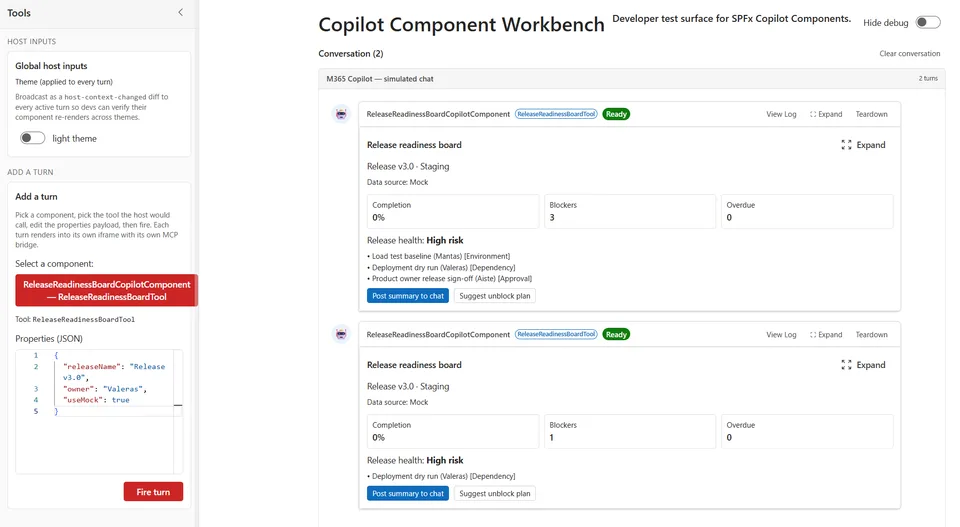
- Updated
- August 2, 2026
- Built with
- React
- SPFx version
- 1.24.0-beta.2
- Products
- SharePoint, Microsoft Copilot
Overview
What this sample demonstrates
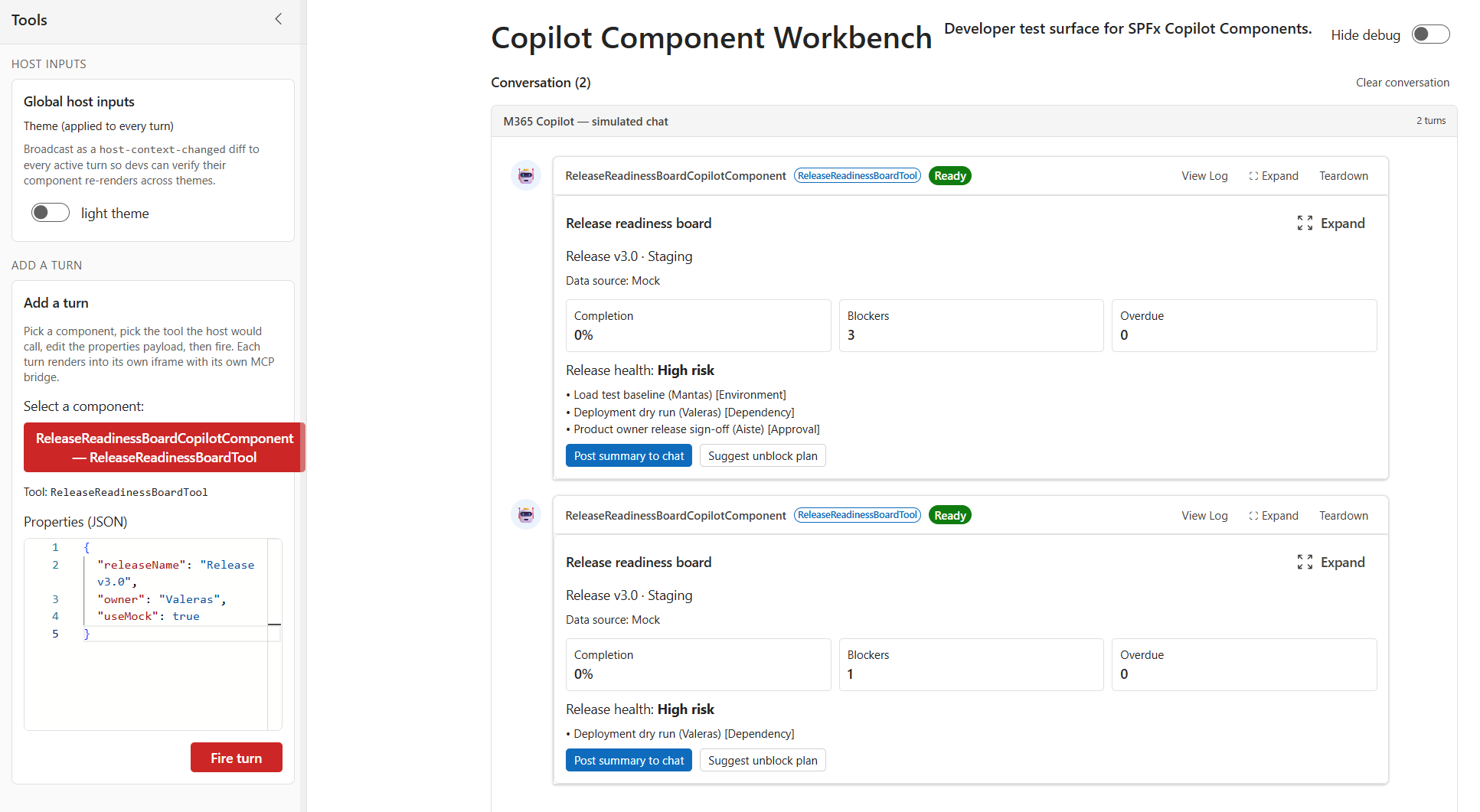
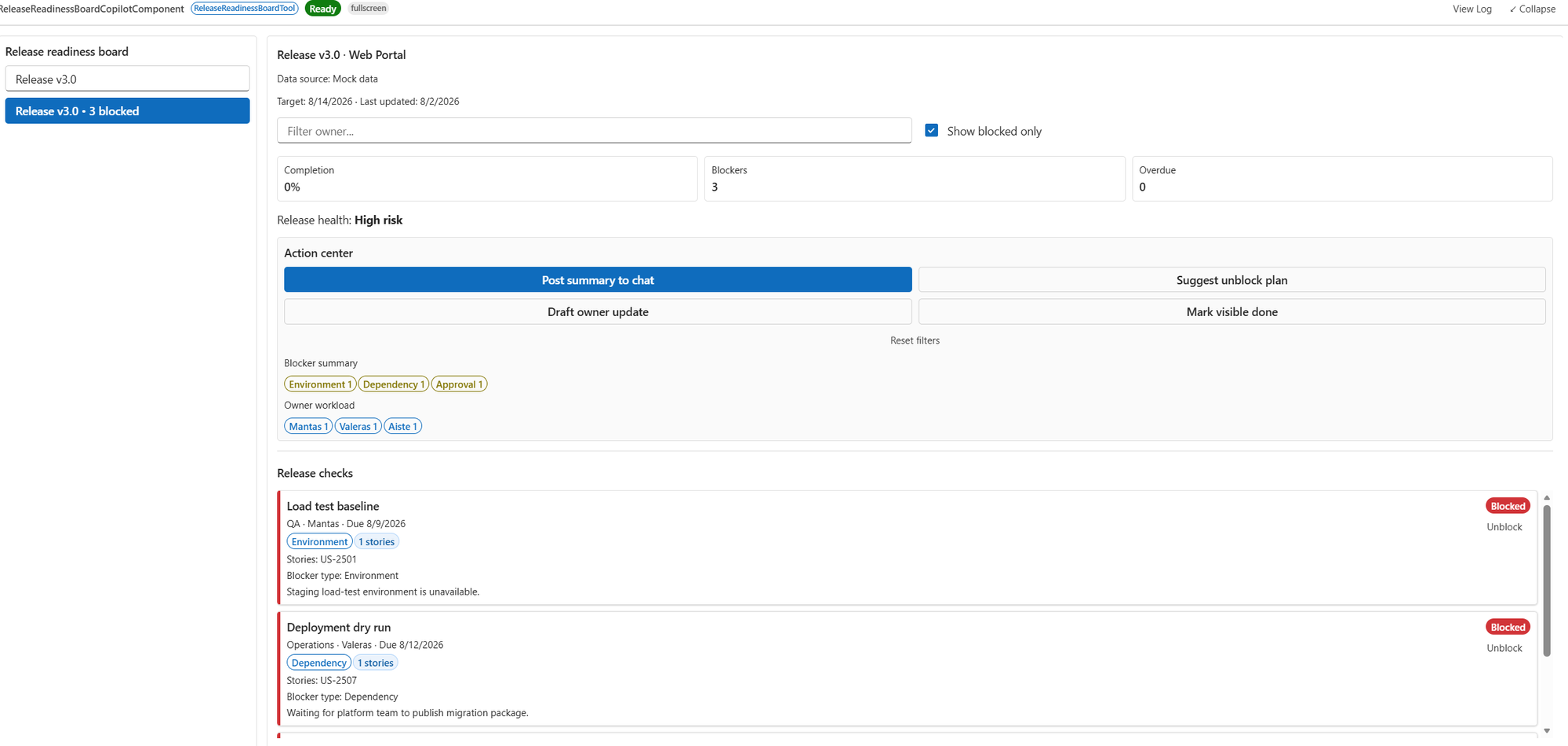
Release readiness board gives delivery teams a compact inline release-health snapshot and a full-screen execution board in Microsoft Copilot. Teams can filter by release and owner, focus on blockers, update checklist status, and post a readiness summary back to chat. The sample ships mock-first and includes a real-data adapter mode via an external HTTPS API.
Gallery
See the component in action


Documentation
Setup and implementation




Summary
Release readiness board is an SPFx 1.24 Copilot component. It helps delivery teams track release status directly inside Microsoft Copilot with:
- an inline health snapshot (completion, blockers, overdue checks, risk), and
- a full-screen board for release-level filtering and checklist execution.
The sample is mock-first and self-contained: it ships with realistic release data and no external dependencies. You can deploy and demo immediately, then swap mock data for live services later.
Inline
Full-screen
Applies to
- SharePoint Framework 1.24+ (Copilot Component)
- Microsoft Copilot
- Microsoft 365 tenant with SharePoint App Catalog
Solution
| Solution | Author(s) |
|---|---|
| release-readiness-board | Valeras Narbutas |
Version history
| Version | Date | Comments |
|---|---|---|
| 1.0 | August 2, 2026 | Initial release |
Prerequisites
- Node.js >=22.14.0 <23.0.0
- A Microsoft 365 tenant with SPFx 1.24 (preview) enabled
- SharePoint App Catalog site
Minimal Path to Awesome
- Clone this repository.
- Go to this sample:
cd samples/release-readiness-board
- Run:
npm installnpm run start
Production build and package:
npm run build
The package will be created at:
sharepoint/solution/release-readiness-board.sppkg
Features
This sample illustrates:
- SPFx Copilot Component with
inline+fullscreendisplay modes. - Tool parameter handling via Zod schema (
releaseName,owner,showBlockedOnly,useMock,dataServiceUrl). - Release-level and owner-level filtering in fullscreen mode.
- Interactive check status updates (
pending,done,blocked) and computed release risk. - Follow-up posting to Copilot chat from inside the component.
Switch to real data (Azure DevOps-friendly setup)
The sample is mock-first by default. To use real data, expose a lightweight API adapter that maps your source system (Azure DevOps, GitHub, Jira, etc.) to the expected payload and then invoke the tool with:
useMock=falsedataServiceUrl=https://<your-api>/api/release-readiness
Expected API response
You can return either a raw array or an object with releases:
{
  "releases": [
    {
      "id": "release-2-8",
      "name": "Release v2.8",
      "product": "Commerce API",
      "environment": "Production",
      "targetDate": "2026-08-20T00:00:00.000Z",
      "updatedAt": "2026-08-18T10:30:00.000Z",
      "checks": [
        {
          "id": "check-qa-regression",
          "title": "Regression suite pass",
          "area": "QA",
          "owner": "Mantas",
          "dueDate": "2026-08-19T00:00:00.000Z",
          "status": "pending",
          "note": "2 flaky checkout tests under investigation.",
          "updatedAt": "2026-08-18T10:30:00.000Z"
        }
      ]
    }
  ]
}
Azure DevOps adapter pattern
- Build an API endpoint (Azure Function/App Service) that calls Azure DevOps REST APIs (builds, pipelines, test results, work items).
- Map the returned data to the schema above.
- Secure the endpoint with Microsoft Entra ID (recommended), and allow CORS from your SharePoint tenant.
- Provide the endpoint URL as
dataServiceUrlwhile settinguseMock=false.
This keeps the UI component unchanged while letting you plug in real delivery data.
References
- Overview of SPFx Copilot components
- Build your first SPFx Copilot component
- Microsoft Copilot extensibility overview
- Heft Documentation
Disclaimer
THIS CODE IS PROVIDED AS IS WITHOUT WARRANTY OF ANY KIND, EITHER EXPRESS OR IMPLIED, INCLUDING ANY IMPLIED WARRANTIES OF FITNESS FOR A PARTICULAR PURPOSE, MERCHANTABILITY, OR NON-INFRINGEMENT.