
Copilot UX component
Weekly Pulse Quiz
One multiple-choice question a week on a SharePoint page and inline in Microsoft 365 Copilot chat, with private answers stored in a SharePoint list that uses item-level security.

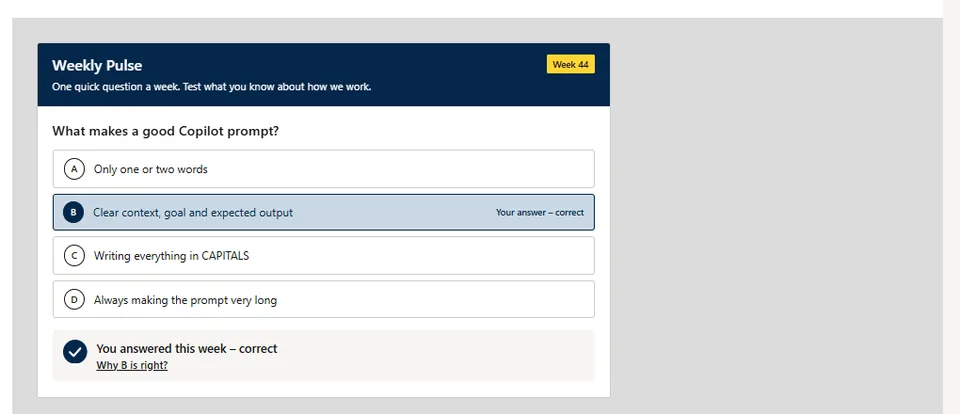
- Updated
- October 29, 2026
- Built with
- React
- SPFx version
- 1.24.0
- Products
- SharePoint, Microsoft Copilot
Overview
What this sample demonstrates
Weekly Pulse Quiz shows one multiple-choice question per ISO week from a SharePoint list, both as a web part (BaseClientSideWebPart) and as a Copilot UX component (BaseCopilotComponent) called by a declarative agent through the show_weekly_quiz tool with static tool discovery.
Answers are saved as the signed-in user to a Responses list with item-level security and unique permissions, so colleagues can't see each other's answers. Feedback is calm and accessible: a check mark or the correct answer, an optional justification (dialog on the page, inline Why? panel in Copilot) and reduced-motion support.
A Set up lists button (site owners, edit mode) and equivalent PnP PowerShell and CLI for Microsoft 365 scripts create the lists idempotently. No API permissions are requested; model-supplied site URLs must be https on the same tenant, list titles pass an allowlist, and nothing is sent back to the model. Colours follow the SharePoint site theme with optional hex overrides and automatic WCAG AA text contrast.
Gallery
See the component in action


Documentation
Setup and implementation
Summary
One multiple-choice question a week, on a modern SharePoint page (web part) and inline in Microsoft 365 Copilot chat (Copilot UX component built on BaseCopilotComponent). The quiz master schedules questions in a SharePoint list; people answer once, get calm, private feedback (a check mark, or the correct answer and an optional justification), and their answer is saved to a Responses list that uses item-level security, so colleagues can't see it.
The sample uses the SharePoint site theme by default, has optional hex colour overrides in the property pane, requests no API permissions and creates its lists from a Set up lists button (or the included PnP PowerShell and CLI for Microsoft 365 scripts).
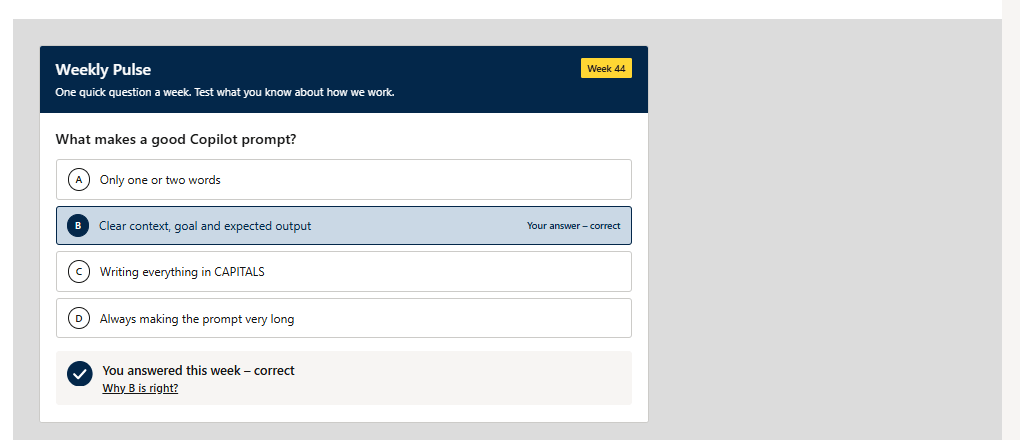
Video walkthrough

Watch the walkthrough on YouTube or listen to the episode on Spotify.
Compatibility






Applies to
Get your own free development tenant by subscribing to the Microsoft 365 developer program
Contributors
Version history
| Version | Date | Comments |
|---|---|---|
| 1.0 | October 29, 2026 | Initial release |
Prerequisites
- A SharePoint Online tenant and permission to deploy to the tenant App Catalog (a site collection app catalog is enough for the web part only).
- Full Control on the site that will hold the lists (to use Set up lists), or PnP PowerShell / CLI for Microsoft 365 to run the provisioning scripts.
- For the Copilot experience:
- a Microsoft 365 Copilot license for each person who uses the agent;
- the package deployed in the tenant App Catalog and the app published to Teams with Add to Teams (the package includes the Copilot app
teams/weekly-pulse.zip; no separate upload is needed).
- No API permissions or admin consent: the web part and the Copilot component read and write SharePoint lists as the signed-in user.
Minimal path to awesome
- Clone this repository (or download this solution as a .ZIP file then unzip it)
- From your command line, change your current directory to the directory containing this sample (
weekly-pulse-quiz, located undersamples) - Optional: set your organisation's quiz time zone (see Quiz time zone); the default is
UTC. - In the command line run:
npm installnpm run build(runs the unit tests and createssharepoint/solution/weekly-pulse-quiz.sppkg)
- Upload
sharepoint/solution/weekly-pulse-quiz.sppkgto the tenant App Catalog and deploy it. - For Copilot: in the App Catalog, select the app and select Add to Teams. Wait a few minutes for the agent to appear.
- Add the Weekly Pulse Quiz web part to a page, open the page in edit mode and select Set up lists (see below).
- Add a question to Weekly Pulse Questions for the current ISO week and publish the page.
- In Microsoft 365 Copilot, open Weekly Pulse from the agents list and ask "What's this week's quiz?".
Set up the lists
Set up lists button (recommended). Open a page with the web part in edit mode. If a list is missing and you have Full Control on the site (Manage lists and Manage permissions), the web part shows Set up lists:
- Select Set up lists. A dialog lists what will be created on each site.
- Select Set up lists again to confirm. Each step shows its progress.
- When it's done, the quiz reloads. If a step fails, the dialog names the step and the reason, and Try again runs it again (finished steps are kept).
It uses SharePoint REST as you (no Microsoft Graph, no API permissions) and is idempotent: existing lists and columns are kept, nothing is deleted. Readers and people in view mode never see the button; editors without Full Control see a note with the matching script command. The Copilot component never creates lists.
Provisioning scripts (alternative). Use these for a dry run or for many sites. Both are idempotent.
PnP PowerShell (needs your own Entra app id for Connect-PnPOnline -Interactive):
# Dry run first
./provisioning/Provision-WeeklyPulse.ps1 -SiteUrl "https://contoso.sharepoint.com" -ClientId "<app id>" -WhatIf
# Then for real (Responses on another site is optional)
./provisioning/Provision-WeeklyPulse.ps1 -SiteUrl "https://contoso.sharepoint.com" -ResponsesSiteUrl "https://contoso.sharepoint.com/sites/pulse" -ClientId "<app id>" -QuizTimeZone "UTC"
CLI for Microsoft 365 (after m365 login):
./provisioning/provision-weekly-pulse.sh --site-url "https://contoso.sharepoint.com" --dry-run
./provisioning/provision-weekly-pulse.sh --site-url "https://contoso.sharepoint.com" --responses-site-url "https://contoso.sharepoint.com/sites/pulse" --quiz-time-zone "UTC"
Lists created (by the button or the scripts):
| List | Site | Purpose |
|---|---|---|
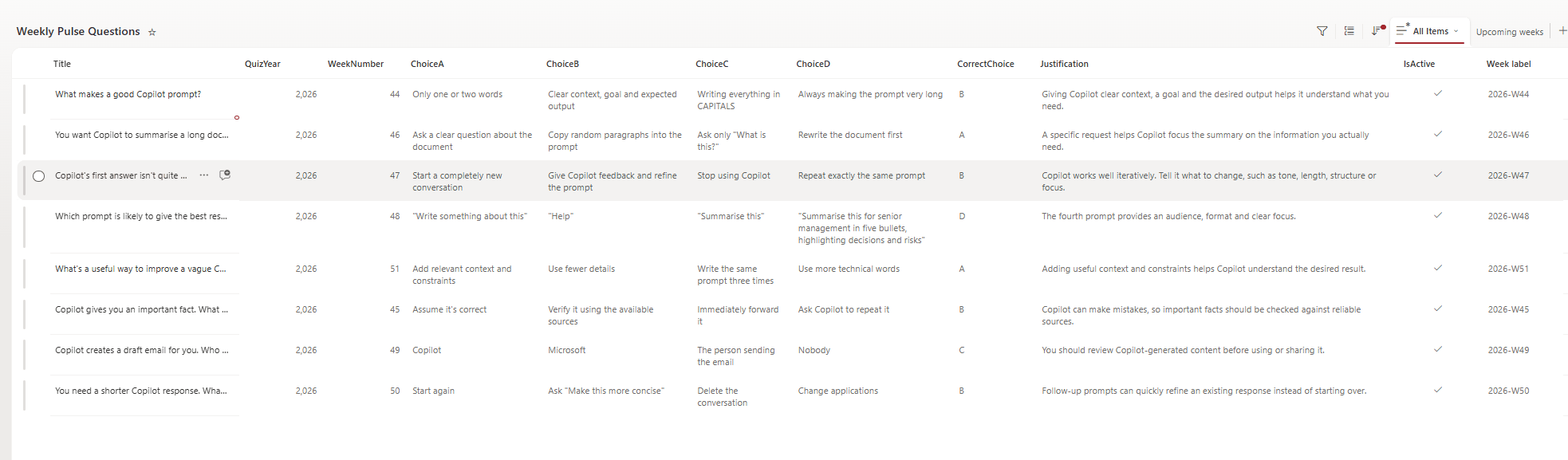
| Weekly Pulse Questions | Questions site | One item per week: Title (question), QuizYear, WeekNumber (1-53), ChoiceA, ChoiceB (required), ChoiceC, ChoiceD (optional), CorrectChoice (empty = poll), Justification (max 500 characters), IsActive. Plus calculated WeekStart / Week label columns and an Upcoming weeks view. |
| Weekly Pulse Config | Questions site | One "Settings" row that the Copilot component reads. Keep this title. |
| Weekly Pulse Responses | Responses site (defaults to the Questions site) | One item per answer: QuestionId, WeekKey, Choice, IsCorrect (empty for polls), Source (WebPart/Copilot), Respondent (Named mode only). |
Use the tenant root site for Questions and Config unless you have a reason not to: the Copilot component looks there by default (people can still name another site in the chat).
Web part settings (property pane)
| Group | Setting | Default |
|---|---|---|
| Lists | Questions site URL / list title | Tenant root / Weekly Pulse Questions |
| Responses site URL / list title | Questions site / Weekly Pulse Responses | |
| Answers and feedback | Answer privacy | Anonymous |
| Show the correct answer after a wrong answer | On | |
| Show the justification pop-up | On | |
| Animations | On | |
| Text | Banner title, intro text, text when there's no quiz | Weekly Pulse, a short intro, "There's no quiz this week" |
| Colours | Banner, button and accent colour (optional hex, for example #0F6CBD) |
Empty: the SharePoint site theme |
Site URLs must be https on the same tenant, without credentials; anything else is rejected. Colours that aren't valid hex values are rejected. Text colour on every coloured background is chosen automatically (white or near-black) to meet WCAG AA contrast (4.5:1).
In Copilot there's no site theme, so the card uses neutral Fluent defaults (#0F6CBD with white text). The Copilot component reads its answer, feedback and privacy settings from the Weekly Pulse Config list.
Quiz time zone
The quiz week changes on Monday at 00:00 in one fixed time zone for everyone, whatever the viewer's browser time zone; summer and winter time are handled by Intl. The default is UTC. To use your organisation's zone, change one constant before you build:
// src/common/models.ts
export const QUIZ_TIME_ZONE = 'UTC'; // for example 'Europe/London' or 'America/New_York' (IANA name)
Pass the same zone to the scripts (-QuizTimeZone / --quiz-time-zone). The Upcoming weeks view uses the site's regional time zone ([Today]), so the button and the scripts warn when the site time zone looks different from the quiz time zone; the quiz itself is not affected.
Features
- One question per ISO week. The quiz picks the active question whose
QuizYearandWeekNumbermatch the current ISO week. If there's none, the latest earlier active question is shown ("carry-over"), and editors get a note with the exact values to set. - Quiz or poll. With
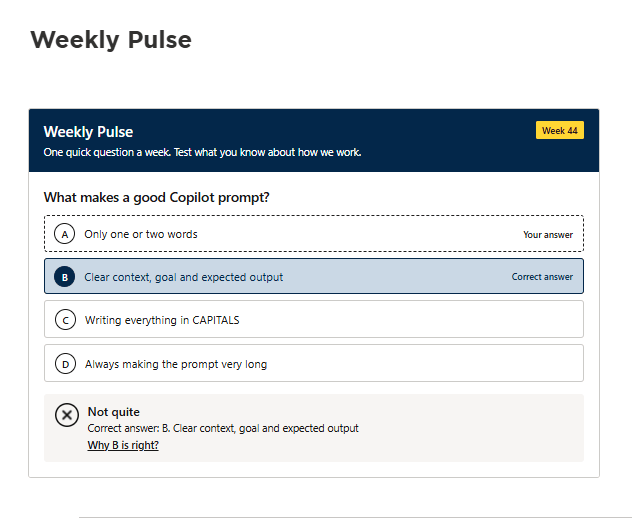
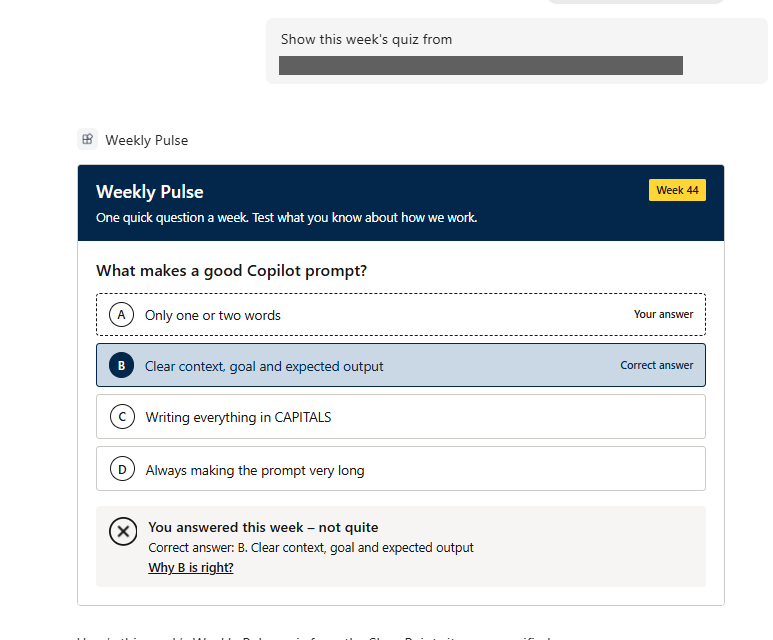
CorrectChoiceit's a quiz; without it, a poll ("Thanks for answering"). - Calm feedback. Right answer: a check mark draws on and the option is highlighted. Wrong answer: a plain X, the right option highlighted and "Correct answer: …". Results are announced to screen readers (
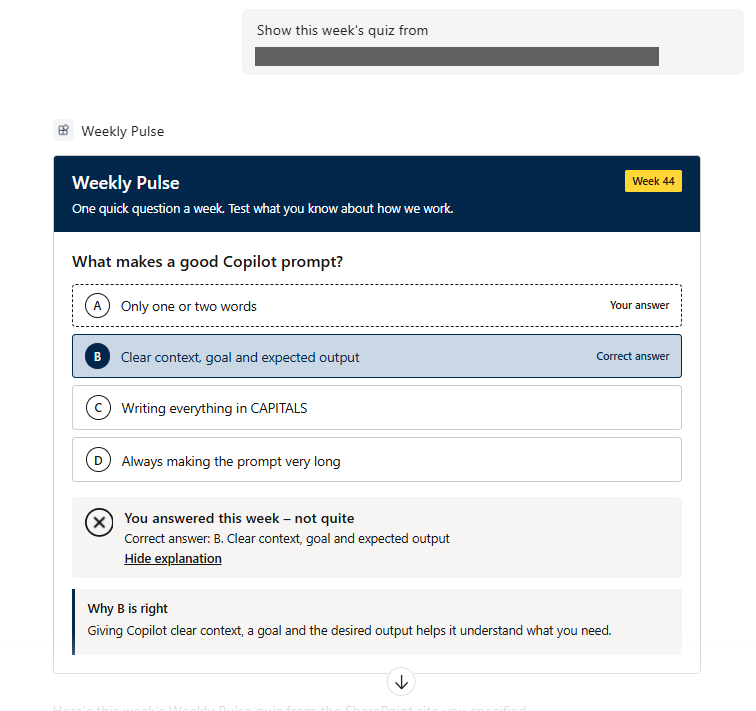
aria-live). Motion is off when the OS asks for reduced motion or the Animations toggle is off. - Justification. Shown in a dialog on a SharePoint page and as an inline Why? panel in Copilot, with Read more / Show less for long text. Rendered as plain text only (no raw HTML).
- One answer per person per question. On return visits the saved answer is shown.
- Privacy. The Responses list uses item-level security (people read and edit only their own items) with unique permissions: site owners Full Control, everyone except external users Contribute, versioning and attachments off, excluded from search. Site owners, admins and the audit log can still see who answered (
Created By); in Named mode the respondent is also stored for the quiz master. - Copilot UX component. A declarative agent (
declarativeAgent) with one action (weeklyPulseQuiz) and one tool,show_weekly_quiz, using static tool discovery. Both inputs are optional:siteUrl(https, same tenant, no credentials) andquestionsListTitle(checked against a strict list-title allowlist; anything else falls back to the default title). The component renders the quiz in the chat and sends nothing back to the model: answers go straight to SharePoint. - No API permissions. No
webApiPermissionRequests; all calls are SharePoint REST as the signed-in user.
This sample illustrates the following concepts:
- One React UI shared by a web part (
BaseClientSideWebPart) and a Copilot UX component (BaseCopilotComponent), with the web part limited tosupportedHosts: ["SharePointWebPart"] - Packaging a declarative agent and an API plugin (Teams manifest 1.29, declarative agent v1.8, plugin v2.4) inside the
.sppkgwithtoolDiscovery: static - Validating model-supplied inputs (tenant-bound https URLs, list-title allowlist) before any SharePoint call
- Idempotent, in-page list provisioning with item-level security, plus equivalent PnP PowerShell and CLI for Microsoft 365 scripts
- Time-zone-safe ISO week calculation with
Intl - Site-theme colours with optional overrides and automatic WCAG AA text contrast
Screenshots
Screenshots are from a SharePoint Online test tenant. Site addresses and names are replaced with Contoso placeholders.
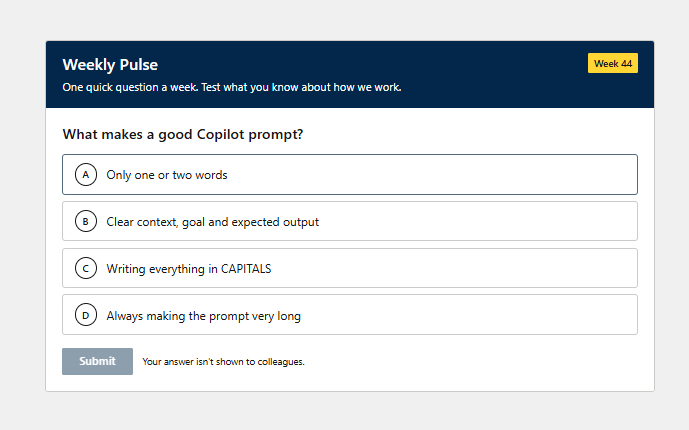
Answering
The week's question, before answering. Pick an option, then select Submit. With the default privacy setting, answers aren't shown to colleagues.
A correct answer: the chosen option is highlighted and a check mark is drawn.
A wrong answer: a plain X, the right option highlighted and "Correct answer: …".
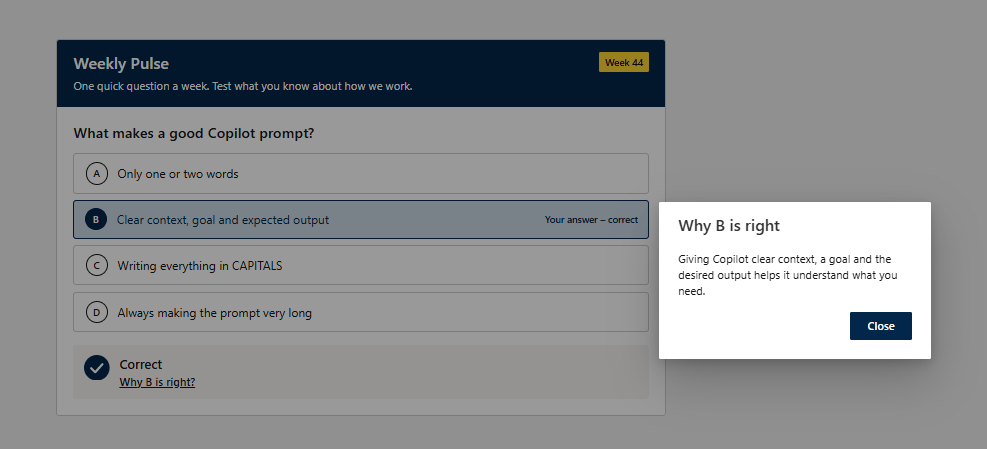
The justification pop-up on a SharePoint page.
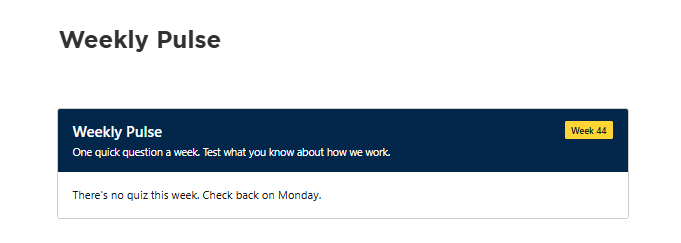
No question for this week.
Setting up
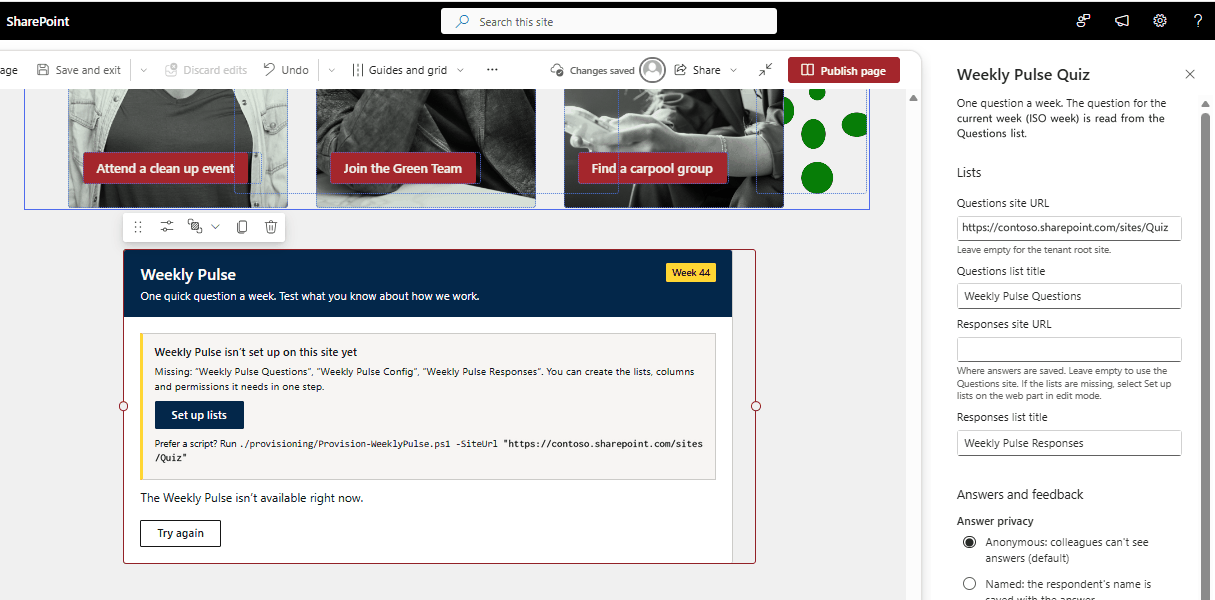
In edit mode, a web part without lists shows what's missing, a Set up lists button and the matching provisioning script command.
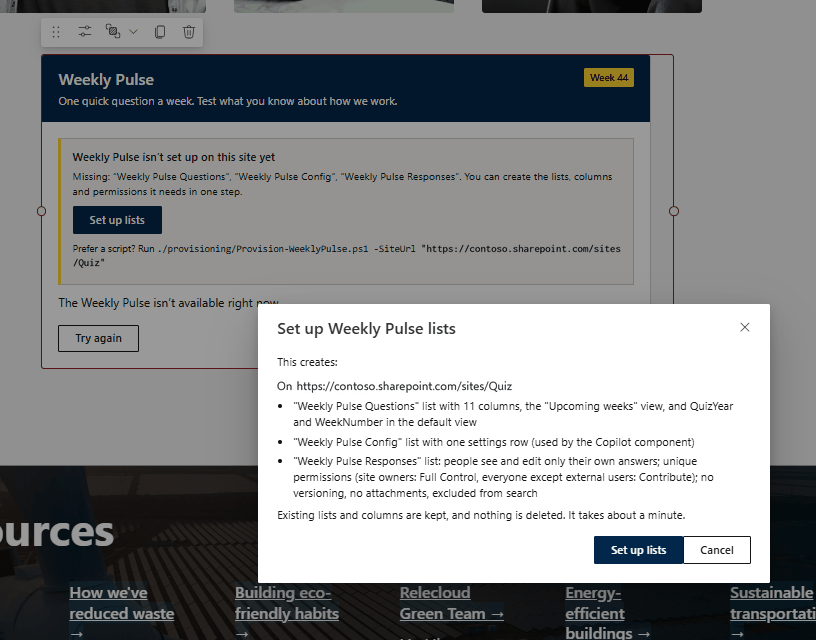
Set up lists says what it will create before it changes anything.
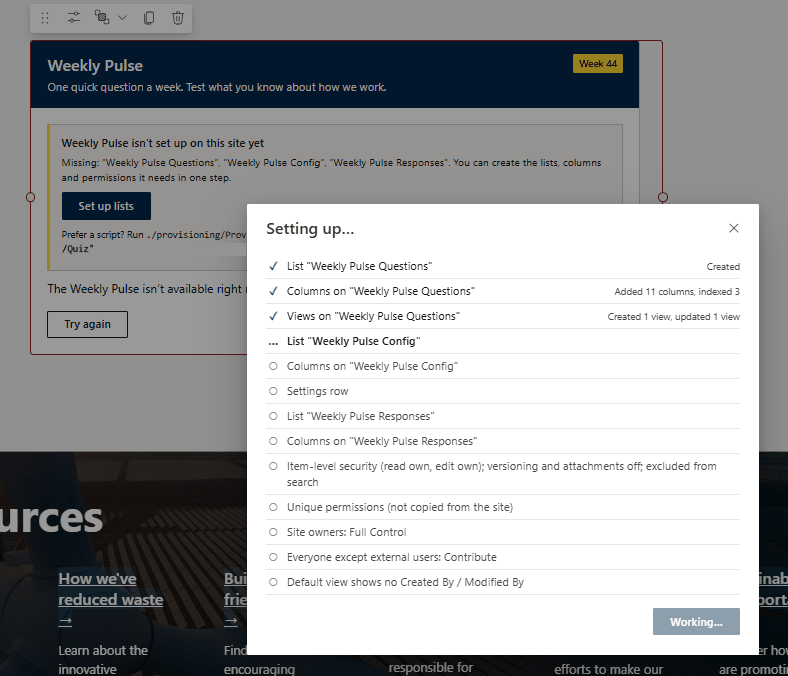
Progress is shown step by step.
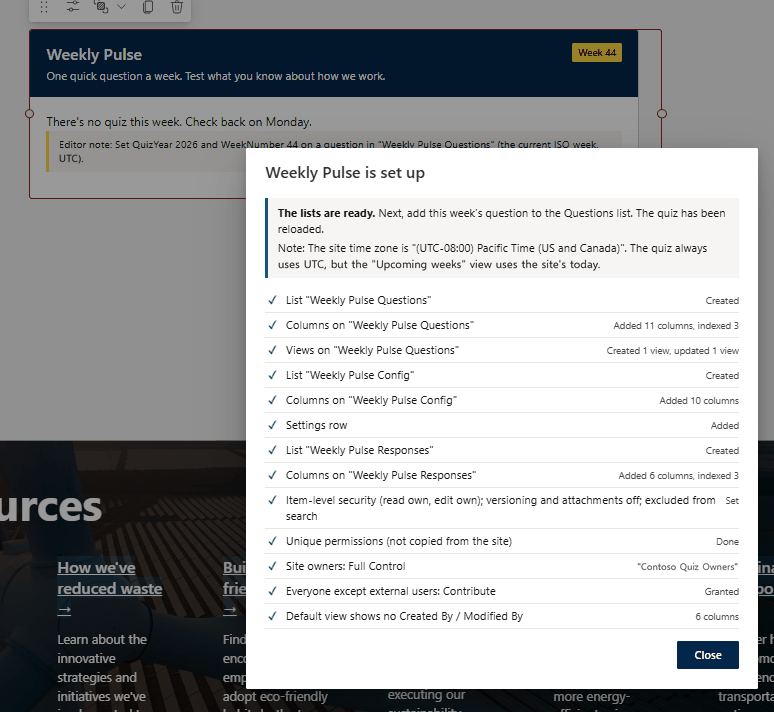
The result of each step, and a warning when the site time zone differs from the quiz time zone.
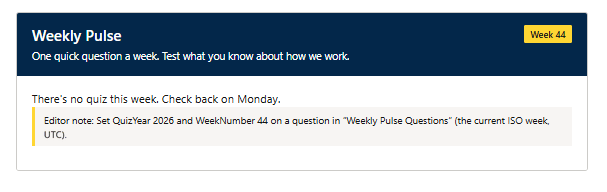
Editors see the exact QuizYear and WeekNumber to set when there's no question for the current week.
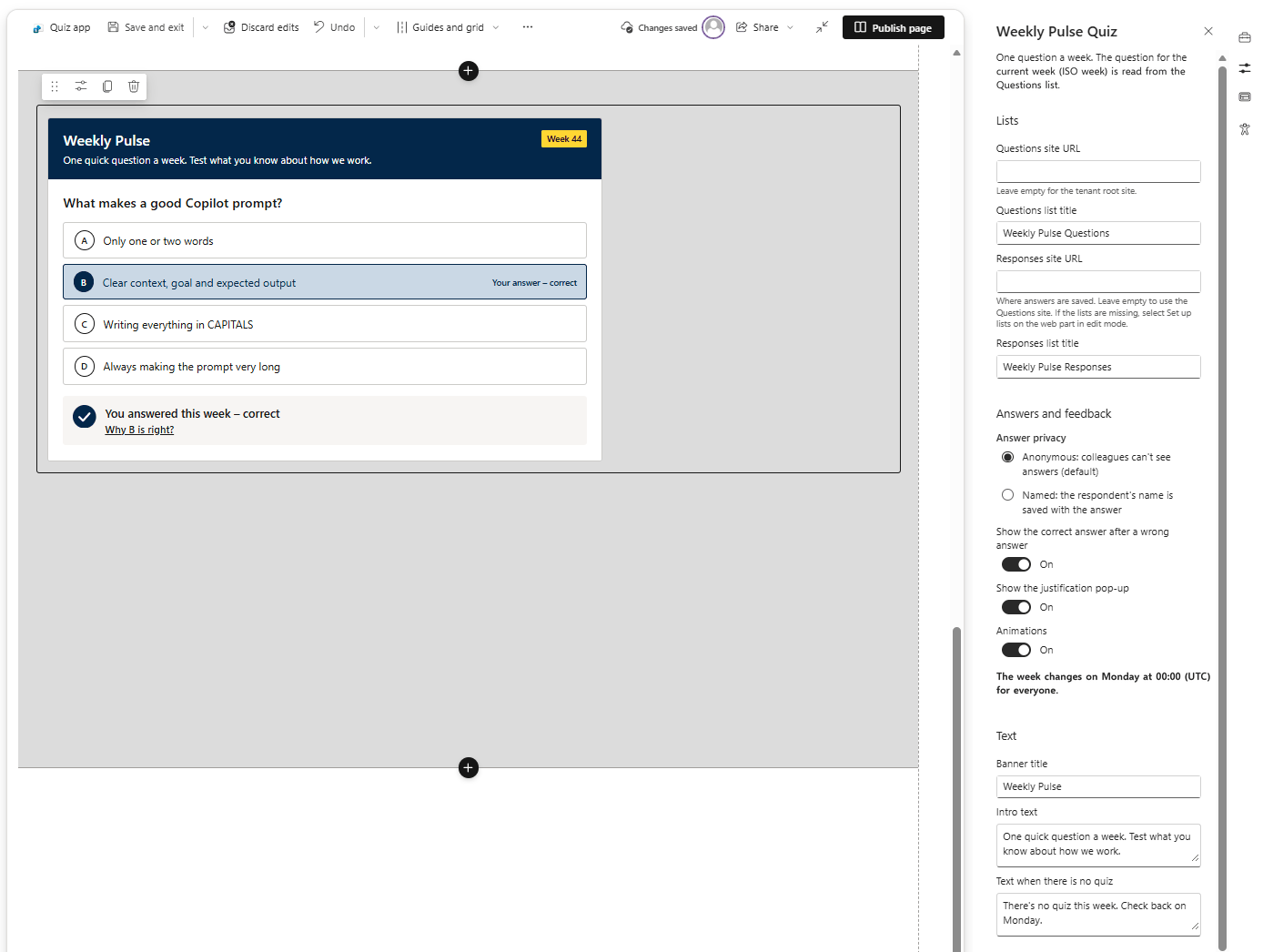
The property pane: lists, answers and feedback, and text.
The Weekly Pulse Questions list, one question per week.
In Copilot Chat
Ask Copilot to show this week's quiz from a site. The same quiz renders inline in the chat, with the same answer state as on the SharePoint page.
The justification opens inline in the chat.
Develop and test
npm install
npm run build    # heft test (136 tests) + production bundle + sharepoint/solution/weekly-pulse-quiz.sppkg
npm run lint     # eslint, 0 warnings allowed
Main folders: src/common (UI, logic, data access, tests), src/webparts/weeklyPulseQuiz, src/copilotComponents/weeklyPulseQuiz, copilot/ (Copilot app manifests), provisioning/.
Before you publish beyond a test tenant, change contact_email in copilot/ai-plugin.json (the placeholder is publisher@contoso.com) and the developer details in config/package-solution.json and copilot/manifest.json.
Known limits
- What was tested. The web part and the Set up lists button were tested on a SharePoint Online dev tenant, and the Copilot component was tested by the author in Microsoft 365 Copilot Chat with a licensed user (see the In Copilot Chat screenshots).
- Item-level security doesn't hide answers from site owners, admins or the audit log.
- The Upcoming weeks view follows the site time zone. SharePoint views can't compute ISO weeks, so it filters on the calculated
WeekStart >= [Today] - 6 days. - The
QuizYeardefault (=YEAR(Today)) is evaluated in the site's time zone when an item is created. For ISO weeks that cross a year boundary (52, 53 or 1), checkQuizYearby hand. - When only the Responses list is missing, viewers and Copilot see an "isn't set up yet" notice instead of the question.
Help
We do not support samples, but this community is always willing to help, and we want to improve these samples. We use GitHub to track issues, which makes it easy for community members to volunteer their time and help resolve issues.
You can try looking at issues related to this sample to see if anybody else is having the same issues.
If you encounter any issues using this sample, create a new issue.
Disclaimer
THIS CODE IS PROVIDED AS IS WITHOUT WARRANTY OF ANY KIND, EITHER EXPRESS OR IMPLIED, INCLUDING ANY IMPLIED WARRANTIES OF FITNESS FOR A PARTICULAR PURPOSE, MERCHANTABILITY, OR NON-INFRINGEMENT.