
Copilot UX component
Work IQ Answers
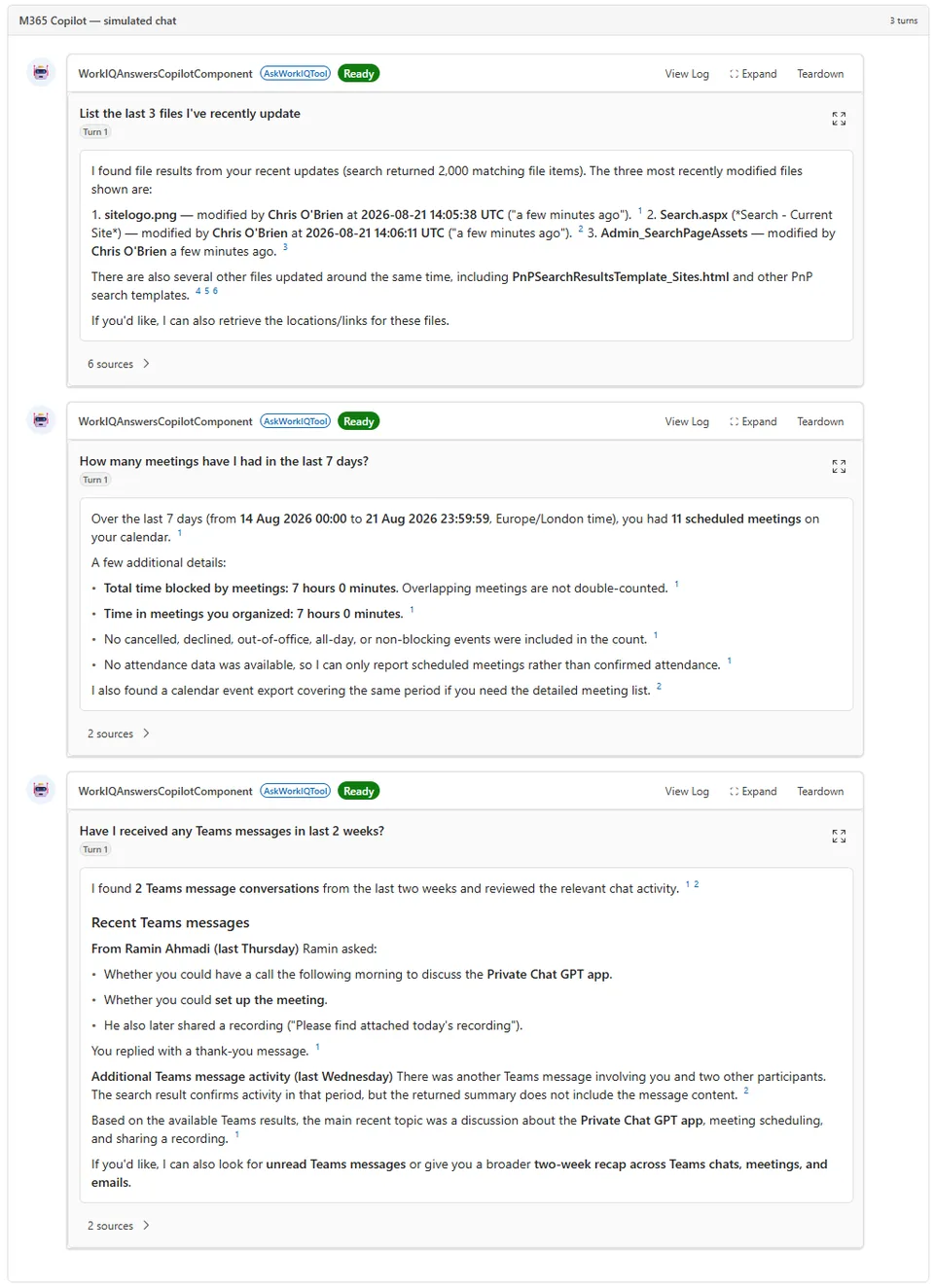
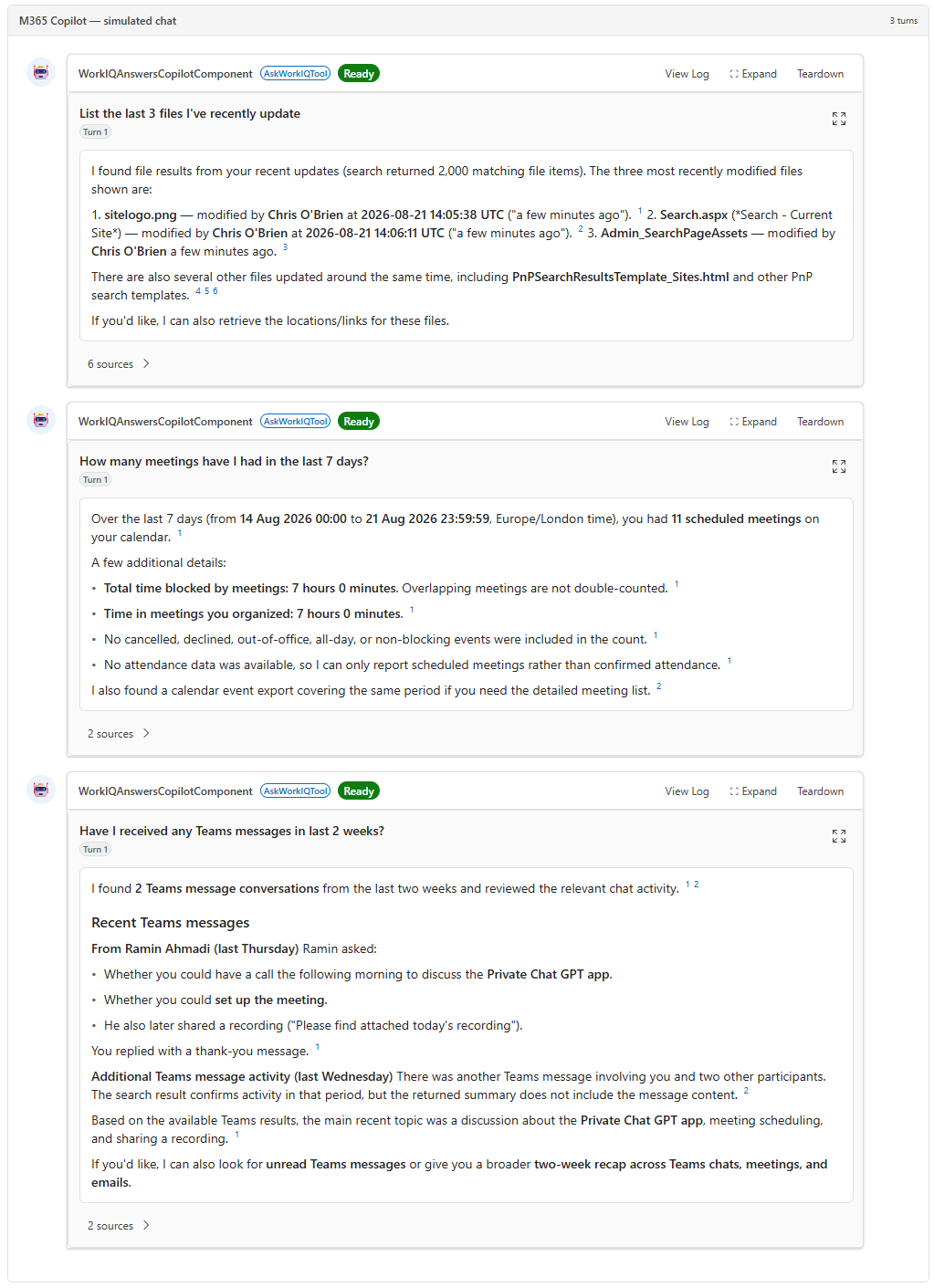
Turns a Work IQ answer into structured UI: entity chips inline and every citation grouped into a clickable source panel.

- Updated
- August 21, 2026
- Built with
- React
- SPFx version
- 1.24.0-beta.2
- Products
- SharePoint, Microsoft Copilot
Overview
What this sample demonstrates
Work IQ Answers sends the user's natural-language question to the Work IQ Chat API and renders the response as structured UI instead of plain text. The people, meetings, and files that Work IQ tags inline in its answer become clickable chips, and every citation it returns is grouped into a source panel that deep-links into Teams, SharePoint, or a person's profile. Follow-up questions reuse the same conversation, so multi-turn works as the API intends.
The sample is the only one in this repository that calls Work IQ rather than Microsoft Graph, and it demonstrates the SPFx AadHttpClient pattern for a non-Graph Entra-secured API: a single webApiPermissionRequests entry for the delegated WorkIQAgent.Ask permission, approved once by a tenant admin, with no middle tier and no client secret.
It ships with useMock enabled, so the full experience (inline card, fullscreen view, grouped sources, entity chips, sensitivity badge) runs with zero live dependencies. The mock responses are the exact wire shape of the real API and flow through the same parsing code, so switching to the live endpoint changes no UI code.
Documentation
Setup and implementation
Summary
The Work IQ REST reference documents the Chat API as text-only. Work IQ Answers sends the user's question to the Work IQ Chat API and renders the response as structured UI instead:
- People, meetings, and files Work IQ tags inline in its answer become typed, clickable chips.
- Citations are grouped into a source panel by type (meetings, files, people), each row linking into Teams, SharePoint, or the person's profile.
- Footnote markers become superscripts that jump to the source they reference.
- A sensitivity label badge appears when the answer draws on labelled content.
- Follow-up questions reuse the same
conversationId, so multi-turn works and the turn counter climbs.
Unlike the other samples in this repository, which use mocked data or call Microsoft Graph, this one calls Work IQ directly. That also demonstrates the SPFx pattern for a non-Graph, Entra-secured API: delegated auth, no middle tier, no client secret.
Compatibility





Built and tested against Node.js v22.18.0 and SPFx 1.24.0-beta.2 (the Copilot Components beta).
Applies to
Get your own free development tenant by subscribing to the Microsoft 365 developer program
Contributors
Version history
| Version | Date | Comments |
|---|---|---|
| 1.0 | August 21, 2026 | Initial release |
Prerequisites
The sample runs with no prerequisites in mock mode, which is how it ships. useMock is true by default and the canned responses exercise the full UI. Read this section when you're ready to point it at your tenant.
Going live needs one thing no other sample in this repository needs: a tenant admin has to grant a delegated permission to a non-Graph API.
1. Work IQ must be set up in the tenant
The Work IQ service principal has to exist in your tenant before any permission can be granted against it. Follow Set up the Work IQ API first. Work IQ API usage is billed through Copilot Credits, which matters if a component fires on every question across a department.
2. The permission request
config/package-solution.json already declares it:
"webApiPermissionRequests": [
  {
    "resource": "Work IQ",
    "scope": "WorkIQAgent.Ask"
  }
]
WorkIQAgent.Ask is the only permission the Chat API accepts, and it's delegated (work or school account) only — there's no application-only equivalent and no higher-privileged alternative. Every call runs as the signed-in user and is permission-trimmed to what that person can already see.
SPFx matches resource against the service principal's display name and rejects an object ID. Work IQ is the name the service reports for itself; its OAuth protected-resource metadata returns "resource_name": "Work IQ". If the permission request doesn't appear in your tenant under that name, confirm the actual display name first:
Get-MgServicePrincipal -Filter "appId eq 'fdcc1f02-fc51-4226-8753-f668596af7f7'" |
  Select-Object DisplayName, AppId
That appId is Work IQ's, taken from the WWW-Authenticate challenge the API returns to an unauthenticated request.
3. Admin consent
Deploy the .sppkg to the app catalog, then approve the request in SharePoint admin center → Advanced → API access. Or from PowerShell:
Get-SPOTenantServicePrincipalPermissionRequests
Approve-SPOTenantServicePrincipalPermissionRequest -RequestId <Guid>
Permissions granted this way apply tenant-wide, not just to this solution. See Considerations.
4. Flip the switch
In WorkIQAnswersCopilotComponent.tsx:
const USE_MOCK: boolean = false;
No UI code is touched — mock and live responses go through the same extraction code.
Minimal path to awesome
- Clone this repository (or download this solution as a .ZIP file then unzip it)
- From your command line, change your current directory to the directory containing this sample (
work-iq-answers, located undersamples) - In the command line run:
npm installnpm run start
- Open the Copilot Workbench at
https://{your-tenant}.sharepoint.com/_layouts/copilotworkbench.aspx, add the Work IQ Answers component, and ask it one of the conversation starters
To build the package and run the unit tests:
npm run build
To run just the tests:
npx heft test
Features
Turning text into UI
Work IQ's answer text is markdown with citation markup embedded in it. Real tenant responses send it as plain numbered links:
I found **9 meetings scheduled in the next week**. [1](https://teams.microsoft.com/l/meeting/details?eventId=...#a10f2c)[2](https://github.com/pnp/spfx-copilot-components/blob/main/samples/work-iq-answers/...)[3](https://github.com/pnp/spfx-copilot-components/blob/main/samples/work-iq-answers/...)
The Work IQ REST reference documents a different shape: entity tags plus [^n^] footnotes.
- **Meeting**: <Event>Contoso Engineering Standup</Event>
- **Organizer**: <Person>John Doe</Person>[^1^]
Rendered as-is, either shape leaks its own markup to the user. core/entityParser.ts parses both into blocks and typed inline segments (citationLink for the real shape, entity/footnote for the documented one), and the React layer renders each segment kind with visible spacing between adjacent citation markers. Nothing is passed to dangerouslySetInnerHTML; the parser output is plain data.
Grouping and deep links
Neither shape labels a source as a meeting, a file, or a person, so core/citations.ts classifies by the deep-link shape (teams.microsoft.com/l/meeting/…, *.sharepoint.com/…, office.com/search?q=…). Anything unrecognised lands in Other instead of being dropped. Links open through copilotBridge.openLinkAsync, not window.open, since the component runs in a sandboxed iframe.
Multi-turn
startConversation() is called once and the id is held for the life of the component instance. Every follow-up posts to /conversations/{id}/chat with that id, and the turnCount badge reflects the server's own counter.
Help
If you encounter any issues using this sample, create a new issue.
Disclaimer
THIS CODE IS PROVIDED AS IS WITHOUT WARRANTY OF ANY KIND, EITHER EXPRESS OR IMPLIED, INCLUDING ANY IMPLIED WARRANTIES OF FITNESS FOR A PARTICULAR PURPOSE, MERCHANTABILITY, OR NON-INFRINGEMENT.