
From the contributor
How to use this sample
Summary
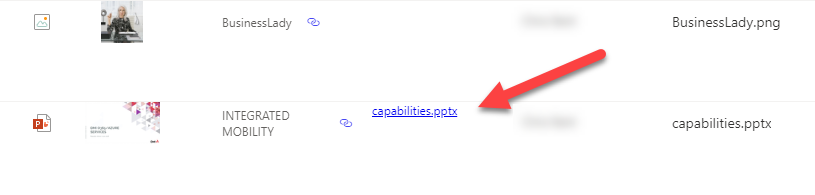
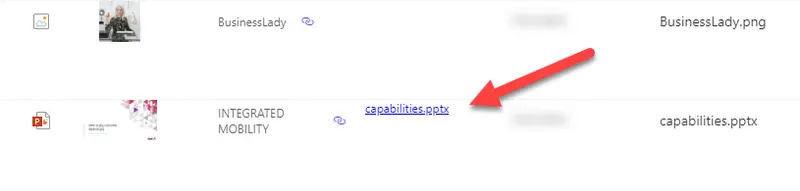
This sample can be applied to a column in a Document Library to render a link that will open an Office Document as a pdf. It relies on the SharePoint 2.0 rest api. The YOUR_DRIVE_ID placeholder in the json needs to be replaced with the correct driveurl for the document library where the format is being used.
To Get the driveurl navigate to
https://--tenant--.sharepoint.com/sites/--sitename--/_api/v2.0/drives
replacing the --tenant-- and --sitename-- placeholders with approriate values.
Find the entry where the "name" attribute is the Title of the library where you want to use this JSON. Select the coresponding id attribute and paste it into the JSON template, replacing YOUR_DRIVE_ID
The id will look similar to b!oqbo5Yz5ekialDrzcav5R3esotWm9VxCmi6bA63L7Wfuozp-JfhPTaVlFzxUdRwa
View requirements
This format can be applied to any column type within a document library.
Sample
| Solution | Author(s) |
|---|---|
| generic-open-file-as-pdf.json | Russell Gove |
Version history
| Version | Date | Comments |
|---|---|---|
| 1.0 | October 28, 2020 | Initial release |
| 1.1 | July 7, 2022 | Added @currentWeb usage |
Disclaimer
THIS CODE IS PROVIDED AS IS WITHOUT WARRANTY OF ANY KIND, EITHER EXPRESS OR IMPLIED, INCLUDING ANY IMPLIED WARRANTIES OF FITNESS FOR A PARTICULAR PURPOSE, MERCHANTABILITY, OR NON-INFRINGEMENT.