
From the contributor
How to use this sample
Summary
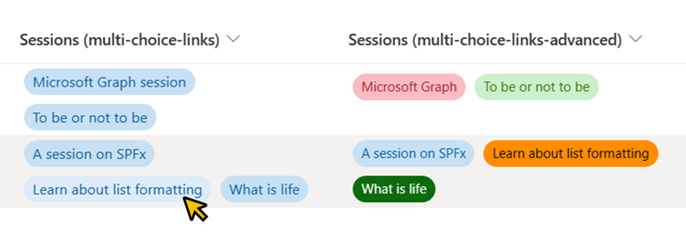
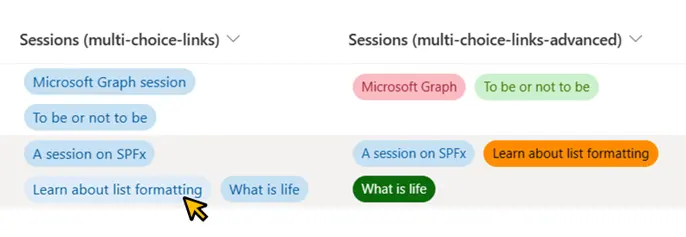
This sample shows how we can display multiple links in a single column using the multi-choice column.
Note: If rich text column is used to display links then this sample can be ignored.
View requirements
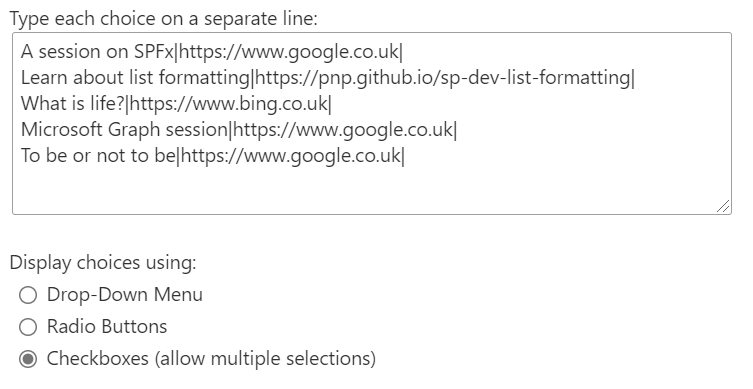
The sample expects the choices in the Sessions column to use the format <Link Title>|<The actual link>|.
For Example - if the link we want to display has the title Learn about list formatting and the actual link is https://pnp.github.io/sp-dev-list-formatting then the choice for that in the Sessions column should be Learn about list formatting|https://pnp.github.io/sp-dev-list-formatting|.
Session column's choice values used in the example screenshot above:
Advanced Format
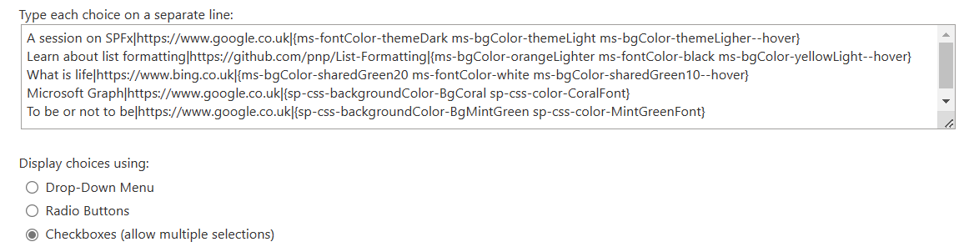
Also included is an additional format (multi-choice-links-advanced.json) that sets the background and text colors for each link. This sample format expects the choices to be in the format <Link Title>|<The actual link>|{Predefined classes}.
Details of the sample
To display the links, we loop through the values present in the multi-choice column of the current item and extract the <Link title> using this formula:
"=substring([$choiceIterator], 0, indexOf([$choiceIterator], '|'))"
We then extract <the actual link> using this formula:
"=substring([$choiceIterator], indexOf([$choiceIterator], '|') + 1, lastIndexOf([$choiceIterator], '|'))"
Sample
| Solution | Author(s) |
|---|---|
| multi-choice-links.json | Anoop Tatti |
| multi-choice-links-advanced.json | Abhijeet Jadhav |
Version history
| Version | Date | Comments |
|---|---|---|
| 1.0 | April 14, 2021 | Initial release |
| 1.1 | March 17, 2023 | Added multi-choice-links-advanced.json |
Disclaimer
THIS CODE IS PROVIDED AS IS WITHOUT WARRANTY OF ANY KIND, EITHER EXPRESS OR IMPLIED, INCLUDING ANY IMPLIED WARRANTIES OF FITNESS FOR A PARTICULAR PURPOSE, MERCHANTABILITY, OR NON-INFRINGEMENT.