
From the contributor
How to use this sample
Summary
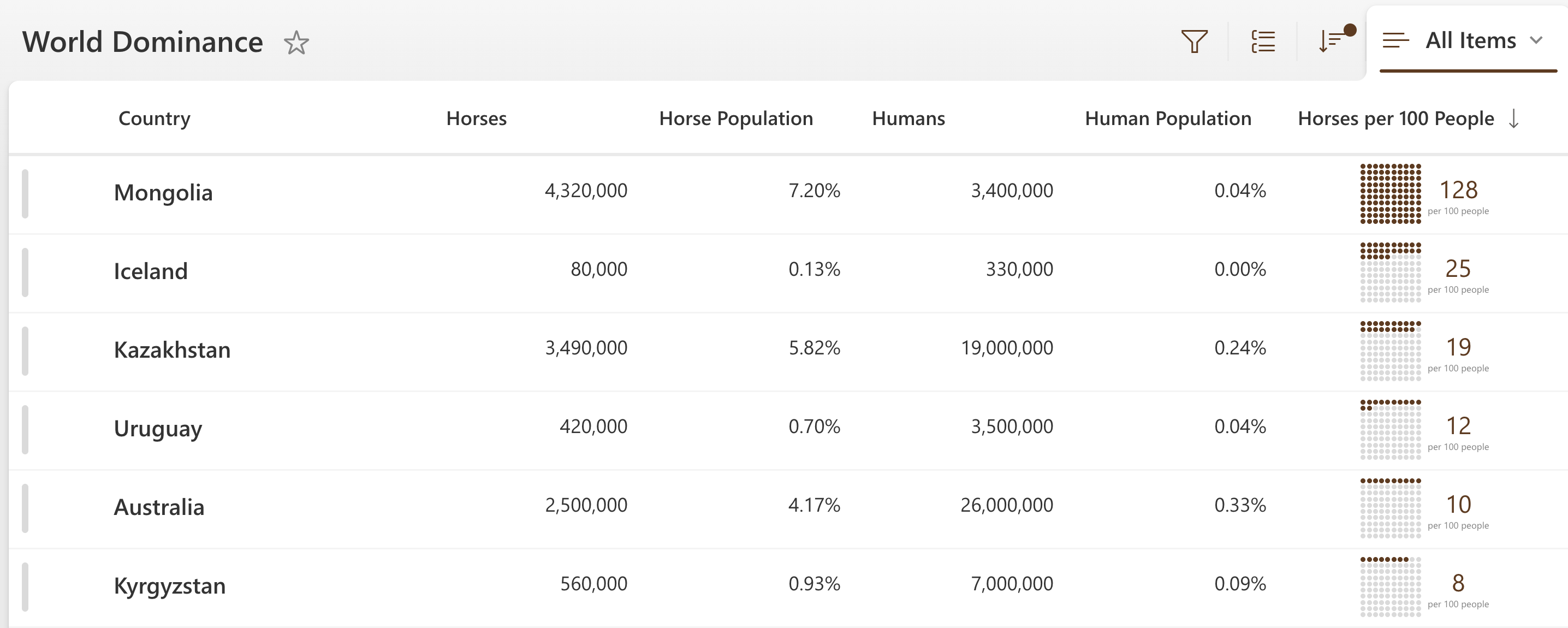
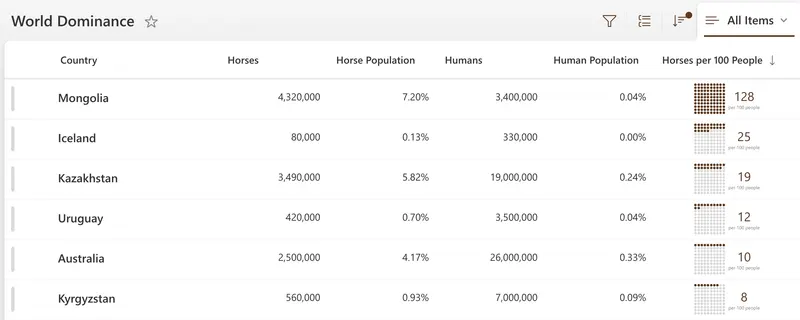
This sample demonstrates displaying a grid of 100 dots where dots are colored based on how many of something per 100 people. The format shows of nested forEach elements using loopIndex to reference position and em size units to show relative scaling based on the root font-size. Wowee!
number-per-100-people-grid.json
This is the primary sample. It uses the @currentField value, but you could switch this out to reference a different column if you'd like. You can also adjust the sizing by adjusting the fontSize of the root element.
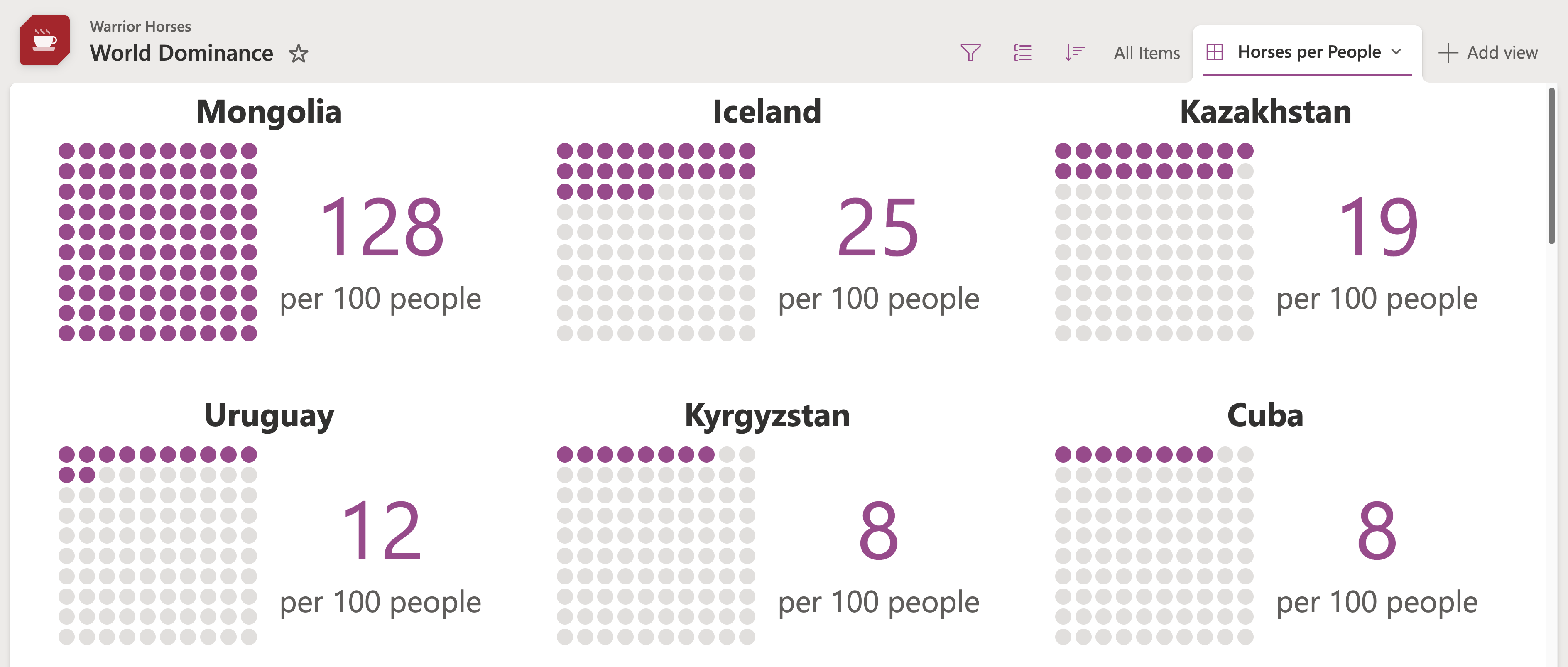
number-per-100-people-gallery.json
This is a gallery view format that utilizes columnFormatterReference to pull in the number-per-100-people-grid.json format. It assumes the column name is HorsesPerPeople so just swap that out for your column where the format is applied. You can have the scaling be inherited from the gallery settings by removing the font-size from the root element (the column will inherit from the list and the gallery will inherit from it's root element).
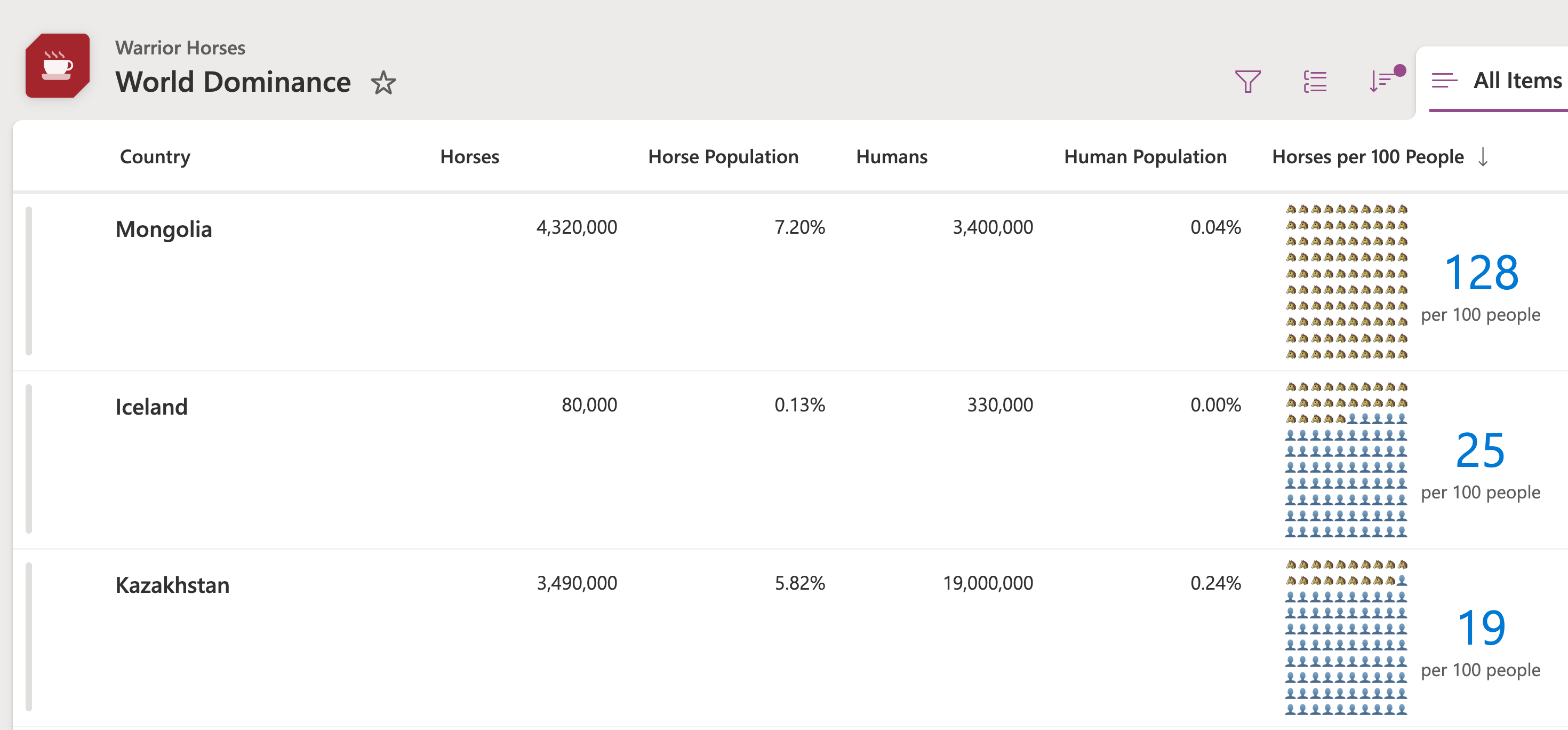
number-per-100-people-grid-emoji.json
This is an example of taking the same technique but using emojis instead.
View requirements
This format can be applied to any number column. It expects the value to be a value from 0 to 100 (values above or below this number won't be accurately reflected). This could be a percent value if you'd like, you'll just need to update the formula to multiply it by 100.
Sample
| Solution | Author(s) |
|---|---|
| number-per-100-people-grid.json | Chris Kent |
| number-per-100-people-gallery.json | Chris Kent |
| number-per-100-people-grid-emoji.json | Chris Kent |
Version history
| Version | Date | Comments |
|---|---|---|
| 1.0 | September 25, 2025 | Initial release |
Disclaimer
THIS CODE IS PROVIDED AS IS WITHOUT WARRANTY OF ANY KIND, EITHER EXPRESS OR IMPLIED, INCLUDING ANY IMPLIED WARRANTIES OF FITNESS FOR A PARTICULAR PURPOSE, MERCHANTABILITY, OR NON-INFRINGEMENT.