
From the contributor
How to use this sample
Summary
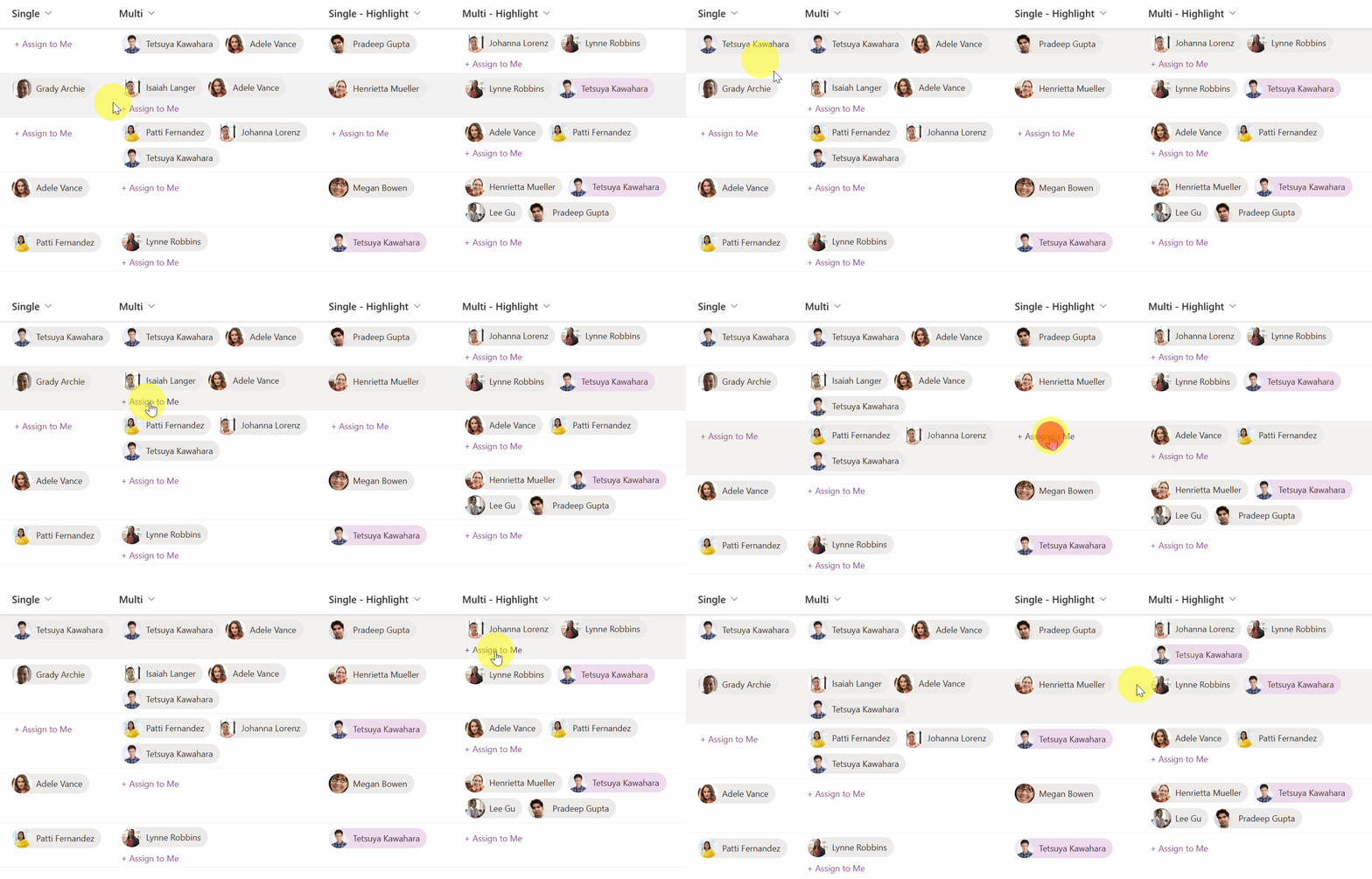
This sample demonstrates the use of the setValue action of customRowAction to set the current logged-in user in the Person column.
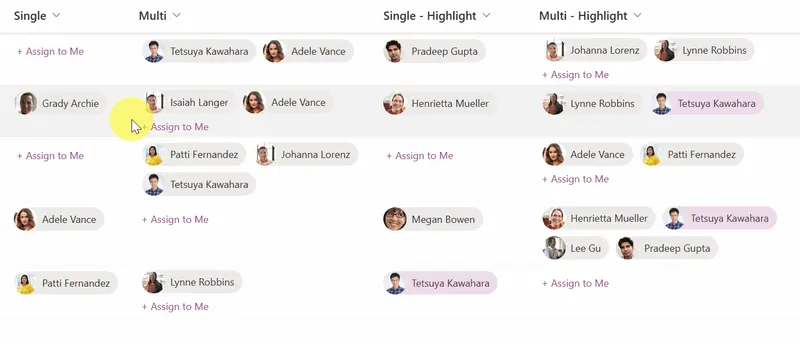
When using person-assign-to-me-highlight-single.json and person-assign-to-me-highlight-multi.json, the current user has different background and text colors than the other users to stand out . This is implemented using @me. The background and text colors use the ms-bgColor-themeLighter and ms-fontColor-themeDarker classes, which change to match the site's theme color.
[!NOTE]
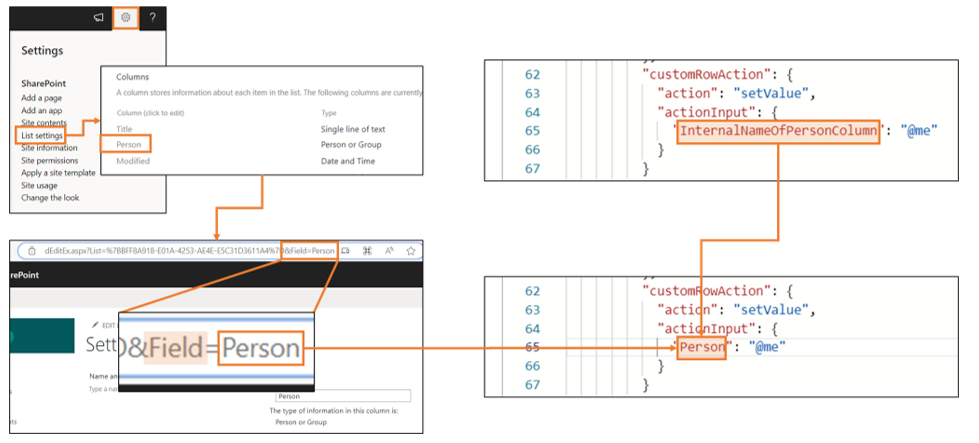
If you use this sample, you need to set theactionInputto the internal name of the Person column to be updated.
View requirements
- This format can be applied to a Person column.
Sample
| Solution | Author(s) |
|---|---|
| person-assign-to-me.json | Tetsuya Kawahara |
| person-assign-to-me-multi.json | Tetsuya Kawahara |
| person-assign-to-me-highlight-single.json | Tetsuya Kawahara |
| person-assign-to-me-highlight-multi.json | Tetsuya Kawahara |
Version history
| Version | Date | Comments |
|---|---|---|
| 1.0 | May 11, 2023 | Initial release |
| 1.1 | April 26, 2024 | Added person-assign-to-me-highlight-single.json and person-assign-to-me-highlight-multi.json |
| 1.2 | April 28, 2024 | Added hover effect |
| 1.3 | August 13, 2024 | Fixed the size of the user's image |
Disclaimer
THIS CODE IS PROVIDED AS IS WITHOUT WARRANTY OF ANY KIND, EITHER EXPRESS OR IMPLIED, INCLUDING ANY IMPLIED WARRANTIES OF FITNESS FOR A PARTICULAR PURPOSE, MERCHANTABILITY, OR NON-INFRINGEMENT.