
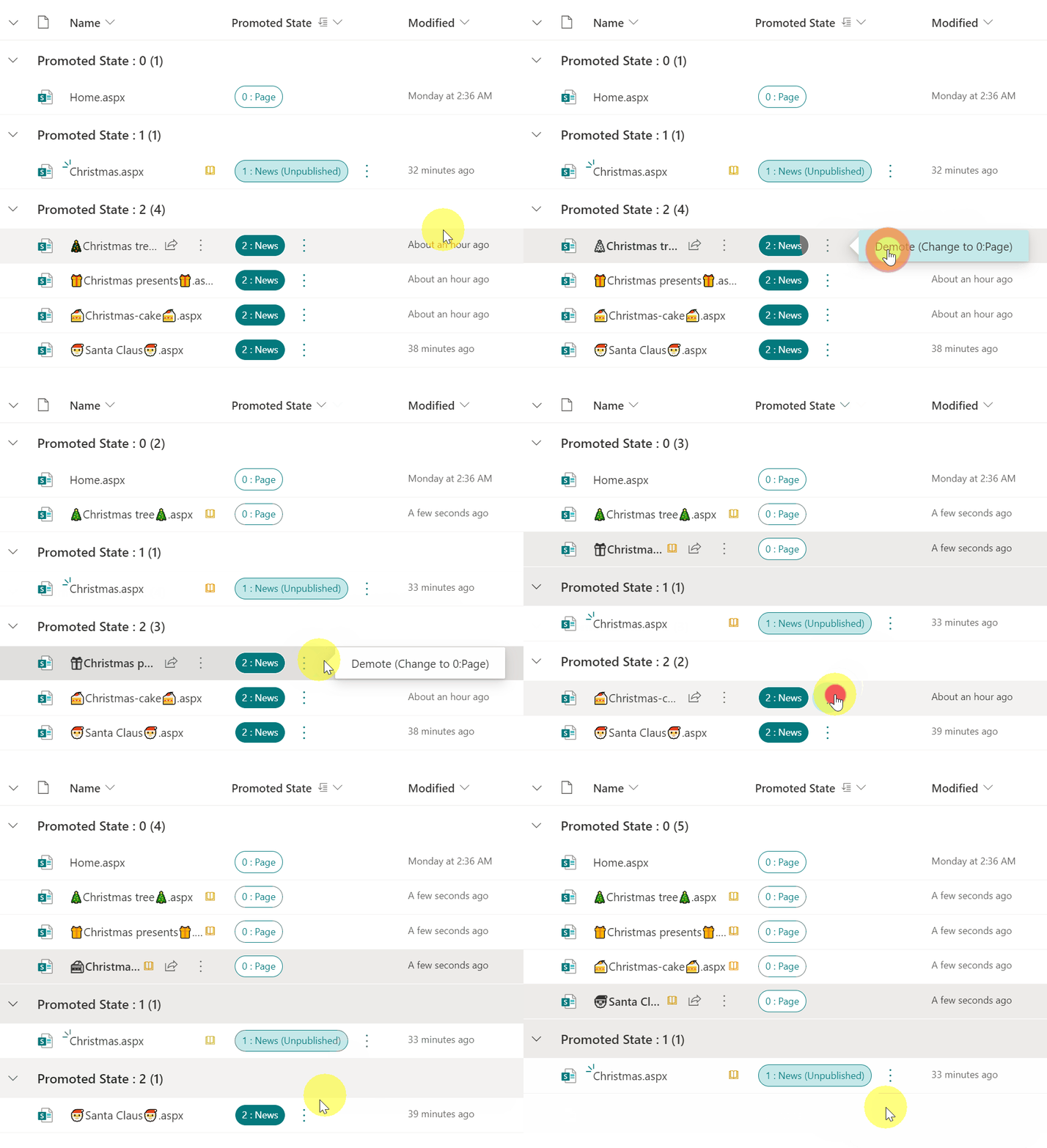
From the contributor
How to use this sample
Summary
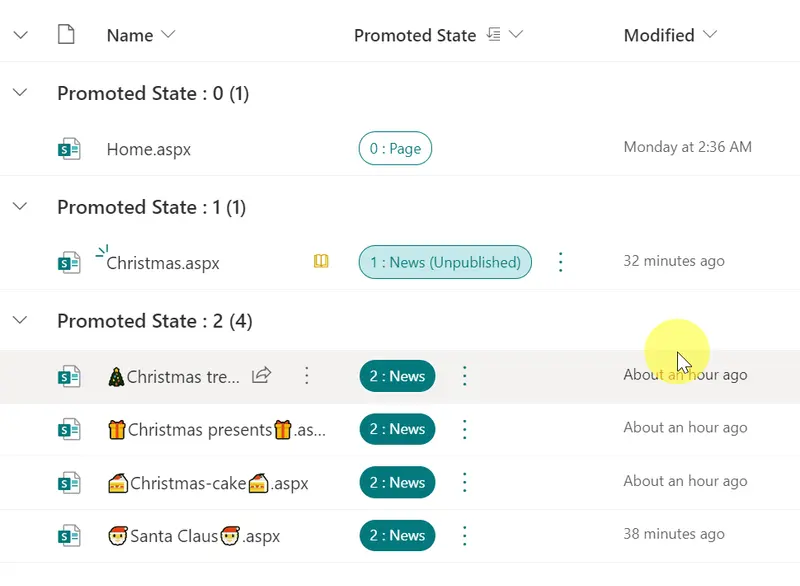
In the Site Pages library, there is a Promoted State column. Depending on the value stored in this column, you can identify whether it is a site page or a news page. The correspondence between the value and page type is as follows.
| Promoted State | Page Type |
|---|---|
| 0 | Site page |
| 1 | News page not yet published |
| 2 | News page |
Once a page is created as news page, it cannot be demoted to a site page under normal circumstances.
This sample demonstrates how to use the setValue action to update the value of the Promoted State column to 0 and demote the news page to a site page.
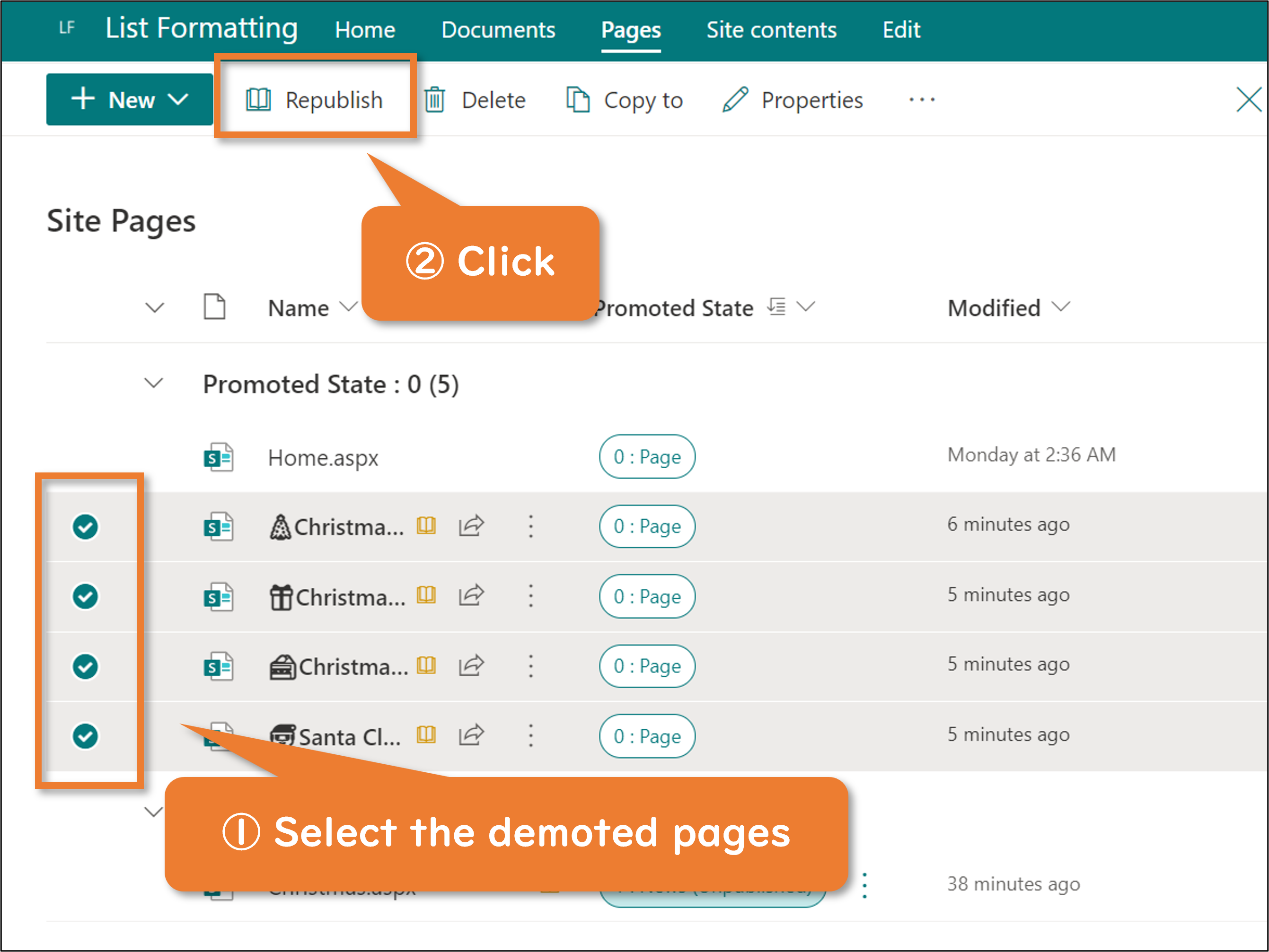
After demoting it, please republish it. Otherwise, view-only users will not reflect the change and the page will remain displayed as a news page.
Prerequisites
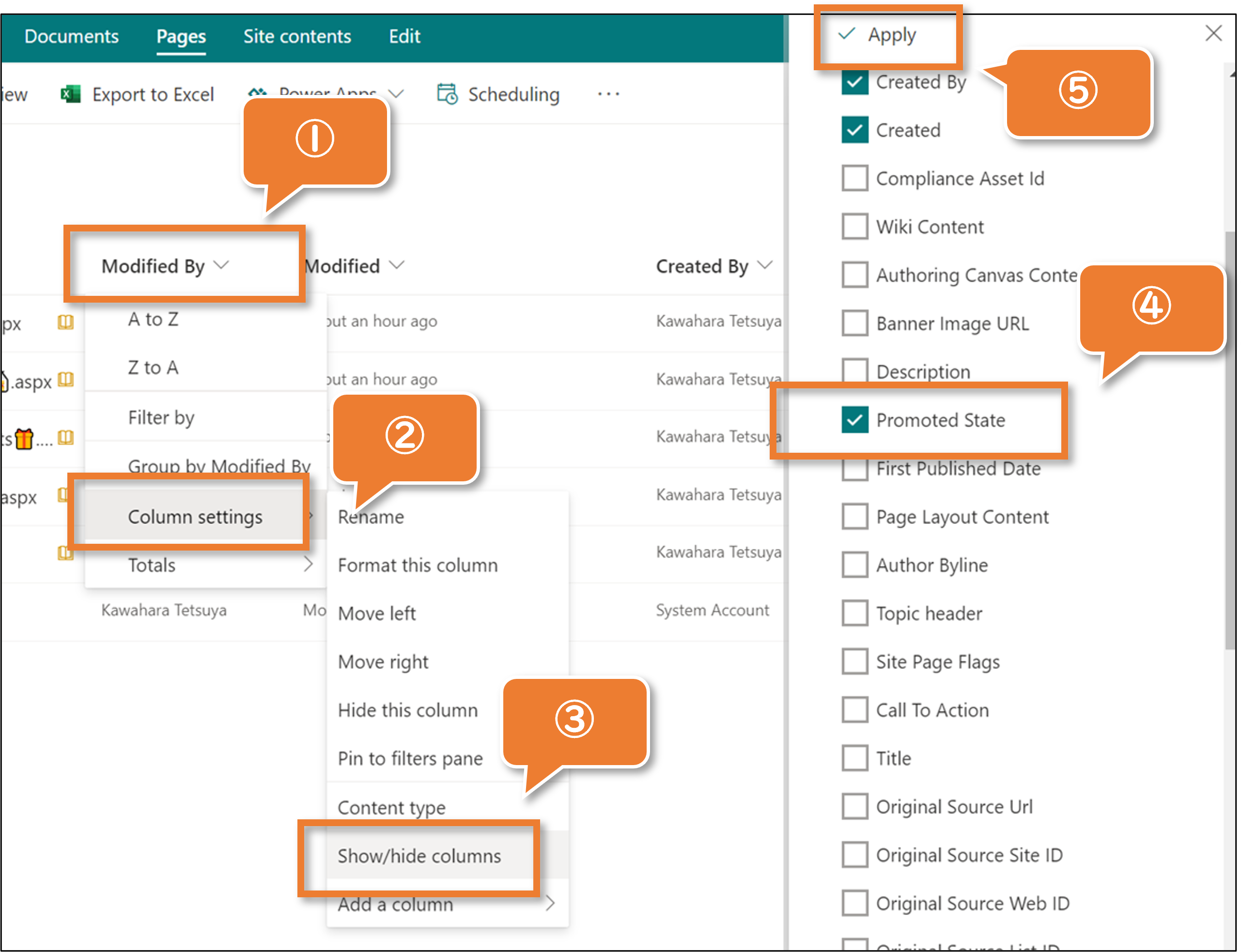
The Promoted State column needs to be displayed in the view. The following is how to display it.
- Click any column.
- Hover Column Settings
- Click Show/hide Columns
- Check Promoted State
- Click Apply
View requirements
This format can be applied to a Promoted State column.
Sample
| Solution | Author(s) |
|---|---|
| promotedstate-demote-news.json | Tetsuya Kawahara & Cory Schwartz |
Version history
| Version | Date | Comments |
|---|---|---|
| 1.0 | December 11, 2021 | Initial release |
| 1.1 | January 2, 2024 | Added ability to promote back into page |
| 1.2 | January 6, 2024 | Fixed the more icon not to wrap |
Disclaimer
THIS CODE IS PROVIDED AS IS WITHOUT WARRANTY OF ANY KIND, EITHER EXPRESS OR IMPLIED, INCLUDING ANY IMPLIED WARRANTIES OF FITNESS FOR A PARTICULAR PURPOSE, MERCHANTABILITY, OR NON-INFRINGEMENT.