
From the contributor
How to use this sample
Summary
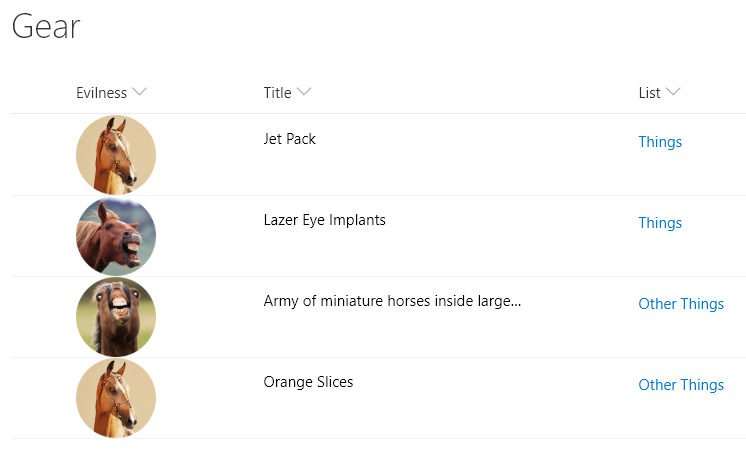
This sample provides multiple formats to illustrate the options available to link to local resources. The primary purpose is to demonstrate the usage of @currentWeb (O365 only) to prevent issues with reusable formats or formats rendered outside of the main list view. This format links to other lists, but this could just as easily be specific pages/files/etc. on a site.
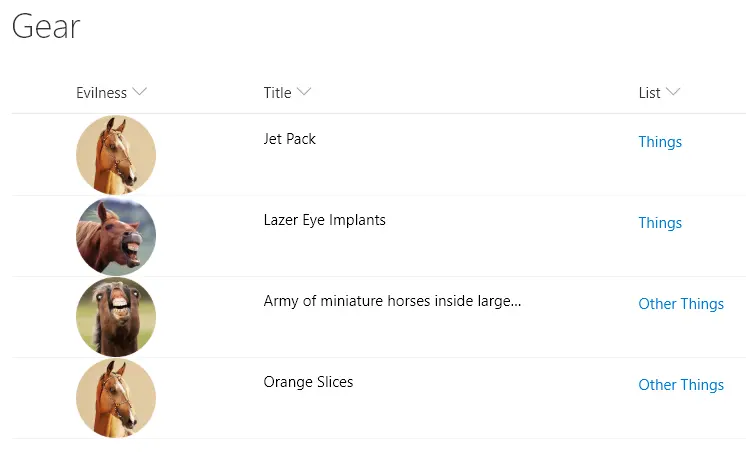
Note - this format only provides the link shown above in the "List" column. The image is related to the text-local-image sample. The image also just shows a link. The real power is in clicking on the link regardless of location.
Formats
text-local-link
This format is the one you should use if you are using Office 365. The link's href attribute is built using the @currentWeb token. This ensures that your format is reusable between sites and can be used within your site regardless of level (folder).
text-hardcoded-link
This format illustrates providing a full URL (including the tenant and site). This is NOT recommended because while the link will always work regardless of level, the format will have to be manually updated to be reused. For example, to use this format in your own environment you will first have to update the tenant URL.
An additional version using Abstract Tree Syntax (AST) is also provided for environments where the Excel-style expressions are not supported (SP2019).
text-relative-link
This format illustrates providing a relative link that assumes the format knows the position of the resources relative to where the format is rendered. This is NOT recommended because while the format is reusable across sites without manual updates required, the format is very fragile because it can easily break across your site depending on the relative location the format is rendered. For instance, a page using a list web part will be at a different level (relative foldering) than the list view itself.
An additional version using Abstract Tree Syntax (AST) is also provided for environments where the Excel-style expressions are not supported (SP2019).
View requirements
- This format can be applied to a Text or Choice column
Sample
| Solution | Author(s) |
|---|---|
| text-local-link.json | Chris Kent |
| text-hardcoded-link.json | Chris Kent |
| text-relative-link.json | Chris Kent |
Version history
| Version | Date | Comments |
|---|---|---|
| 1.0 | January 10, 2018 | Initial release |
Disclaimer
THIS CODE IS PROVIDED AS IS WITHOUT WARRANTY OF ANY KIND, EITHER EXPRESS OR IMPLIED, INCLUDING ANY IMPLIED WARRANTIES OF FITNESS FOR A PARTICULAR PURPOSE, MERCHANTABILITY, OR NON-INFRINGEMENT.
Additional notes
The link's href attribute uses the @currentWeb token to ensure that regardless of where the format is rendered, the resources will be referenced from the correct location within the site. However, @currentWeb is not available in SharePoint 2019, so alternative approaches are included.