
From the contributor
How to use this sample
Summary
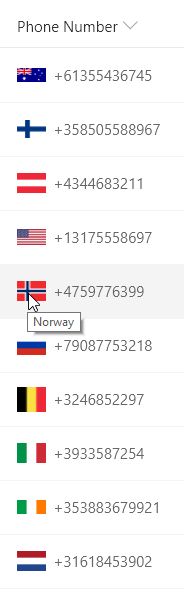
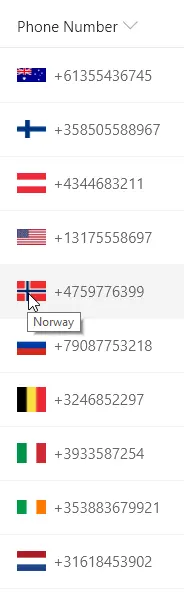
This sample demonstrates using the indexOf function (O365 only) to test if text starts with a given value. Using the international calling code at the start of a phone number, the correct country's flag is shown next to the phone number. The same nested conditionals are also used for the tooltip.
The indexOf function returns the index where a given value is found within a string (indexes start at 0). If the value is not found in the text, the result is -1.
To evaluate if text "startsWith" a given value, we want to know if the index of the value within the string is 0 (at the beginning). So we can use the function like this:
"=if(indexOf(@currentField,'A')==0, 'Yes', 'No')"
Some example values and the result using the function above:
@currentField |
result |
|---|---|
| A dog | Yes |
| a dog | No |
| Pet A dog | No |
Notice that the indexOf function is case-sensitive. You can do a case-insensitive check by adding the toLowerCase function like this:
=if(indexOf(toLowerCase(@currentField),'a')==0, 'Yes', 'No')
Prerequisites
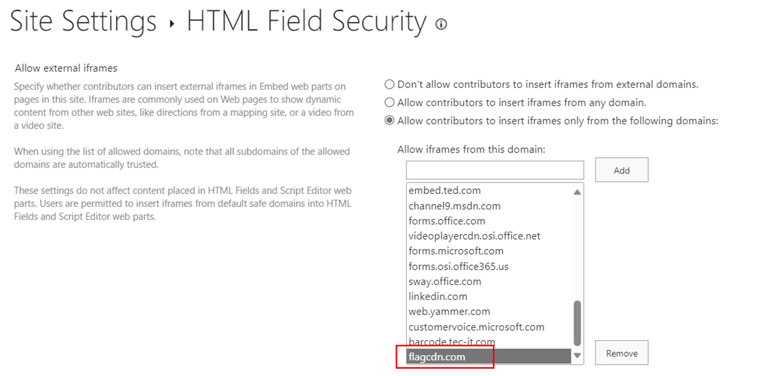
External image sources are blocked by default in the custom formatter. To allow external images, you must add the domain to HTML Field Security. The domain that needs to be added in this sample is flagcdn.com.
View requirements
- This format can be applied to a Text or Choice column
- This format uses operators only available in SharePoint Online and cannot be used in SharePoint 2019
Sample
| Solution | Author(s) |
|---|---|
| text-startswith-callingcodes.json | Chris Kent |
Version history
| Version | Date | Comments |
|---|---|---|
| 1.0 | February 5, 2019 | Initial release |
| 1.1 | September 29, 2023 | Added note about HTML Field Security and changed domain from flags.fmcdn.net to flagcdn.com |
Disclaimer
THIS CODE IS PROVIDED AS IS WITHOUT WARRANTY OF ANY KIND, EITHER EXPRESS OR IMPLIED, INCLUDING ANY IMPLIED WARRANTIES OF FITNESS FOR A PARTICULAR PURPOSE, MERCHANTABILITY, OR NON-INFRINGEMENT.
Additional notes
The indexOf function is not available in SharePoint 2019