
From the contributor
How to use this sample
Summary
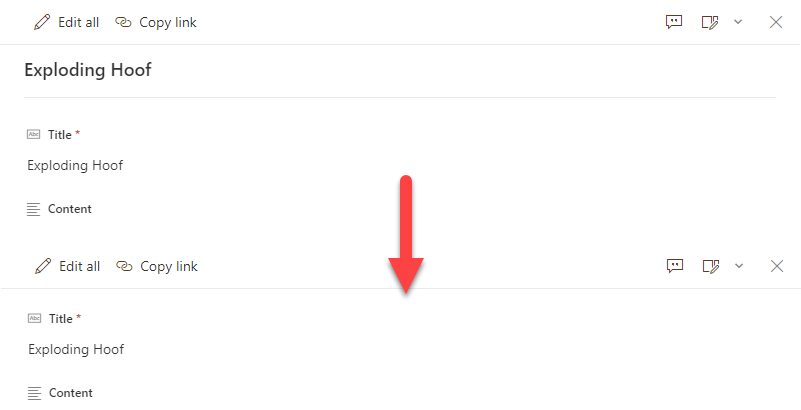
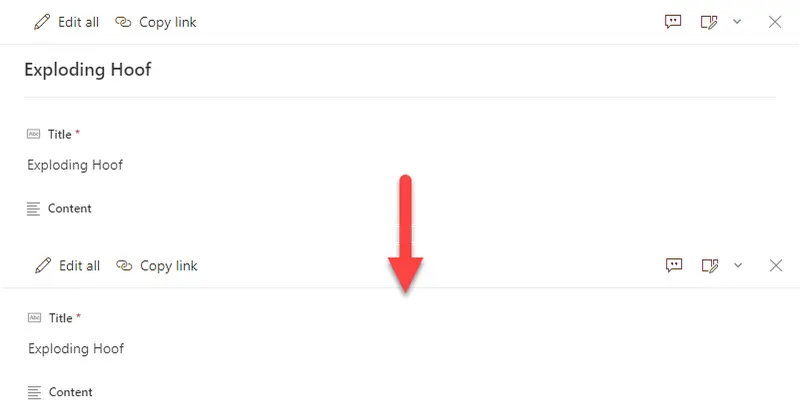
By default, uncustomized list forms display the Title field at the top. This is generally fine, but sometimes you may not want this (especially since the default is to repeat it as the first column). This very basic format removes the default Title display giving you a cleaner form.
Form requirements
None
Sample
| Solution | Author(s) |
|---|---|
| blank-header.json | Chris Kent |
Version history
| Version | Date | Comments |
|---|---|---|
| 1.0 | January 21, 2021 | Initial release |
Additional notes
None
Disclaimer
THIS CODE IS PROVIDED AS IS WITHOUT WARRANTY OF ANY KIND, EITHER EXPRESS OR IMPLIED, INCLUDING ANY IMPLIED WARRANTIES OF FITNESS FOR A PARTICULAR PURPOSE, MERCHANTABILITY, OR NON-INFRINGEMENT.
Update telemetry url below to replace "readme-template" with the internal name of your sample (same as the containing folder)