
From the contributor
How to use this sample
Summary
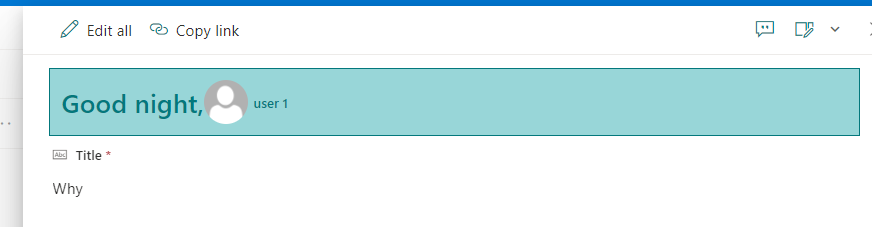
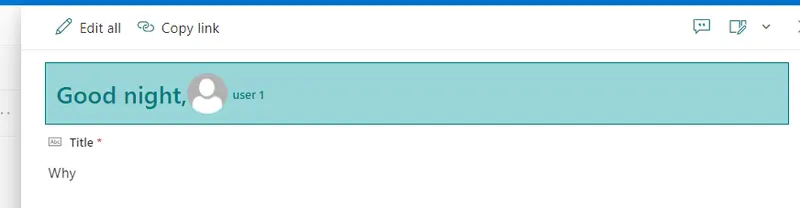
This sample demonstrates how to display Welcome message depending on time of day, display user profile image and display user name if formated in mail address (sample: user.1@[domain].com).
Form requirements
Time format (12 Hours or 24 Hours)
Identify what regional settings are being used in site.
- Normally the default configuration can be accessed on to Top right icon > Site informations > View all site settings > Regional Settings or Time format is managed by M365 administrator.

How to implement
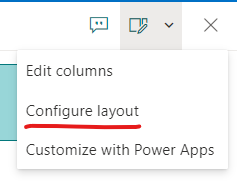
Access to list where customization will be apply, edit item, access top right options and select "Configure layout" and implement json for Header.
This information is important to use sample, since 12 hours uses 12:00:00 AM and 12:00:00 PM and 24 hours uses 0:00:00 to 24:00:00.
- Based on this information (
12 Hours/24 Hours) you can use sample json for testing.
Sample
| Solution | Author(s) |
|---|---|
| welcome-header.json | Andre Lage |
| welcome-header-24hours.json | Andre Lage |
Version history
| Version | Date | Comments |
|---|---|---|
| 1.0 | March 14, 2023 | Initial release |
Disclaimer
THIS CODE IS PROVIDED AS IS WITHOUT WARRANTY OF ANY KIND, EITHER EXPRESS OR IMPLIED, INCLUDING ANY IMPLIED WARRANTIES OF FITNESS FOR A PARTICULAR PURPOSE, MERCHANTABILITY, OR NON-INFRINGEMENT.