
Back to view formats
View formattingSharePoint Online

FAQs

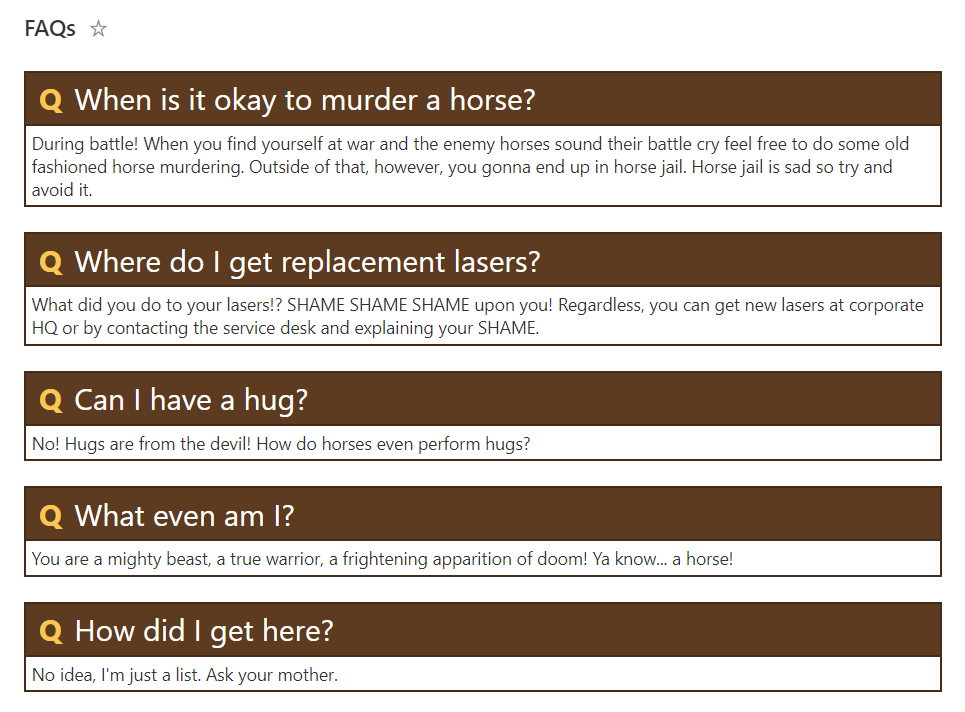
This sample creates a theme-aware format to use when displaying FAQs (Frequently Asked Questions).
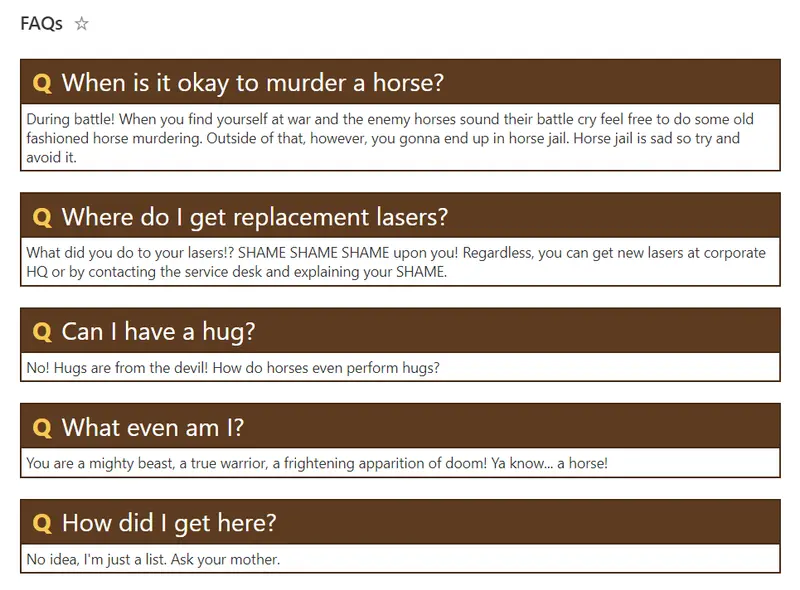
FAQs formatting preview
Sample preview · View original image

Copy. Apply. Make it yours.

Get this format

2 definitions

Review the requirements below, then paste this JSON into the matching formatting panel. Show me where.

Use your list's internal column names and replace any tenant-specific URLs or flow IDs. Formatting is presentation, not a way to secure data.

View formatting
Download JSON
{
  "$schema": "https://developer.microsoft.com/json-schemas/sp/v2/row-formatting.schema.json",
  "hideListHeader": true,
  "hideSelection": true,
  "rowFormatter": {
    "elmType": "div",
    "style": {
      "display": "flex",
      "flex-direction": "column",
      "align-items": "flex-start"
    },
    "children": [
      {
        "elmType": "div",
        "attributes": {
          "class": "ms-bgColor-themePrimary ms-borderColor-themeDark ms-fontColor-white"
        },
        "style": {
          "font-size": "24px",
          "border-width": "2px",
          "border-style": "solid",
          "width": "100%",
          "padding": "4px"
        },
        "children": [
          {
            "elmType": "span",
            "txtContent": "Q",
            "attributes": {
              "class": "ms-fontColor-themeTertiary"
            },
            "style": {
              "padding-right": "10px",
              "padding-left": "6px",
              "font-weight": "bold"
            }
          },
          {
            "elmType": "span",
            "txtContent": "[$Title]"
          }
        ]
      },
      {
        "elmType": "div",
        "attributes": {
          "class": "ms-borderColor-themeDark"
        },
        "style": {
          "padding-left": "40px",
          "width": "100%",
          "border-width": "2px",
          "border-style": "solid",
          "padding": "4px",
          "font-size": "14px",
          "border-top-width": "0",
          "margin-bottom": "20px"
        },
        "children": [
          {
            "elmType": "span",
            "txtContent": "[$Answer]",
            "style": {
              "display": "=if(length([$Keyword]) && length([$KeywordLink]),'none','')"
            }
          },
          {
            "elmType": "div",
            "style": {
              "display": "=if(length([$Keyword]) && length([$KeywordLink]),'','none')"
            },
            "children": [
              {
                "elmType": "span",
                "txtContent": "=substring([$Answer],0,indexOf(toLowerCase([$Answer]),toLowerCase([$Keyword]))"
              },
              {
                "elmType": "a",
                "style": {
                  "display": "=if(indexOf(toLowerCase([$Answer]),toLowerCase([$Keyword])) != -1, '', 'none')",
                  "font-weight": "bold"
                },
                "attributes": {
                  "class": "ms-fontColor-themeSecondary",
                  "href": "[$KeywordLink]",
                  "title": "[$KeywordLink.desc]"
                },
                "txtContent": "=substring([$Answer],indexOf(toLowerCase([$Answer]),toLowerCase([$Keyword])),indexOf(toLowerCase([$Answer]),toLowerCase([$Keyword]))+indexOf([$Keyword]+'|','|'))"
              },
              {
                "elmType": "span",
                "style": {
                  "display": "=if(indexOf(substring([$Answer],indexOf(toLowerCase([$Answer]),toLowerCase([$Keyword]))+indexOf([$Keyword]+'|','|'),1000)+'|','|') < indexOf([$Answer]+'|','|'), '', 'none')"
                },
                "txtContent": "=substring([$Answer],indexOf(toLowerCase([$Answer]),toLowerCase([$Keyword]))+indexOf([$Keyword]+'|','|'),if(indexOf(toLowerCase(substring([$Answer],indexOf(toLowerCase([$Answer]),toLowerCase([$Keyword]))+indexOf([$Keyword]+'|','|'),1000)),toLowerCase([$Keyword])) == -1, 1000, indexOf(toLowerCase([$Answer]),toLowerCase([$Keyword]))+indexOf([$Keyword]+'|','|') + indexOf(toLowerCase(substring([$Answer],indexOf(toLowerCase([$Answer]),toLowerCase([$Keyword]))+indexOf([$Keyword]+'|','|'),1000)),toLowerCase([$Keyword]))))"
              },
              {
                "elmType": "a",
                "style": {
                  "display": "=if(indexOf(toLowerCase(substring([$Answer],indexOf(toLowerCase([$Answer]),toLowerCase([$Keyword]))+indexOf([$Keyword]+'|','|'),1000)),toLowerCase([$Keyword])) != -1, '', 'none')",
                  "font-weight": "bold"
                },
                "attributes": {
                  "class": "ms-fontColor-themeSecondary",
                  "href": "[$KeywordLink]",
                  "title": "[$KeywordLink.desc]"
                },
                "txtContent": "=substring([$Answer],indexOf(toLowerCase([$Answer]),toLowerCase([$Keyword]))+indexOf([$Keyword]+'|','|')+indexOf(toLowerCase(substring([$Answer],indexOf(toLowerCase([$Answer]),toLowerCase([$Keyword]))+indexOf([$Keyword]+'|','|'),1000)),toLowerCase([$Keyword])),indexOf(toLowerCase([$Answer]),toLowerCase([$Keyword]))+indexOf([$Keyword]+'|','|')+indexOf(toLowerCase(substring([$Answer],indexOf(toLowerCase([$Answer]),toLowerCase([$Keyword]))+indexOf([$Keyword]+'|','|'),1000)),toLowerCase([$Keyword]))+indexOf([$Keyword]+'|','|'))"
              },
              {
                "elmType": "span",
                "txtContent": "=substring([$Answer],indexOf(toLowerCase([$Answer]),toLowerCase([$Keyword]))+indexOf([$Keyword]+'|','|')+indexOf(toLowerCase(substring([$Answer],indexOf(toLowerCase([$Answer]),toLowerCase([$Keyword]))+indexOf([$Keyword]+'|','|'),1000)),toLowerCase([$Keyword]))+indexOf([$Keyword]+'|','|'),1000)"
              }
            ]
          }
        ]
      }
    ]
  }
}

From the contributor

How to use this sample

Summary

This sample creates a theme-aware format to use when displaying FAQs (Frequently Asked Questions).

screenshot of the sample

faqs-with-keywords.json

An advanced version of the sample is also included that allows specific keywords within the answer to be turned into links.

The Keyword field is used to match a value in the Answer column, and adds a hyperlink from the KeywordLink field to that value in the Answer column. In the below example, the formatting will change the "information" column in the Answer field, to a hyperlink linking to https://www.microsoft.com

  • Title - "What's the difference between 32-bit and 64-bit versions of windows?"
  • Answer - "The terms 32-bit and 64-bit refer to the way a computer's processor (also called a CPU) handles information. The 64-bit version of Windows handles large amounts of random access memory (RAM) more effectively than a 32-bit system. Not all devices can run the 64-bit versions of Windows."
  • Keyword - "Information"
  • KeywordLink - "https://www.microsoft.com"
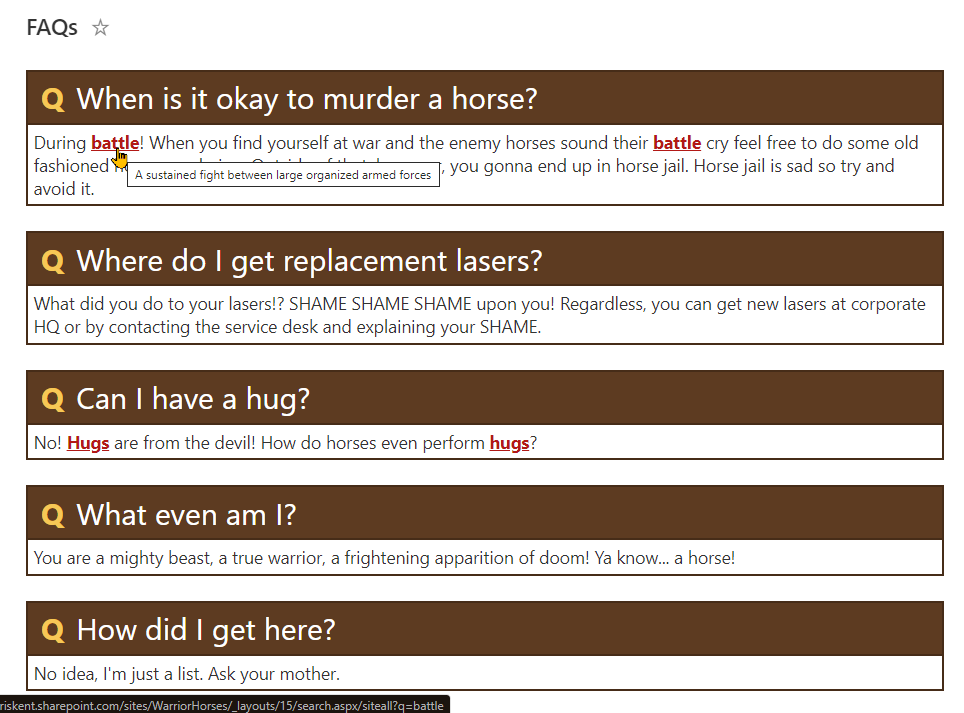
screenshot of the sample with keywords

View requirements

Type Internal Name Required
Single line of text Title Yes
Multiple line of text Answer Yes
Single line of text Keyword
Hyperlink KeywordLink

The last 2 columns are only needed when using the keywords version of the format.

Sample

Solution Author(s)
faqs.json Chris Kent
faqs-with-keywords.json Chris Kent

Version history

Version Date Comments
1.0 March 1, 2020 Initial release

Disclaimer

THIS CODE IS PROVIDED AS IS WITHOUT WARRANTY OF ANY KIND, EITHER EXPRESS OR IMPLIED, INCLUDING ANY IMPLIED WARRANTIES OF FITNESS FOR A PARTICULAR PURPOSE, MERCHANTABILITY, OR NON-INFRINGEMENT.


Additional notes

None