
From the contributor
How to use this sample
Summary
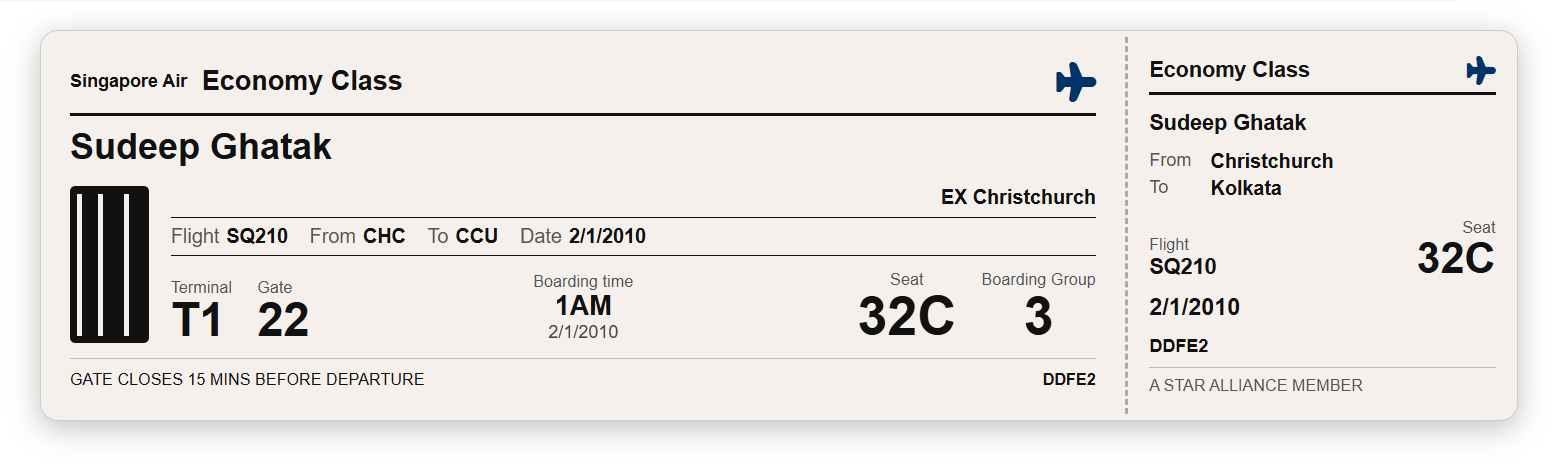
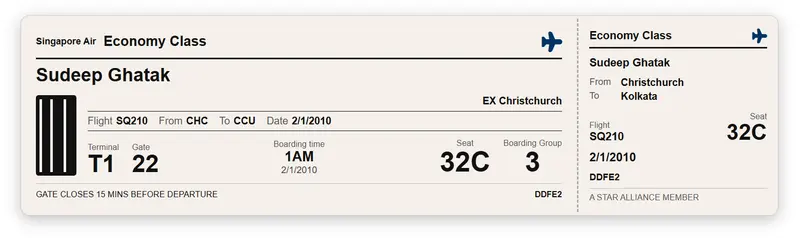
This SharePoint JSON view formatting sample transforms list items into realistic flight boarding cards. Each card mimics a physical airline boarding pass with a main ticket section and a tear-off stub, displaying passenger name, flight details, seat, terminal, gate, boarding time, and boarding group.
View requirements
Recommended SharePoint List Columns
| Column Name | Internal Name | Type | Description |
|---|---|---|---|
| Title | Title | Single line of text | Passenger full name (e.g. CHAKRABORTY DONA) |
| Airline | Airline | Single line of text | Airline name (e.g. SINGAPORE AIRLINES) |
| Travel Class | TravelClass | Choice | Cabin class (Economy Class, Business Class, etc) |
| Flight Number | FlightNumber | Single line of text | Flight number (e.g. SQ 295) |
| Departure Code | DepartureCode | Single line of text | 3-letter IATA departure airport code (e.g. SIN) |
| Departure City | DepartureCity | Single line of text | Departure city name (e.g. SINGAPORE) |
| Arrival Code | ArrivalCode | Single line of text | 3-letter IATA arrival airport code (e.g. CHC) |
| Arrival City | ArrivalCity | Single line of text | Arrival city name (e.g. CHRISTCHURCH) |
| Flight Date | FlightDate | Single line of text | Flight date formatted as DDMMMYY (e.g. 30JAN26) |
| Boarding Time | BoardingTime | Single line of text | Boarding time (e.g. 08:00 AM) |
| Seat | Seat | Single line of text | Seat number (e.g. 60D) |
| Boarding Group | BoardingGroup | Number | Boarding group number (e.g. 4) |
| Terminal | Terminal | Single line of text | Departure terminal (e.g. 3) |
| Gate | Gate | Single line of text | Departure gate (e.g. B12) |
| Issued From | IssuedFrom | Single line of text | City code where ticket was issued (e.g. DEL) |
| Booking Reference | BookingRef | Single line of text | Booking/PNR reference number (e.g. 00105) |
A PowerShell script has been provided in the assets folder to provision the list for you.
Note: This script uses PnP PowerShell and requires an environment ready for PnP PowerShell.
Sample
| Solution | Author |
|---|---|
| boarding-card.json | Sudeep Ghatak (LinkedIn) |
Version history
| Version | Date | Comments |
|---|---|---|
| 1.0 | March 14, 2026 | Initial release |
Disclaimer
THIS CODE IS PROVIDED AS IS WITHOUT WARRANTY OF ANY KIND, EITHER EXPRESS OR IMPLIED, INCLUDING ANY IMPLIED WARRANTIES OF FITNESS FOR A PARTICULAR PURPOSE, MERCHANTABILITY, OR NON-INFRINGEMENT.
Additional notes
- The Title column is used as the passenger name.
- FlightDate is stored as text in
DDMMMYYformat (e.g.30JAN26) to match the printed style on a real boarding pass. - The IssuedFrom field renders as
EX <city code>on the card (e.g.EX DEL). Leave blank if not applicable. - The "GATE CLOSES 15 MINS BEFORE DEPARTURE" message is static and always displayed.