
Back to view formats
View formattingSharePoint Online

Responsive People Profile Cards

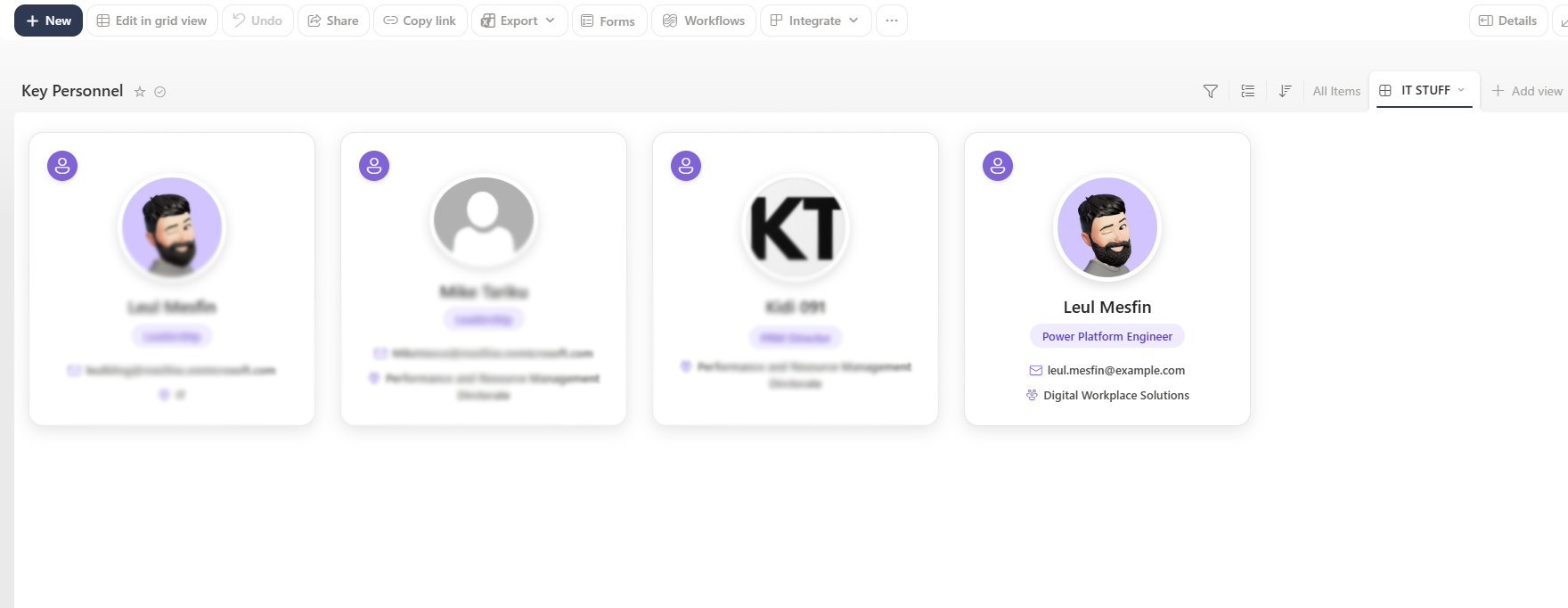
Modern responsive profile cards displaying Microsoft 365 profile pictures, names, roles, email addresses, and departments.

Responsive People Profile Cards
Sample preview · View original image

Copy. Apply. Make it yours.

Get this format

1 definition

Review the requirements below, then paste this JSON into the matching formatting panel. Show me where.

Use your list's internal column names and replace any tenant-specific URLs or flow IDs. Formatting is presentation, not a way to secure data.

View formatting
Download JSON
{
  "$schema": "https://developer.microsoft.com/json-schemas/sp/v2/tile-formatting.schema.json",
  "height": 360,
  "width": 330,
  "hideSelection": true,
  "fillHorizontally": true,
  "formatter": {
    "elmType": "div",
    "style": {
      "position": "relative",
      "display": "flex",
      "flex-direction": "column",
      "align-items": "center",
      "height": "330px",
      "margin": "10px",
      "background-color": "#ffffff",
      "border": "1px solid #e2e8f0",
      "border-radius": "16px",
      "box-shadow": "0 5px 18px rgba(0,0,0,0.08)",
      "overflow": "hidden",
      "box-sizing": "border-box",
      "min-height": "250px",
      "padding-bottom": "25px"
    },
    "children": [
      {
        "elmType": "div",
        "style": {
          "position": "absolute",
          "top": "0",
          "left": "0",
          "width": "100%",
          "height": "130px"
        }
      },
      {
        "elmType": "div",
        "style": {
          "position": "absolute",
          "top": "20px",
          "left": "20px",
          "width": "34px",
          "height": "34px",
          "display": "flex",
          "align-items": "center",
          "justify-content": "center",
          "background-color": "#0f172a",
          "border-radius": "50%",
          "box-shadow": "0 2px 6px rgba(15,23,42,0.20)"
        },
        "children": [
          {
            "elmType": "span",
            "attributes": {
              "iconName": "Contact"
            },
            "style": {
              "font-size": "18px",
              "color": "#ffffff"
            }
          }
        ]
      },
      {
        "elmType": "div",
        "defaultHoverField": "[$Name]",
        "style": {
          "position": "relative",
          "margin-top": "45px",
          "width": "112px",
          "height": "112px",
          "border-radius": "50%",
          "background-color": "#ffffff",
          "padding": "5px",
          "box-shadow": "0 4px 12px rgba(0,0,0,0.10)",
          "cursor": "pointer"
        },
        "children": [
          {
            "elmType": "img",
            "attributes": {
              "src": "=getUserImage([$Name.email], 'L')"
            },
            "style": {
              "width": "100%",
              "height": "100%",
              "border-radius": "50%",
              "object-fit": "cover"
            }
          }
        ]
      },
      {
        "elmType": "div",
        "defaultHoverField": "[$Name]",
        "txtContent": "[$Name.title]",
        "style": {
          "margin-top": "14px",
          "padding": "0 15px",
          "font-size": "19px",
          "font-weight": "600",
          "color": "#1e293b",
          "text-align": "center",
          "cursor": "pointer",
          "white-space": "nowrap",
          "overflow": "hidden",
          "text-overflow": "ellipsis",
          "max-width": "285px"
        }
      },
      {
        "elmType": "div",
        "txtContent": "=if([$Role] != '', [$Role], [$Title])",
        "style": {
          "display": "=if([$Role] == '' && [$Title] == '', 'none', 'flex')",
          "align-items": "center",
          "justify-content": "center",
          "margin-top": "9px",
          "padding": "5px 14px",
          "background-color": "#f1f5f9",
          "color": "#334155",
          "border-radius": "20px",
          "font-size": "13px",
          "font-weight": "600"
        }
      },
      {
        "elmType": "div",
        "style": {
          "display": "=if([$Role] == '' && [$Title] == '', 'block', 'none')",
          "width": "32px",
          "height": "2px",
          "margin-top": "10px",
          "background-color": "#94a3b8",
          "border-radius": "2px"
        }
      },
      {
        "elmType": "div",
        "style": {
          "display": "=if([$Email] == '' && [$EMail] == '', 'none', 'block')",
          "margin-top": "14px",
          "padding": "0 16px",
          "color": "#475569",
          "font-size": "13px",
          "font-weight": "500",
          "text-align": "center",
          "line-height": "19px",
          "word-wrap": "break-word"
        },
        "children": [
          {
            "elmType": "span",
            "attributes": {
              "iconName": "Mail"
            },
            "style": {
              "font-size": "14px",
              "color": "#64748b",
              "margin-right": "6px",
              "position": "relative",
              "top": "2px"
            }
          },
          {
            "elmType": "span",
            "txtContent": "=if([$Email] != '', [$Email], [$EMail])"
          }
        ]
      },
      {
        "elmType": "div",
        "style": {
          "display": "=if([$Department] == '', 'none', 'block')",
          "margin-top": "8px",
          "padding": "0 16px",
          "color": "#475569",
          "font-size": "13px",
          "font-weight": "500",
          "text-align": "center",
          "line-height": "19px",
          "word-wrap": "break-word"
        },
        "children": [
          {
            "elmType": "span",
            "attributes": {
              "iconName": "Group"
            },
            "style": {
              "font-size": "14px",
              "color": "#64748b",
              "margin-right": "6px",
              "position": "relative",
              "top": "2px"
            }
          },
          {
            "elmType": "span",
            "txtContent": "[$Department]"
          }
        ]
      },
      {
        "elmType": "div",
        "style": {
          "position": "absolute",
          "bottom": "0",
          "left": "0",
          "width": "100%",
          "height": "4px"
        }
      }
    ]
  }
}

From the contributor

How to use this sample

Summary

This sample transforms a SharePoint list Gallery view into modern, responsive people profile cards.

The cards use a clean Midnight and Slate color palette and display each person's Microsoft 365 profile picture, name, role, email address, and department. The formatting includes profile hover-card functionality and automatically hides optional information when it is unavailable.

No tenant-specific, organizational, or personal information is hardcoded into the JSON.
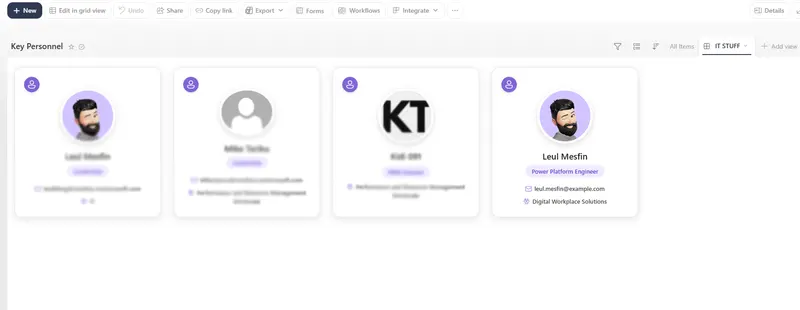
screenshot of the sample

View requirements

Create a SharePoint list containing the following columns:

Column Display Name Column Type Internal Name Required Description
Name Person or Group Name Yes Displays the person's Microsoft 365 profile picture and display name. Configure this column to allow only one person.
Title Single line of text Title Yes Used as a fallback when the Role column is empty.
Role Single line of text Role No Displays the person's role. Overrides Title when populated.
Email Single line of text Email No Displays a custom email address. If empty, the email from the Name person column is used.
Department Single line of text Department No Displays the person's department or team.

Sample

Solution Author
responsive-people-profile-cards.json Leul Mesfin

How to use

  1. Create or open a SharePoint list containing the required columns.
  2. Create a new Gallery view.
  3. Open the view menu and select Format current view.
  4. Select Advanced mode.
  5. Copy the contents of responsive-people-profile-cards.json.
  6. Paste the JSON into the formatting editor.
  7. Select Save.

Features

  • Responsive gallery-style profile cards
  • Microsoft 365 profile pictures
  • Native SharePoint person hover cards
  • Clean Midnight and Slate color palette
  • Role-to-title fallback
  • Email fallback using the Name person column
  • Automatically hidden optional fields
  • No hardcoded tenant or personal information

Customization

The primary colors can be changed by updating these values in the formatting JSON:

Element Color
Profile icon background #0f172a
Card border #e2e8f0
Role background #f1f5f9

Preventing scrollbars

When using the formatted list through a SharePoint List web part:

  1. Edit the SharePoint page.
  2. Edit the List web part.
  3. Change the Size setting to Autosize – fit to number of items.

This allows the web part to expand based on the number of displayed profile cards.

Version history

Version Date Comments
1.0 September 2026 Initial release

Disclaimer

THIS CODE IS PROVIDED AS IS WITHOUT WARRANTY OF ANY KIND, EITHER EXPRESS OR IMPLIED, INCLUDING ANY IMPLIED WARRANTIES OF FITNESS FOR A PARTICULAR PURPOSE, MERCHANTABILITY, OR NON-INFRINGEMENT.

Additional resources