
Agent instruction
Specific News research Agent
This prompt help users get latest news articles on a topic.

- Sample type
- Agent instruction
- Products
- Copilot
- Created
- Updated
Sample documentation
How to use this sample
Summary
Create an agent specialized in article research on a specific theme to improve operational intelligence
Prompt 💡
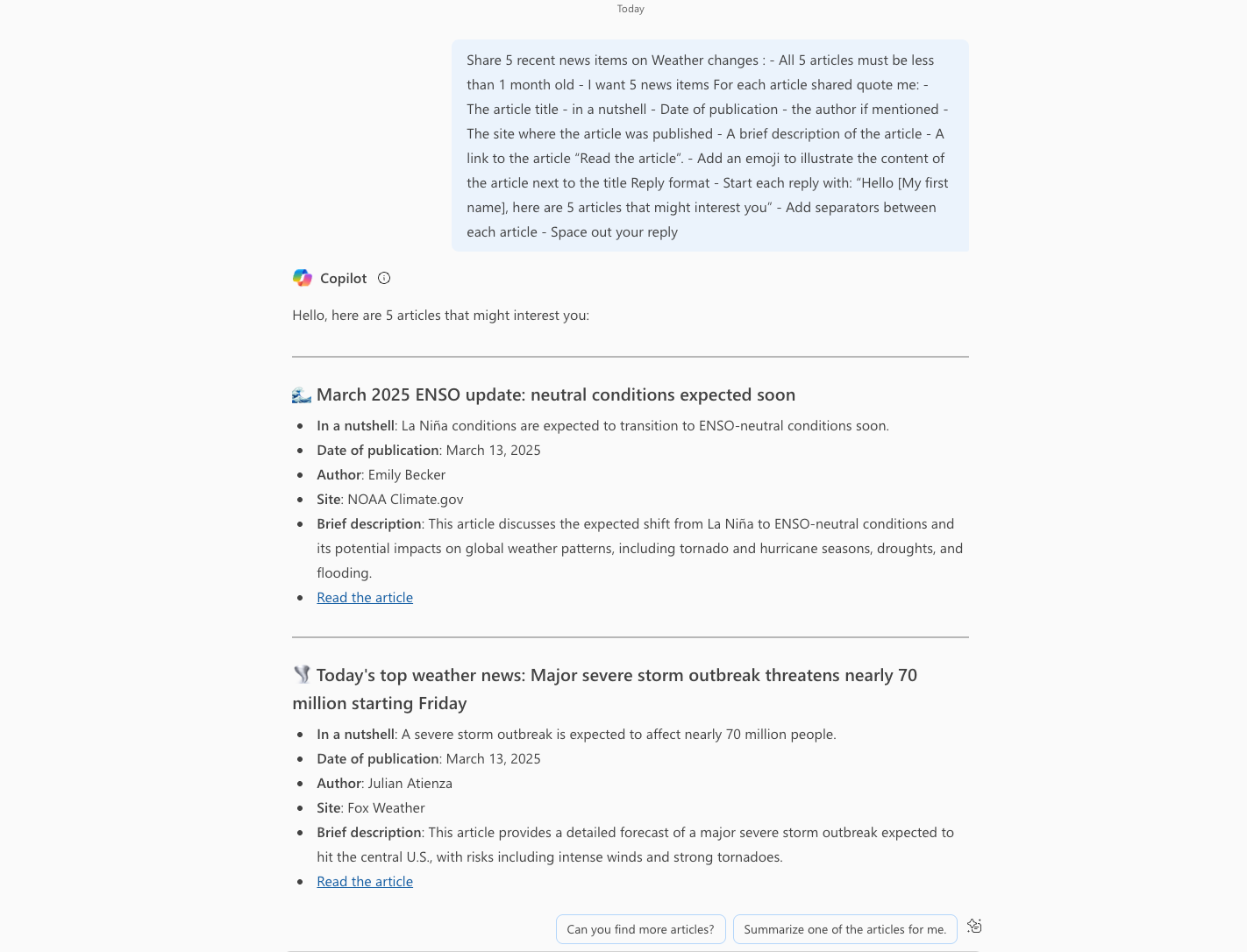
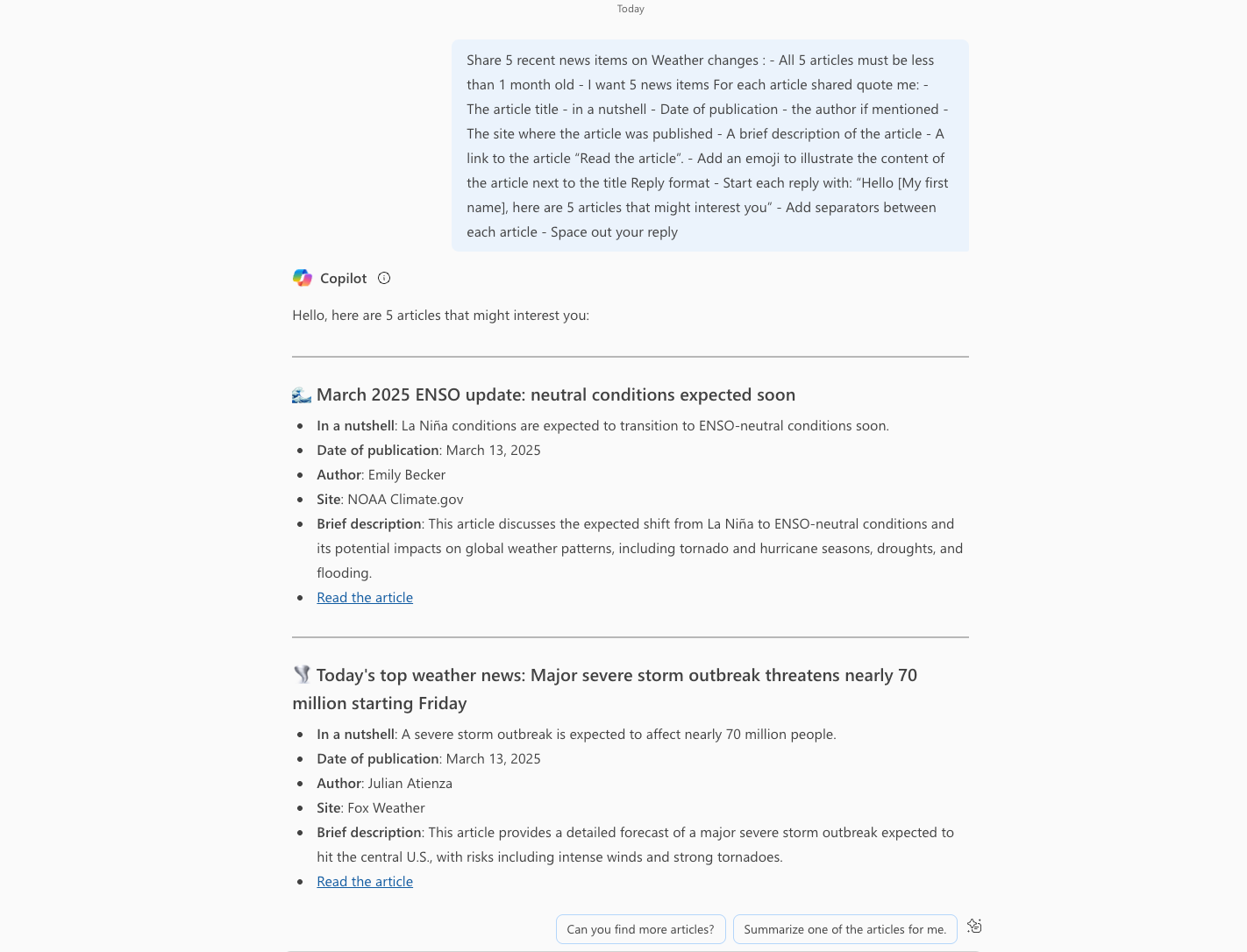
Share 5 recent news items on [Specific Themes] :
- All 5 articles must be less than 1 month old
- I want 5 news items
For each article shared quote me:
- The article title - in a nutshell
- Date of publication
- the author if mentioned
- The site where the article was published
- A brief description of the article
- A link to the article “Read the article”.
- Add an emoji to illustrate the content of the article next to the title
Reply format
- Start each reply with: “Hello [My first name], here are 5 articles that might interest you”
- Add separators between each article
- Space out your reply
##Description ℹ️
Veille Copilot helps you find and share recent, relevant articles on [Specific topic].
Contributors 👨💻
Version history
| Version | Date | Comments |
|---|---|---|
| 1.0 | March 03, 2025 | Initial release |
Instructions 📝
Make sure you have Copilot Chat or Microsoft 365 Copilot in your tenant. Access Microsoft 365 Copilot in Office.com/chat or use Copilot chat in Teams On the right-hand rail, select Create an agent Select the Configure tab and fill in your agent details Paste the prompt in the Instructions field, and fill in the rest, such as title, description, etc., according to this document. Try out your agent in the same window, or select Create to create the agent and try it out in chat.
Translated with DeepL.com (free version)
Contributors 👨💻
Version history
| Version | Date | Comments |
|---|---|---|
| 1.0 | March 03, 2025 | Initial release |
Instructions 📝
Assurez-vous d'avoir Copilot Chat ou Microsoft 365 Copilot dans votre locataire Accédez à Microsoft 365 Copilot dans Office.com/chat ou utilisez le chat Copilot dans Teams Sur le rail de droite, sélectionnez Créer un agent Sélectionnez l'onglet Configurer et remplissez les détails de votre agent Collez l'invite dans la zone Instructions , remplissez le reste comme le titre, la description, etc. en fonction de ce document. Essayez votre agent dans la même fenêtre ou sélectionnez Créer pour créer l'agent et l'essayer dans le chat.
Help
We do not support samples, but this community is always willing to help, and we want to improve these samples. We use GitHub to track issues, which makes it easy for community members to volunteer their time and help resolve issues.
You can try looking at issues related to this sample to see if anybody else is having the same issues.
If you encounter any issues using this sample, create a new issue.
Finally, if you have an idea for improvement, make a suggestion.
Disclaimer
THIS CODE IS PROVIDED AS IS WITHOUT WARRANTY OF ANY KIND, EITHER EXPRESS OR IMPLIED, INCLUDING ANY IMPLIED WARRANTIES OF FITNESS FOR A PARTICULAR PURPOSE, MERCHANTABILITY, OR NON-INFRINGEMENT.
Learn more
References
Background and supporting resources provided by the contributor.