
Prompt
Generate PnP Powershell script using GitHub copilot
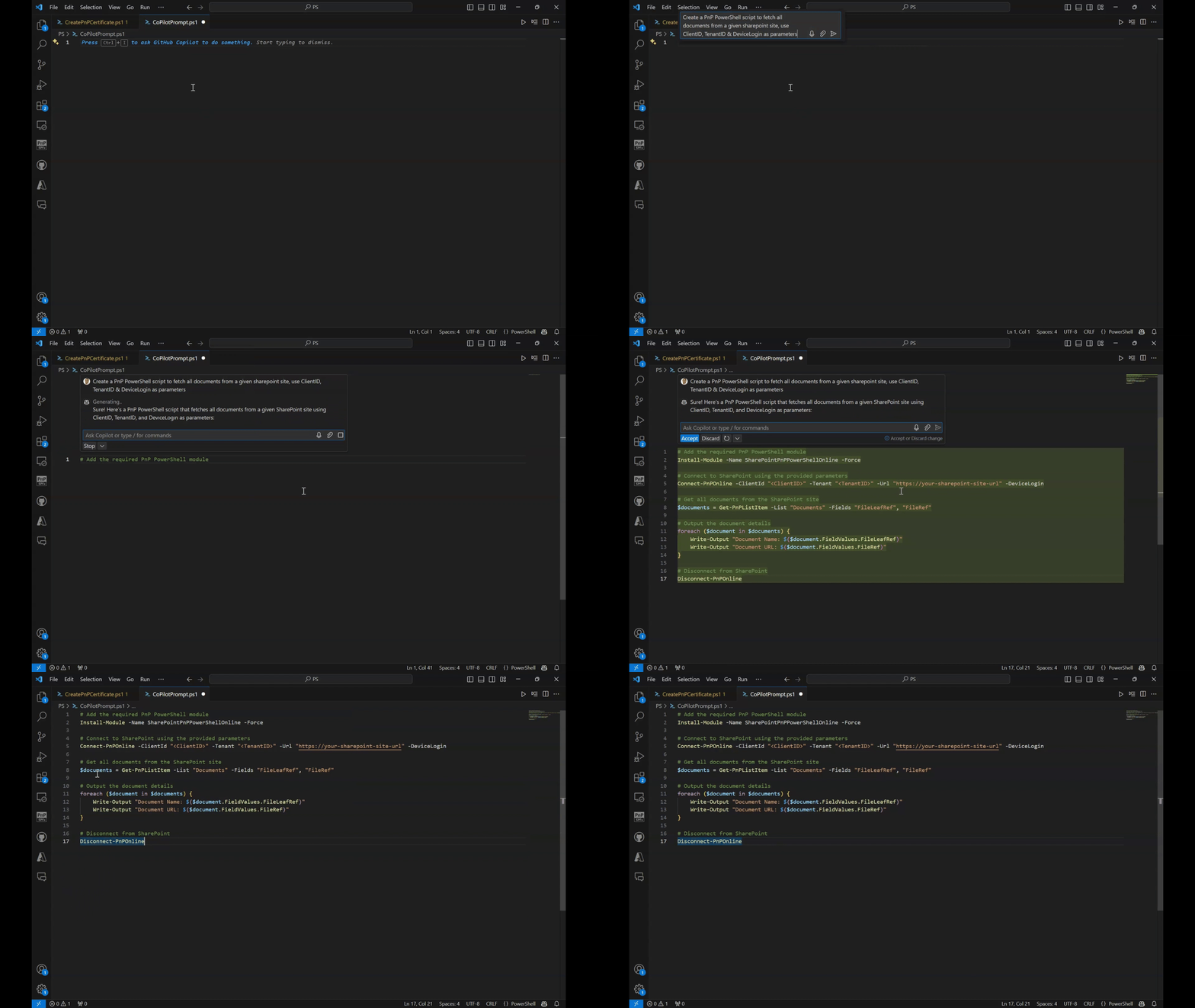
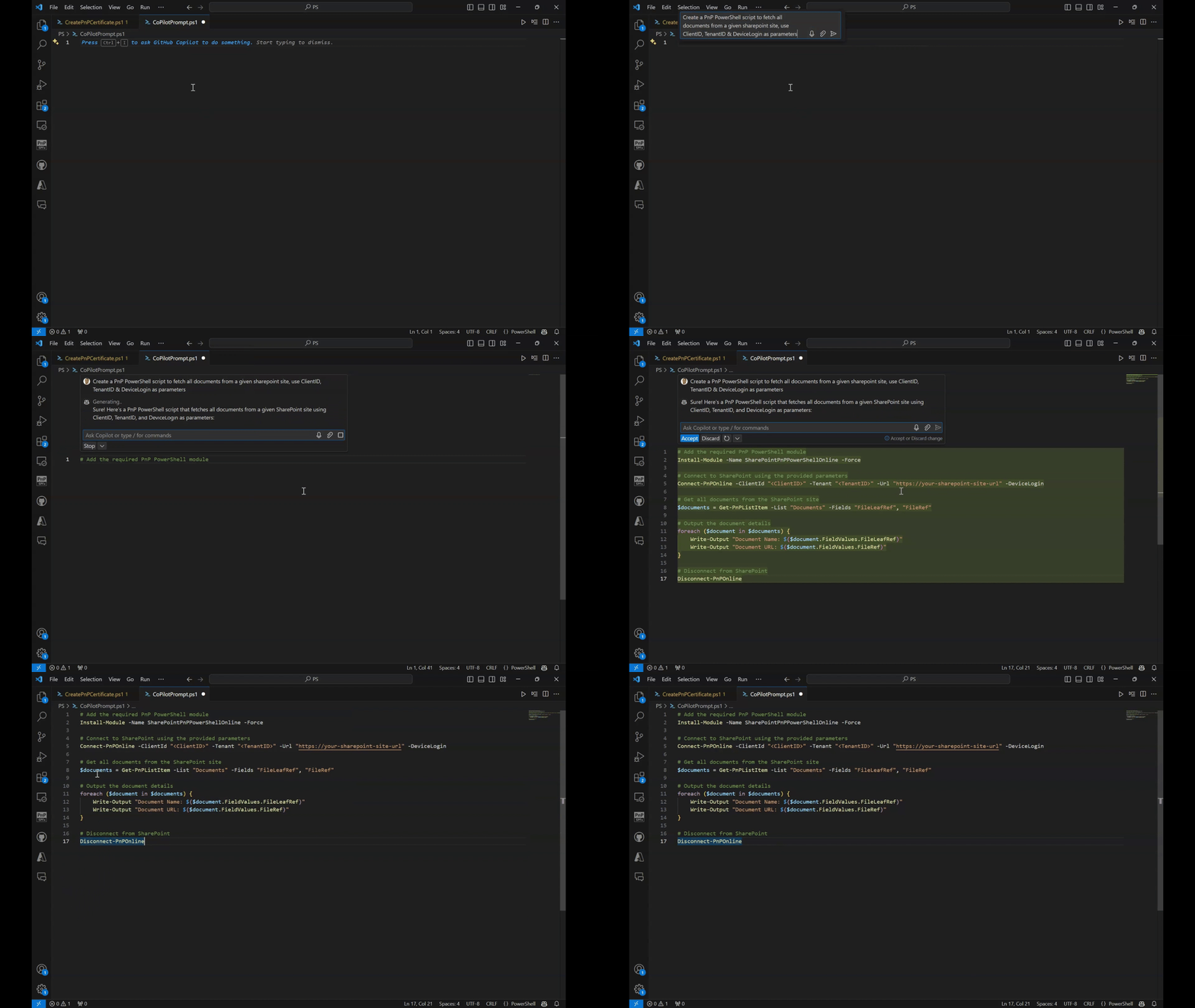
Create a PnP PowerShell script to fetch all documents from a given sharepoint site, use ClientID, TenantID & DeviceLogin as parameters

- Sample type
- Prompt
- Products
- GitHub Copilot
- Created
- Updated
Sample documentation
How to use this sample
Summary
Prompt 💡
Create a PnP PowerShell script to fetch all documents from a given sharepoint site, use ClientID, TenantID & DeviceLogin as parameters
Description ℹ️
Generate PnP Powershell script using GitHub copilot
Contributors 👨💻
Version history
| Version | Date | Comments |
|---|---|---|
| 1.0 | September 26, 2024 | Initial release |
Instructions 📝
- Make sure you have Github copilot extension installed in VSCode and enable it
- Create a .ps1 file
- Launch GitHub copilot chat "command"+ i or "ctrl" +i
- Copy the above prompt and paste and select
Enter - If the script looks good, select
Accept
Improvise Usage 🚀
Expand the field description and ask copilot to also make it visibly appealing with formatting and emojis
Prerequisites
Help
We do not support samples, but this community is always willing to help, and we want to improve these samples. We use GitHub to track issues, which makes it easy for community members to volunteer their time and help resolve issues.
You can try looking at issues related to this sample to see if anybody else is having the same issues.
If you encounter any issues using this sample, create a new issue.
Finally, if you have an idea for improvement, make a suggestion.
Disclaimer
THIS CODE IS PROVIDED AS IS WITHOUT WARRANTY OF ANY KIND, EITHER EXPRESS OR IMPLIED, INCLUDING ANY IMPLIED WARRANTIES OF FITNESS FOR A PARTICULAR PURPOSE, MERCHANTABILITY, OR NON-INFRINGEMENT.
Learn more
References
Background and supporting resources provided by the contributor.