
Prompt
M365 Core Teams Virtual Background
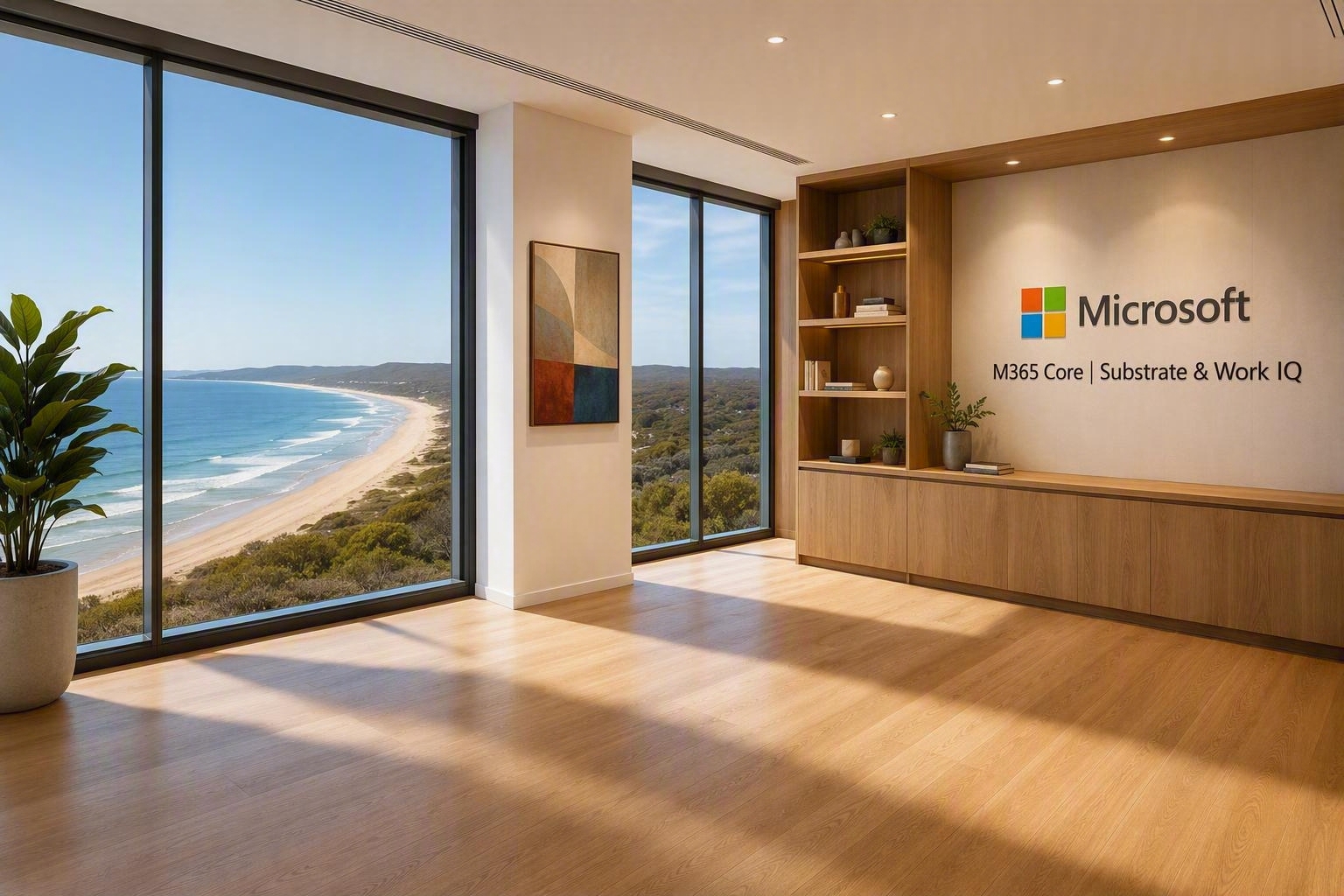
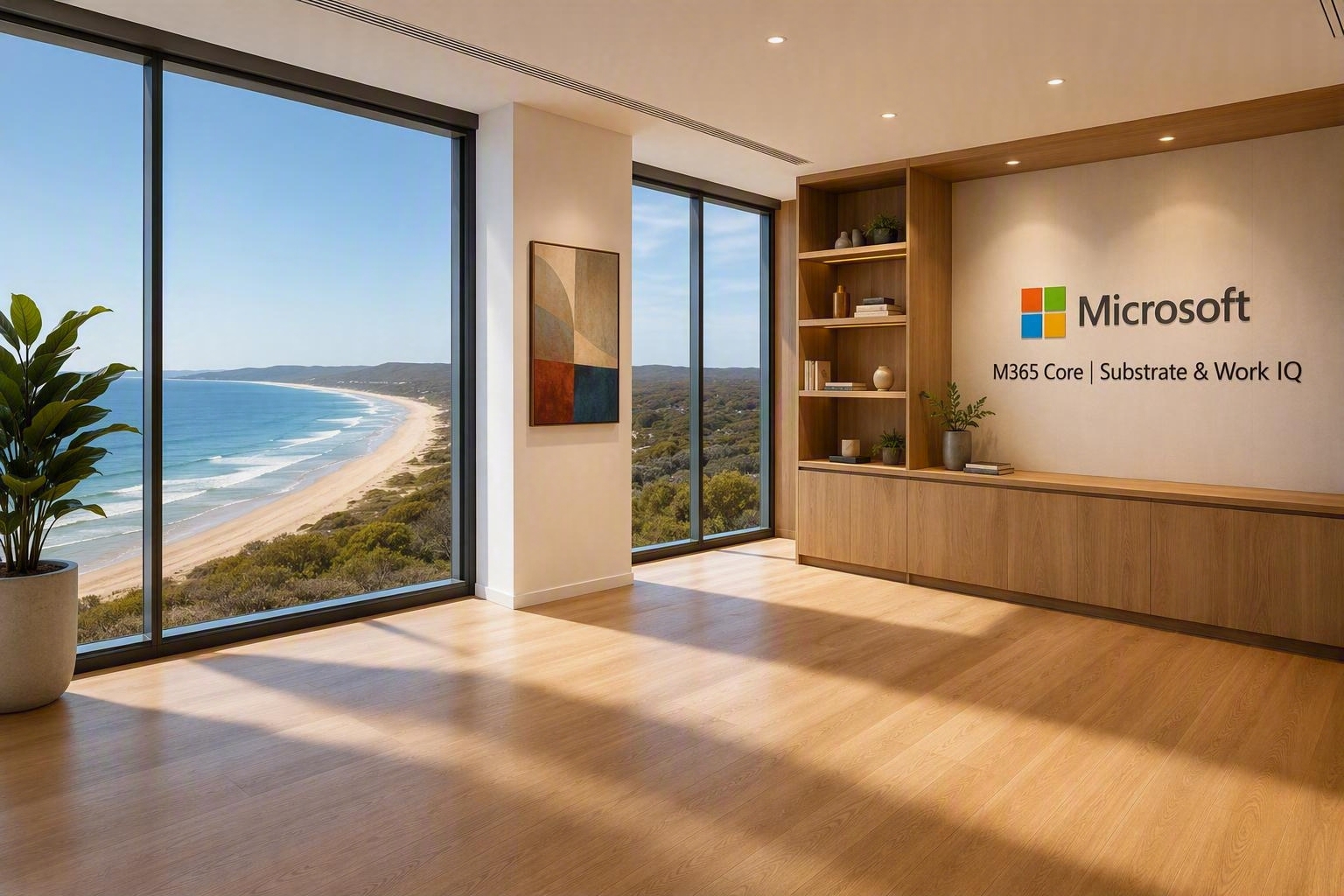
Creates a polished Teams background featuring a bright West Seattle executive office with Microsoft branding and a sleeping dog.

- Sample type
- Prompt
- Products
- Microsoft 365 Copilot
- Created
- Updated
Sample documentation
How to use this sample
Summary
Creates a polished Microsoft Teams virtual background featuring a bright West Seattle executive office with Microsoft branding and a sleeping dog.
Prompt 💡
Photorealistic Microsoft Teams virtual background, bright contemporary executive office in West Seattle, Washington, floor-to-ceiling windows with views over the Cascades, view of Mt Rainier in the background, abundant natural daylight, oak timber shelves, airy modern interior, 20th century artwork on the walls, illuminated modern wall signage with a high-contrast lettering reading "M365 Core | Substrate & Work IQ" with the Microsoft logo, professional executive workspace, realistic depth of field, ultra high resolution, welcoming, bright, sophisticated, suitable for video calls. Do not include a desk or chair in the foreground. Include a dog to the side on the floor curled up asleep. This is the dog.
Description ℹ️
This prompt generates a photorealistic, professional Microsoft Teams background set in a bright contemporary executive office in West Seattle. It combines Pacific Northwest scenery, modern oak finishes, Microsoft branding, and a relaxed sleeping dog to create a welcoming setting suitable for video calls.
Contributors 👨💻
Version history
| Version | Date | Comments |
|---|---|---|
| 1.0 | September 1, 2026 | Initial release |
Instructions 📝
- Open Microsoft 365 Copilot and start a new chat.
- Attach a reference image of the dog you want included in the background.
- Copy and paste the prompt into the chat, then generate the image.
- Download the generated image and add it as a custom background in Microsoft Teams.
Improvise Usage 🚀
Adjust the location, scenery, artwork, lighting, signage, or interior finishes to create a virtual background tailored to your organization or team.
Prerequisites
Help
We do not support samples, but this community is always willing to help, and we want to improve these samples. We use GitHub to track issues, which makes it easy for community members to volunteer their time and help resolve issues.
You can try looking at issues related to this sample to see if anybody else is having the same issues.
If you encounter any issues using this sample, create a new issue.
Finally, if you have an idea for improvement, make a suggestion.
Disclaimer
THIS CODE IS PROVIDED AS IS WITHOUT WARRANTY OF ANY KIND, EITHER EXPRESS OR IMPLIED, INCLUDING ANY IMPLIED WARRANTIES OF FITNESS FOR A PARTICULAR PURPOSE, MERCHANTABILITY, OR NON-INFRINGEMENT.
Learn more
References
Background and supporting resources provided by the contributor.