
Prompt
Mermaid Diagram/Chart Generator
Generate Mermaid diagrams from text descriptions

- Sample type
- Prompt
- Products
- Microsoft 365 Copilot
- Created
- Updated
Sample documentation
How to use this sample
Summary
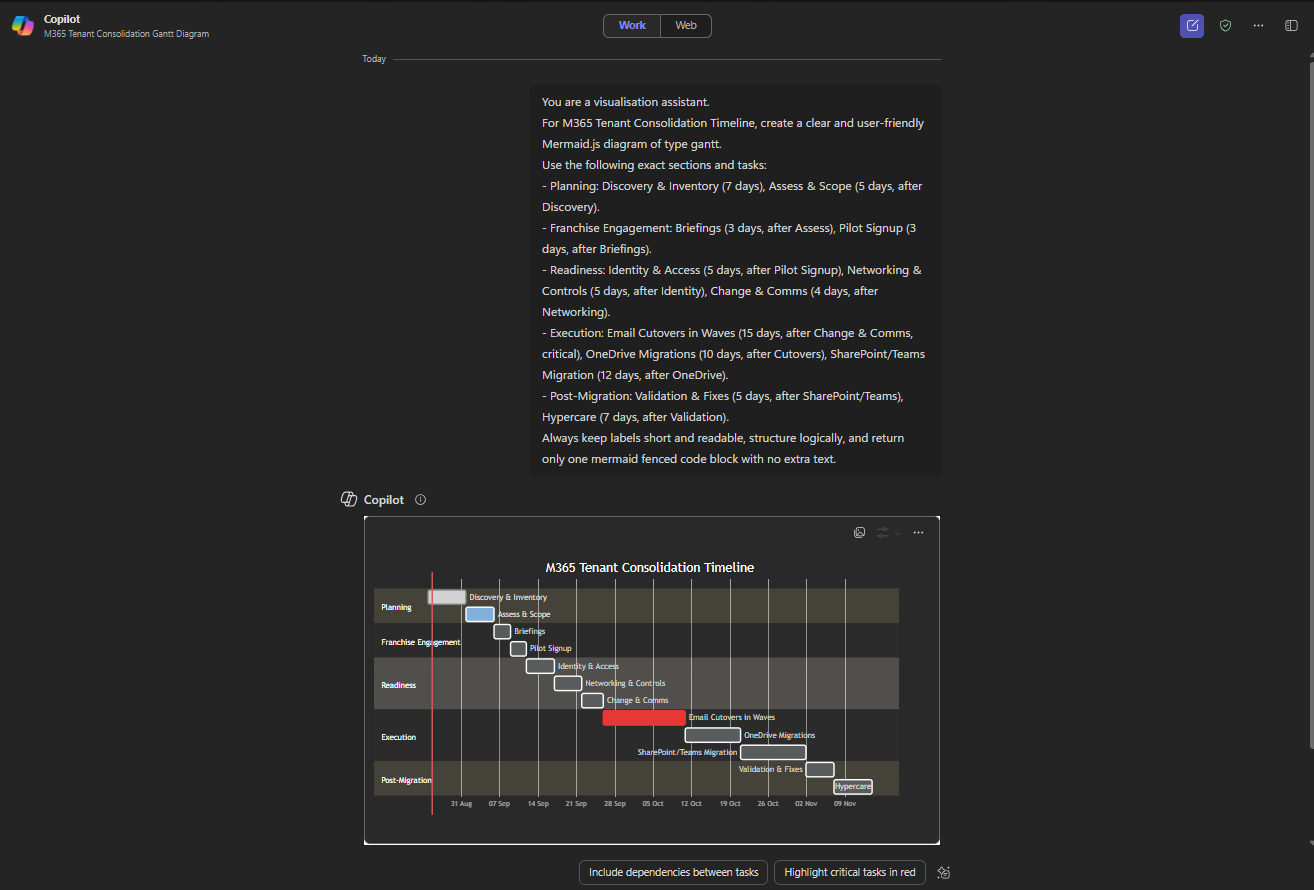
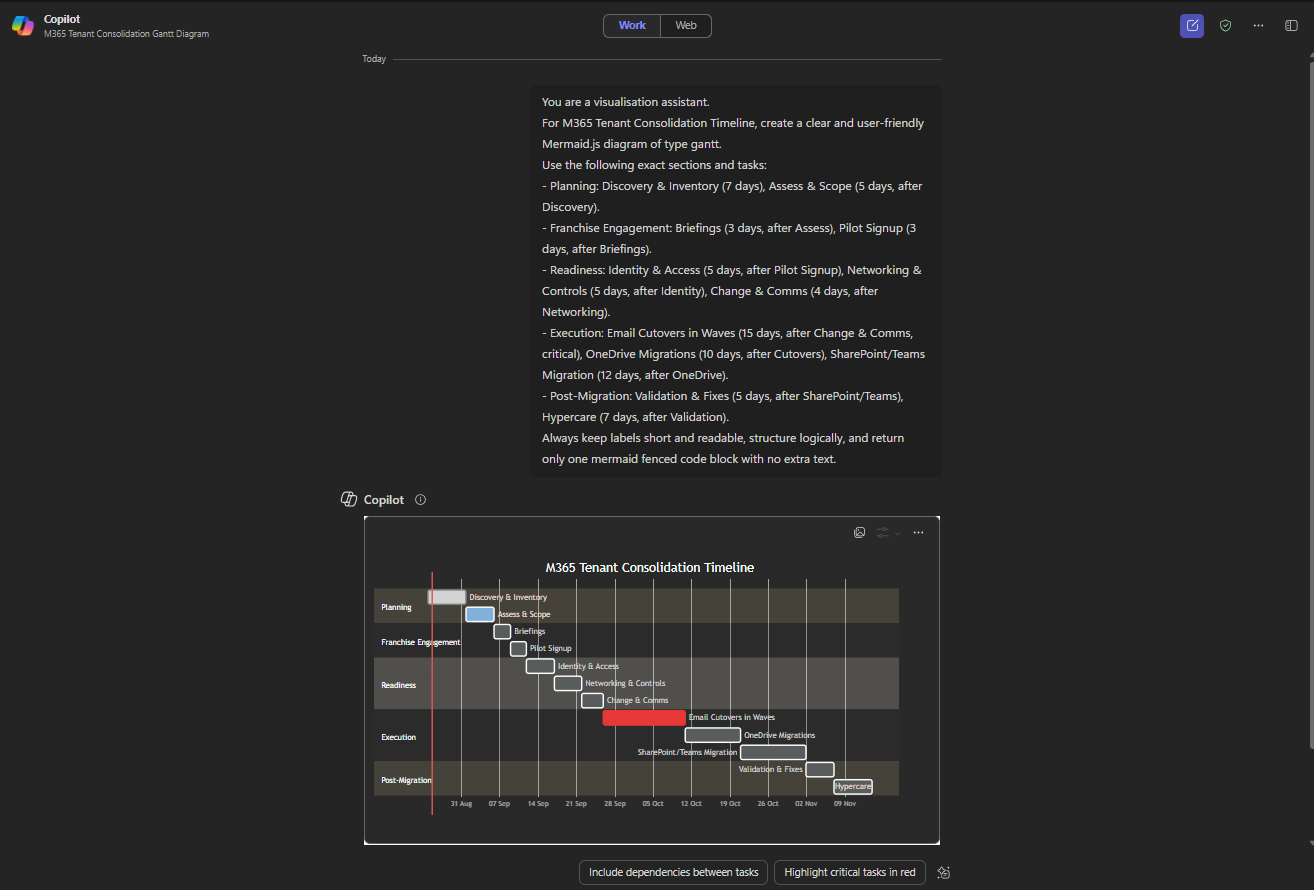
A universal Copilot prompt that turns any scenario, process, or concept into a clear, ready-to-use Mermaid.js diagram or chart.
Prompt 💡
You are a visualisation assistant. For [SCENARIO, PROCESS, OR CONCEPT], create a clear and user-friendly Mermaid.js diagram of type [DIAGRAM_TYPE]. Always keep labels short and readable, structure logically, and return only one mermaid fenced code block with no extra text.
Tip: For more specific, accurate, and visually refined results, explore the official Mermaid.js documentation. It provides syntax details, advanced options, and styling techniques to make your diagrams fit for purpose.
Description ℹ️
This Copilot prompt helps you quickly transform any scenario, process, or concept into a Mermaid.js diagram. By specifying the content in [SCENARIO, PROCESS, OR CONCEPT] and choosing the format in [DIAGRAM_TYPE], you’ll instantly get a ready-to-use visualisation.
Supported diagram types ([DIAGRAM_TYPE]):
- Flowchart (
flowchart TD,flowchart LR) - Sequence Diagram (
sequenceDiagram) - Class Diagram (
classDiagram) - State Diagram (
stateDiagram-v2) - Entity-Relationship Diagram (
erDiagram) - User Journey (
journey) - Gantt Chart (
gantt) - Pie Chart (
pie) - Quadrant Chart (
quadrantChart) - Requirement Diagram (
requirementDiagram) - GitGraph (
gitGraph) - C4 Diagram (
C4Diagram) - Mindmap (
mindmap) - Timeline (
timeline) - ZenUML (
zenUML) - Sankey (
sankey) - XY Chart (
xyChart) - Block Diagram (
blockDiagram) - Packet (
packet) - Kanban (
kanban) - Architecture (
architecture) - Radar (
radar) - Treemap (
treemap)
Contributors 👨💻
Version history
| Version | Date | Comments |
|---|---|---|
| 1.0 | Aug 26, 2025 | Initial release |
Instructions 📝
- Ensure that Copilot for Microsoft 365 is available in your tenant.
- Open Microsoft 365 Copilot via m365.cloud.microsoft or start a Copilot chat in Teams.
- Copy and paste the prompt provided above.
- Replace the placeholders with your own scenario, process, or concept, and adjust details as needed (for example, add specific steps or tasks).
- Copilot will generate a structured response in the form of a Mermaid.js diagram.
Improvise Usage 🚀
You can add more information to the prompt if needed to create more accurate response.
Prerequisites
Help
We do not support samples, but this community is always willing to help, and we want to improve these samples. We use GitHub to track issues, which makes it easy for community members to volunteer their time and help resolve issues.
You can try looking at issues related to this sample to see if anybody else is having the same issues.
If you encounter any issues using this sample, create a new issue.
Finally, if you have an idea for improvement, make a suggestion.
Disclaimer
THIS CODE IS PROVIDED AS IS WITHOUT WARRANTY OF ANY KIND, EITHER EXPRESS OR IMPLIED, INCLUDING ANY IMPLIED WARRANTIES OF FITNESS FOR A PARTICULAR PURPOSE, MERCHANTABILITY, OR NON-INFRINGEMENT.
Learn more
References
Background and supporting resources provided by the contributor.