
Prompt
Prepare the meeting minutes in the similar and familiar format after the meeting is completed with recordings
Ask copilot to generate the meeting mintues for the recorded teams meetings

- Sample type
- Prompt
- Products
- Copilot for Microsoft 365, Microsoft Teams
- Created
- Updated
Sample documentation
How to use this sample
Summary 📜
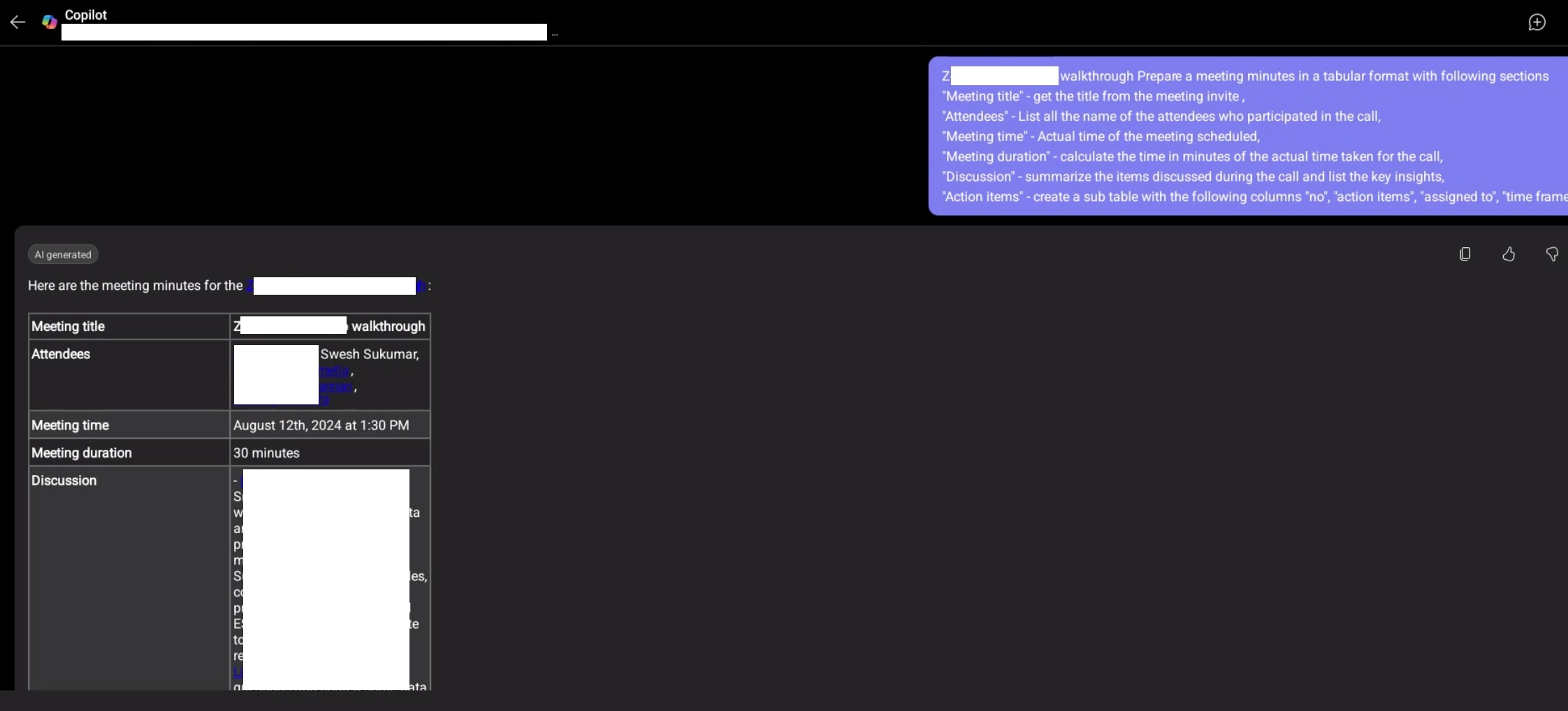
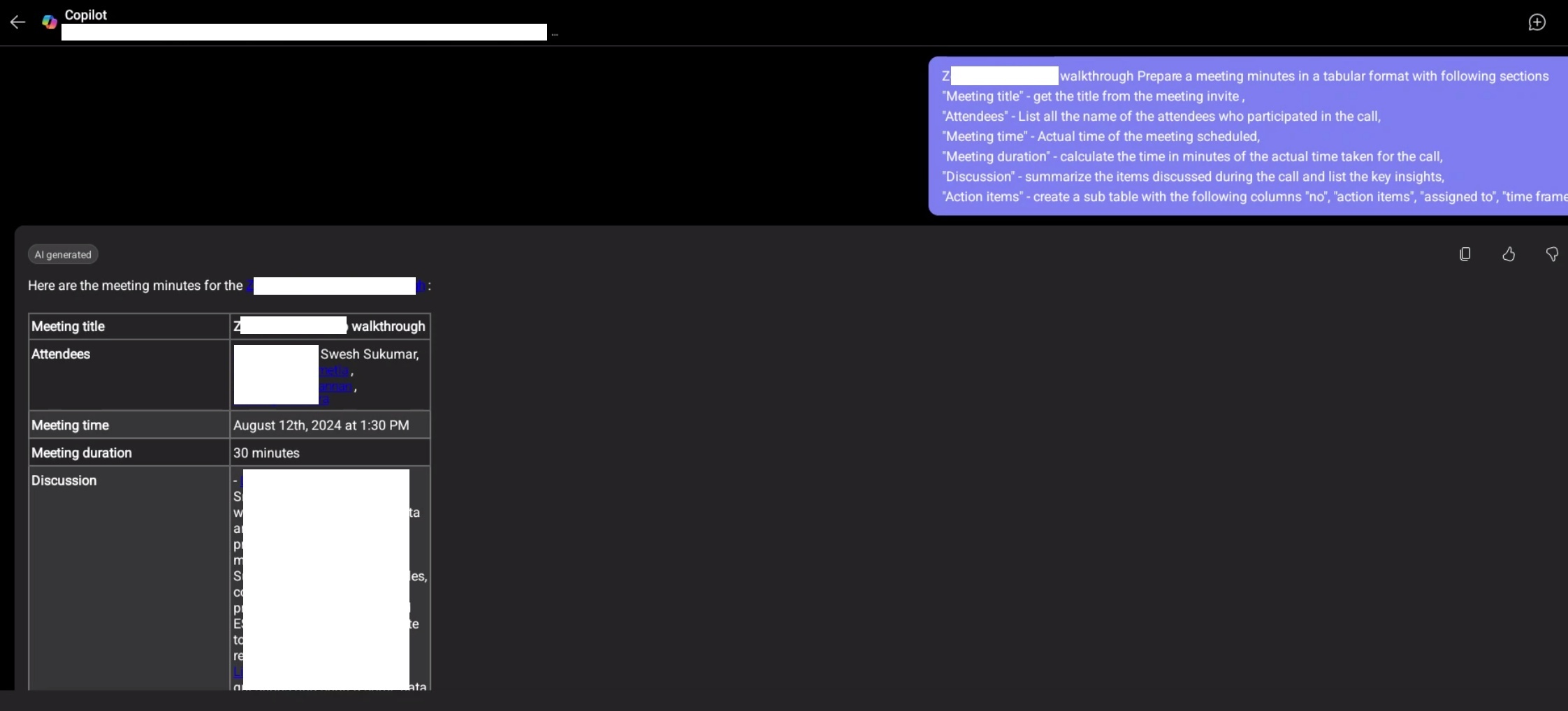
This prompt will help you generate the meeting mintues in a tabular format. It will show the meeting title, name of the attendees, meeting time and duration, discussions and action items with action assigned to column.
Prompt 💡
[meetingname] Prepare a meeting minutes in a tabular format with following sections "Meeting title" - get the title from the meeting invite , "Attendees" - List all the name of the attendees who participated in the call, "Meeting time" - Actual time of the meeting scheduled, "Meeting duration" - calculate the time in minutes of the actual time taken for the call, "Discussion" - summarize the items discussed during the call and list the key insights, "Action items" - create a sub table with the following columns "no", "action items", "assigned to", "time frame"
Description ℹ️
Copilot will generate the meeting minutes in a tabular format. It will show the meeting title, name of the attendees, meeting time and duration, discussions and action items with action assigned to column.
Contributors 👨💻
Version history 📋
| Version | Date | Comments |
|---|---|---|
| 1.0 | Sep 22, 2024 | Initial release |
Instructions 📝
- Make sure you have copilot for Microsoft 365 in your tenant
- Go to Copilot app in Teams
- Click / to see the list of meetings recorded and select the meeting which you would like to generate.
- Copy paste the above prompt
- Replace the [meetingname] with your meeting recorded. You can also use Copilot app's reference inserting feature.
Improvise Usage 🚀
You can add more information to the prompt if needed to show details of the discussions in the table. You can also modify the prompt to mention the speaker name for each of the topics discussed.
Prerequisites 📦
- Copilot for Microsoft 365
- Meeting to be recorded
Help 💁
We do not support samples, but this community is always willing to help, and we want to improve these samples. We use GitHub to track issues, which makes it easy for community members to volunteer their time and help resolve issues.
You can try looking at issues related to this sample to see if anybody else is having the same issues.
If you encounter any issues using this sample, create a new issue.
Finally, if you have an idea for improvement, make a suggestion.
Disclaimer
THIS CODE IS PROVIDED AS IS WITHOUT WARRANTY OF ANY KIND, EITHER EXPRESS OR IMPLIED, INCLUDING ANY IMPLIED WARRANTIES OF FITNESS FOR A PARTICULAR PURPOSE, MERCHANTABILITY, OR NON-INFRINGEMENT.
Learn more
References
Background and supporting resources provided by the contributor.