
Prompt
Office Script to Compare Excel Files
Prompt to generate an Office Script Prompt to compare two Excel files and generate a comparison report.

- Sample type
- Prompt
- Products
- Microsoft 365 Copilot
- Created
- Updated
Sample documentation
How to use this sample
Summary
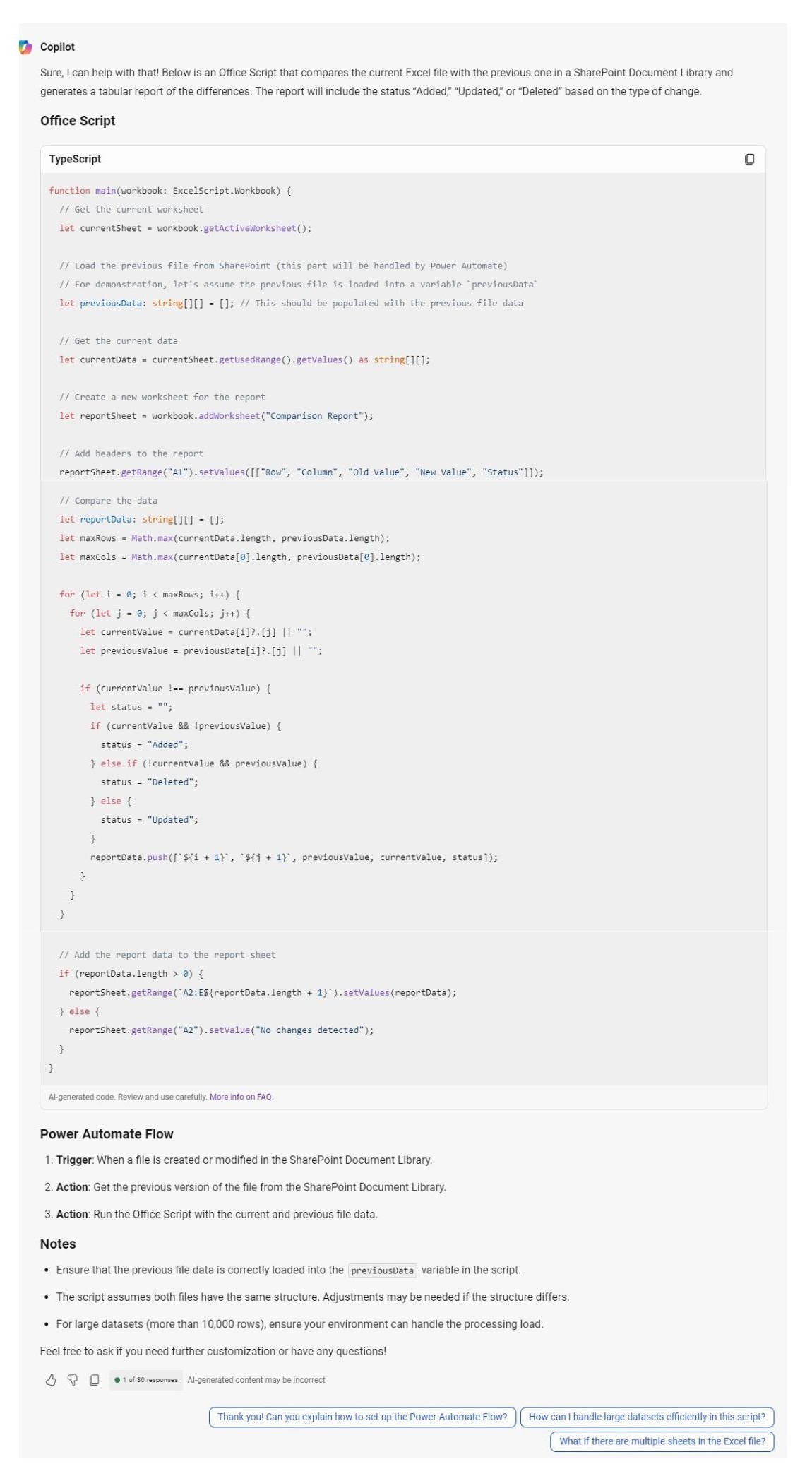
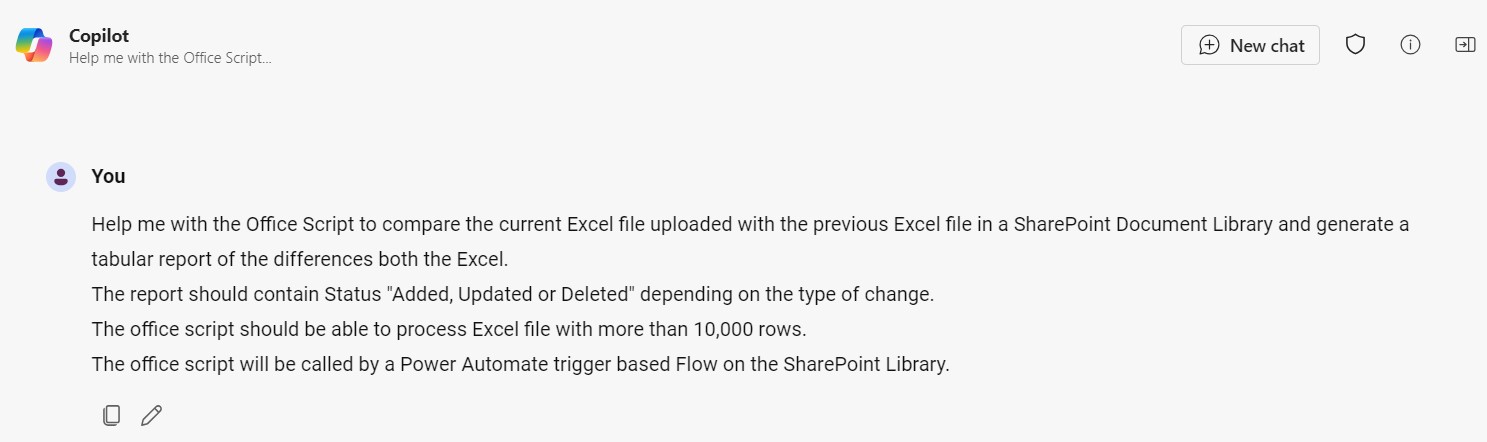
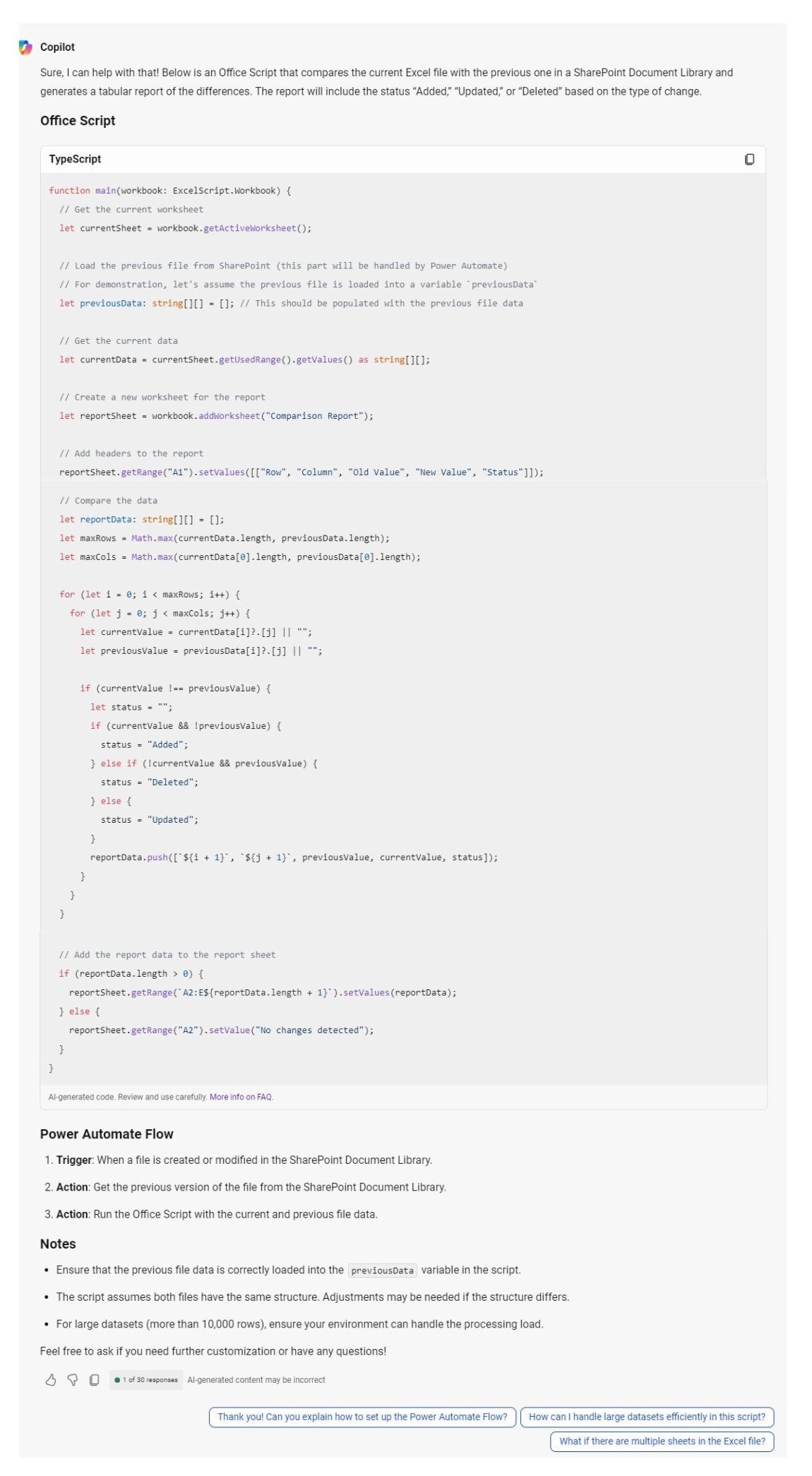
This is a Office Script Prompt to compare two Excel files and generate a comparison report. The purpose is to illustrate the power of precise instructions to get the desired help in Excel File Comparison for large data.
Prompt 💡
Help me with the Office Script to compare the current Excel file uploaded with the previous Excel file in a SharePoint Document Library and generate a tabular report of the differences both the Excel.
The report should contain Status "Added, Updated or Deleted" depending on the type of change.
The office script should be able to process Excel file with more than 10,000 rows.
The office script will be called by a Power Automate trigger based Flow on the SharePoint Library.
Description ℹ️
Compare two Excel Files using Office Script and generate a comparison report using Copilot.
Contributors 👨💻
Version history
| Version | Date | Comments |
|---|---|---|
| 1.0 | October 31, 2024 | Initial release |
Instructions 📝
- Make sure you have Copilot for Microsoft 365 in your tenant
- Open CoPilot App
- Copy and paste the about prompt and click Submit
Improvise Usage 🚀
You can add more information to the prompt if needed to create more accurate response
Prerequisites
Help
We do not support samples, but this community is always willing to help, and we want to improve these samples. We use GitHub to track issues, which makes it easy for community members to volunteer their time and help resolve issues.
You can try looking at issues related to this sample to see if anybody else is having the same issues.
If you encounter any issues using this sample, create a new issue.
Finally, if you have an idea for improvement, make a suggestion.
Disclaimer
THIS CODE IS PROVIDED AS IS WITHOUT WARRANTY OF ANY KIND, EITHER EXPRESS OR IMPLIED, INCLUDING ANY IMPLIED WARRANTIES OF FITNESS FOR A PARTICULAR PURPOSE, MERCHANTABILITY, OR NON-INFRINGEMENT.
Learn more
References
Background and supporting resources provided by the contributor.