
Prompt
Outlook Calendar Meeting Analytics
Analyze monthly meeting time and generate a visual breakdown of calendar usage.

- Sample type
- Prompt
- Products
- Microsoft 365 Copilot, Outlook
- Created
- Updated
Sample documentation
How to use this sample
Summary
Analyze your monthly Outlook calendar and get a clear breakdown of your meeting time with a visual representation.
Prompt
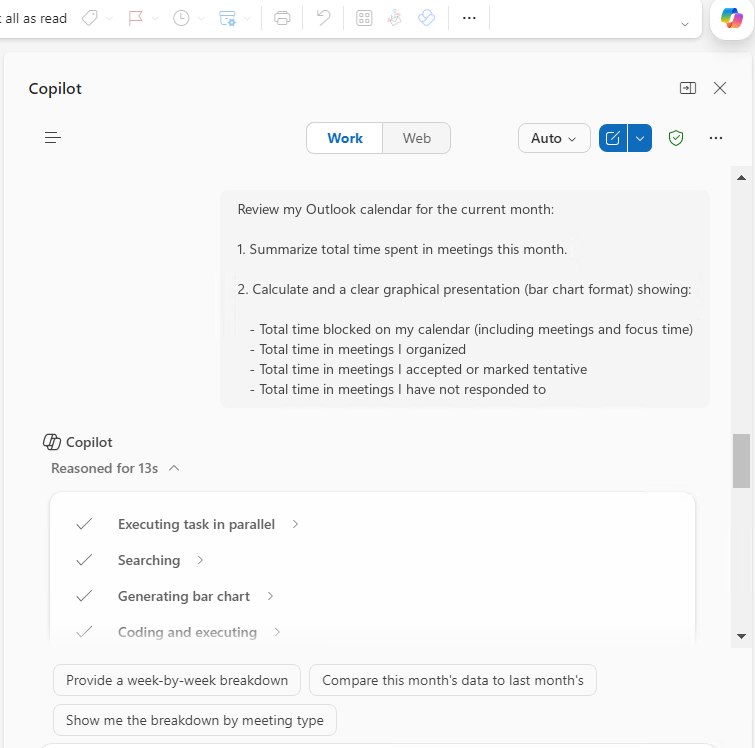
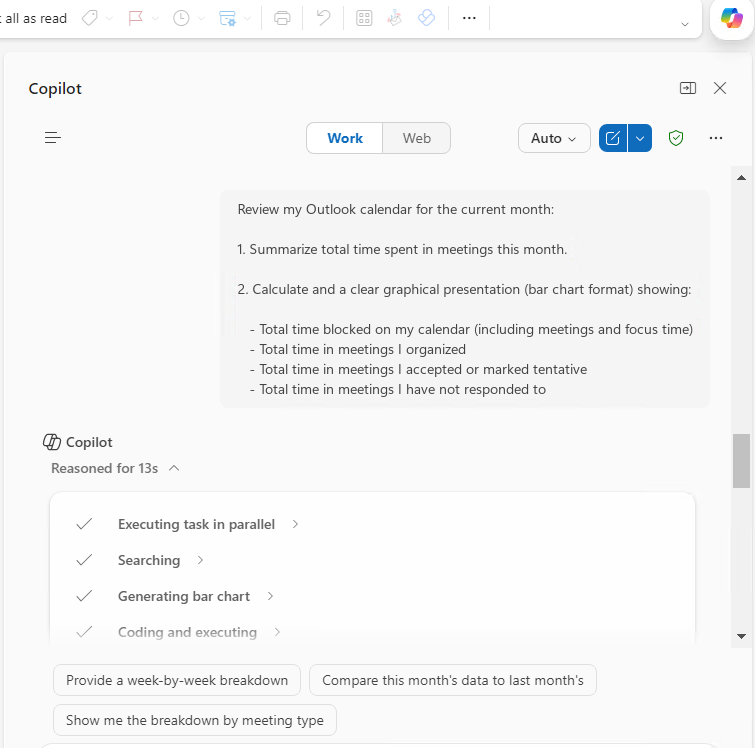
Review my Outlook calendar for the current month:

1. Summarize total time spent in meetings this month.

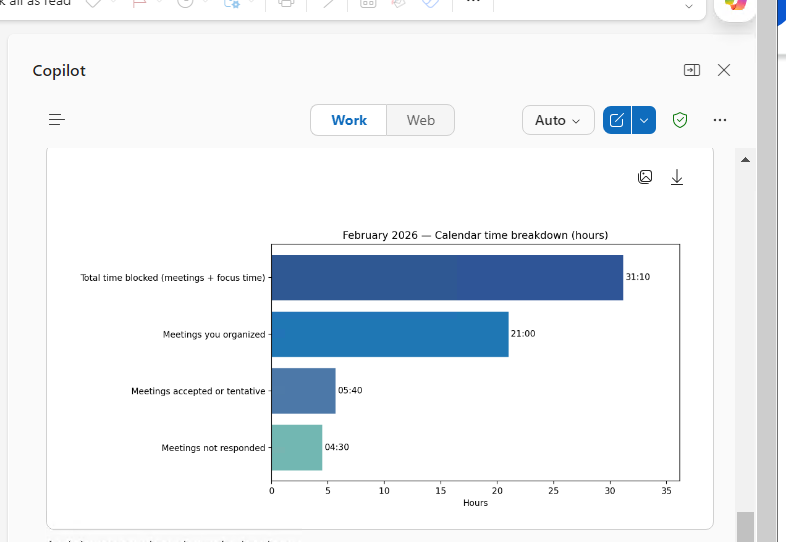
2. Calculate and provide a clear graphical presentation (bar chart format) showing:

   - Total time blocked on my calendar (including meetings and focus time)
   - Total time in meetings I organized
   - Total time in meetings I accepted or marked tentative
   - Total time in meetings I have not responded to
Description
Understanding how your time is spent in meetings is essential for productivity and workload management.
Use it in Outlook with Microsoft 365 Copilot to evaluate meeting load, identify overload patterns, and optimize your calendar.
Contributors
Version history
| Version | Date | Comments |
|---|---|---|
| 1.0 | February 25, 2026 | Initial release |
Disclaimer
THIS CODE IS PROVIDED AS IS WITHOUT WARRANTY OF ANY KIND, EITHER EXPRESS OR IMPLIED, INCLUDING ANY IMPLIED WARRANTIES OF FITNESS FOR A PARTICULAR PURPOSE, MERCHANTABILITY, OR NON-INFRINGEMENT.
Help
We do not support samples, but this community is always willing to help, and we want to improve these samples. We use GitHub to track issues, which makes it easy for community members to volunteer their time and help resolve issues.
If you encounter any issues while using this sample, create a new issue.
For questions regarding this sample, create a new question.
Finally, if you have an idea for improvement, make a suggestion.
Learn more
References
Background and supporting resources provided by the contributor.