
Prompt
M365 Summarise Most Recent Discussion In Well Format Prompt
Ask copilot to summarise most recent discussion in well format

- Sample type
- Prompt
- Products
- Microsoft 365 Copilot
- Created
- Updated
Sample documentation
How to use this sample
Summary
Prompt 💡
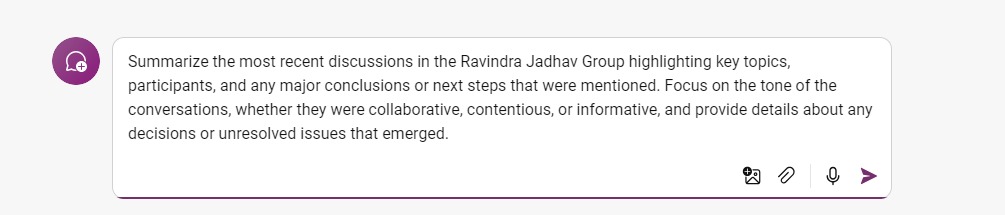
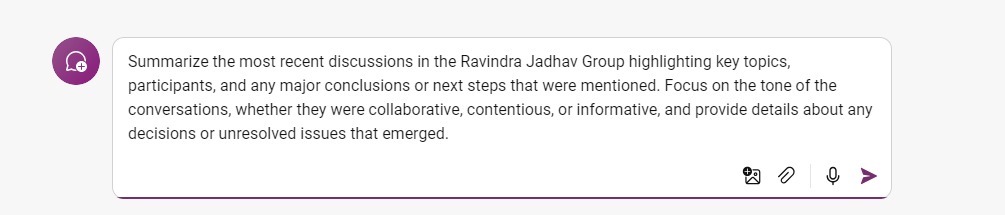
Summarize the most recent discussions in the [Group chat name], highlighting key topics, participants, and any major conclusions or next steps that were mentioned. Focus on the tone of the conversations, whether they were collaborative, contentious, or informative, and provide details about any decisions or unresolved issues that emerged.
Description ℹ️
Ask copilot to summarise most recent discussion in well format.
Contributors 👨💻
Version history
| Version | Date | Comments |
|---|---|---|
| 1.0 | September 15, 2024 | Initial release |
Instructions 📝
- Make sure you have copilot for Microsoft 365 in your tenant
- Go to Teams
- Copy and paste the prompt in Copilot app and replace [Group chat name] with actual group chat name in Teams
Improvise Usage 🚀
Suggest copilot to bring up any action items for you that was also discussed
Prerequisites
Help
We do not support samples, but this community is always willing to help, and we want to improve these samples. We use GitHub to track issues, which makes it easy for community members to volunteer their time and help resolve issues.
You can try looking at issues related to this sample to see if anybody else is having the same issues.
If you encounter any issues using this sample, create a new issue.
Finally, if you have an idea for improvement, make a suggestion.
Disclaimer
THIS CODE IS PROVIDED AS IS WITHOUT WARRANTY OF ANY KIND, EITHER EXPRESS OR IMPLIED, INCLUDING ANY IMPLIED WARRANTIES OF FITNESS FOR A PARTICULAR PURPOSE, MERCHANTABILITY, OR NON-INFRINGEMENT.
Learn more
References
Background and supporting resources provided by the contributor.