
Prompt
Summarize This Email Thread
Get main points from long email threads in 3 bullets

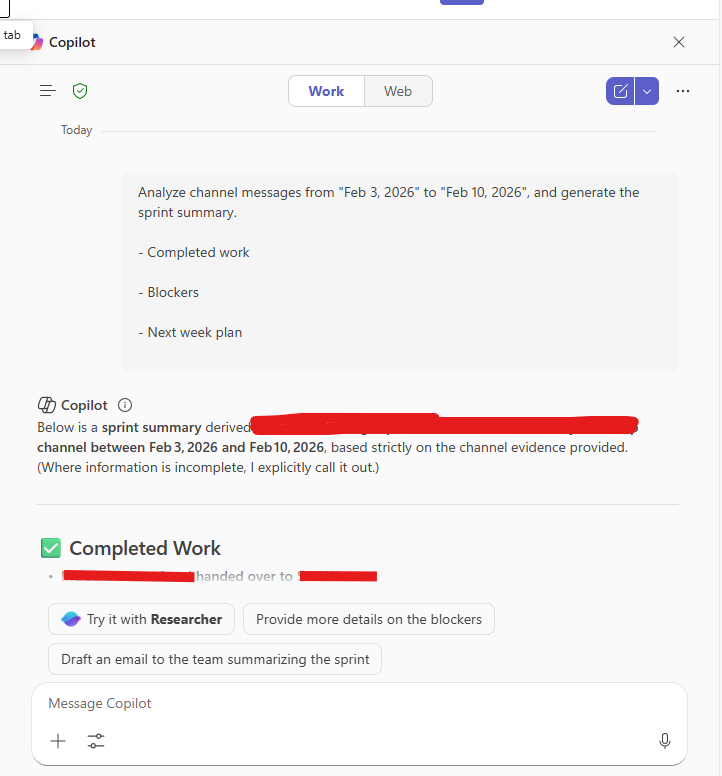
- Sample type
- Prompt
- Products
- Microsoft 365 Copilot, Teams
- Created
- Updated
Sample documentation
How to use this sample
Summary
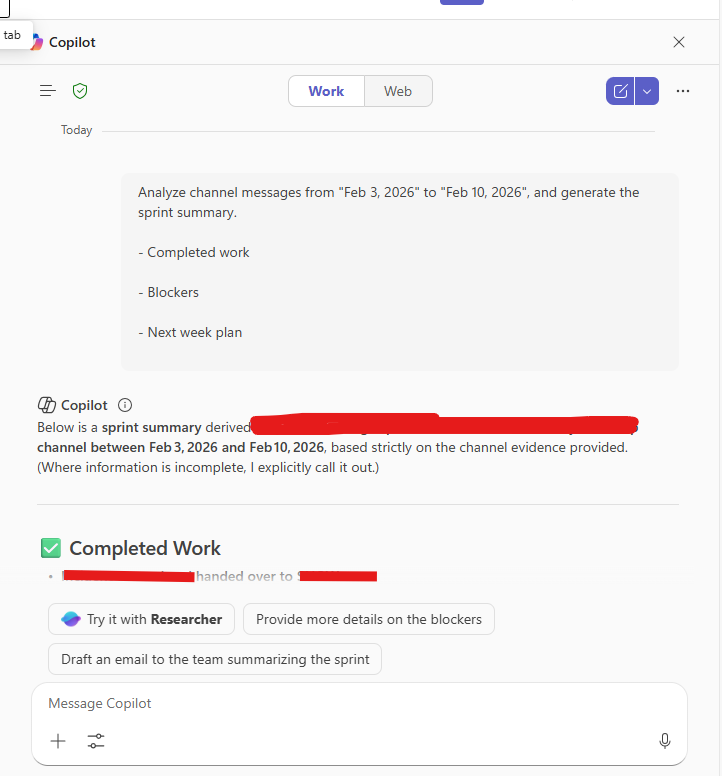
Turn a week (or custom date range) of Microsoft Teams channel messages into a clear sprint summary.
Prompt
Analyze channel messages from [START DATE] to [END DATE] and generate a sprint summary.
- Completed work
- Blockers
- Next week plan
Description
Microsoft Teams channels often contain important updates, decisions, and progress reports scattered across many messages. Reviewing them manually can be time-consuming.
This prompt helps you quickly generate a structured sprint summary by analyzing channel conversations within a selected date range.
Contributors
Version history
| Version | Date | Comments |
|---|---|---|
| 1.0 | February 12, 2026 | Initial release |
Disclaimer
THIS CODE IS PROVIDED AS IS WITHOUT WARRANTY OF ANY KIND, EITHER EXPRESS OR IMPLIED, INCLUDING ANY IMPLIED WARRANTIES OF FITNESS FOR A PARTICULAR PURPOSE, MERCHANTABILITY, OR NON-INFRINGEMENT.
Help
We do not support samples, but this community is always willing to help, and we want to improve these samples. We use GitHub to track issues, which makes it easy for community members to volunteer their time and help resolve issues.
If you encounter any issues while using this sample, create a new issue.
For questions regarding this sample, create a new question.
Finally, if you have an idea for improvement, make a suggestion.
Learn more
References
Background and supporting resources provided by the contributor.