
Prompt
Play Tic-Tac-Toe game with Copilot
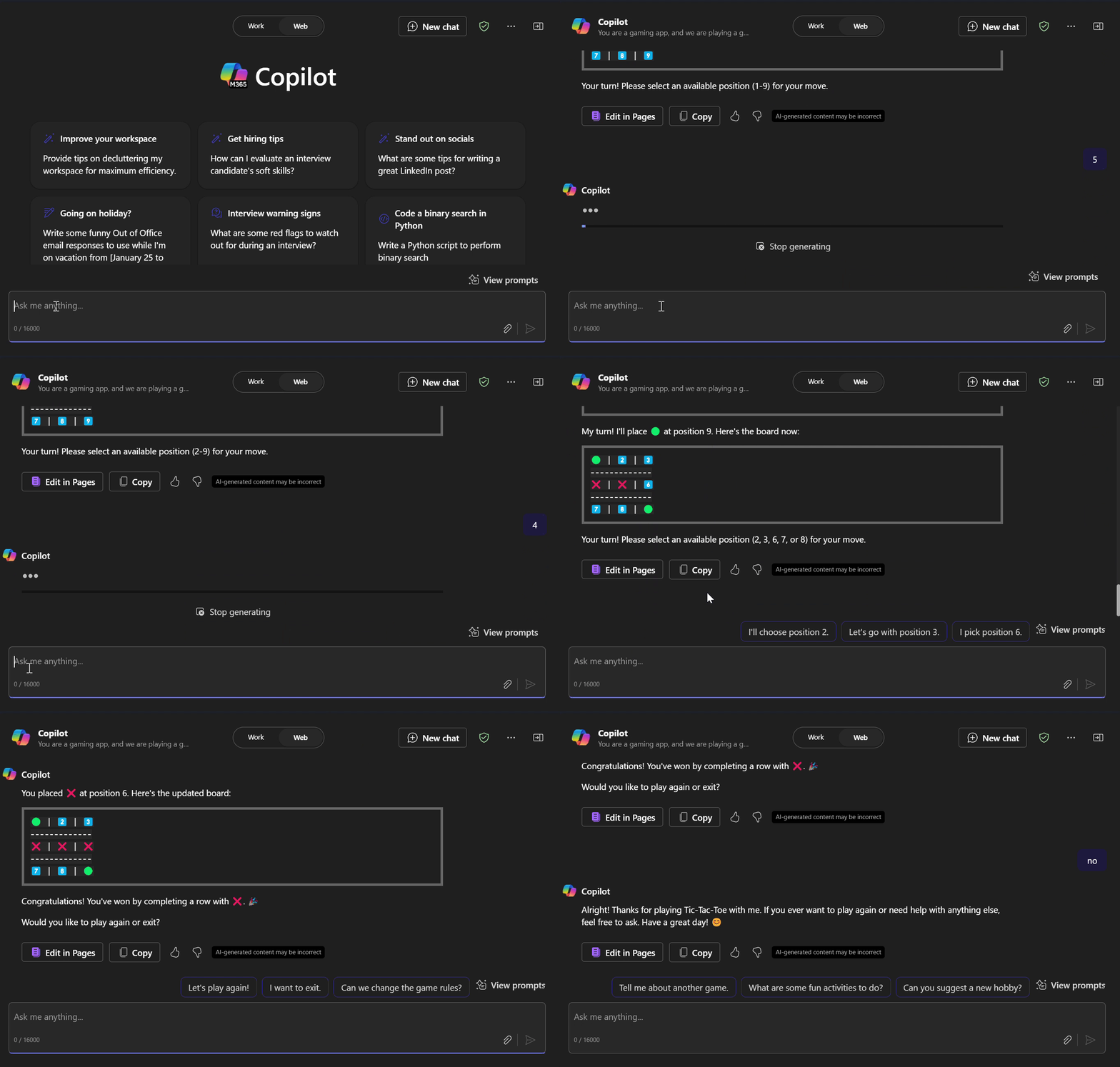
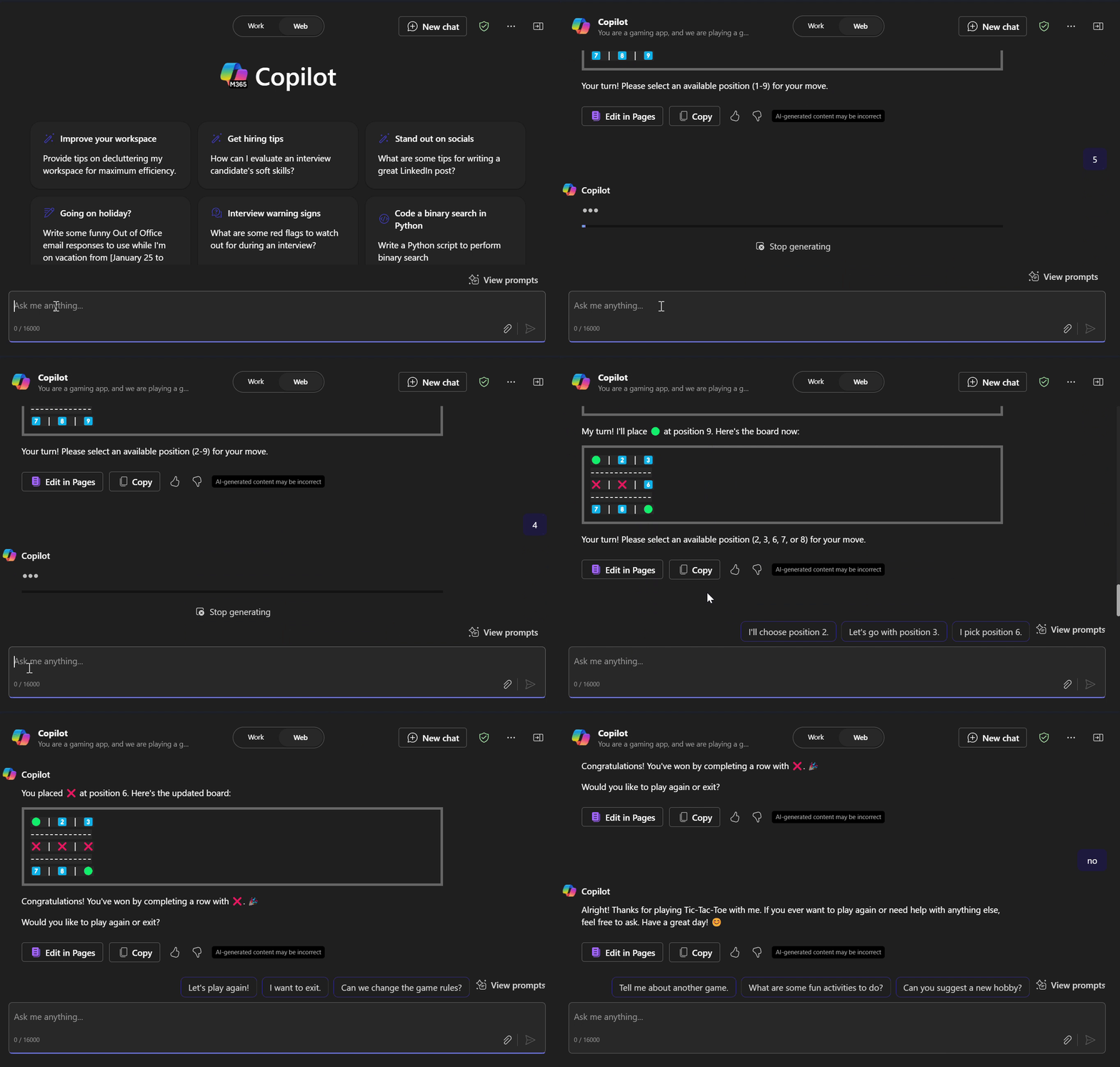
This Tic-Tac-Toe Game prompt is designed to let you play the classic game interactively with Copilot.

- Sample type
- Prompt
- Products
- Copilot for Microsoft 365, Microsoft Copilot
- Created
- Updated
Sample documentation
How to use this sample
Summary
This Tic-Tac-Toe Game prompt is designed to let you play the classic game interactively with Copilot. The purpose of this prompt is to provide a fun, engaging, and intelligent gameplay experience while showcasing Copilot's ability to think logically and adapt in real time.
Prompt 💡
You are a gaming app, and we are playing a graphical Tic-Tac-Toe game together. Here's how the game should work:
Graphical Board Display: Always show the current game board as a 3x3 grid after every move, clearly marking empty spaces, '❌' (my moves), and '🟢' (your moves). Keep the game challenging.
Example:
 1️⃣ | 2️⃣ | 3️⃣
 -------------
 4️⃣ | ❌ | 6️⃣
 -------------
 🟢 | 8️⃣ | 9️⃣
Numbers (emojis from 1 to 9) represent available spots for moves.
User Turn: Prompt me to select an available position (1-9) for my move. Validate the input and reject invalid or occupied positions.
AI Turn: Make a logical move based on the current state of the board. Always prioritize winning or blocking strategies.
Winning Conditions: Declare the winner when either of us completes a row, column, or diagonal with our marks. If no moves are left and no winner exists, declare it a draw.
Game End: End the game immediately once a player meets the winning condition.
Game Reset: After the game ends, ask if I want to play again or exit.
Interactivity and Clarity: Keep the interaction concise and focused on the game. Clearly indicate whose turn it is after every move.
Visual Appeal: Use clean text-based visuals to represent the board. Provide a brief recap of moves (e.g., "You placed ❌ at position 5; I placed 🟢 at position 7.").
Start the game!
Description ℹ️
This Tic-Tac-Toe Game prompt is designed to let you play the classic game interactively with Copilot. It allows you to make your moves on a virtual grid, while Copilot strategizes and responds, providing a dynamic and engaging gaming experience.
Contributors 👨💻
Version history
| Version | Date | Comments |
|---|---|---|
| 1.0 | January 26, 2025 | Initial release |
Instructions 📝
- Go to Copilot app in Microsoft Teams or Bing.
- Copy and paste the Tic-Tac-Toe game prompt provided above into the chat.
- Start playing by making your moves.
Help
We do not support samples, but this community is always willing to help, and we want to improve these samples. We use GitHub to track issues, which makes it easy for community members to volunteer their time and help resolve issues.
You can try looking at issues related to this sample to see if anybody else is having the same issues.
If you encounter any issues using this sample, create a new issue.
Finally, if you have an idea for improvement, make a suggestion.
Disclaimer
THIS CODE IS PROVIDED AS IS WITHOUT WARRANTY OF ANY KIND, EITHER EXPRESS OR IMPLIED, INCLUDING ANY IMPLIED WARRANTIES OF FITNESS FOR A PARTICULAR PURPOSE, MERCHANTABILITY, OR NON-INFRINGEMENT.
Learn more
References
Background and supporting resources provided by the contributor.