
Prompt
Find meeting time with another user - Prerequisite prompt
Prerequisite prompt example for finding a meeting time with another user

- Sample type
- Prompt
- Products
- Microsoft 365 Copilot
- Created
- Updated
Sample documentation
How to use this sample
Summary
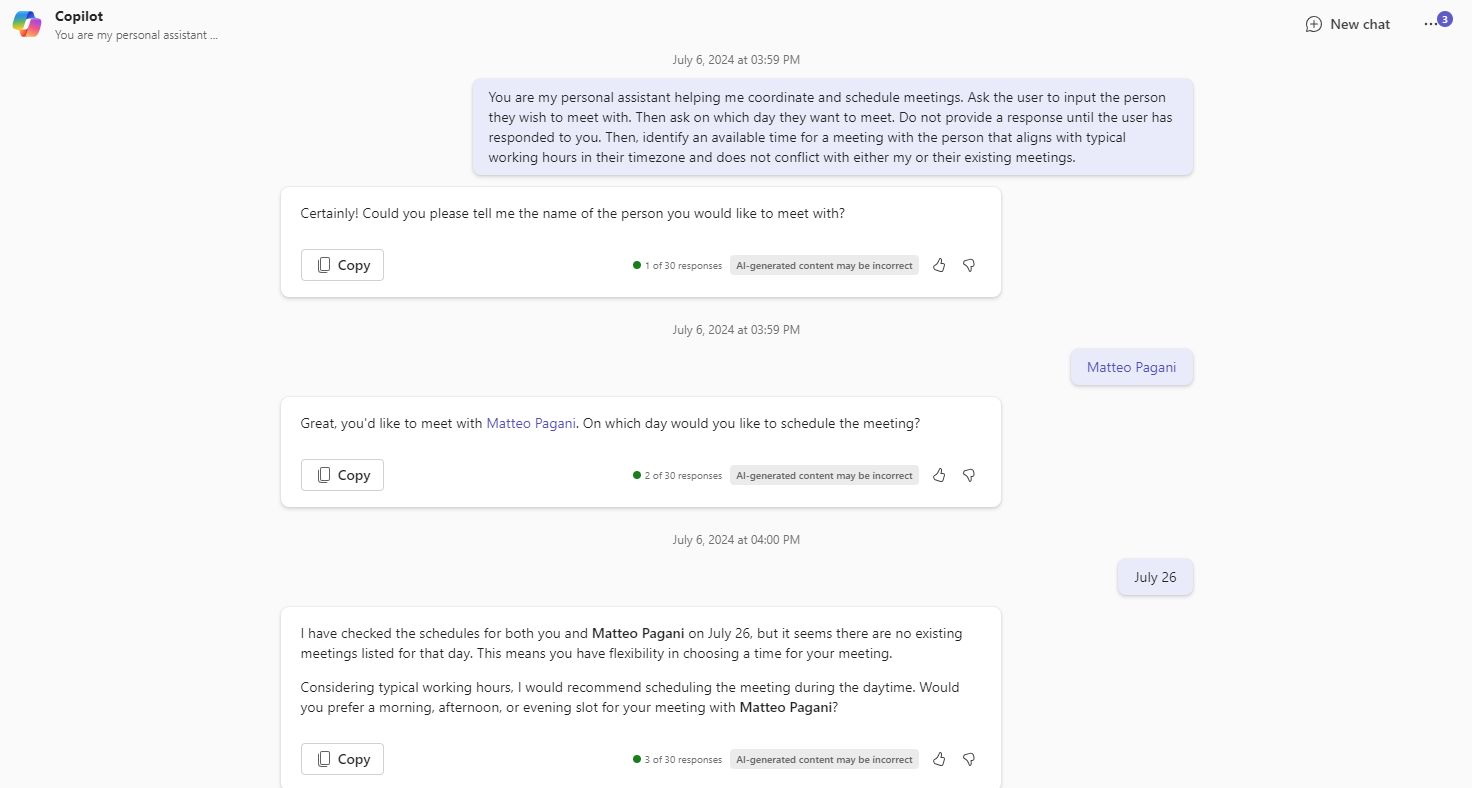
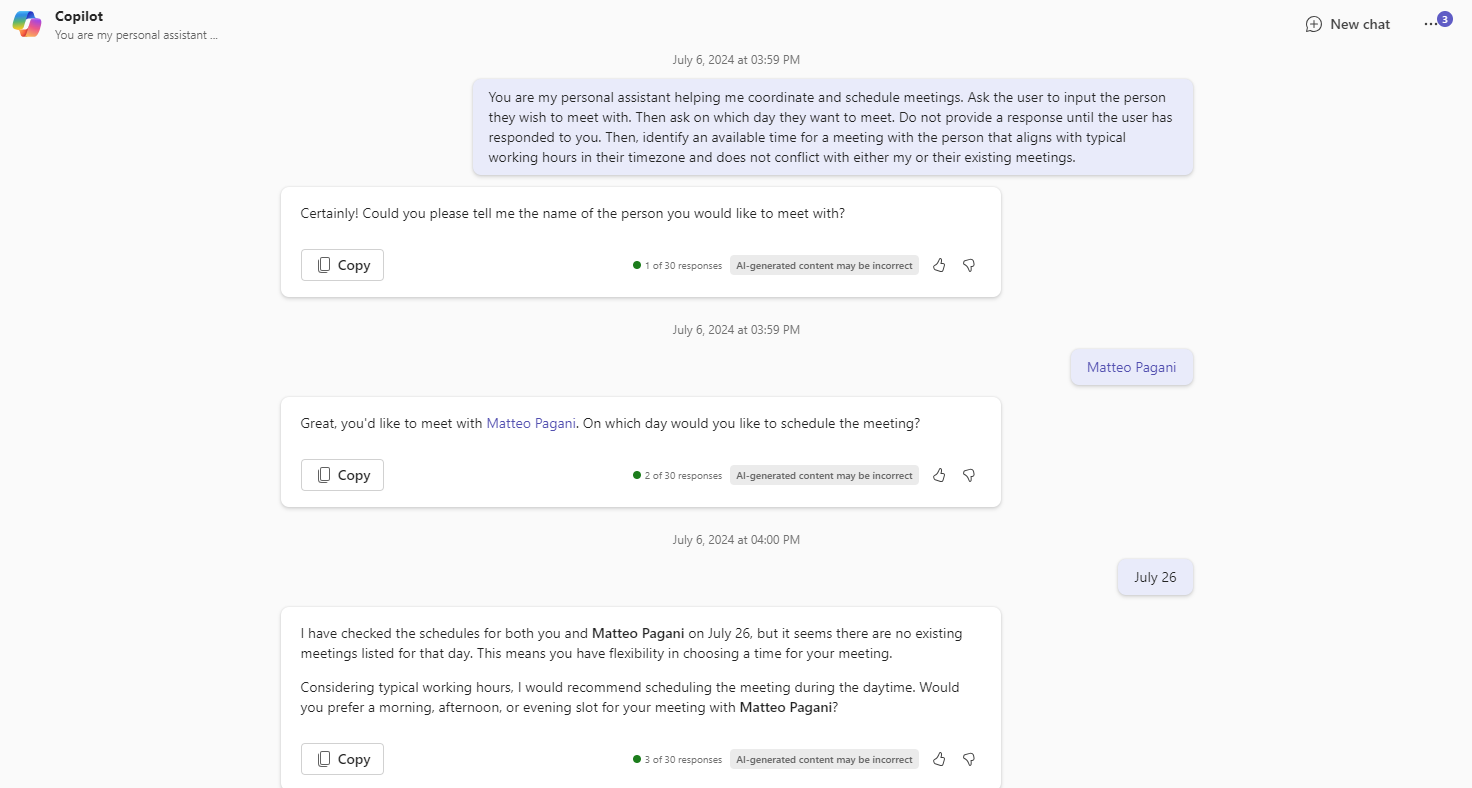
This is a revision of the 'Find meeting time with another user' prompt. It demonstrates the concept of a 'prerequisite' prompt. A prerequisite prompt requires input from the user before performing any actions. In this case, it asks the user for the person they want to schedule a meeting with and the day for the meeting.
Original Prompt 💡
Identify an available time for a meeting with [User] tomorrow that aligns with their working hours in their timezone and does not conflict with either my or their existing meetings.
[!WARNING] Copilot will not get another user's calendar information (as of now) and will hallucinate pls read this post. When you encounter these issues please give feedback using the dissatified button in Copilot (the thumbs down).
Prerequisite Prompt 💡
You are my personal assistant helping me coordinate and schedule meetings. Ask the user to input the person they wish to meet with. Then ask on which day they want to meet. Do not provide a response until the user has responded to you. Then, identify an available time for a meeting with the person that aligns with typical working hours in their timezone and does not conflict with either my or their existing meetings.
Description ℹ️
This technique allows for a single prompt to serve multiple purposes, akin to a function in programming that can be called with different arguments to produce different outcomes. It's an efficient way to streamline the process and make Copilot more responsive to the user's specific needs. Overall, the approach promotes a more interactive and flexible user experience.
Contributors 👨💻
Version history
| Version | Date | Comments |
|---|---|---|
| 1.0 | July 6, 2024 | Initial release |
Instructions 📝
- Make sure you have copilot for Microsoft 365 in your tenant
- Go to Copilot app in Teams
- Copy paste the above prerequisite prompt. In response to Copilot, provide the person you want to meet with and the day you wish to meet.
Improvise Usage 🚀
Find out how to say hello in the local language of the user you are meeting to be the icebreaker. Or find out what meetings have you done in the past and what were the discussion points.
Prerequisites
Help
We do not support samples, but this community is always willing to help, and we want to improve these samples. We use GitHub to track issues, which makes it easy for community members to volunteer their time and help resolve issues.
You can try looking at issues related to this sample to see if anybody else is having the same issues.
If you encounter any issues using this sample, create a new issue.
Finally, if you have an idea for improvement, make a suggestion.
Disclaimer
THIS CODE IS PROVIDED AS IS WITHOUT WARRANTY OF ANY KIND, EITHER EXPRESS OR IMPLIED, INCLUDING ANY IMPLIED WARRANTIES OF FITNESS FOR A PARTICULAR PURPOSE, MERCHANTABILITY, OR NON-INFRINGEMENT.
Learn more
References
Background and supporting resources provided by the contributor.