
Prompt
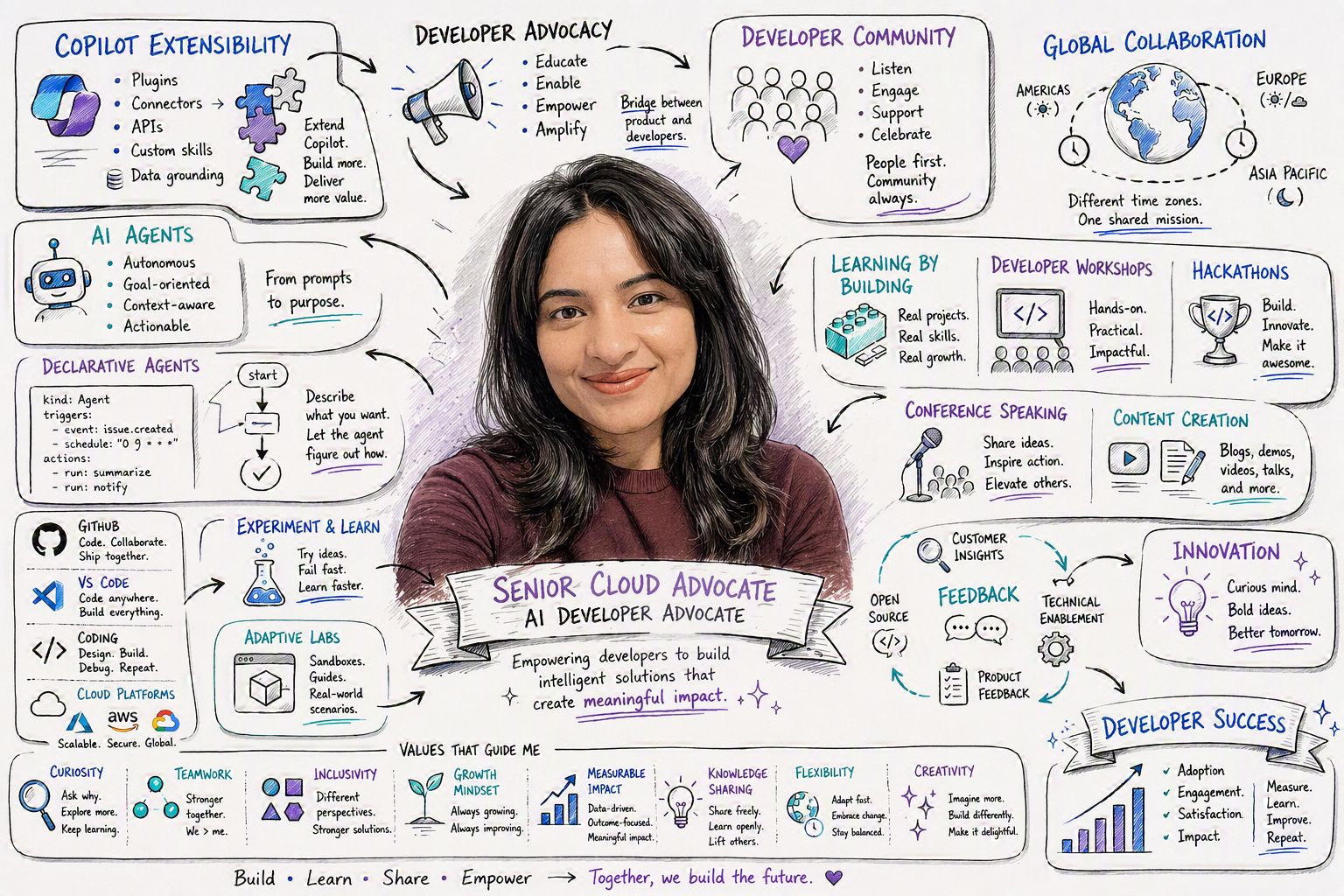
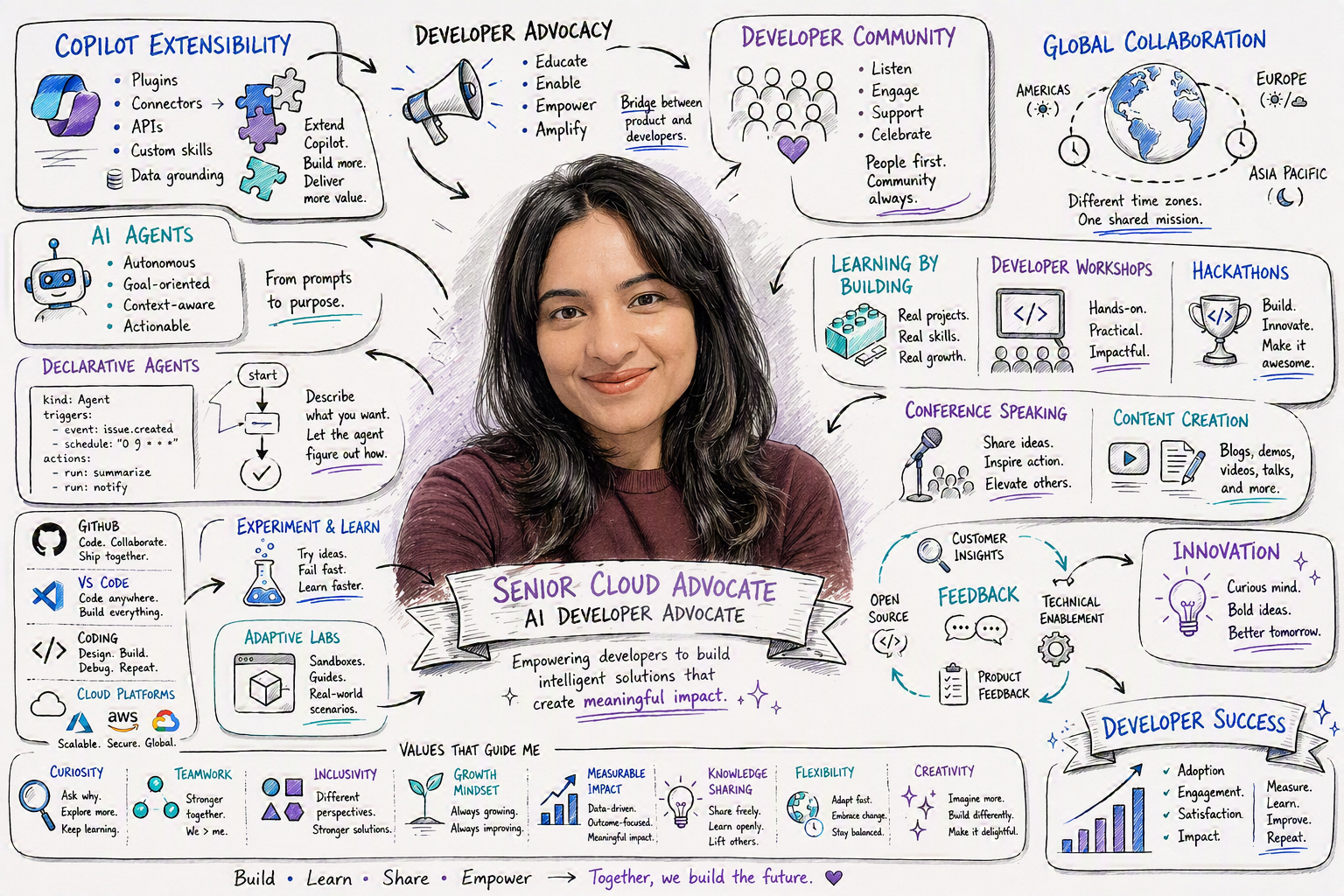
WorkIQ Persona Sketch
Generate a practical WorkIQ persona sketch from your recent Microsoft 365 activity patterns.

- Sample type
- Prompt
- Products
- Microsoft 365 Copilot
- Created
- Updated
Sample documentation
How to use this sample
[!IMPORTANT] This prompt is designed to help you better understand and visualise your work. Depending on your data, generated outputs may include references to people you work with, projects, customers, teams, or other organisational details.
If you choose to share the output publicly, we strongly recommend reviewing it first and removing any information that could expose private, confidential, or security-sensitive details. Always follow your organization's privacy and information protection guidelines when publishing generated content.
Summary
This prompt helps you build a practical persona sketch from your recent work patterns so you can understand how you spend time, collaborate, and where your focus is strongest.
Prompt 💡
Create a photorealistic image in a clean cartoon whiteboard sketch style that visualises my work life. Include what I do, who I work with, my role, my values and what's important to me. I've attached a headshot so you can guide the sketch of me at the center. Ground your research in Work IQ and the public profile for me on LinkedIn. The graphic should be rich in information. For the avatars of the people I work with, avoid guessing and put a generic icon in place or find their actual profile pictures.
Description ℹ️
This prompt turns your recent Microsoft 365 signals into a clear persona sketch you can use for reflection and planning. It is useful for understanding work style trends, balancing collaboration with deep work, and identifying practical improvements without requiring manual analysis.
Contributors 👨💻
Version history
| Version | Date | Comments |
|---|---|---|
| 1.0 | June 22, 2026 | Initial release |
Instructions 📝
- Open Copilot in your Microsoft 365 app (for example, Teams or Copilot Chat) with WorkIQ enabled in tenant.
- Copy the prompt from the Prompt section.
- Paste it into Copilot and run it.
- Review the generated persona sketch.
Prerequisites
- Copilot for Microsoft 365 with WorkIQ
Help
We do not support samples, but this community is always willing to help, and we want to improve these samples. We use GitHub to track issues, which makes it easy for community members to volunteer their time and help resolve issues.
You can try looking at issues related to this sample to see if anybody else is having the same issues.
If you encounter any issues using this sample, create a new issue.
Finally, if you have an idea for improvement, make a suggestion.
Disclaimer
THIS CODE IS PROVIDED AS IS WITHOUT WARRANTY OF ANY KIND, EITHER EXPRESS OR IMPLIED, INCLUDING ANY IMPLIED WARRANTIES OF FITNESS FOR A PARTICULAR PURPOSE, MERCHANTABILITY, OR NON-INFRINGEMENT.
Learn more
References
Background and supporting resources provided by the contributor.