
Skill
Photo Booth Skill for Microsoft 365 Copilot
Create a photorealistic 3x3 photo-booth grid from reference images with strict visual continuity.

- Sample type
- Skill
- Products
- Microsoft 365 Copilot
- Created
- Updated
Sample documentation
How to use this sample
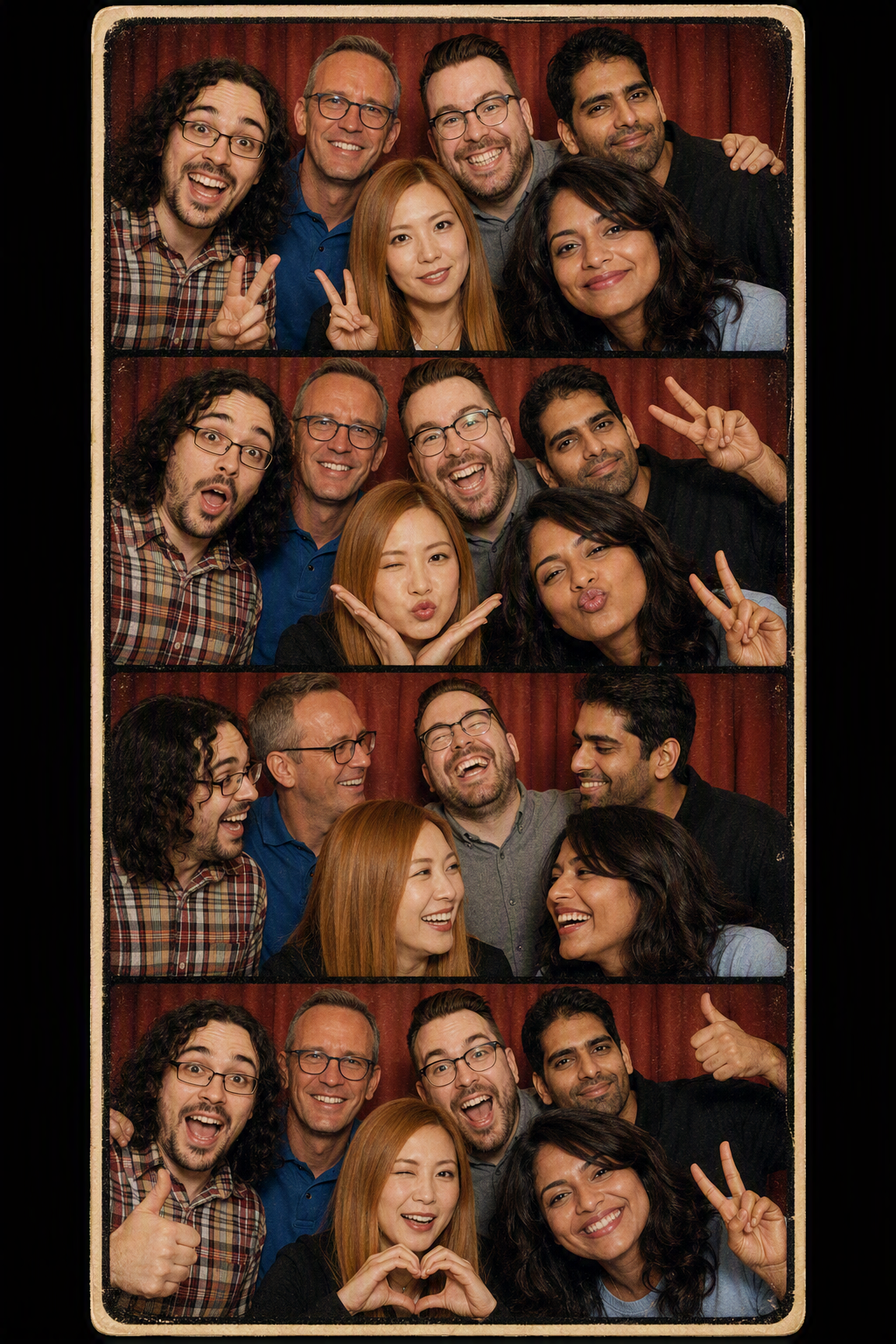
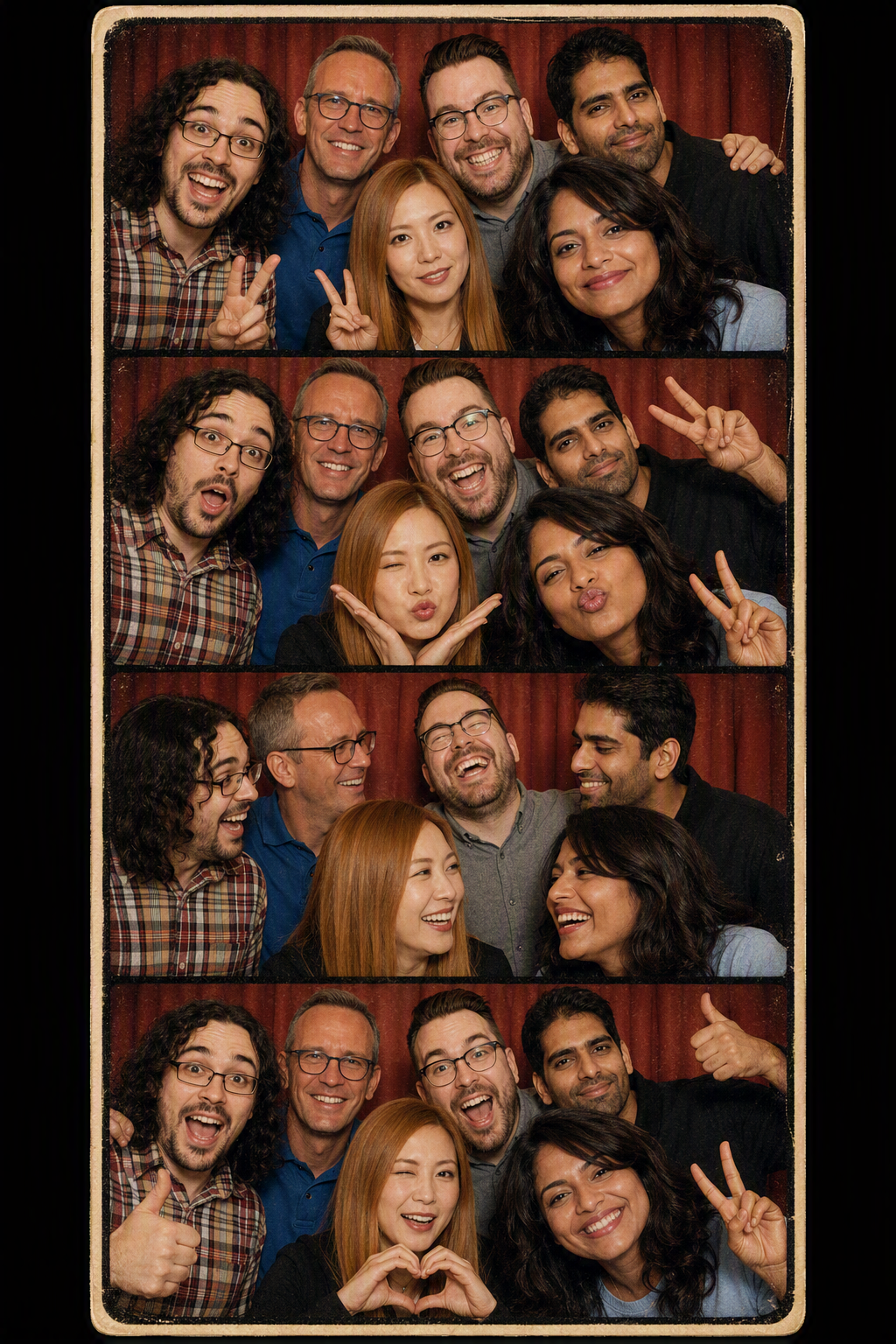
[!NOTE] The image shown above was created using the skill.
Prompt: "Create fun retro style photobooth strip using the skill. Use these people but create photobooth strip with everyone together in each pic as work friends out on a fun day. "
[!WARNING] Share responsibly: Always obtain consent from every identifiable person before posting or sharing their photo or an AI-generated image of them. Consider privacy and security implications, including exposed personal information, locations, and image metadata. Do not publish inappropriate, harmful, misleading, or non-consensual AI-generated images. Review every image carefully and use good judgment before sharing it.
[!IMPORTANT] Custom skills in Declarative Agents are currently available in preview through the Microsoft Frontier Program, with general availability planned soon. Your organization must be enrolled in the Frontier Program to try this skill in Agent Builder today.
Summary
Create a photorealistic 3x3 photo-booth grid from reference images while keeping the people, wardrobe, setting, lighting, and framing visually consistent across all nine panels.
Skill
The full skill definition is in SKILL.md. Package it as a ZIP file with SKILL.md at the archive root, then upload the package to a Declarative Agent in Microsoft 365 Copilot Agent Builder.
Trigger Phrases
Say any of these to Microsoft 365 Copilot to activate the skill:
- "Create a photo-booth grid from these images"
- "Make a 3x3 couple selfie grid"
- "Generate an emotion grid with the same people"
- "Create synchronized portrait variations from these references"
Description
This skill analyzes supplied reference images, defines a continuity lock for the people and photographic treatment, plans nine synchronized expressions or micro-poses, and generates a single square 3x3 master image. It then reviews the result for consistent identities, wardrobe, backdrop, lighting, framing, and face visibility.
The skill requires a primary reference image. A partner reference is optional; when one is not supplied, the user can describe a fictional or generic partner concept instead.
Contributors
Version history
| Version | Date | Comments |
|---|---|---|
| 1.0 | September 11, 2026 | Initial release |
Instructions
- Download SKILL.md
- Compress
SKILL.mdintophoto-booth.zip, ensuringSKILL.mdis at the root of the archive and not inside a nested folder - Open Microsoft 365 Copilot Chat and sign in
- Under Agents, select + New agent, then select Skip to open the configuration experience
- Configure your Agent with name, description and instruction (keep it simple one liner), expand Skills, select Add, and upload
photo-booth.zip - Create and publish the agent using the audience permitted by your organization
- Open the agent, attach a primary reference image and, optionally, a partner reference image
- Say: "Create a photo-booth grid from these images"
For a complete walkthrough of packaging, uploading, publishing, and testing a custom skill, follow Lab E12 - Build Agent with Skill using Agent Builder.
Customization
- Adjust the default photographic treatment for a specific era like 80s, futuristic tec
- Add stricter continuity anchors for recurring characters, accessories, or branded environments
Prerequisites
- A Microsoft 365 account with a qualifying Microsoft 365 Copilot license or pay-as-you-go access
- An organization enrolled in the Microsoft Frontier Program while custom skills remain in preview
- Permission to create Declarative Agents in your tenant
- Access to image generation in Microsoft 365 Copilot
Help
We do not support samples, but this community is always willing to help, and we want to improve these samples. We use GitHub to track issues, which makes it easy for community members to volunteer their time and help resolve issues.
You can try looking at issues related to this sample to see if anybody else is having the same issues.
If you encounter any issues using this sample, create a new issue.
Finally, if you have an idea for improvement, make a suggestion.
Disclaimer
THIS CODE IS PROVIDED AS IS WITHOUT WARRANTY OF ANY KIND, EITHER EXPRESS OR IMPLIED, INCLUDING ANY IMPLIED WARRANTIES OF FITNESS FOR A PARTICULAR PURPOSE, MERCHANTABILITY, OR NON-INFRINGEMENT.
Learn more
References
Background and supporting resources provided by the contributor.